Welcome, developers and system architects. Today, we are diving deep into a pivotal shift in how we approach software documentation and design. In the realm of modern software engineering, the “Diagram-as-Code” (DaC) approach has become the gold standard for maintaining precision and version control over our system architectures. However, as we know, even the most elegant code can become tedious to maintain when dealing with complex structural changes.
This is where VPasCode, the unified, browser-based platform developed by Visual Paradigm, truly shines. By integrating Natural Language Processing (NLP) directly into the editor, VPasCode transforms the way we interact with visual models. In this tutorial, we will explore the “AI Modify” feature and how it bridges the gap between textual code and visual design.
From Manual Coding to Conversational AI
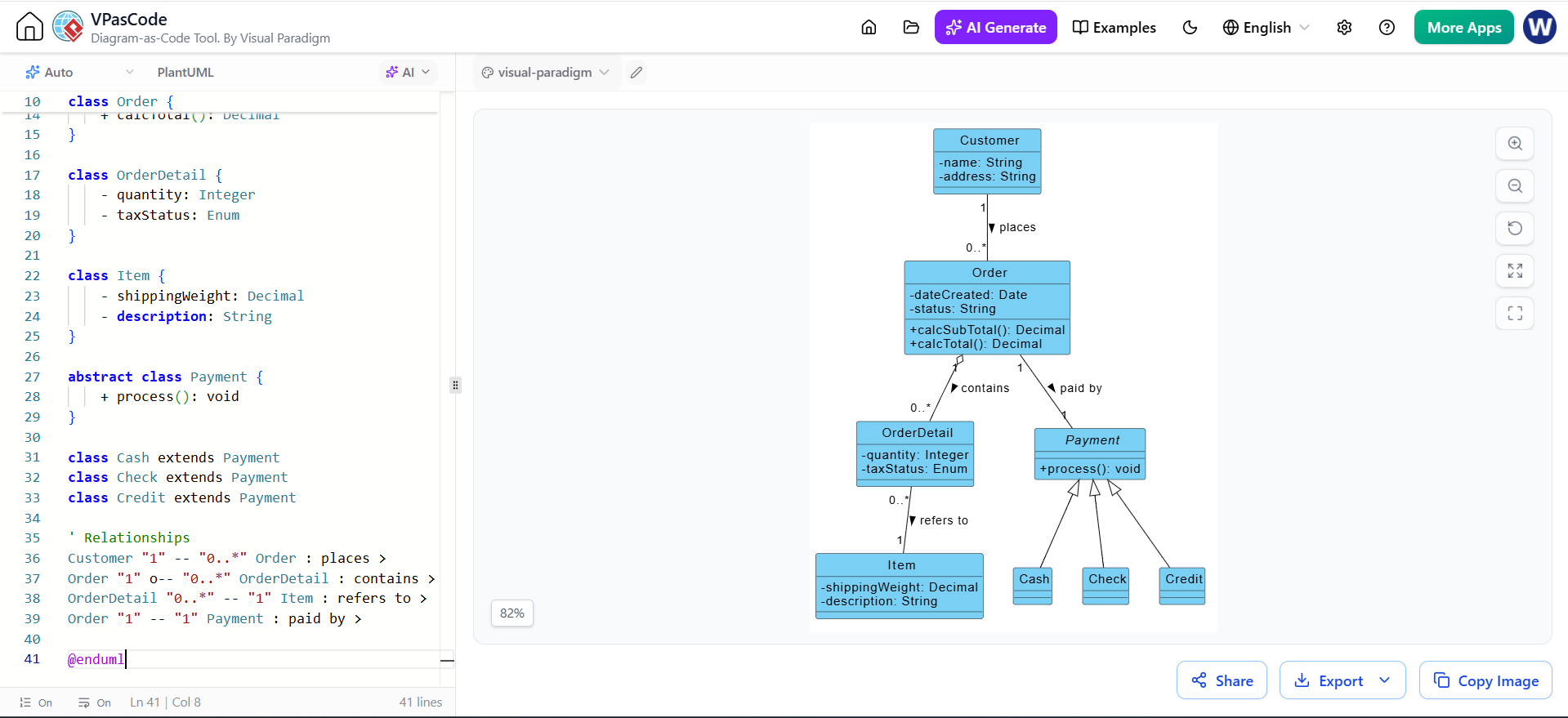
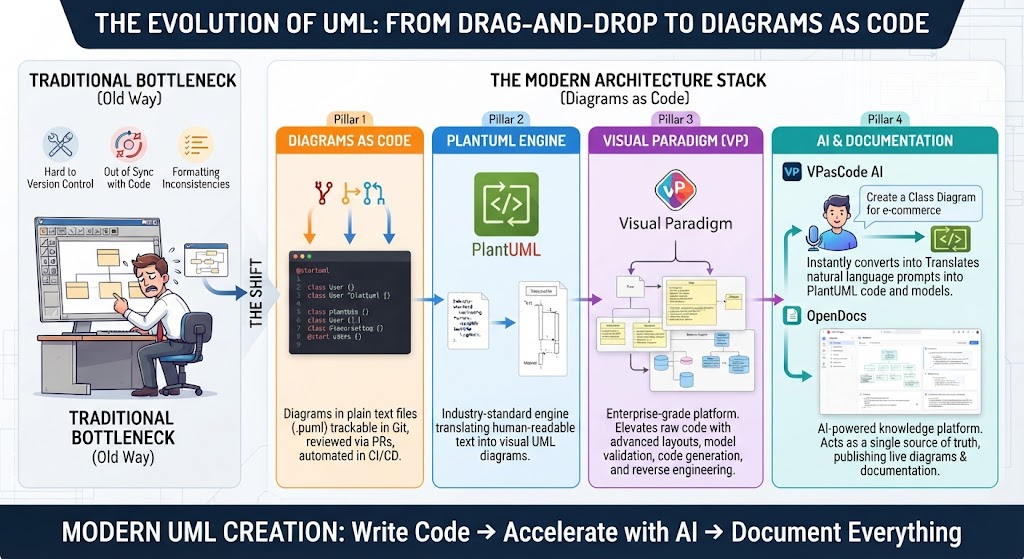
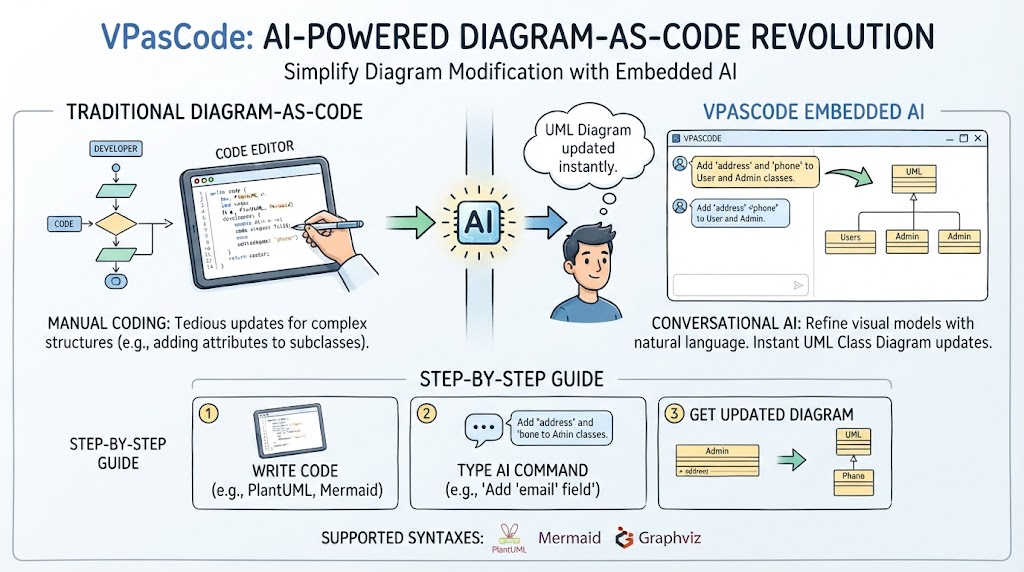
Let’s first look at the traditional workflow. As illustrated in our comparison, the standard “Diagram-as-Code” method relies heavily on a developer manually editing code in a text editor. While this offers precision, it presents a significant bottleneck when dealing with complex structures.
Consider a scenario where you need to add attributes like ‘address’ and ‘phone’ to multiple subclasses in a UML Class Diagram. In a traditional setting, you would have to:
- Locate the specific class definitions in your code.
- Manually type out the attribute syntax for each class.
- Ensure inheritance relationships are maintained correctly.
- Re-render the diagram to verify the changes.
This manual process is not only time-consuming but also prone to syntax errors that can break the rendering of your diagram. VPasCode Embedded AI eliminates this friction by allowing you to refine your visual models conversationally.
Step-by-Step Guide: Modifying a UML Class Diagram with AI
To demonstrate the power of this technology, let’s walk through a practical session on how to update a UML Class Diagram using AI commands. Imagine you have an existing class structure with a parent class and several subclasses.
Step 1: Write Your Initial Code
First, you begin with your trusted syntax. VPasCode supports multiple industry-standard syntaxes including PlantUML, Mermaid, and Graphviz. You write your initial class definitions just as you normally would. For example, you might define a base class and a few specific user types.
Step 2: Type Your AI Command
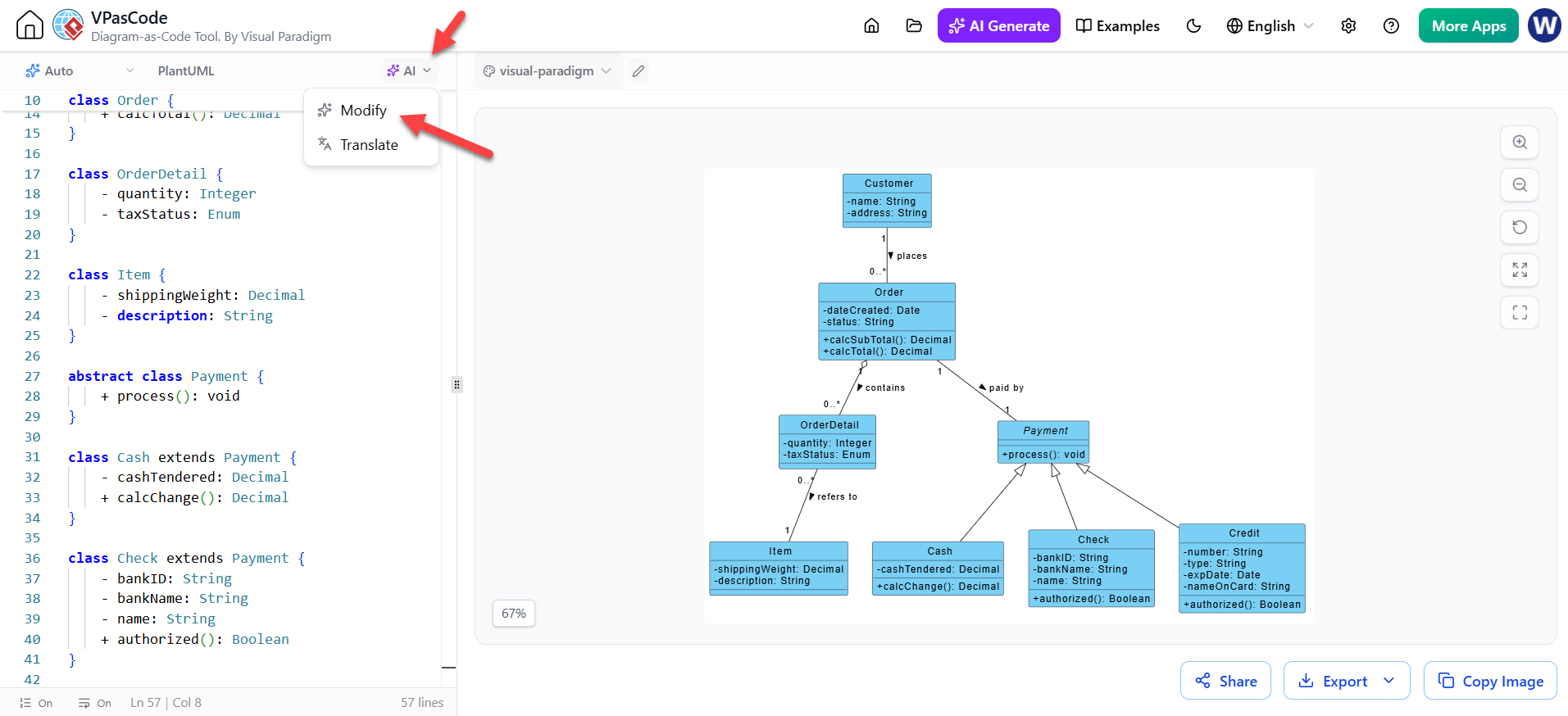
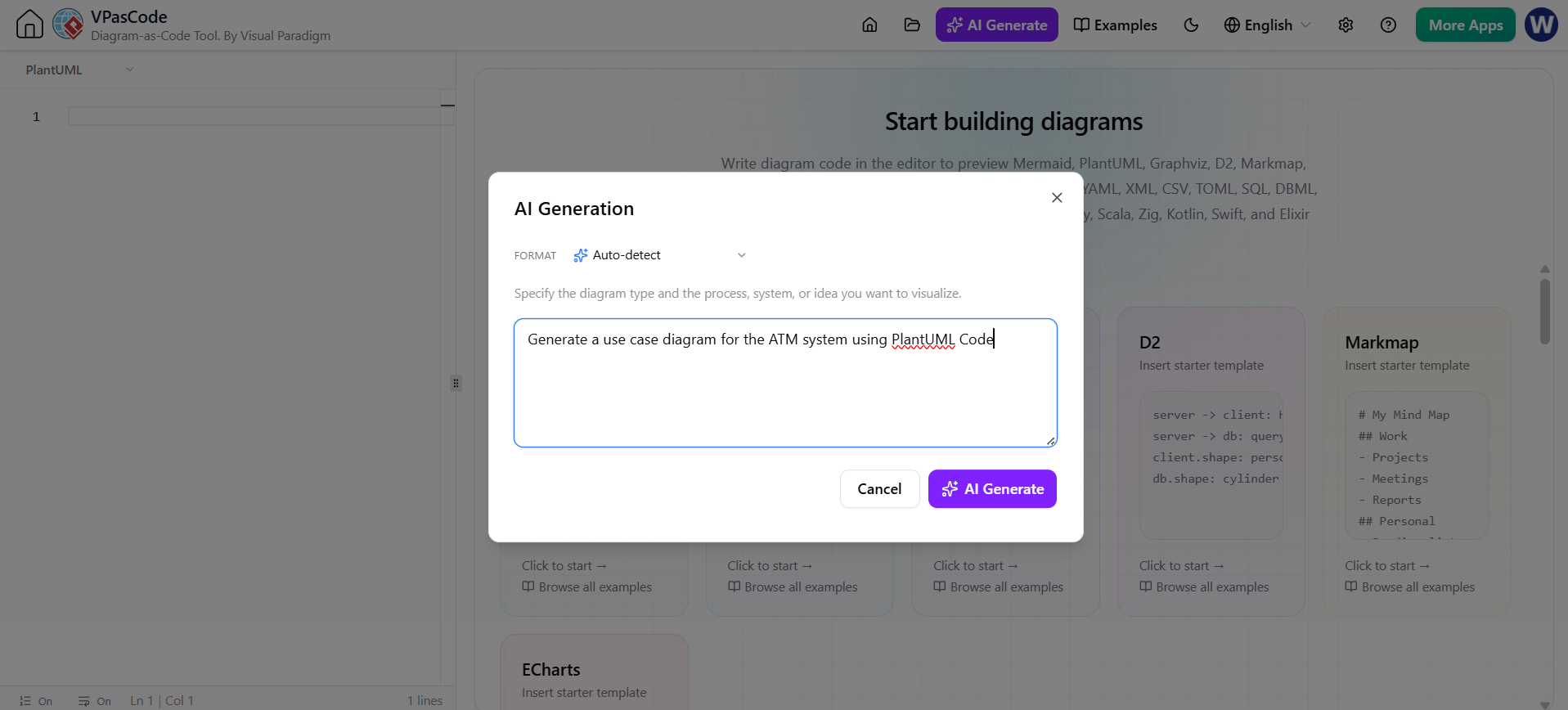
Here is where the magic happens. Instead of manually editing the code, you simply open the AI chat interface within the editor. You can now issue a natural language command. For instance, you might type:
“Add ‘address’ and ‘phone’ attributes to the User and Admin classes.”
VPasCode’s embedded AI interprets this command, understands the context of your existing code, and identifies the relevant classes.
Step 3: Get the Updated Diagram Instantly
Within seconds, the AI modifies the underlying code and regenerates the visual representation. You don’t need to leave your workspace or switch tools. The diagram updates instantly, reflecting the new attributes in the subclasses. This immediate feedback loop allows you to iterate on your design much faster than ever before.
Best Practices for AI-Assisted Modeling
To get the most out of VPasCode’s AI features, keep these guidelines in mind:
- Be Specific: While the AI is powerful, clear instructions yield the best results. Instead of saying “update the classes,” specify exactly which attributes to add or remove.
- Leverage Context: The AI understands the relationships in your diagram. If you ask to add a field to a subclass, it knows how to handle inheritance logic.
- Iterate Rapidly: Use the AI to brainstorm. You can ask it to “suggest three ways to optimize this inheritance hierarchy” to spark new ideas for your architecture.
Conclusion
Visual Paradigm has consistently been a leader in facilitating effective design and modeling, and VPasCode is a testament to that commitment. By combining the rigor of code-based modeling with the flexibility of conversational AI, we are no longer bound by the tedium of manual updates. Whether you are a seasoned architect or a student learning UML, the ability to refine your visual models instantly empowers you to focus on the “what” and “why” of your system, rather than the “how” of the syntax.