Understanding the Pulse of Your Process: A Guide to BPMN Events
Welcome to this tutorial session on Business Process Model and Notation (BPMN). As we embark on the journey of modeling business processes, it is crucial to understand the fundamental building blocks that give a process its flow and logic. Think of a process not just as a static list of tasks, but as a living organism. In this analogy, the activities are the muscles, but the Events are the heartbeat. They dictate when the process begins, what happens while it is running, and when it finally concludes.
In this guide, we will break down the three primary types of events: Start, Intermediate, and End. We will also explore how modern tools like Visual Paradigm facilitate the creation of these diagrams, ensuring your models are not only accurate but also easy to read and implement.
The Catalyst: Start Events
Every great story needs a beginning, and every BPMN process is no different. A Start Event is the trigger that initiates the entire workflow. Without a start event, a process has no reason to exist or execute. Visually, these are typically represented as a circle with a thin border. In the context of the standard diagramming conventions, this thin line distinguishes it from the final destination, signaling that this is an entry point rather than a termination point.
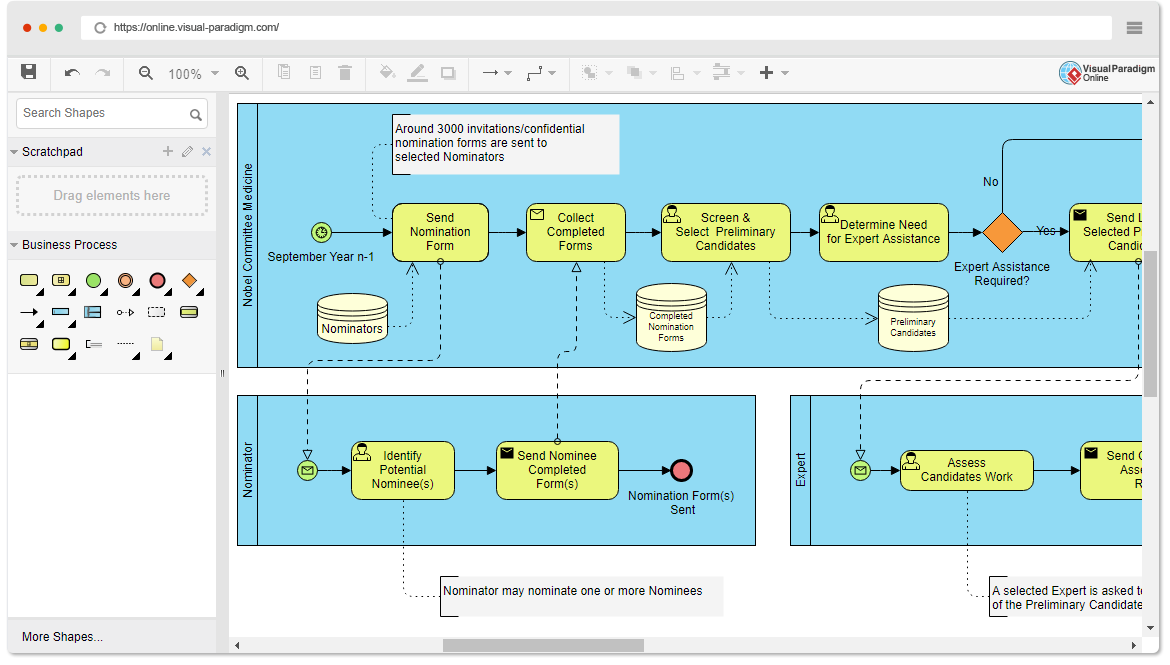
When you are designing a process in Visual Paradigm, the Start Event is usually the first element you place on your canvas. The tool’s intuitive drag-and-drop interface allows you to select this from the BPMN palette. Once placed, you can define the specific trigger for this event. Is it a Timer? A Message? Or a simple manual initiation? Visual Paradigm’s property editor makes it effortless to configure these nuances without cluttering the diagram itself.
The Flow: Intermediate Events
Once the process has begun, it rarely moves in a straight line without interruption. This is where Intermediate Events come into play. These events occur in the middle of the process, situated between activities. They are the “wait” or “catch” mechanisms of the workflow.
Visually, an Intermediate Event is distinct because of its double-line border (or double circle in some styles), which sets it apart from the single-line Start and End events. This visual cue tells the viewer, “We are not done yet, but we are reacting to something specific.”
- Catching Events: The process waits for a signal (like an email) before proceeding.
- Throwing Events: The process generates a signal (like sending a notification) to move to the next step.
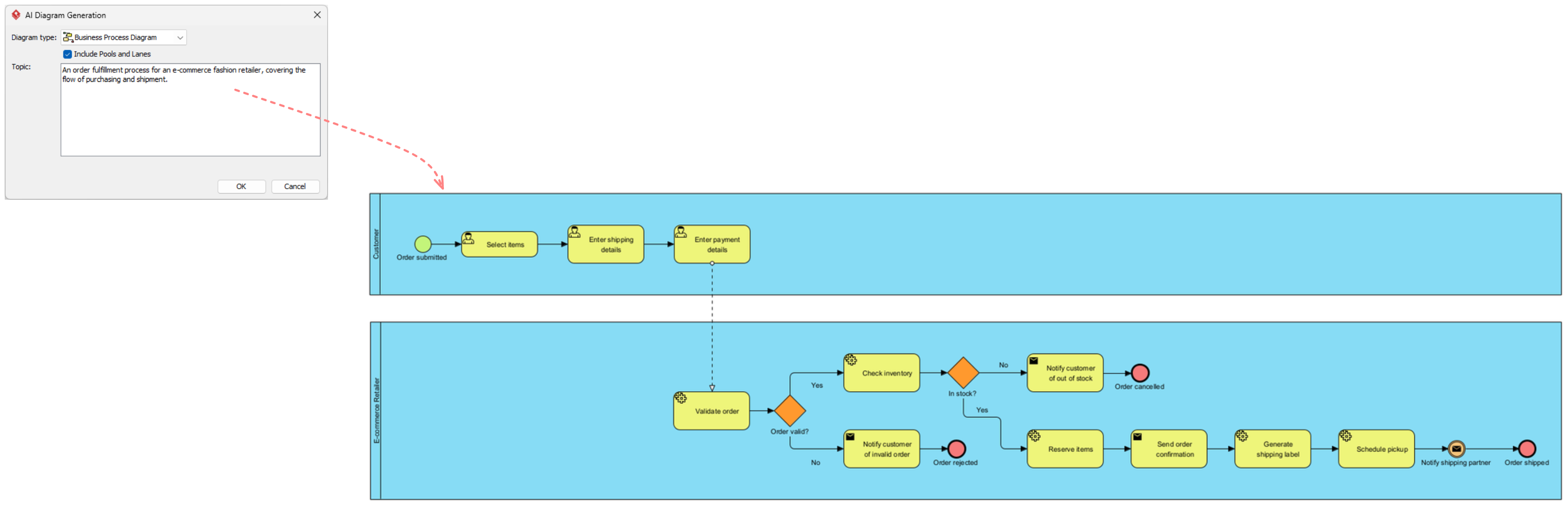
Visual Paradigm excels here by allowing you to model complex concurrency and exceptions. If a process needs to wait for a payment confirmation before moving to shipping, you can easily place an Intermediate Event on the path. The tool’s smart connectors ensure that your flow lines link logically, preventing the common error of creating “dangling” paths that lead nowhere.
The Destination: End Events
Just as a story needs a conclusion, a business process must have a clear ending. An End Event signifies that the process has reached its completion state. It is the point where the work is done, and the outcome is delivered. In BPMN notation, this is represented by a circle with a thick, bold border. This heavy visual weight implies finality and stability, contrasting sharply with the light, thin lines of the Start Event.
It is a fundamental rule of process modeling that every valid process must have at least one End Event. If a process flows forever without stopping, it is likely flawed or missing a termination condition. In Visual Paradigm, the software often provides validation checks to ensure that your process diagrams are “sound.” This means the tool will alert you if you have created a Start Event that does not eventually lead to an End Event, helping you maintain high-quality, executable models.
Bringing It All Together
Mastering the use of Events is the first step toward becoming a proficient BPMN modeler. By understanding that Start Events trigger the flow, Intermediate Events manage the complexity of the middle, and End Events provide closure, you can build robust process maps.
Whether you are mapping a simple approval workflow or a complex enterprise integration, using a tool like Visual Paradigm ensures that these concepts are translated into professional-grade diagrams. By leveraging the specific visual cues—thin lines for starts, double lines for intermediates, and thick lines for ends—you create a universal language that stakeholders can understand instantly.