Mastering Complexity with BPMN Sub-Processes
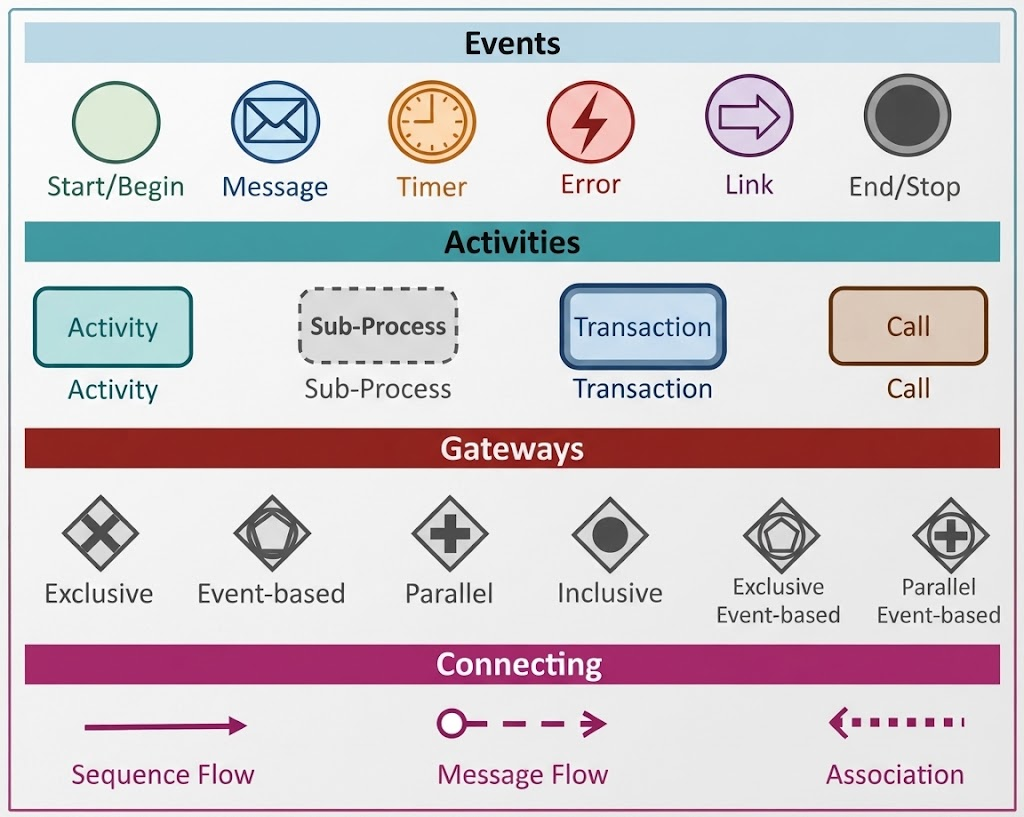
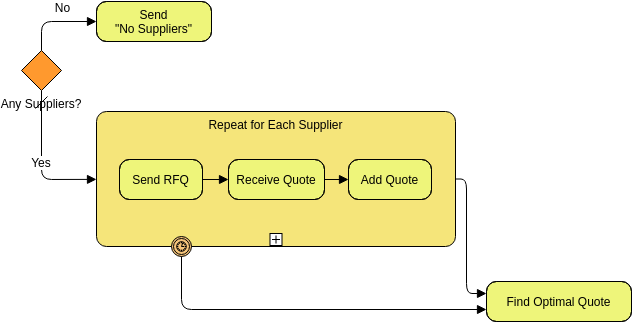
In the world of Business Process Model and Notation (BPMN), clarity is king. When we create diagrams to communicate business processes, our primary goal is to ensure that stakeholders can understand the workflow without getting lost in the weeds. This is where the Sub-Process becomes an indispensable tool. A sub-process is essentially a compound activity—a container that holds a collection of other tasks and sub-processes within itself.
By utilizing sub-processes, we can effectively split a complex, monolithic process into multiple manageable levels. This allows you to focus on a particular area in a single process diagram while keeping the overall view clean and readable.
The Power of Abstraction in Process Modeling
Consider a scenario where a customer places an order. The main flow involves checking availability and shipping. However, if the item is not available, the process must enter a procurement phase. Instead of cluttering the main diagram with the intricate steps of ordering from a supplier, checking stock, and handling logistics, we group these activities into a single block.
In the context of the diagram provided, notice the large yellow box labeled Procurement. This is a collapsed sub-process. To a viewer of the high-level diagram, the internal complexity of “how” the procurement happens is hidden. This abstraction allows the diagram to focus on the decision point: “Article Available?” If the answer is “No,” the flow enters the Procurement sub-process, abstracting away the internal details until a deeper level of exploration is required.
Understanding the Five Types of Sub-Process Markers
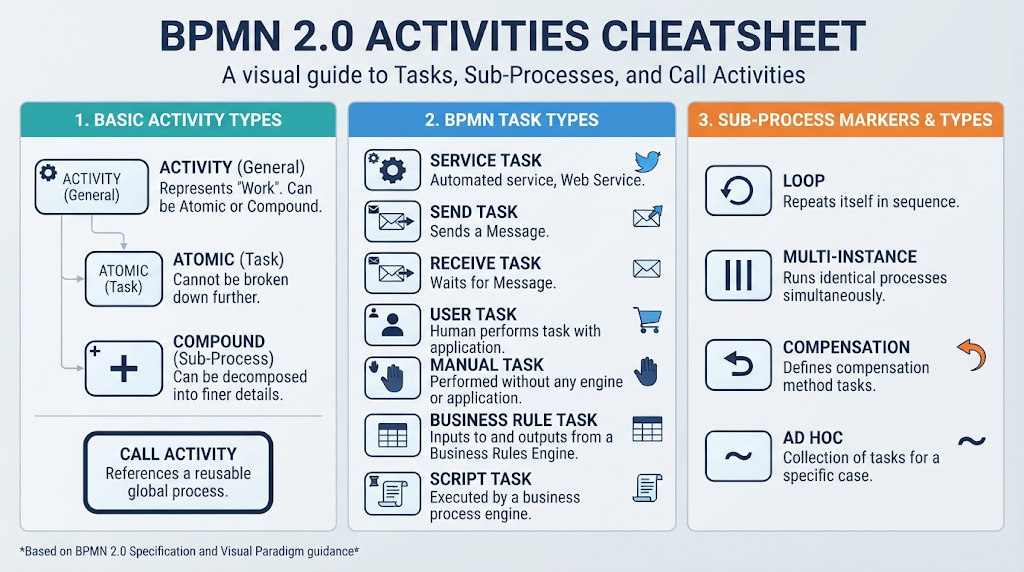
BPMN provides specific visual cues, known as markers, to indicate the behavior of a sub-process. These markers appear at the bottom of the sub-process box and tell the reader how the internal tasks should behave. BPMN specifies five distinct types of markers:
- Standard: The default sub-process. It runs through its internal tasks sequentially.
- Ad-hoc: This marker (often represented by a plus sign +) indicates that the tasks inside can be executed in any order, and some tasks may be skipped entirely. It provides high flexibility.
- Compensating: Represented by an ‘A’, this indicates that if the sub-process is interrupted or fails, a specific compensation process should be triggered to undo the work done inside.
- Multi-instance: Represented by an ‘N’, this implies that the tasks inside the sub-process are repeated multiple times, either a set number of times or until a condition is met.
- Event: This marker indicates that the sub-process is triggered by a specific event (like a timer or a message) rather than just flowing from a previous task.
Designing Efficiently with Visual Paradigm
When implementing these concepts, Visual Paradigm acts as a powerful ally. Designing a process diagram like the one shown requires precision. In Visual Paradigm, creating a sub-process is as simple as dragging a sub-process element onto the canvas and dropping it into the flow.
Once placed, you can easily toggle between the collapsed view (which hides the complexity) and the expanded view (which reveals the internal tasks). This is crucial for the “Procurement” example. When you are looking at the main flow, you might only need to see the “Order Received” and “Financial Settlement” steps. But when a developer or analyst needs to define the logic for “Article Available = No,” they can expand the sub-process to see the internal logic.
Visual Paradigm also simplifies the application of those five markers mentioned earlier. Instead of manually drawing symbols, you can select the sub-process and choose the desired marker type from the properties panel. For instance, if the procurement process needs to be repeated until an item is found, you can simply apply the Multi-instance marker. If the procurement involves ad-hoc tasks that can be skipped, the Ad-hoc marker can be applied instantly.
Managing Flow and Exceptions
The diagram also illustrates how sub-processes interact with the rest of the process flow, particularly regarding exceptions. Notice the paths exiting the sub-process area labeled “Undeliverable” and “Late Delivery.”
These paths represent error handling or exception flows that occur outside the main sub-process logic but are triggered by its outcome. In Visual Paradigm, connecting these gateway paths allows you to define what happens when the procurement fails. For example, if the item is undeliverable, the process branches to “Inform Customer” and “Remove Article from Catalogue.” This separation of concerns—keeping the main success path clean and handling the failures distinctly—is a hallmark of good BPMN design.
By mastering sub-processes and their markers, you transform a chaotic list of tasks into a structured, professional, and easily understandable business model. Whether you are designing a simple order fulfillment process or a complex enterprise system, the ability to encapsulate complexity is what makes BPMN so effective.