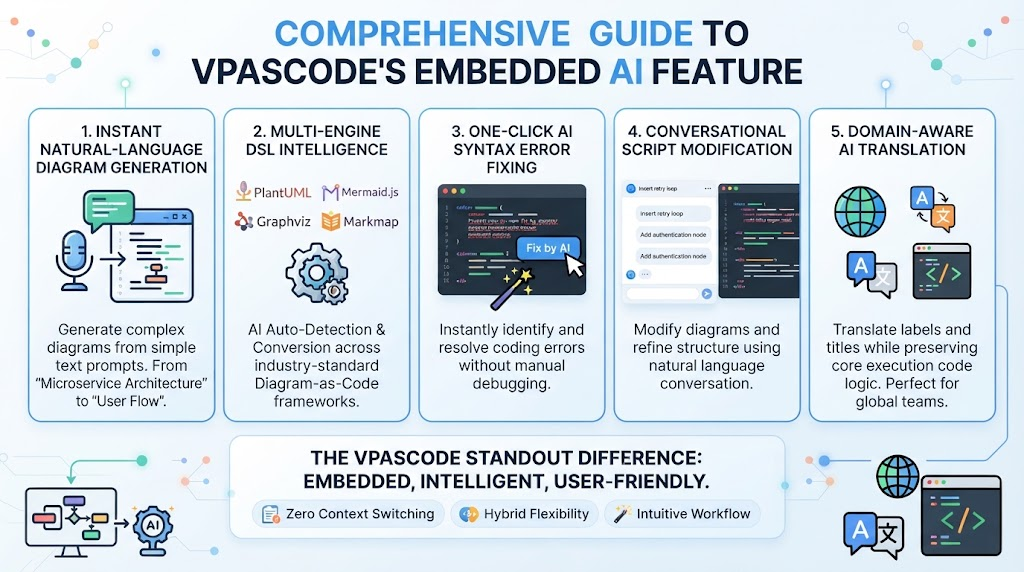
In the fast-paced world of software development, documentation often falls behind. Traditional drag-and-drop diagramming tools can be slow and rigid, while raw syntax writing (like PlantUML or Mermaid) can be time-consuming to learn. VPasCode bridges this gap by combining natural language intelligence with the precision of “Diagram-as-Code.” This tutorial explores the VPasCode workflow, demonstrating how technical teams can leverage AI to generate, refine, and version control system architecture diagrams in real-time.
Understanding the Core Philosophy: Diagram-as-Code
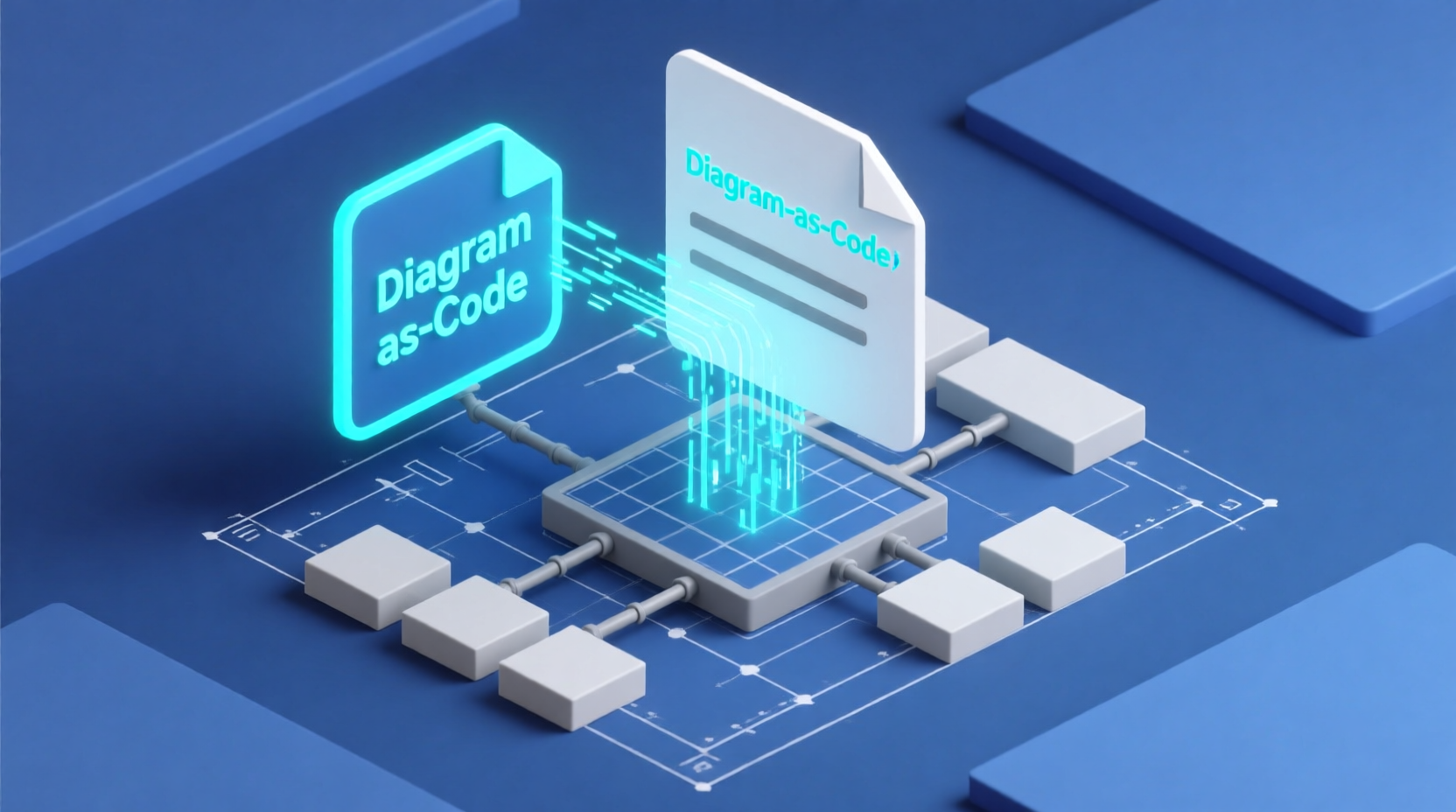
VPasCode operates on the principle that diagrams should be text files first and visual representations second. This approach, often called “Diagram-as-Code,” allows diagrams to be:
- Version Controlled: Like source code, diagrams can be checked into Git repositories.
- Collaborative: Teams can review changes via Pull Requests (PRs).
- Portable: Text-based formats (DSL) are lightweight and language-agnostic.
VPasCode enhances this by introducing an in-browser playground where you don’t have to choose between writing raw syntax or manually dragging boxes. Instead, you use natural language prompts to drive the creation process.
The End-to-End Workflow
The VPasCode process is designed to be iterative and fluid. Here is a step-by-step breakdown of how to utilize the tool for system modeling.
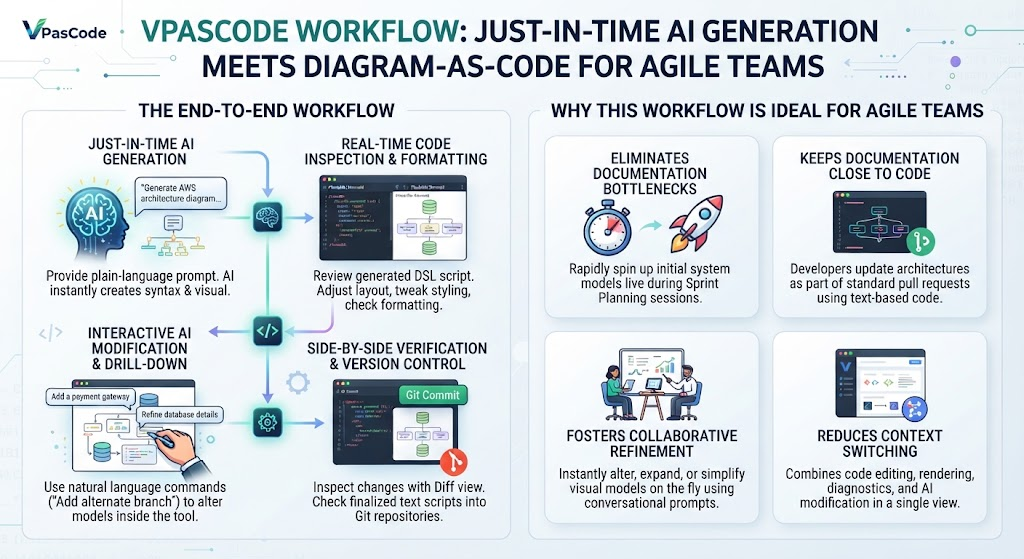
Step 1: Just-in-Time AI Generation
Instead of staring at a blank canvas or writing complex syntax from scratch, the workflow begins with a prompt. You simply describe your system, process, or workflow in plain English.
- Action: Click
AI Generatein the editor. - Prompt Example: “Generate a sequence diagram for a multi-tenant OAuth2 login flow using PlantUML.”
- Result: The AI instantly writes the exact syntax and renders a live, production-ready vector visual in milliseconds.
Step 2: Real-Time Code Inspection & Formatting
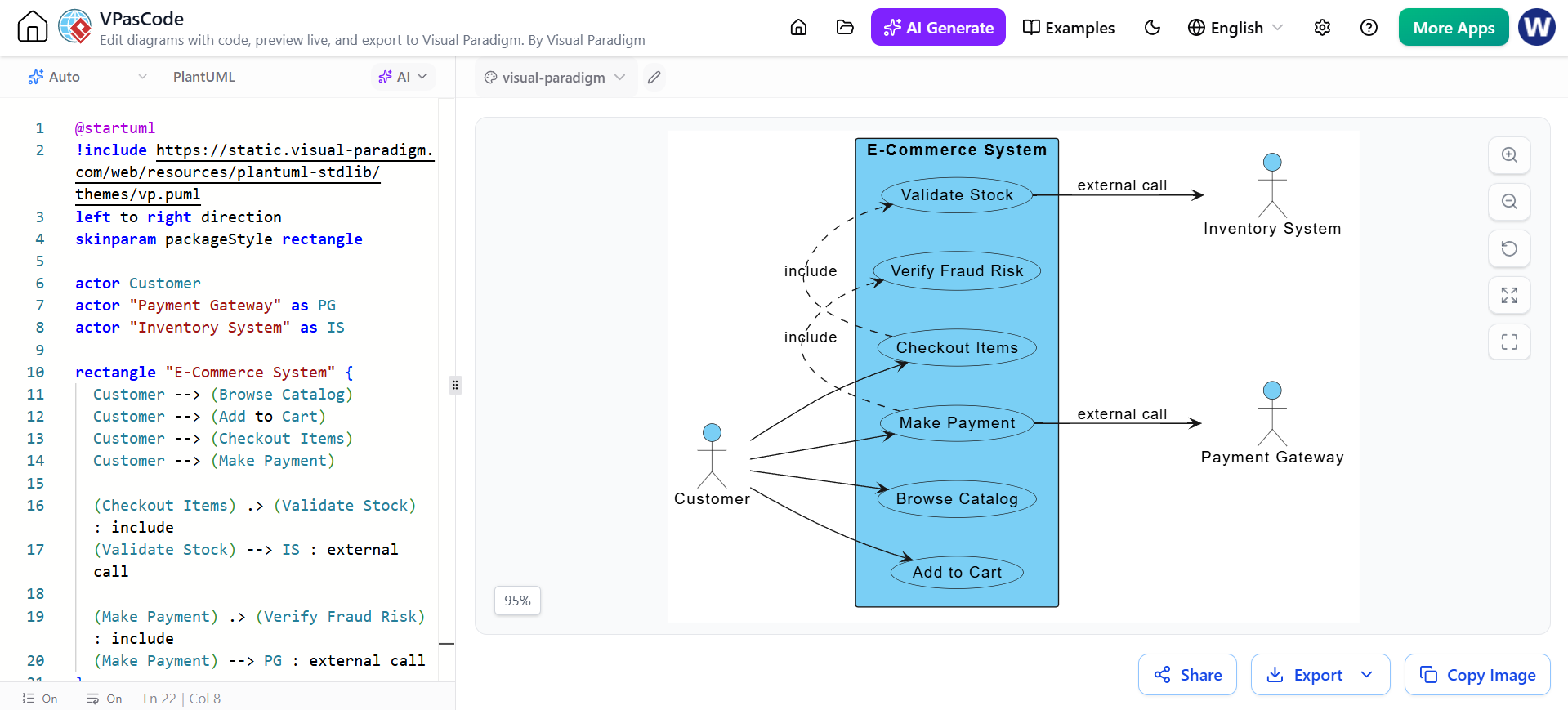
Once the diagram is generated, you are presented with a split-view interface. This is crucial for understanding the underlying structure of your diagram.
- The Code Editor: The left-hand side displays the generated DSL script (whether it be PlantUML, Mermaid, or Graphviz).
- The Visual Canvas: The right-hand side renders the diagram in real-time.
- Refinement: You can freely adjust layouts, tweak styling, or check formatting. The tool includes auto-detection and smart error-fixing capabilities to ensure your code is valid.
Step 3: Interactive AI Modification & Drill-Down
Requirements in software projects rarely remain static. As the product evolves, your diagrams must evolve with them without requiring a complete rewrite.
- The Feature: Trigger
AI Modifydirectly inside the tool. - The Method: Issue natural language refinement commands.
- Example Commands:
- “Add an alternate payment failure branch to this flowchart.”
- “Simplify this sequence diagram by grouping the database operations.”
Step 4: Side-by-Side Verification and Version Control
Before integrating a major change into your project, verification is key. VPasCode ensures you have full oversight of every modification.
- Diff View: Inspect the code using a side-by-side diff view to review line-by-line code modifications alongside visual previews.
- Git Integration: Once finalized, you retain complete text ownership. You can check the script into Git repositories, share via URL, or export as high-resolution vector assets.
Why This Workflow is Ideal for Agile Teams
Agile methodologies (Scrum, Kanban) demand speed, constant pivoting, and minimal documentation overhead. The VPasCode workflow fits these needs exceptionally well for four primary reasons:
1. Eliminates Documentation Bottlenecks
Traditional tools slow teams down with manual box-alignment and line-routing. Just-in-time AI generation allows a product owner or architect to spin up initial system models live during a sprint planning or refinement session. This turns documentation from a chore into a rapid brainstorming tool.
2. Keeps Documentation Close to Code
Because diagrams are backed by clean, text-based code, they live naturally alongside source code repositories. Developers can update system architectures as part of their standard pull request workflows without opening separate proprietary files. This ensures the “single source of truth” remains accurate.
3. Fosters Collaborative Refinement
During backlog grooming or technical retrospectives, team members can instantly alter, expand, or simplify visual models on the fly using simple conversational prompts. This ensures that the documentation always matches the current state of the product.
4. Reduces Context Switching
By combining code editing, instant rendering, syntax error diagnostics, and conversational AI modification into a single browser view, teams stay in “flow state” without juggling multiple disparate applications.
Conclusion
VPasCode represents a significant evolution in how we document software architecture. By unifying the speed of natural language with the precision of code, it empowers technical teams to keep their documentation up-to-date, accurate, and integrated into their daily development lifecycle.