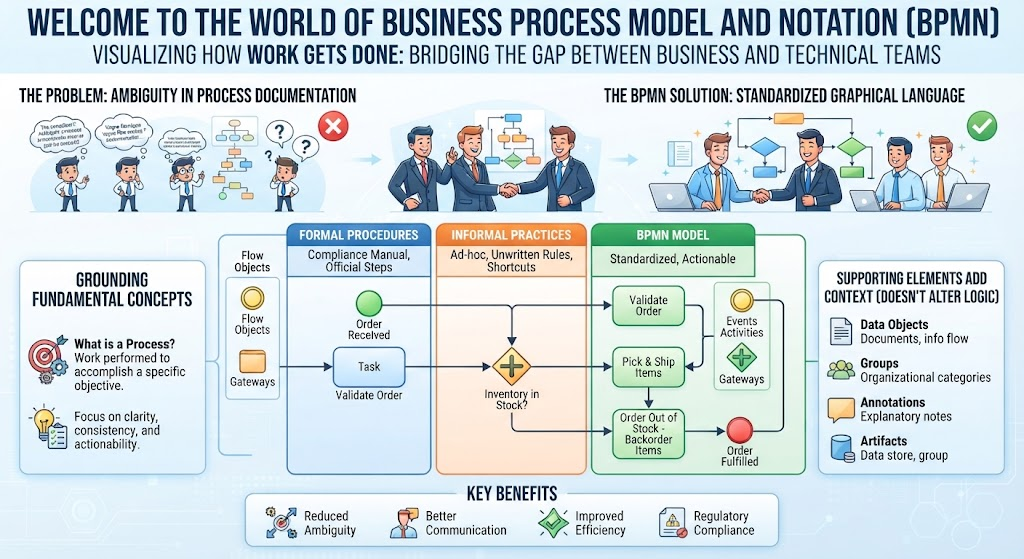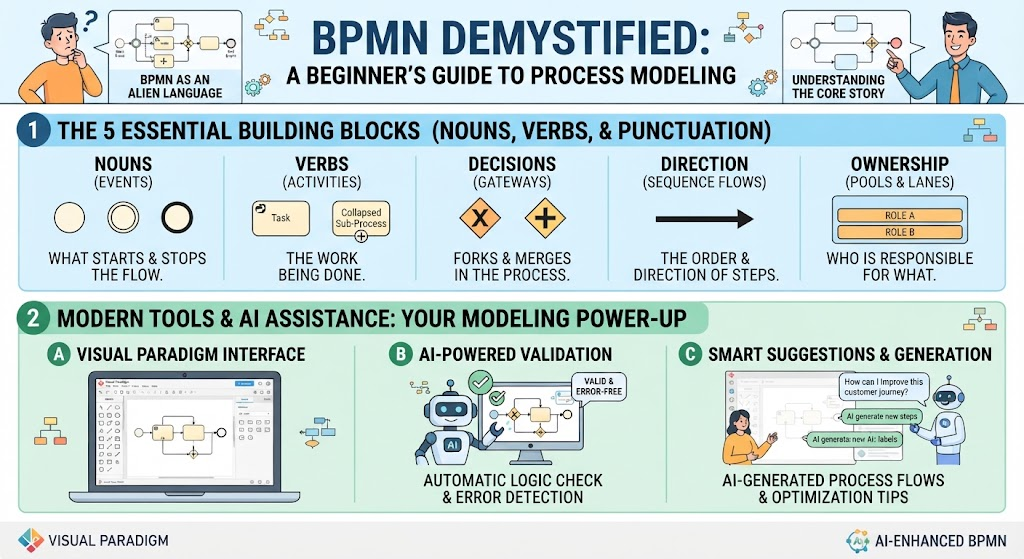
Have you ever looked at a complex Business Process Model and Notation (BPMN) diagram and felt like you were staring at an alien language? You are not alone. With its mix of circles, diamonds, and intricate arrows, BPMN can seem intimidating to anyone without formal training in business analysis. However, the good news is that you don’t need a certification to understand the core story a process map is telling.
Just as you don’t need to know the rules of grammar to read a sentence, you only need to recognize the “nouns, verbs, and punctuation” of a diagram to grasp 80% of its meaning. This guide strips away the academic jargon to focus on the five essential concepts needed to read any BPMN chart, and explores how modern tools like Visual Paradigm, enhanced by AI assistance, can help you not only read but also create and validate these diagrams with ease.
The 5 Essential Building Blocks (Nouns, Verbs, & Punctuation)
To master BPMN, you must first understand the vocabulary of the language. Every diagram is constructed from five fundamental categories that dictate how a process flows from start to finish.
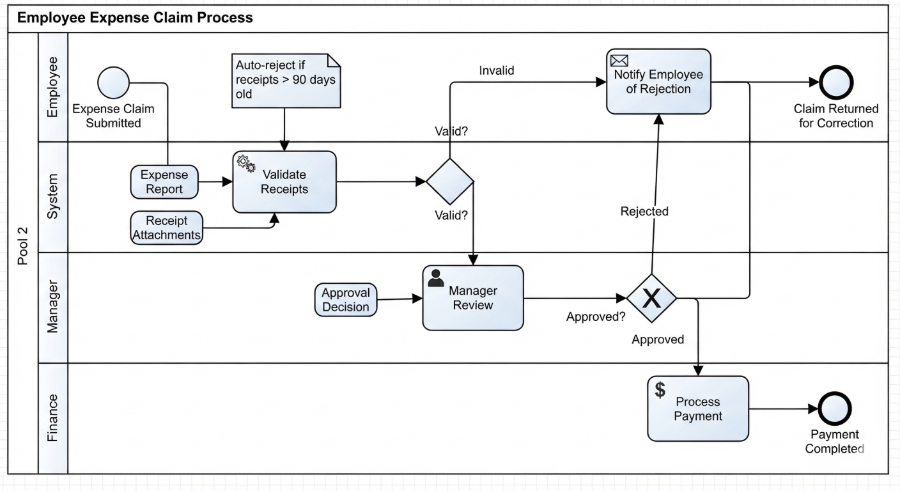
1. Nouns (Events)
What they are: Circles of various sizes.
What they do: Events represent “nouns” in the process—they are the things that happen. They mark the boundaries of the process.
- Start Event: A thin circle indicates where the process begins.
- End Event: A thick circle indicates where the process stops or concludes.
- Intermediate Event: These happen in the middle of the flow, acting as triggers or messages.
2. Verbs (Activities)
What they are: Rounded rectangles.
What they do: Activities represent “verbs”—the actual work being done. This is the meat of your process.
- Task: The smallest unit of work that has a beginning and an end.
- Sub-Process: A complex task that is broken down into further details, often represented by a plus sign (+) on the icon.
3. Decisions (Gateways)
What they are: Diamonds.
What they do: Gateways represent logic and decision points. They control the flow of the process by splitting it (forking) or bringing it together (merging).
- Exclusive Gateway (X): A “fork” where the path can only go one way (e.g., “If Yes, go here; If No, go there”).
- Inclusive Gateway (+): A path where multiple outcomes can happen simultaneously.
4. Direction (Sequence Flows)
What they are: Solid arrows with a filled arrowhead.
What they do: These define the order and direction of steps. They tell you which event happens next, creating the timeline of the process.
5. Ownership (Pools & Lanes)
What they are: Large rectangular containers.
What they do: These define “who” is responsible for “what.”
- Pool: Represents the organization or system as a whole.
- Lane: Divides the pool to separate responsibilities by role, department, or system (e.g., “Customer,” “Sales Team,” “Inventory System”).
Modern Tools & AI Assistance: Your Modeling Power-Up
Once you understand the building blocks, the next step is execution. Modern tools like Visual Paradigm have evolved from simple drawing canvases into intelligent assistants that help you build accurate models.
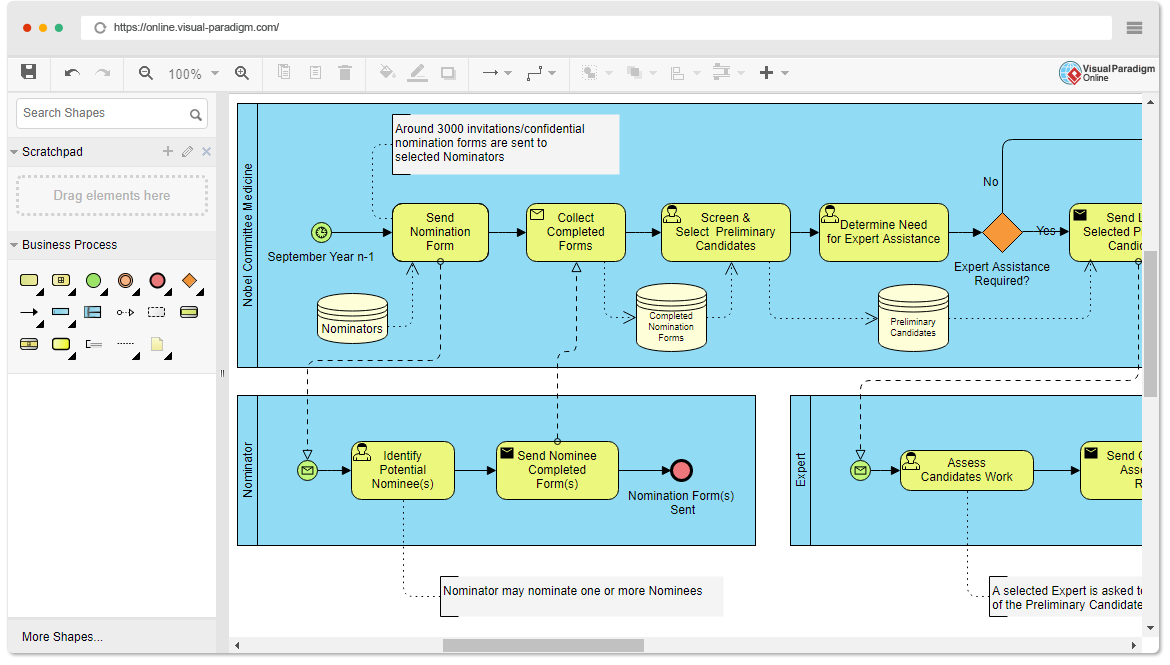
A. Visual Paradigm Interface
The interface is designed to be intuitive. Instead of wrestling with complex menus, you can drag and drop the standard BPMN shapes onto a clean canvas. The tool automatically handles the heavy lifting of connecting lines and maintaining standard notation rules, allowing you to focus on the logic of the process rather than the geometry of the diagram.
B. AI-Powered Validation
One of the biggest challenges in process modeling is ensuring the logic is sound. AI assistance acts as an automatic logic checker.
- Error Detection: The AI can scan your diagram for common mistakes, such as dead ends (paths that lead nowhere) or infinite loops.
- Validation: It ensures that your gateways and flows adhere to BPMN standards, ensuring your diagram is “valid and error-free.”
C. Smart Suggestions & Generation
Perhaps the most powerful feature is the ability to generate and optimize processes using AI.
- Generative Modeling: You can prompt the AI to “generate new steps” for a specific scenario, helping you brainstorm missing activities.
- Optimization Tips: The AI can suggest improvements to your process flow, asking questions like, “How can I improve this customer journey?” to help you refine your model for better efficiency.
By mastering these five building blocks and leveraging modern AI-enhanced tools, you can move from feeling like you are staring at an alien language to fluently reading and creating the stories that drive your business forward.