


Introduction
In modern enterprise environments, professionals often juggle multiple tools for modeling, documentation, agile planning, and strategic management. The friction of switching between desktop applications and web-based tools can disrupt productivity and fragment work artifacts. Enter the Visual Paradigm Unified Platform—a centralized workspace designed to bridge the gap between Visual Paradigm Desktop and Visual Paradigm Online.
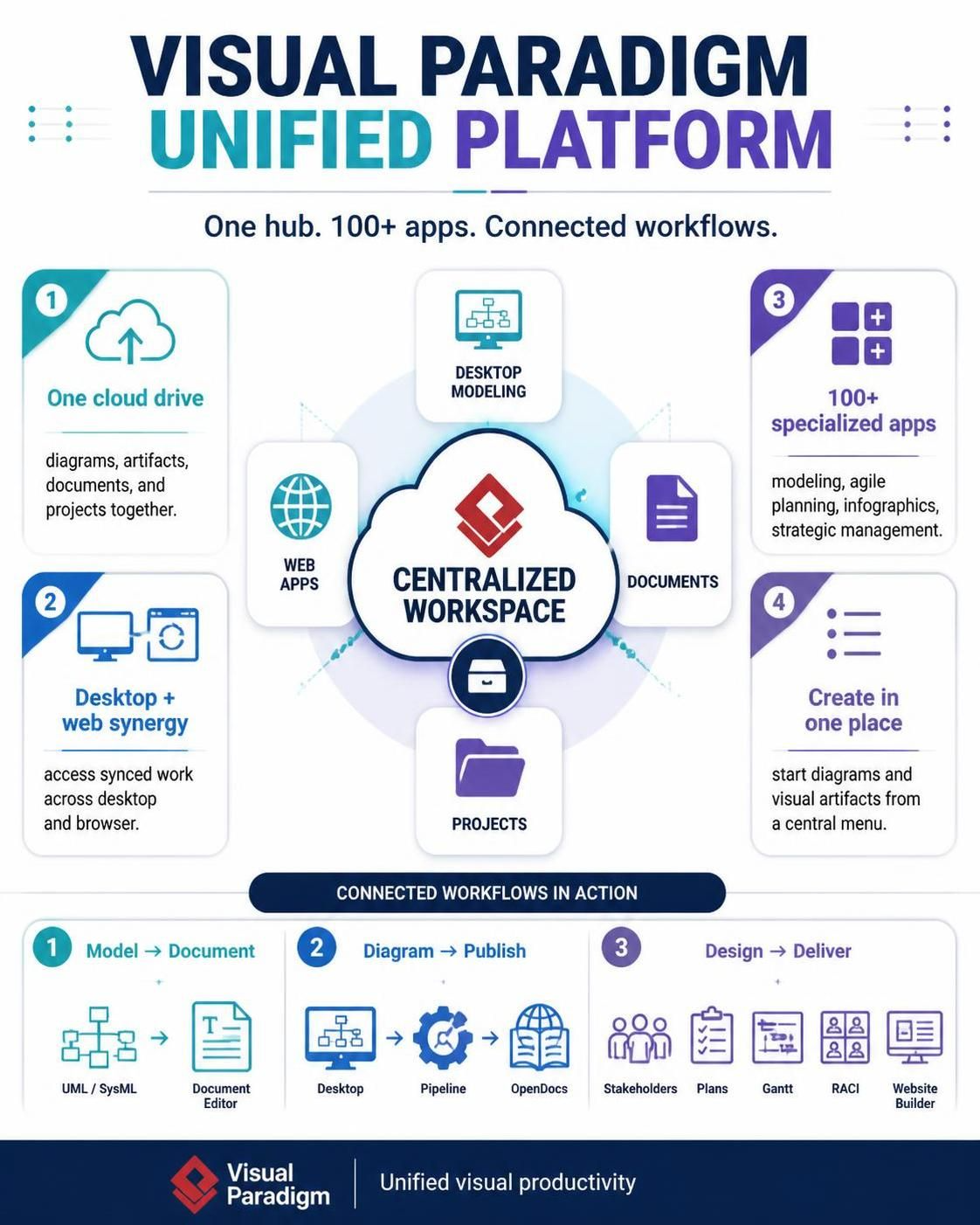
This guide explores how the Unified Platform serves as a hub for your entire Visual Paradigm ecosystem, enabling seamless access to over 100 specialized apps, centralized artifact management, and fluid transitions between desktop and browser workflows. Whether you are a system architect, product manager, or business analyst, understanding this platform can significantly streamline your daily operations.
Key Concepts
1. Centralized Cloud Drive
The Unified Platform acts as a single source of truth for all your work. Instead of searching through disparate folders or applications, you can view and manage diagrams, documents, and projects from one drive-like interface. This centralization ensures that artifacts created in different apps remain visible and accessible.
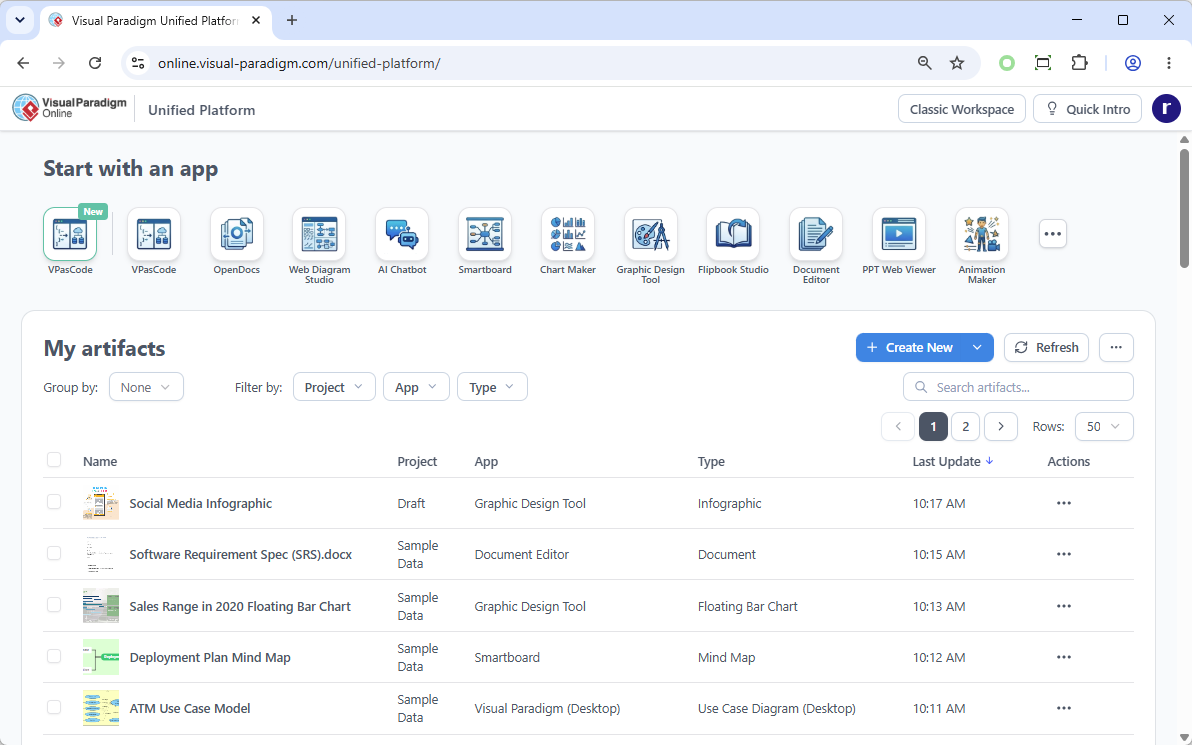
2. Desktop-Web Interoperability
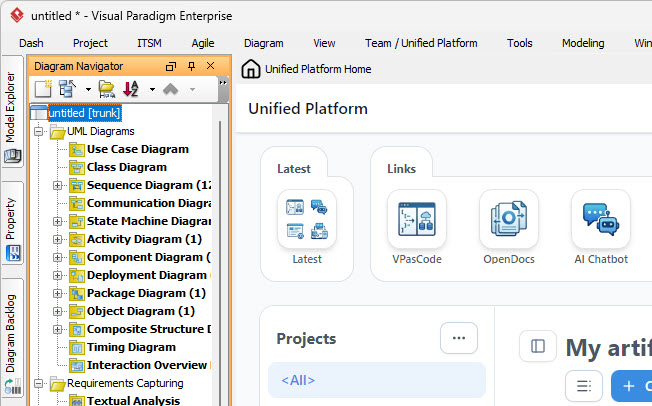
One of the platform’s strongest features is its ability to unify desktop and web experiences. You can start a model in Visual Paradigm Desktop, save it to the cloud repository, and then access or extend it via the web-based Unified Platform. This flexibility allows teams to choose the best tool for each task without losing continuity.
3. App Discovery Dashboard
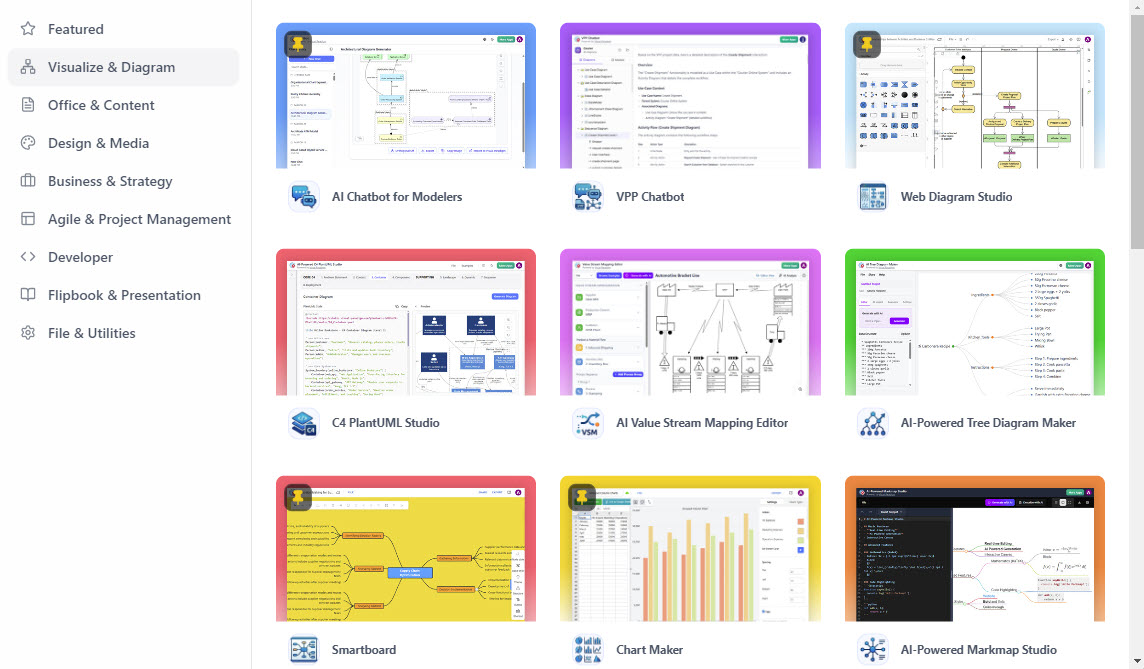
With more than 100 specialized apps available, finding the right tool can be overwhelming. The Unified Platform’s dashboard categorizes apps by function—such as system modeling, agile planning, business infographics, and strategic management—making it easy to discover and launch the appropriate tool for your current task.
4. Unified Creation Menu
Rather than navigating to individual apps to start new work, the platform provides a redesigned creation menu. From here, you can initiate diagrams, documents, or other visual artifacts directly, reducing the steps required to begin a new project.
Practical Workflow Examples
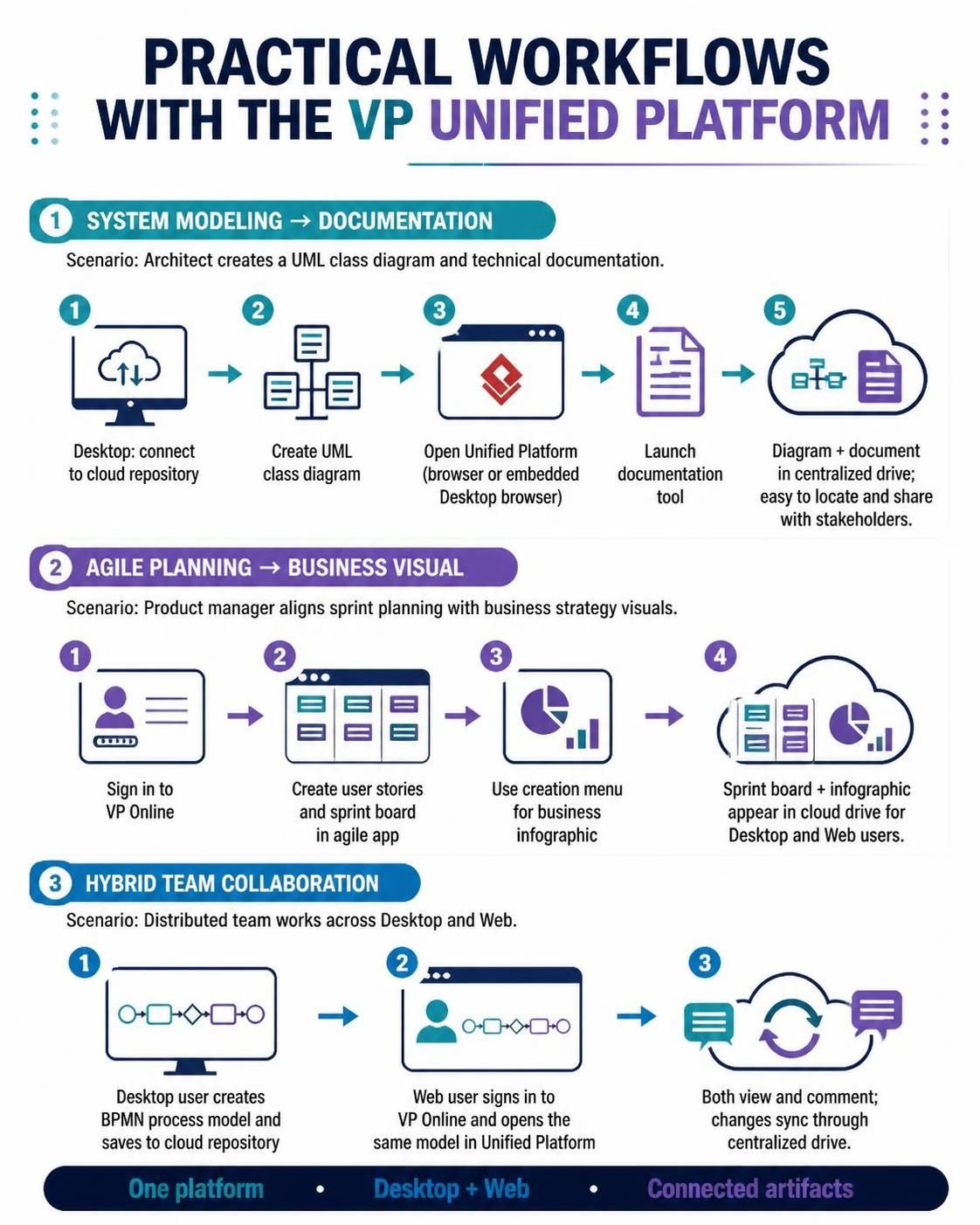
Example 1: System Modeling to Documentation
Scenario: A software architect needs to create a UML class diagram and then generate technical documentation.
-
Start in Desktop: Open Visual Paradigm Desktop and connect to your cloud repository via Team / Unified Platform > Select Repository.
-
Create Model: Use the desktop tool to design a detailed UML class diagram.
-
Switch to Web: Open the Unified Platform in your browser or via the embedded browser in Desktop.
-
Launch Documentation App: From the dashboard, select a documentation tool to create accompanying technical specs.
-
Link Artifacts: Both the diagram and document are stored in the centralized drive, making them easy to locate and share with stakeholders.
Example 2: Agile Planning Across Teams
Scenario: A product manager wants to align sprint planning with business strategy visuals.
-
Access Unified Platform: Sign in to VP Online and land on the Unified Platform dashboard.
-
Launch Agile Tool: Open an agile planning app to create user stories and sprint boards.
-
Create Business Infographic: Use the creation menu to start a business infographic that summarizes sprint goals for executive review.
-
Centralize View: Both the sprint board and infographic appear in the cloud drive, allowing team members to access them regardless of whether they use Desktop or Web.
Example 3: Hybrid Team Collaboration
Scenario: A distributed team uses both Desktop and Web tools.
-
Desktop User: Creates a BPMN process model in Visual Paradigm Desktop and saves it to the cloud repository.
-
Web User: Signs in to VP Online, accesses the Unified Platform, and opens the same BPMN model for review.
-
Collaborative Editing: Both users can view and comment on the artifact, with changes synced through the centralized drive.
Getting Started
For Visual Paradigm Online Users
-
Sign In: Log in to your VP Online account.
-
Access Dashboard: You will be redirected to the Unified Platform dashboard automatically.
-
Bookmark: Save
https://online.visual-paradigm.com/unified-platform/for quick future access.
For Visual Paradigm Desktop Users
-
Connect to Cloud: Go to Team / Unified Platform > Select Repository and enter your VP Online credentials.
-
Open Platform: Navigate to Team / Unified Platform > Unified Platform.
-
Embedded Browser: The platform will open within Desktop, allowing you to stay in your modeling environment while accessing web-based tools.
Note: If the Unified Platform option is not visible, ensure your Desktop is connected to the cloud repository first.
Tips for Maximizing Efficiency
-
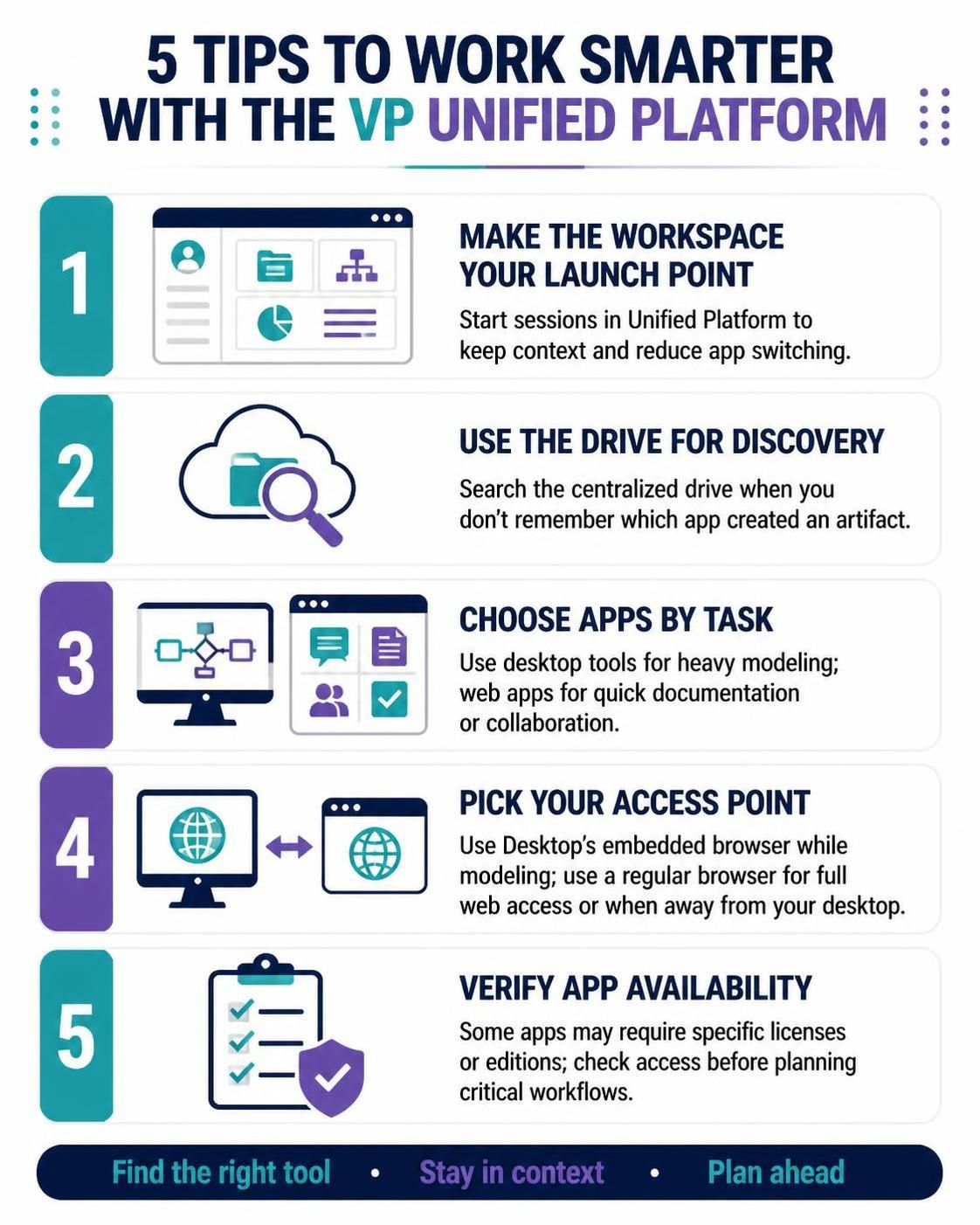
Make the Workspace Your Launch Point: Start every session in the Unified Platform to maintain context and reduce app-switching fatigue.
-
Use the Drive for Discovery: When you need to find an artifact but don’t remember which app created it, search the centralized drive.
-
Choose Apps by Task: Leverage the specialized nature of each app. Use desktop tools for heavy modeling and web apps for quick documentation or collaboration.
-
Deliberate Access Points: Use the embedded browser in Desktop when modeling to avoid context switching. Use a regular browser when you need full web functionality or are away from your desktop machine.
-
Verify App Availability: Some apps may require specific licenses or editions. Check access permissions before planning critical workflows around them.
What to Keep in Mind
The Unified Platform is designed to centralize access and improve interoperability between desktop and cloud resources. While it lays the groundwork for future features like cross-app data usage and advanced project permissions, these capabilities are not yet fully realized. Always verify the current feature set of individual apps and consult official documentation for licensing requirements.
Conclusion
The Visual Paradigm Unified Platform represents a significant step toward a more cohesive and efficient workflow for professionals using the Visual Paradigm suite. By centralizing artifacts, simplifying app discovery, and bridging desktop and web environments, it reduces friction and enhances productivity. Whether you are modeling complex systems, planning agile sprints, or creating business visuals, the Unified Platform ensures that your work remains organized, accessible, and integrated. Embrace this hub as your starting point, and experience a smoother, more connected approach to visual modeling and documentation.
References
-
Introducing the Visual Paradigm Unified Platform: Overview of the unified workspace, its main feature areas, and key benefits for connecting modeling, analysis, and documentation.
-
Introducing Visual Paradigm 18.1: Unified Ecosystems and AI Innovation: Release announcement covering the Unified Platform as a central hub, VPasCode text-to-diagramming, and new AI tools.
-
Introducing Visual Paradigm 18.1: A New Era of Unified Ecosystems: Hands-on review of the Unified Platform’s centralized app management and desktop-web synergy.
-
Guide to the Visual Paradigm Unified Platform: Detailed guide explaining benefits like improved communication, stronger collaboration, and bridging design to implementation.
-
Breaking Down Silos: A Comprehensive Guide: Explains how the platform unifies desktop, cloud apps, and AI tools into a single source of truth.
-
Visual Paradigm 18.0 Release: AI-Powered Features: Covers AI TOGAF, OpenDocs as a knowledge platform, and other AI-driven tools within the unified ecosystem.
-
Enhanced Real-Time Collaboration in OpenDocs: Details real-time synchronization and editing protections within the unified documentation component.
-
AI Chatbot Update: Code Syntax Highlighting Now Live: Enhancement to the AI Chatbot that integrates with VPasCode and the unified diagramming workflow.