VPasCode

The Evolution of Architecture Documentation: From Static to Diagram-as-Code

The Evolution of Architecture Documentation: From Static to Diagram-as-Code

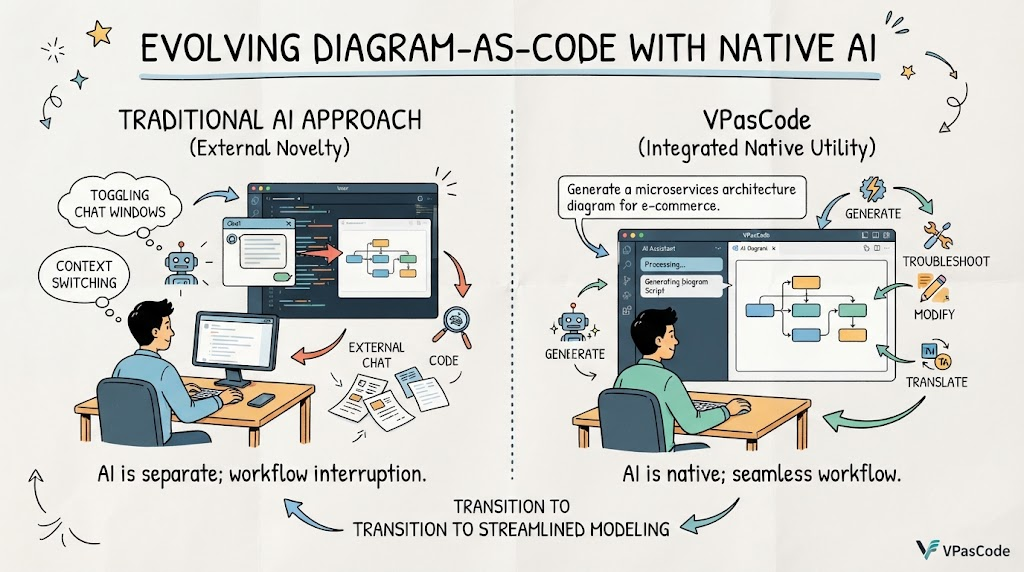
The evolution of software architecture documentation has shifted decisively toward “Diagram-as-Code” (DaC), yet many tools still treat Artificial Intelligence as an external novelty rather than a core utility. Visual Paradigm’s VPasCode represents a paradigm shift in this space by embedding native AI-powered utilities directly into the workspace interface. Unlike traditional setups that require toggling between chat windows and code editors, VPasCode allows users to generate, troubleshoot, modify, and translate diagram scripts natively on the canvas. This guide explores how these integrated AI features streamline the modeling process, turning natural language intent into precise, renderable technical diagrams without breaking workflow momentum.

Accelerating UML Modeling with AI in VPasCode

Accelerating UML Modeling with AI in VPasCode

Step-by-Step Guide: Refining a Class Diagram with VPasCode Embedded AI
Refining a Class Diagram quickly and conveniently within VPasCode without external tools can be accomplished in a few simple steps using the built-in AI feature.

The Starting Point
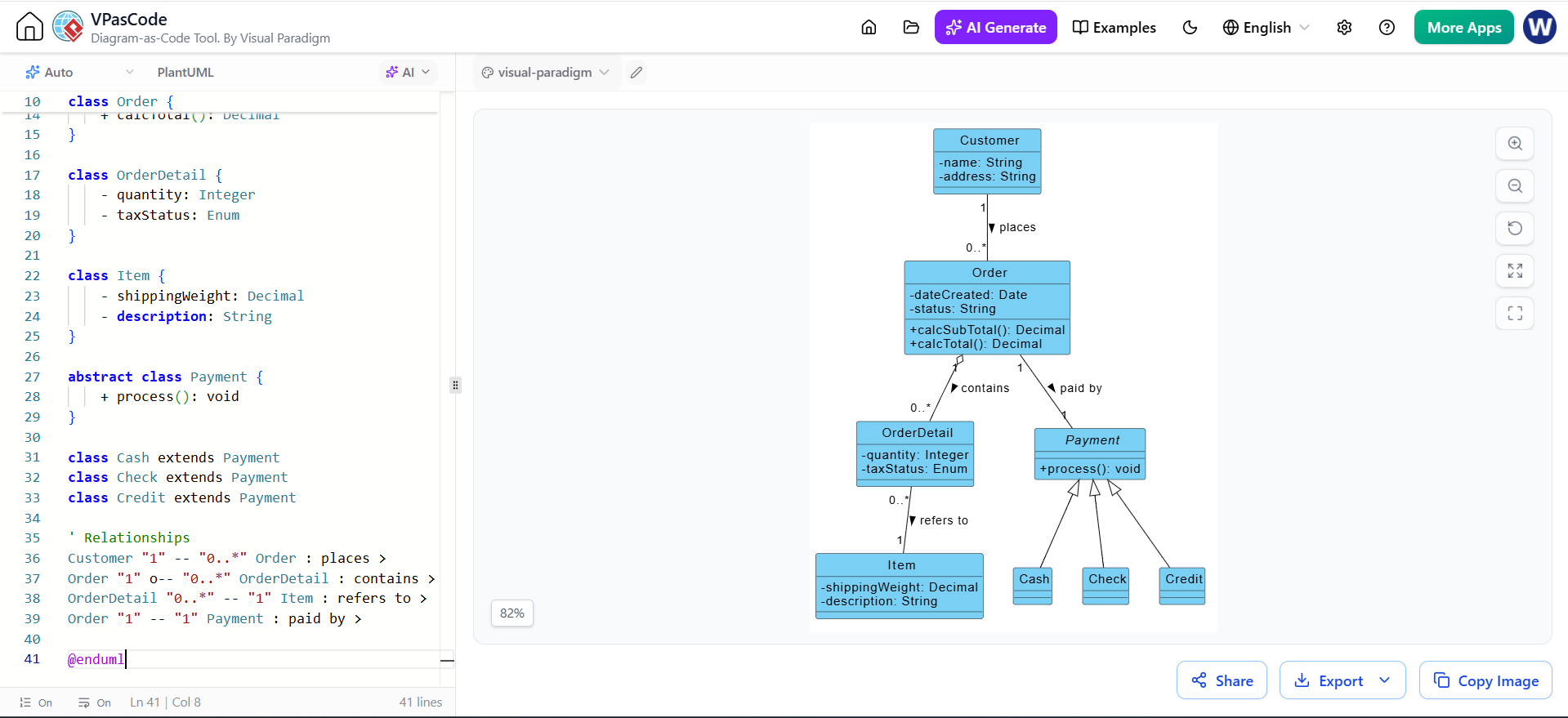
Imagine you have a basic e-commerce class diagram defined in PlantUML. You have a Payment class with three children: Cash, Check, and Credit. Currently, these child classes are empty shells, inheriting only from the parent.

(Note: In the actual interface, this corresponds to the first image provided, showing the code on the left and the rendered diagram on the right with empty child classes.)

Figure 1: The initial state of the Class Diagram in VPasCode. Note the Cash, Check, and Credit classes lack specific attributes.

Step 1: Open the AI Menu
To begin the refinement process, locate the AI controls within the editor interface.

Click on the AI dropdown button located at the top-left section above the code editor. This menu is your gateway to intelligent diagram manipulation.

Figure 2: Clicking the AI dropdown reveals options to Modify or Translate the diagram code.

Step 2: Select the Modify Option
The AI menu offers different capabilities depending on your needs. For structural changes, you will use the Modify function.

From the dropdown menu, click on the Modify option with the AI icon next to it. This tells the system you intend to alter the existing logic and structure of the diagram rather than generating something from scratch.

Step 3: Describe the Desired Changes
This is the most critical step where natural language replaces manual coding. You do not need to know the exact PlantUML syntax for the new attributes; you simply describe what you want.

In the AI Modify dialog box that appears, enter a natural language description of how you want to refine or change your diagram.

Example Prompt: “Add some attributes to the children Classes of the Payment Class in the Class Diagram”

Click the AI Modify button to submit your request.

Figure 3: The AI Modify dialog box. The user enters a natural language prompt (1) and triggers the process (2).

Step 4: View the Refined Diagram
Once you submit the prompt, the VPasCode engine goes to work. It analyzes the request, identifies the target classes (Cash, Check, Credit), and injects relevant attributes and methods based on standard domain knowledge.

The AI will automatically process your description, update the code, and reflect the newly added classes, attributes, or methods directly in your visual Class Diagram.

Result: As seen below, the Cash class now has cashTendered, the Check class has bankID and bankName, and the Credit class includes number and expDate. The code on the left has been updated to match the visual on the right.

Figure 4: The refined diagram. The AI has successfully populated the child classes with relevant attributes and methods, updating both the code and the visual representation.

Revolutionizing Software Architecture with VPasCode and Embedded AI

Revolutionizing Software Architecture with VPasCode and Embedded AI

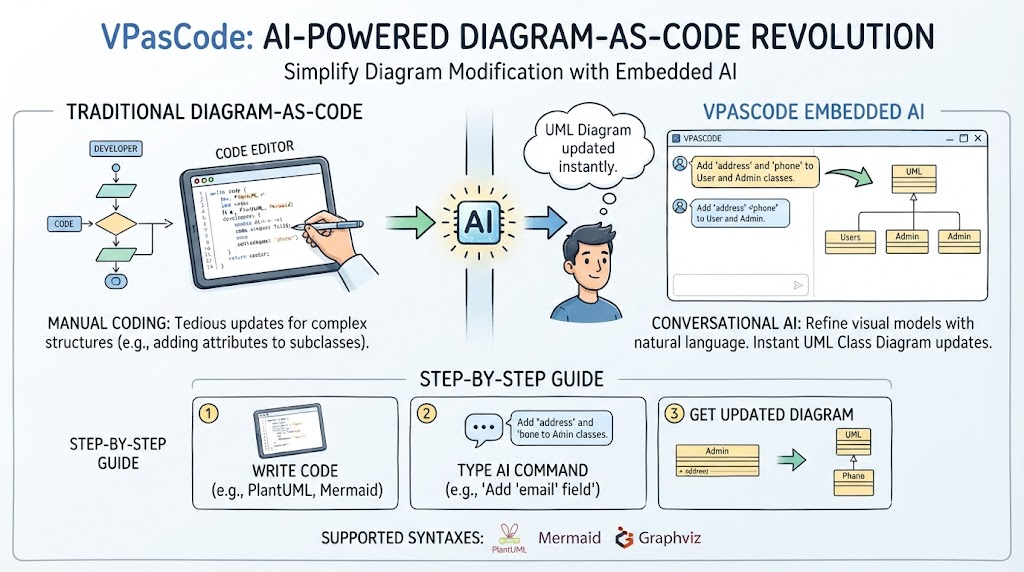
In modern software engineering, the “Diagram-as-Code” (DaC) approach has revolutionized how we document system architecture. VPasCode, developed by Visual Paradigm, stands out as a unified, browser-based platform that supports multiple syntaxes like PlantUML, Mermaid, and Graphviz. While writing code to generate diagrams offers precision, manually updating complex structures—such as adding attributes to multiple subclasses—can be tedious. This is where VPasCode’s Embedded AI shines. By integrating natural language processing directly into the editor, VPasCode allows developers to refine their visual models conversationally. This guide explores how to leverage the “AI Modify” feature to instantly update a UML Class Diagram, bridging the gap between textual code and visual design without ever leaving your workspace.

Bridging the Gap: From Static Artifacts to Living Systems

Bridging the Gap: From Static Artifacts to Living Systems

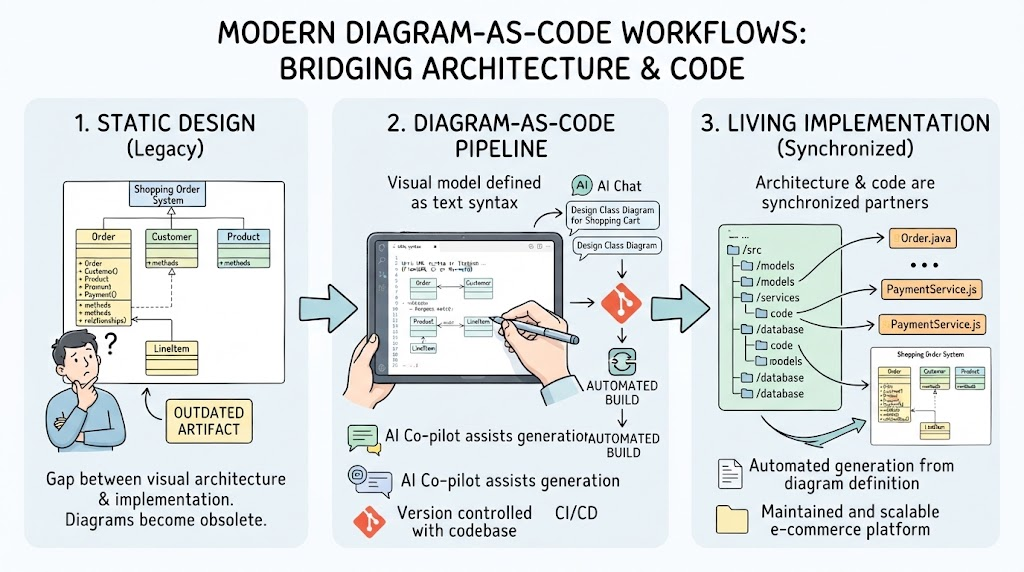
In modern software engineering, the gap between architectural design and actual implementation has historically been a source of friction. Diagrams often become outdated artifacts, disconnected from the living codebase. However, the evolution of modeling tools has ushered in an era where visual architecture and source code are no longer separate entities but synchronized partners. This guide explores the anatomy of a classic Shopping Order System through the lens of Unified Modeling Language (UML). More importantly, it demonstrates how to leverage contemporary “Diagram-as-Code” workflows—integrating AI chatbots, version-controlled text syntax, and automated engineering—to transform static diagrams into dynamic, maintainable software assets. Whether you are a product owner defining requirements or a developer generating boilerplate, understanding this pipeline is essential for building robust e-commerce platforms.

From Sketch to Code: How AI Transforms UML Diagrams

From Sketch to Code: How AI Transforms UML Diagrams

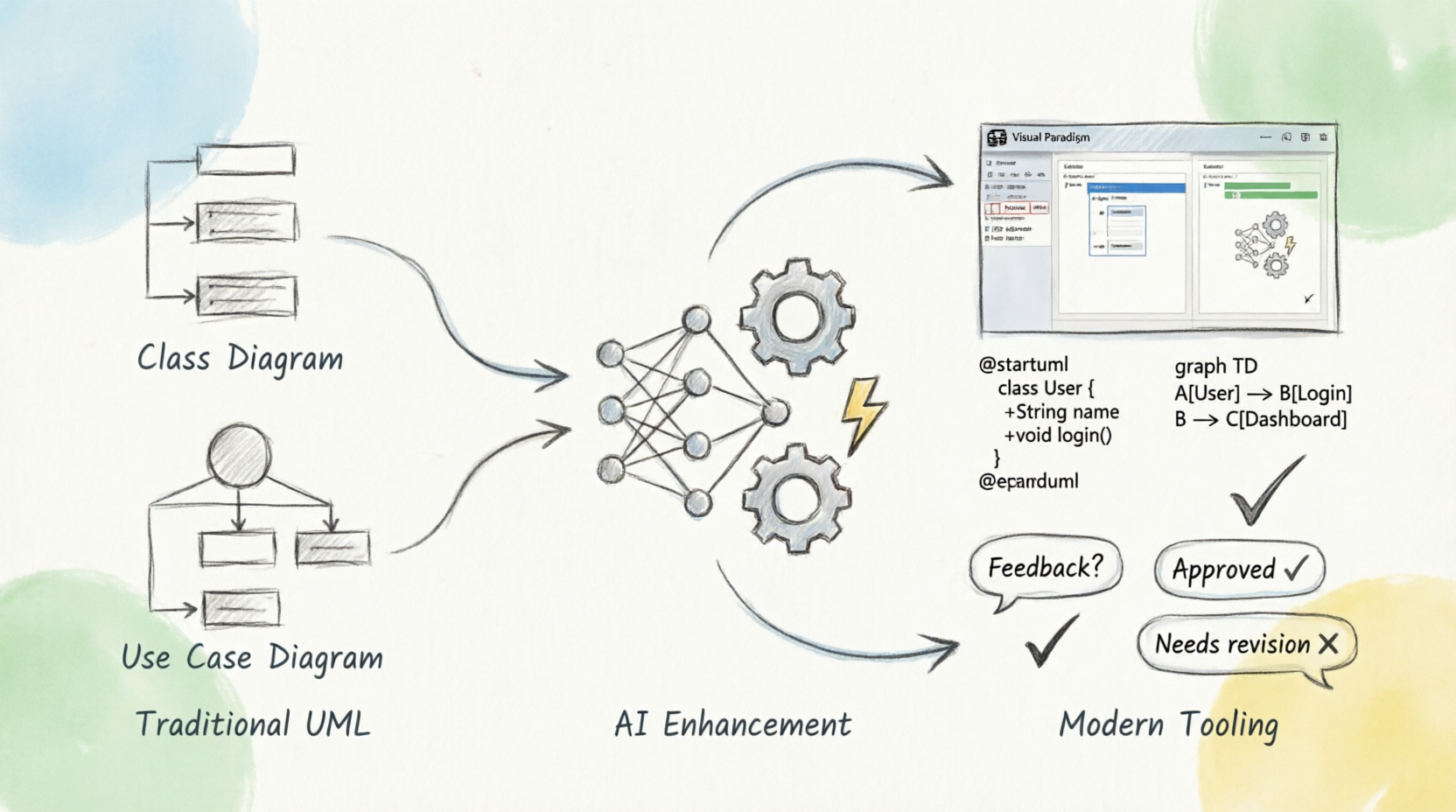
A hand-drawn diagram illustrates the transition from traditional UML, showing Class and Use Case Diagrams, through an AI Enhancement process with gears and a neural network, to Modern Tooling that converts these into editable code formats like PlantUML and supports feedback loops for approval or revision within a Visual Paradigm software interface.

Diagram-as-Code & Embedded AI: The Future of Visual Design

Diagram-as-Code & Embedded AI: The Future of Visual Design

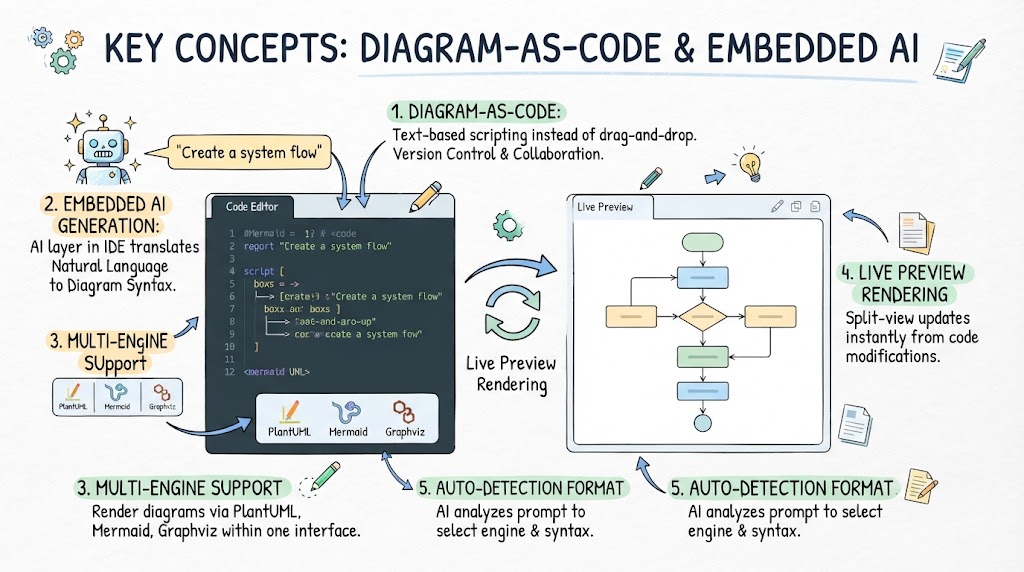
The image illustrates key concepts of Diagram-as-Code and Embedded AI, highlighting how an AI layer translates natural language prompts into diagram syntax within a code editor, supporting multiple engines like PlantUML, Mermaid, and Graphviz, with live preview rendering that updates instantly as code is modified.

Seamless Architectural Diagrams in VPasCode: AI for Devs

Seamless Architectural Diagrams in VPasCode: AI for Devs

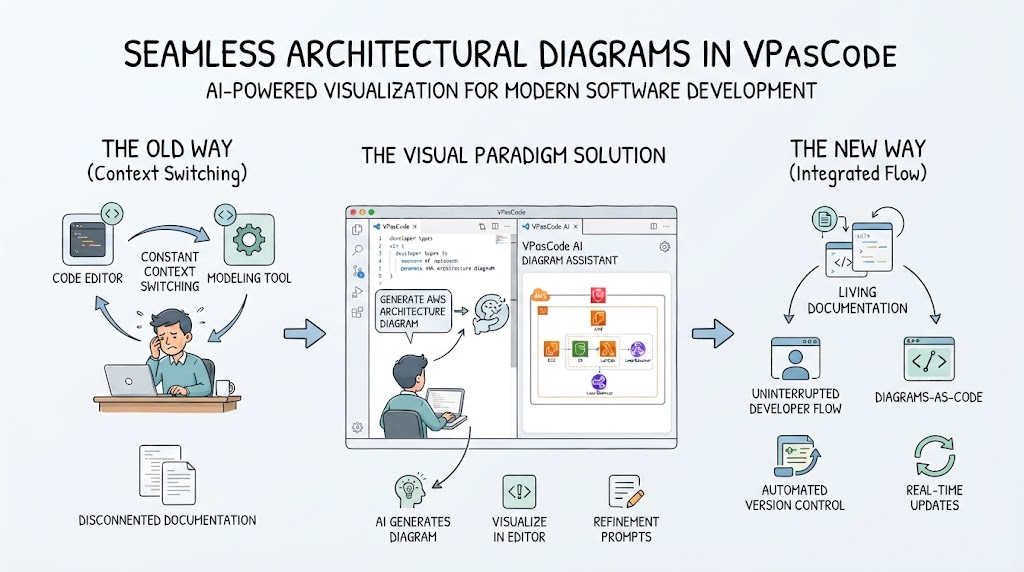
Seamless architectural diagrams in VPasCode offer an AI-powered solution for modern software development by integrating diagram generation directly into the editor. The process replaces disconnected documentation with living documentation and uninterrupted developer flow, enabling real-time updates and automated version control.

Scroll al inicio