Welcome to this tutorial session on Business Process Model and Notation (BPMN). As we dive deeper into process modeling, we often find ourselves asking: “Who is doing what?” and “How do different organizations interact?” This is where the concept of Swimlanes becomes essential. Swimlanes are not merely decorative lines; they are the fundamental graphical containers that organize your process activities by role or entity.
In this guide, we will explore the two primary types of swimlanes: Pools and Lanes. By the end of this session, you will understand how to structure complex workflows and how Visual Paradigm provides the tools to bring these structures to life efficiently.
The Foundation: What are Swimlanes?
At their core, swimlanes act as the organizational chart for your diagram. They visually separate activities based on who is responsible for them. Without swimlanes, a process diagram can become a confusing tangle of arrows and boxes. By introducing these partitions, you create clarity, ensuring that every stakeholder knows exactly where their responsibilities begin and end.
When you open the editor in Visual Paradigm, you are presented with a vast canvas. The first step in modeling a robust process is usually defining the scope of the interaction, which leads us directly to our first swimlane type.
Pools: The Major Participants
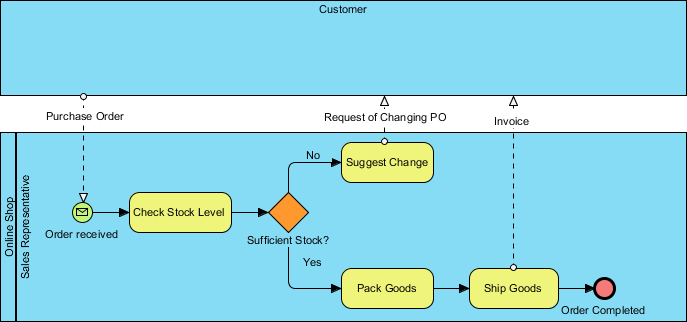
A Pool represents a major participant in a business process. Think of a pool as a container that holds the entire lifecycle of a specific entity. For instance, in a supply chain process, you might have a Pool representing the “Customer” and another representing the “Vendor”.
- Interaction: Pools often interact with one another through message flows, showing how information moves between distinct organizations.
- Blackbox Pools: Sometimes, the internal workings of a participant are irrelevant to the current model. In Visual Paradigm, you can easily designate a pool as a “Blackbox Pool.” This tells the viewer, “This entity exists, and it participates in the process, but we don’t need to see its internal details right now.”
Creating a Pool in Visual Paradigm is intuitive. You simply drag a Pool shape onto your canvas from the toolbar. This establishes the boundary for your primary actor, setting the stage for the detailed work that happens inside.
Lanes: Sub-partitions and Responsibility
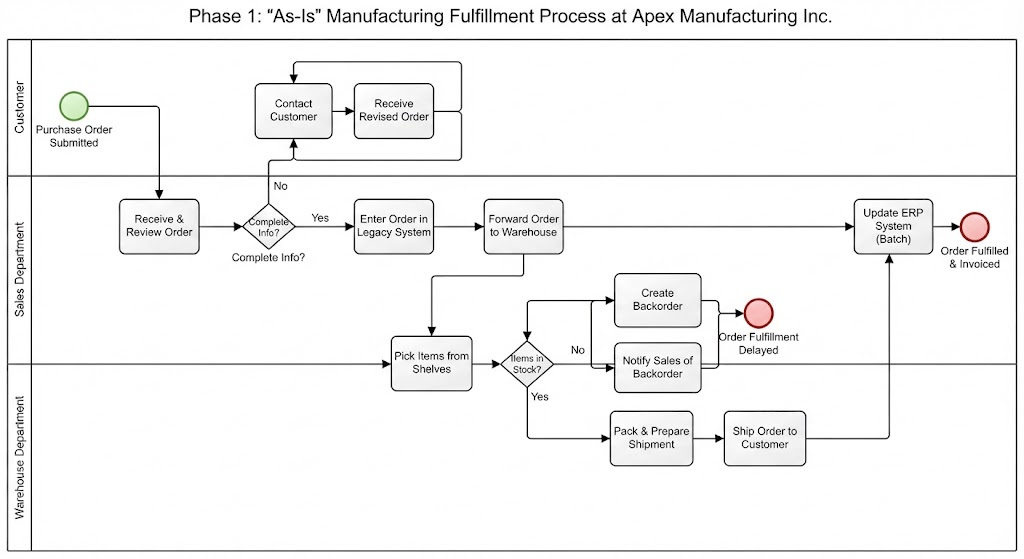
Once you have your Pool, the real work of organization begins. Lanes are the sub-partitions within a pool. They are used to specify specific responsibilities within the broader entity.
Imagine a single Pool representing a “Hospital”. Inside that pool, you might have several Lanes:
- Receptionist: Handles patient intake.
- Doctor: Performs the diagnosis.
- Nurse: Administers medication.
This vertical or horizontal division allows you to map the flow of activities to specific job titles or departments. It answers the critical question: “Does the General Clerk or the Department Head approve this request?”
Building Your Model in Visual Paradigm
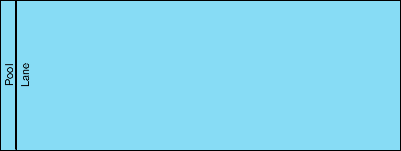
Visual Paradigm facilitates the creation of these structures with a drag-and-drop interface that mirrors the logical hierarchy of the process. Let’s look at how you might construct the structure shown in the reference diagram—a simple, clean container.
When you are ready to build a process, start by adding a Pool to your diagram. This creates the main blue rectangle. Next, you will notice the option to add Lanes. You can drag a Lane shape and drop it inside the Pool. Visual Paradigm automatically adjusts the layout, creating the vertical or horizontal partitions you see in standard BPMN diagrams.
The software handles the heavy lifting regarding the notation. It ensures that your Pool has the correct borders and that your Lanes are properly nested. This allows you to focus on the logic of the process rather than the mechanics of drawing lines.
Why This Matters
Mastering Pools and Lanes is the key to scalable process modeling. Whether you are mapping a simple internal approval workflow or a complex cross-departmental project, these swimlanes provide the necessary context. They transform a list of tasks into a structured narrative of organizational behavior.
By utilizing the swimlane features in Visual Paradigm, you ensure that your diagrams are not just technically accurate, but also instantly understandable by stakeholders, reducing ambiguity and improving communication across your organization.