In the world of business analysis and system architecture, clarity is king. When organizations need to visualize complex workflows, they turn to BPMN (Business Process Model and Notation). This standard allows stakeholders to map out processes from start to finish, ensuring everyone understands how data and tasks move through the enterprise.
In this tutorial, we will deconstruct a specific BPMN diagram: the Order-to-Cash process. By breaking down the visual elements—pools, lanes, events, and tasks—you will learn how to read and interpret this technical blueprint.
1. The Framework: Pools and Swimlanes
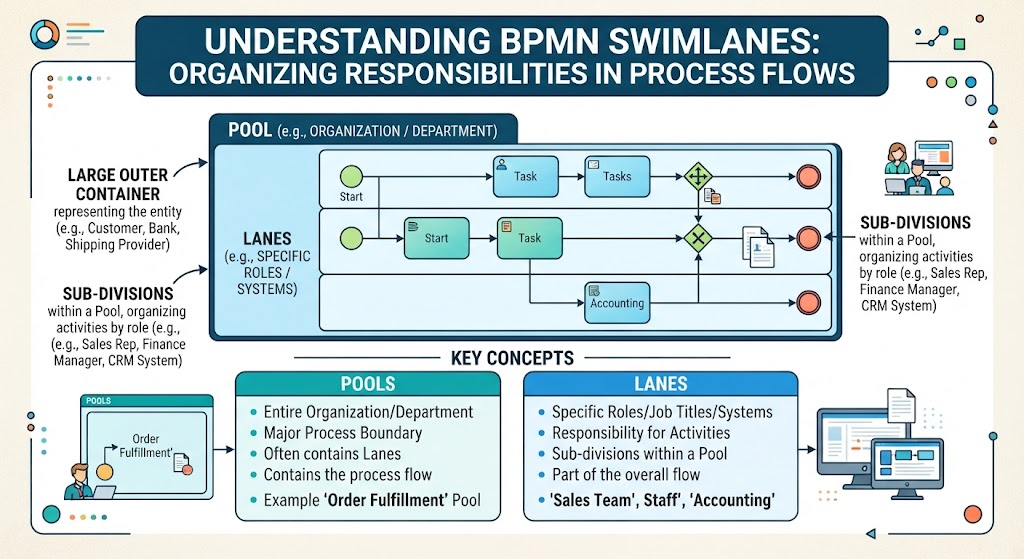
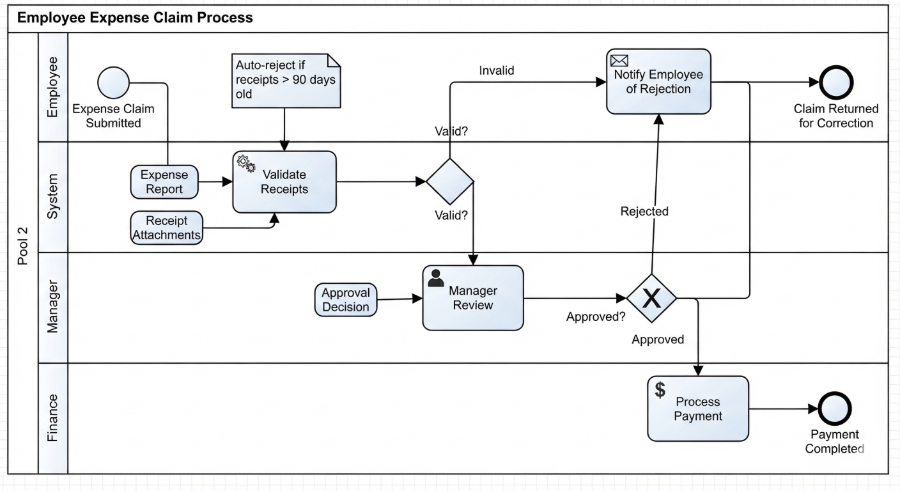
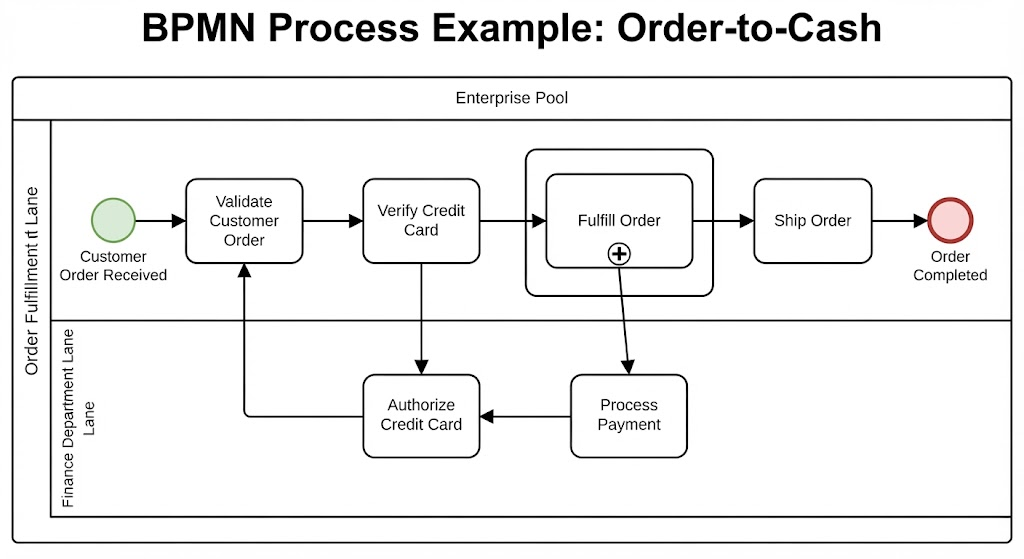
Before diving into individual steps, we must understand the container for the process. The diagram is enclosed in a large rectangle labeled Enterprise Pool. In BPMN terms, a Pool represents the organization or system boundary.
Inside this pool, the process is divided horizontally into Swimlanes. This is a critical concept for accountability:
- Order Fulfillment Lane: The top section. This lane contains the physical and logistical steps, such as validating orders and shipping items.
- Finance Department Lane: The bottom section. This lane handles the monetary aspects, specifically authorization and payment processing.
By separating these lanes, the diagram immediately tells us who is responsible for what. If a task is in the Finance Lane, it requires financial expertise or a specific system to execute.
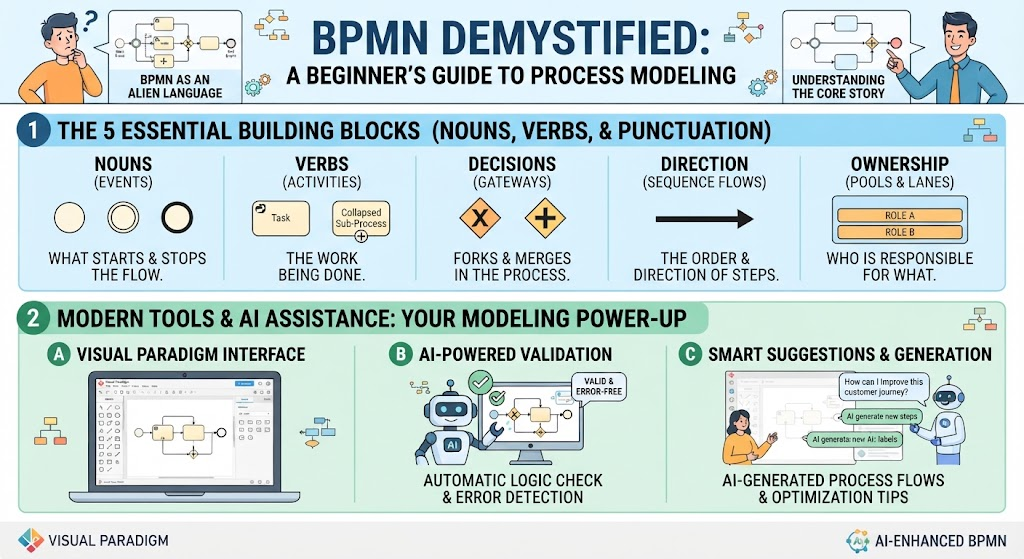
2. The “Balls”: Defining Events
In BPMN, shape matters. Circles represent Events. These are things that happen, rather than work that is done. Events trigger the process or mark its conclusion.
The Start Event
Look for the Green Circle at the far left of the Order Fulfillment Lane. This is the Start Event. It is labeled “Customer Order Received.” This is the “gun” that fires the starting gun for the entire workflow. Without this event, the process remains dormant.
The End Event
At the far right, we see a Red Circle with a thick border. This is the End Event, labeled “Order Completed.” This signifies that the process has reached a successful conclusion and the customer has received their goods.
3. The “Boxes”: Activities and Tasks
The work of the process is represented by rounded rectangles. These are called Tasks or Activities. They describe a single unit of work that cannot be broken down further within the context of this high-level view.
Let’s walk through the primary tasks in the Order Fulfillment Lane:
- Validate Customer Order: The first action. The system or clerk checks if the order details are correct.
- Verify Credit Card: A check to ensure the payment method is valid before proceeding.
- Fulfill Order: Notice the small Plus Sign (+) inside this box. This indicates a Sub-Process. It is a “black box” containing complex internal steps (like picking, packing, and staging) that are hidden at this level of detail.
- Ship Order: The final logistical task before the process ends.
4. The Flow: Connecting the Logic
The arrows connecting these boxes are called Sequence Flows. They indicate the direction of the process. A key feature of this diagram is how it handles cross-departmental interaction.
Observe the interaction between the two lanes:
- After Verify Credit Card, the flow drops down into the Finance Department Lane to Authorize Credit Card.
- From there, it moves to Process Payment.
- Crucially, there is a feedback loop. The arrow from “Process Payment” points back to “Authorize Credit Card,” and the arrow from “Authorize Credit Card” loops back up to “Validate Customer Order.” This suggests a validation or retry mechanism—if payment authorization requires re-checking, the process returns to the validation stage.
5. Why This Matters for System Architecture
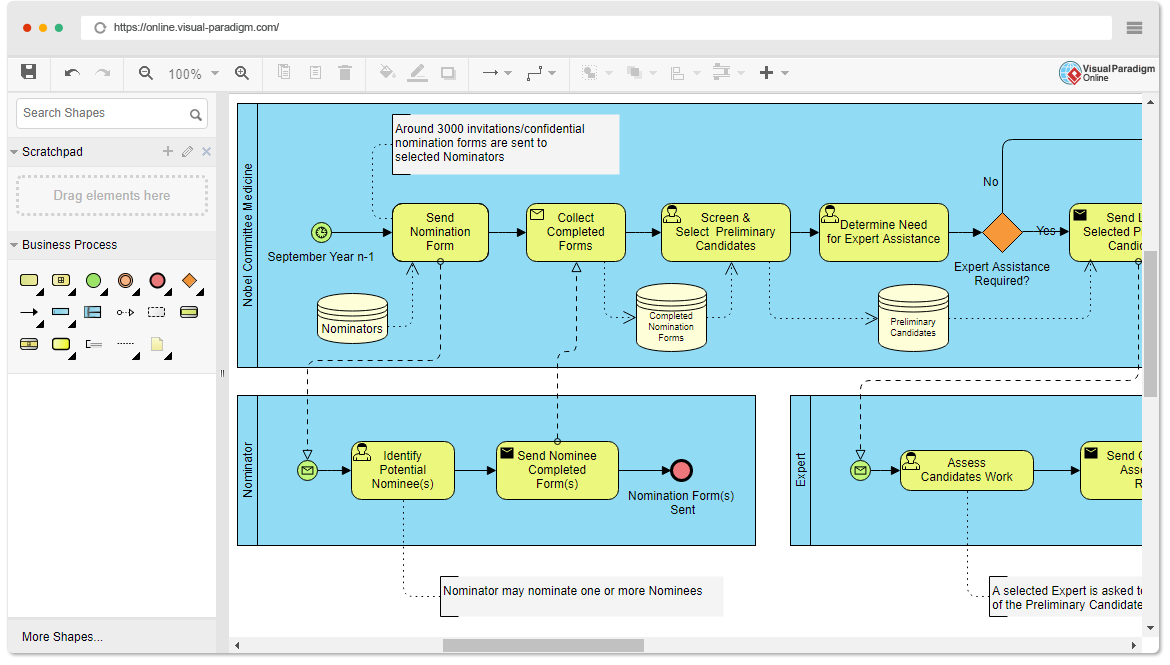
Tools like Visual Paradigm allow architects to model these diagrams to bridge the gap between business requirements and technical implementation. By visualizing the Order-to-Cash process, developers can:
- Identify bottlenecks (e.g., if the “Verify Credit Card” step takes too long).
- Assign system responsibilities (which software module handles “Fulfill Order”?).
- Define error handling (what happens if the Start Event never fires?).
By understanding the “Balls” (Events) and “Boxes” (Tasks), you can read any BPMN diagram and understand the heartbeat of an enterprise system.