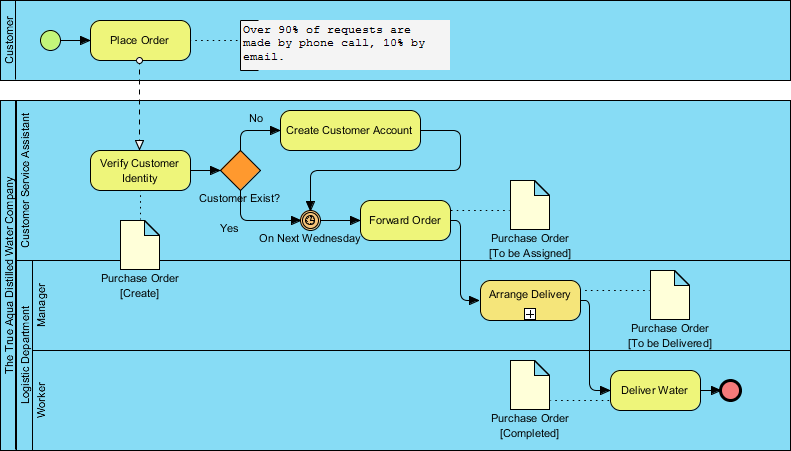
Welcome to this comprehensive tutorial on Business Process Model and Notation (BPMN). In the world of Business Process Management (BPM), clarity is king. The diagram below illustrates a classic Order Fulfillment Process for “The True Aqua Distilled Water Company.” By breaking down this visual model, we can understand how organizations use BPMN to streamline operations, define roles, and manage complex workflows.
This tutorial will guide you through the system architecture, the specific roles involved (swimlanes), and the logical flow of the process, explaining exactly how a customer request transforms into a delivered product.
1. Understanding the Architecture: Swimlanes and Roles
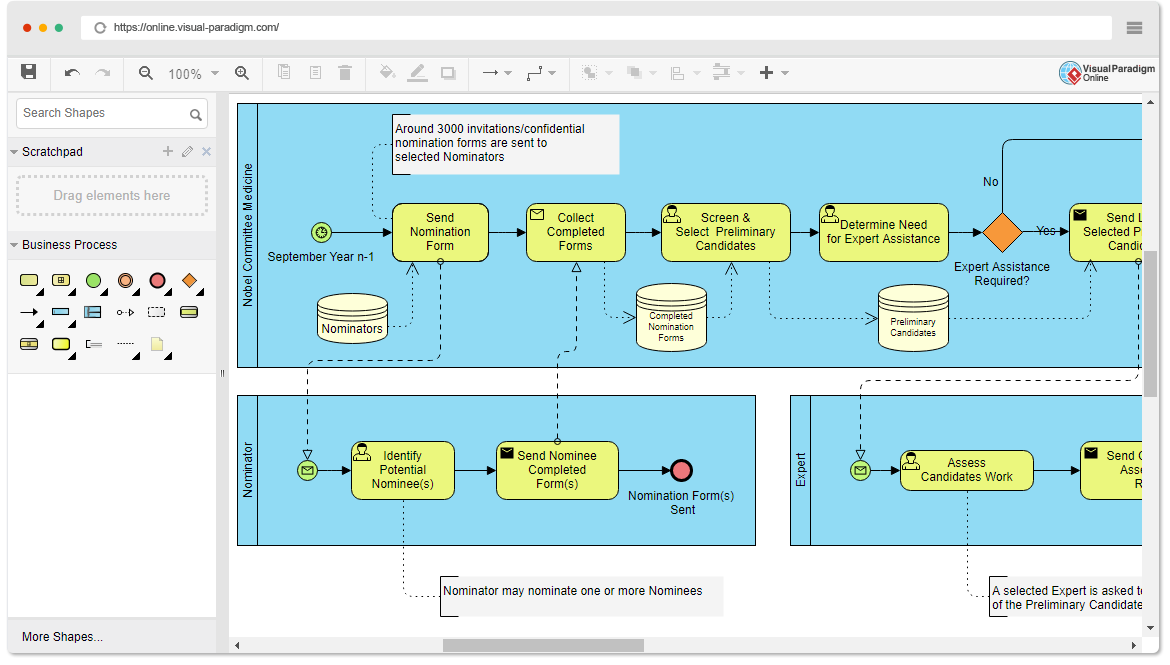
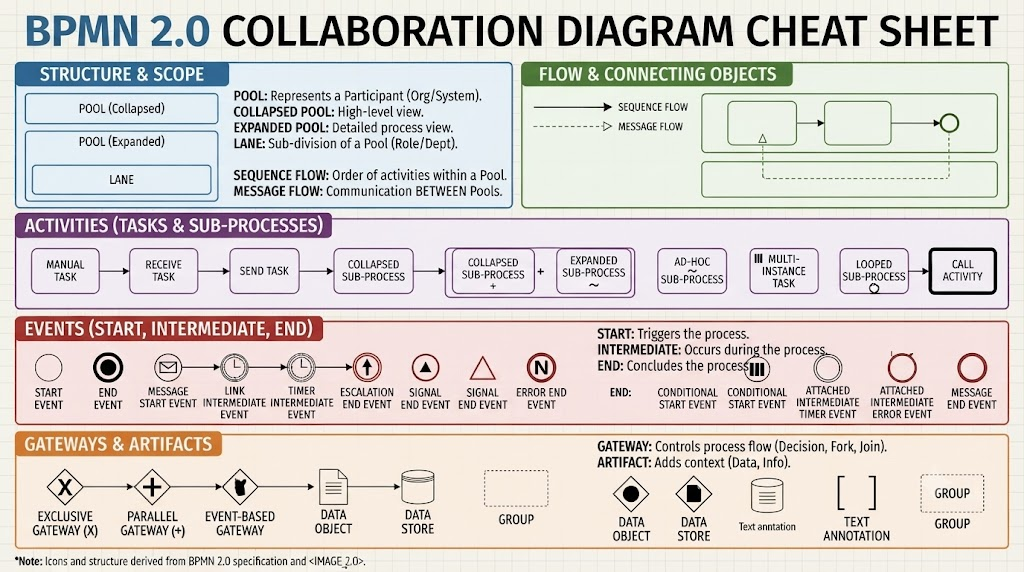
The most striking feature of this BPMN diagram is the use of Swimlanes. Swimlanes are horizontal or vertical strips that organize the process steps by the role or department responsible for them. This visual separation ensures that every step has a clear owner, preventing confusion about who is responsible for what.
- Customer Lane: The process initiator. This actor starts the workflow by placing an order.
- Customer Service Assistant Lane: The first point of contact. This role handles identity verification and account management.
- Manager Lane (The True Aqua Distilled Water Company): The oversight role responsible for logistics planning.
- Logistic Department Worker Lane: The execution role responsible for the physical delivery of goods.
2. Process Initiation: The Customer’s Journey
The process begins at the top left with a Start Event (the green circle) in the Customer lane. The first activity is Place Order.
Notice the Annotation attached to this activity. It provides crucial business context: “Over 90% of requests are made by phone call, 10% by email.” In BPMN, these annotations act as supplementary notes that add textual detail to the graphical symbols without cluttering the main flow. This tells the analyst that while the process is the same, the input method varies significantly.
3. Verification and Decision Making
The process flows down to the Customer Service Assistant lane. Here, the first major step is Verify Customer Identity. Immediately following this activity is a Gateway (the orange diamond).
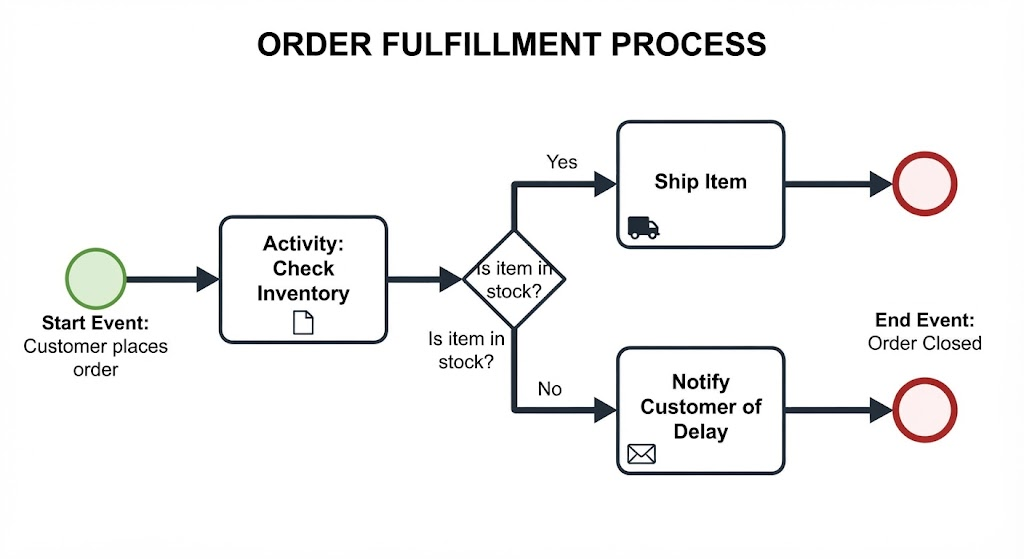
The Gateway is the heart of the process logic. It acts as a traffic controller. The label “Customer Exist?” indicates a decision point with two possible paths:
- The “No” Path: If the customer is new, the flow moves to Create Customer Account. Once the account is created, the flow loops back to join the main sequence, allowing the order to proceed.
- The “Yes” Path: If the customer already exists, the flow proceeds directly to the next stage.
4. Time-Based Triggers and Batch Processing
This diagram introduces a sophisticated BPMN concept: the Intermediate Timer Event. Look closely at the sequence flow leading into the Forward Order activity. There is a circle with a clock icon.
The label “On Next Wednesday” attached to this event is critical. It implies that orders are not processed instantly in real-time. Instead, they are batched or scheduled to be forwarded specifically on the next Wednesday. This is a common pattern in logistics to optimize delivery routes or align with warehouse schedules.
5. Document Artifacts and State Management
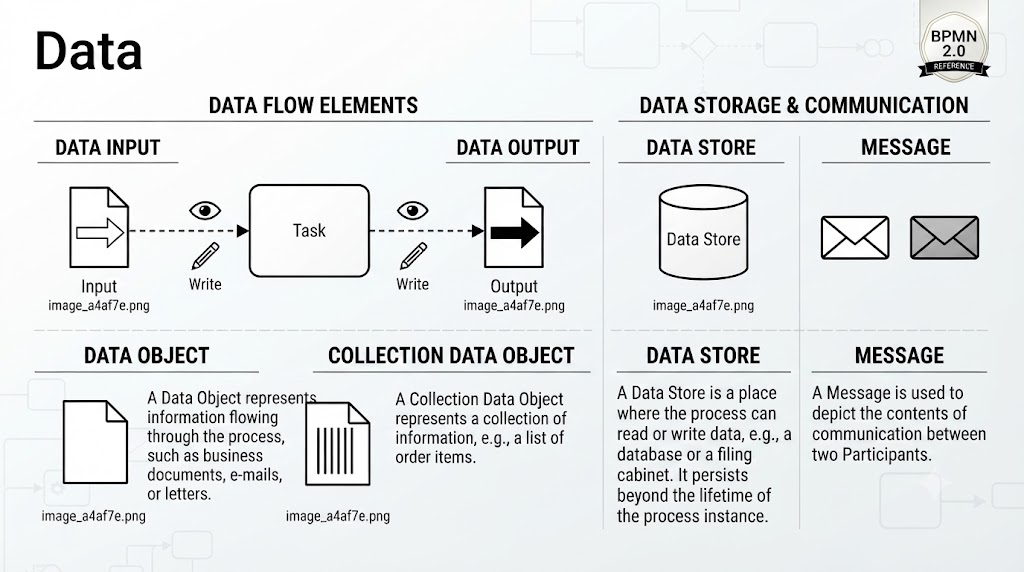
A vital part of this diagram is the use of Artifacts, specifically the document icons representing the Purchase Order. These aren’t just files; they represent the state of a physical or digital document as it moves through the system.
- Purchase Order [Create]: Generated by the Customer Service Assistant after verification.
- Purchase Order [To be Assigned]: The document is now ready to be passed to the Manager.
- Purchase Order [To be Delivered]: After the Manager arranges the delivery, the document is updated with delivery details.
- Purchase Order [Completed]: Once the Logistic Worker delivers the water, the document is finalized.
Tracing the dotted lines from these documents shows the Information Flow. It visualizes how data moves between the lanes. For example, the Manager receives the “To be Assigned” document to perform their task.
6. Execution and Completion
In the final lane, the Manager performs the Arrange Delivery task. This triggers the handoff to the Logistic Department Worker.
The worker’s task is Deliver Water. Upon completion of this physical task, the process hits a End Event (the red circle with a thick border). This signifies the successful termination of the business process. The system has gone from a request to a completed delivery, with the Purchase Order document serving as the audit trail throughout the entire lifecycle.
Conclusion
This diagram demonstrates the power of BPMN 2.0. It effectively communicates a complex business scenario involving multiple stakeholders, conditional logic (the gateway), timing constraints (the timer event), and data states (the purchase order artifacts). By visualizing the process this way, “The True Aqua Distilled Water Company” can easily identify bottlenecks, clarify roles, and optimize their delivery schedule.