


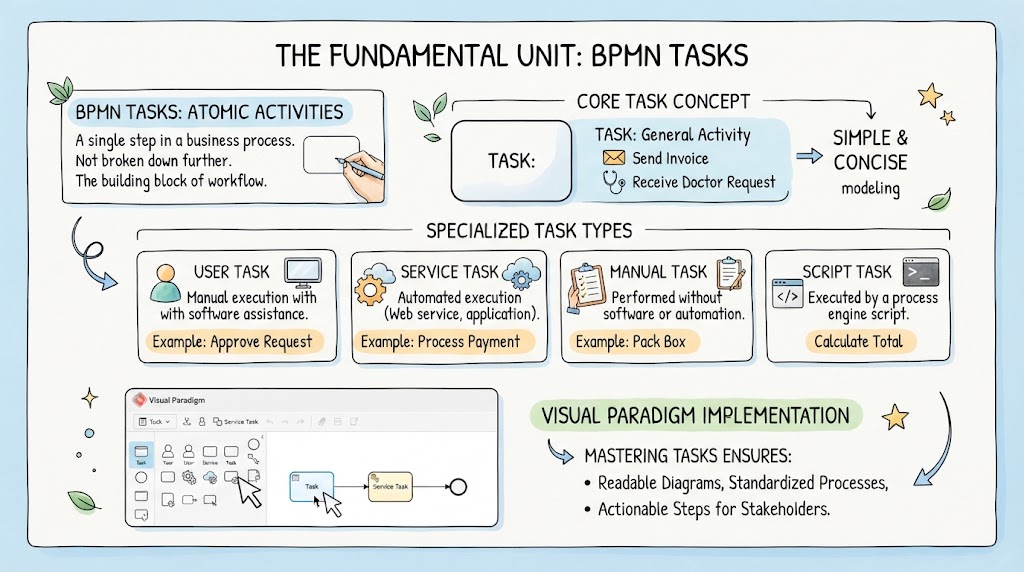
In the intricate world of Business Process Model and Notation (BPMN), clarity is paramount. While business processes often evolve into complex webs of decisions, events, and loops, the fundamental unit of work remains the Task. As defined in standard BPMN theory, a Task represents an atomic activity—a single step that is not broken down into further detail within the current model.
This tutorial explores the core concepts of BPMN Tasks, their specialized variations, and how to effectively implement them using Visual Paradigm, a leading tool for business process modeling. By mastering these elements, you ensure your diagrams remain readable, standardized, and actionable for stakeholders.
The Core Concept: Atomic Activities
Before diving into specific types, it is essential to understand the foundational definition of a Task. In the context of process modeling, a Task is an “atomic” activity. This means it is a single, indivisible step in a business process. It acts as the building block of your workflow.
Consider a simple “Send Invoice” workflow. While “Send Invoice” might seem complex in the real world (involving printing, addressing, and mailing), within a high-level model, it is treated as a single unit. It is not broken down further unless you are creating a sub-process.
Why “Simple & Concise” Matters
The goal of BPMN modeling is to communicate the flow of work. By treating tasks as atomic units, you maintain a balance between detail and abstraction. This ensures that the diagram remains simple and concise, allowing stakeholders to grasp the overall process without getting lost in the weeds of implementation details.
Specialized Task Types
While the standard Task is a general container for work, BPMN provides specialized task types to provide specific context about who or what performs the action. Understanding these distinctions is crucial for accurate modeling.
1. User Task
A User Task represents work that is performed by a human actor. It implies that a person is involved in the execution of this step.
- Definition: Manual execution with software assistance.
- Iconography: Typically depicted with an icon of a person or a user silhouette.
- Example: “Approve Request” or “Review Document.”
2. Service Task
A Service Task represents work performed by a system, application, or automated service. It abstracts the complexity of the underlying technical implementation.
- Definition: Automated execution via a web service or application logic.
- Iconography: Often shown with a gear or cogwheel icon.
- Example: “Process Payment” or “Generate Report.”
3. Manual Task
A Manual Task represents work that is performed without the assistance of software or automation. This is a specific type of user task where the action is entirely physical or manual.
- Definition: Performed without software or automation.
- Iconography: Usually represented by a hand holding a clipboard or similar manual work icon.
- Example: “Pack Box” or “File Paperwork.”
4. Script Task
A Script Task is executed by a process engine script. This is often used when the logic of the step is defined by a piece of code (like Groovy, Python, or JavaScript) rather than a separate business service.
- Definition: Executed by a process engine script.
- Iconography: Often depicted with a code bracket icon.
- Example: “Calculate Total” or “Validate Data.”
Visual Paradigm Implementation
Implementing these concepts requires the right tool. Visual Paradigm provides a robust interface for creating BPMN diagrams. The tool’s palette allows you to easily drag and drop the specific task types described above.
When using Visual Paradigm, you will typically see the Task palette containing various icons:
- The standard Task (general activity).
- The User Task (human actor).
- The Service Task (system automation).
- The Manual Task (physical work).
- The Script Task (code execution).
By selecting the appropriate icon from the palette and connecting it with sequence flows, you create a visual representation of the workflow. As shown in the implementation examples, a typical flow might look like a User Task (Approve Request) triggering a Service Task (Process Payment).
Conclusion: Ensuring Readable and Actionable Diagrams
Mastering BPMN Tasks is not just about drawing boxes; it is about communicating intent. By correctly distinguishing between a User Task, a Service Task, and a Manual Task, you provide context that is vital for process analysis and automation.
The ultimate goal of this modeling effort is to produce:
- Readable Diagrams: Where the flow of logic is immediately apparent.
- Standardized Processes: Using consistent notation that aligns with BPMN standards.
- Actionable Steps: Clear instructions for both human stakeholders and software developers.
Whether you are mapping out a simple workflow or a complex medical intake procedure, the principles of the BPMN Task remain the bedrock of effective process modeling.
Related posts:
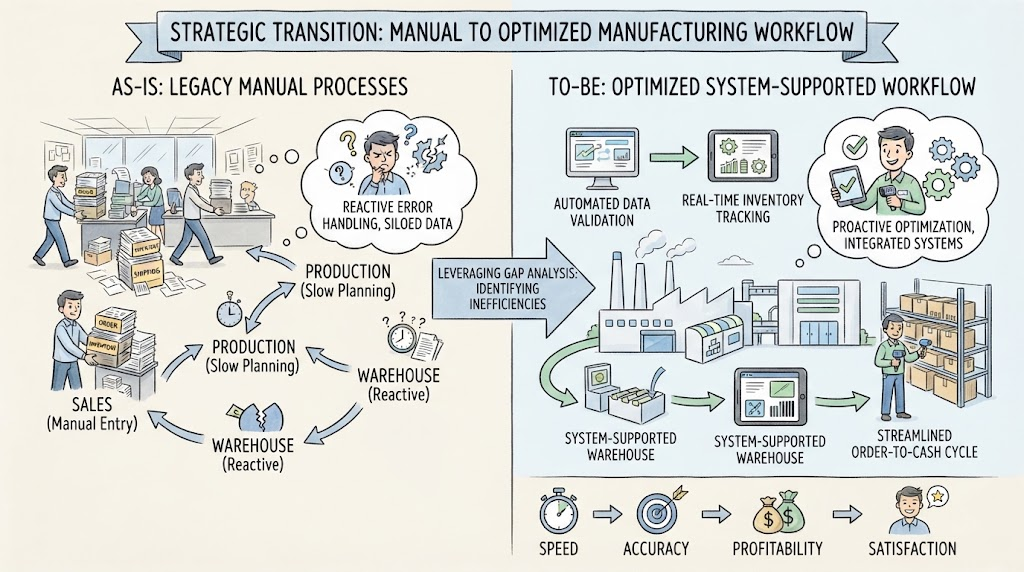 Navigating the Strategic Transition: From Manual Chaos to Optimized Efficiency
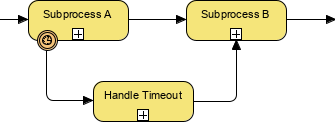 BPMN Diagram Subprocess Timeout Handling
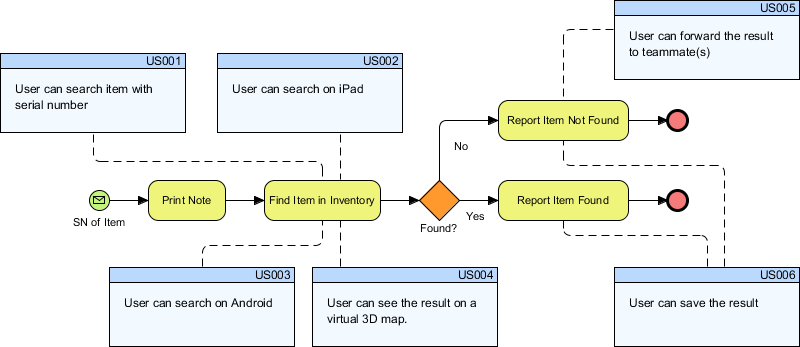 Bridging the Gap: Integrating BPMN Process Flows with Agile User Stories in Visual Paradigm
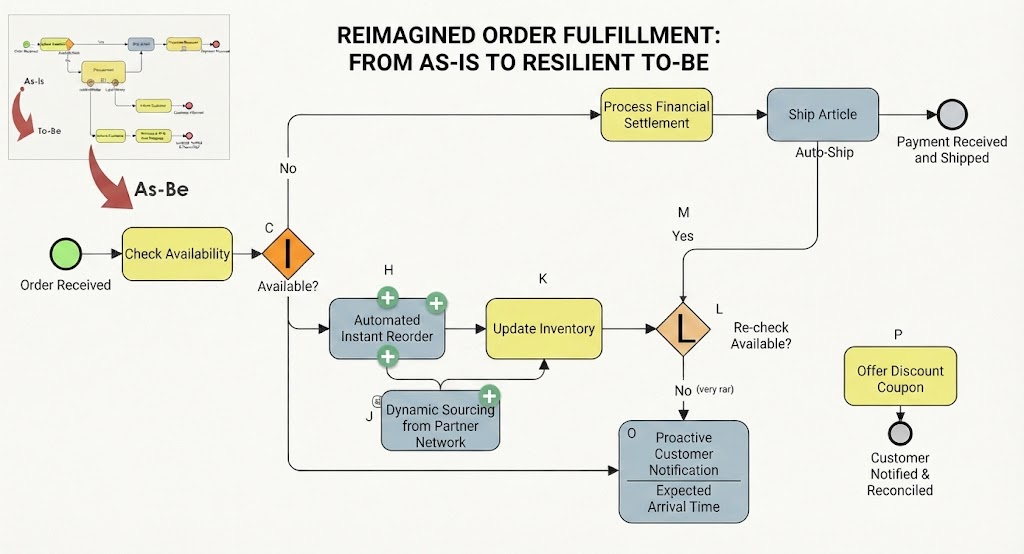 Reimagining Business Resilience: A Visual Guide to the As-Is vs. To-Be Order Fulfillment Architecture