


The Evolution of AI in Software Modeling: Free vs. Premium
Welcome, everyone. Today, we are diving into a critical shift happening in the world of software engineering and systems design: the integration of Artificial Intelligence into diagramming tools. As you can see from our visual guide, the landscape is changing from simple, free tools to sophisticated, premium AI-driven environments. We are looking at a concept we call “The Hybrid Evo”, which represents the evolutionary step where human creativity meets machine intelligence.
For years, we have relied on manual drawing tools. However, the introduction of AI allows us to move beyond static drawing into dynamic generation and intelligent refactoring. In this session, we will explore how plain text prompts can revolutionize your workflow and how platforms like Visual Paradigm facilitate this transition safely and effectively.
Understanding the “Hybrid Evo” Approach
The term “The Hybrid Evo” refers to a collaborative approach. It is not about replacing the architect or the developer with a robot. Instead, it is about creating a hybrid environment where the AI handles the repetitive structural tasks, and the human focuses on the logic and architecture. This evolution is essential because it allows for rapid prototyping without losing the nuance of human oversight.
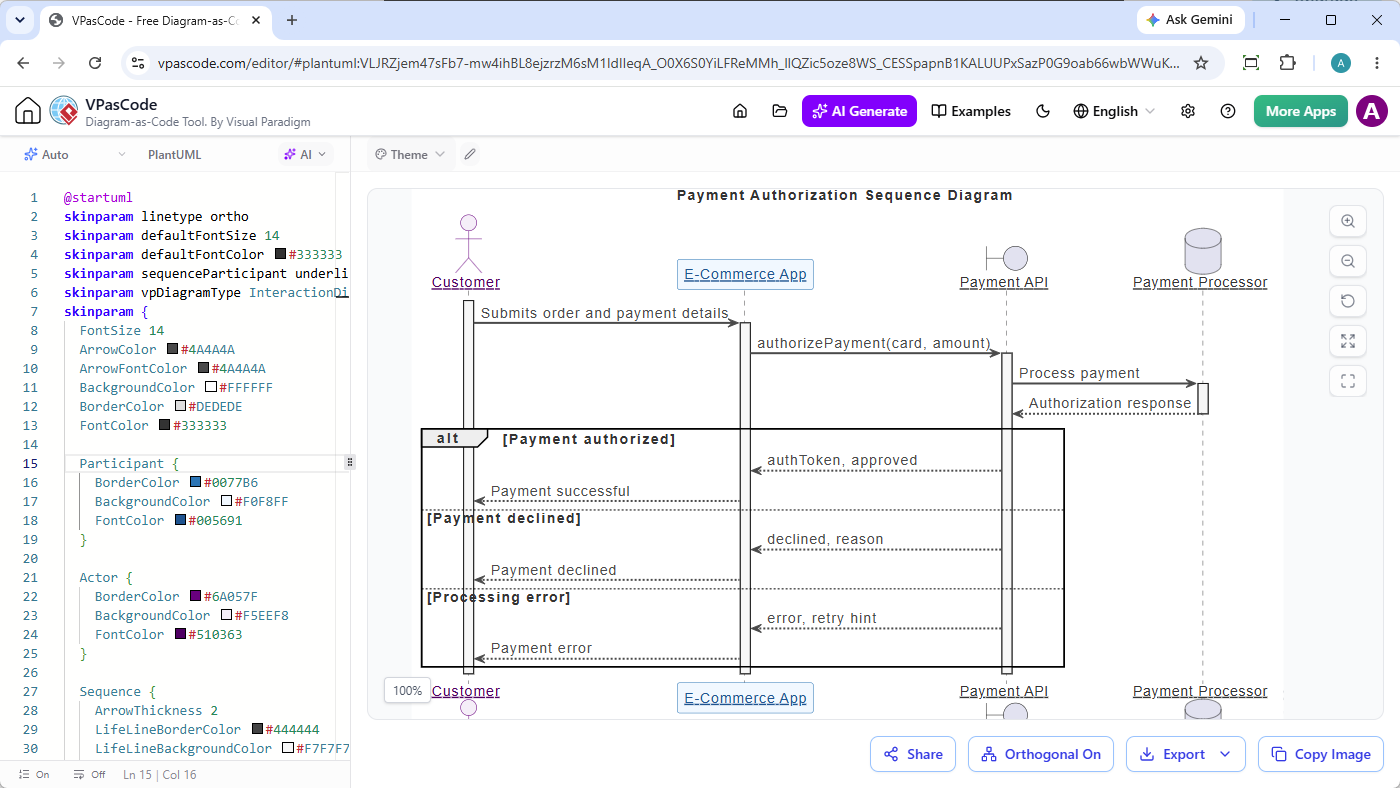
In a premium AI setting, this hybrid model becomes more robust. The AI doesn’t just draw lines; it understands context. It knows that a “Customer” interacts with an “E-Commerce App” in a specific sequence. This contextual awareness is what separates basic free tools from the powerful, premium AI assistants found in modern modeling suites.
Leveraging Plain Text Prompts
One of the most exciting features highlighted in our material is the power of Plain Text Prompts. Traditionally, creating a sequence diagram required dragging and dropping lifelines, drawing arrows, and manually typing message names. This process can be time-consuming and prone to formatting errors.
With the new AI capabilities, the workflow is inverted. You start with your intent. For example, imagine you are designing a payment system. Instead of manually constructing the diagram, you simply input a prompt like:
- “Generate a sequence diagram for a payment API involving a customer, an e-commerce app, and a payment processor.”
The AI interprets this natural language request and constructs the underlying UML structure. It identifies the participants (actors and objects) and the interactions (messages) between them. This drastically reduces the time from “idea” to “visual model.”
Visual Paradigm: The Engine Behind the Magic
So, how do we implement this in practice? This is where Visual Paradigm shines. Visual Paradigm has integrated advanced AI assistants that are capable of understanding these complex prompts. Unlike generic AI chatbots, the AI within Visual Paradigm is trained specifically on UML standards and software engineering best practices.
When you use the AI Assistant in Visual Paradigm, you aren’t just generating a picture; you are generating a model. This means the diagram is data-rich. You can later reverse engineer this diagram into actual Java, C#, or Python code. The “Hybrid Evo” is facilitated here because the AI creates the skeleton, and the developer fleshes out the logic, knowing that the model is compliant with standard UML syntax.
Safely Refactoring Diagrams
The final, crucial aspect of this evolution is the ability to Refractor Diagrams Safely. In software development, requirements change. Perhaps a “Payment Processor” needs to be split into two different services, or a message name needs to be standardized. In traditional tools, refactoring a diagram can be messy and prone to breaking links.
AI-powered refactoring tools allow you to modify your models safely. If you decide to change the architecture, the AI can help you update the diagram, ensuring that all arrows still point to the correct targets and that the logical flow remains intact. Visual Paradigm’s AI features ensure that these changes are applied consistently across your entire project model, preventing the “broken link” syndrome that often plagues manual editing.
By embracing these tools, you move from being a manual drafter to a strategic architect, guiding the AI to build the systems you envision.