VPasCode

Building a Cohesive Design Ecosystem: From Modeling to Knowledge Retention

Building a Cohesive Design Ecosystem: From Modeling to Knowledge Retention

Highly Integrated Visual Paradigm Ecosystem
This new pipeline is part of our broader vision to position Visual Paradigm as a highly cohesive, robust ecosystem where design and knowledge retention live hand-in-hand. OpenDocs acts as the central repository for your team’s collective intelligence, and you can pipe content into it from virtually all of your favorite Visual Paradigm platforms:

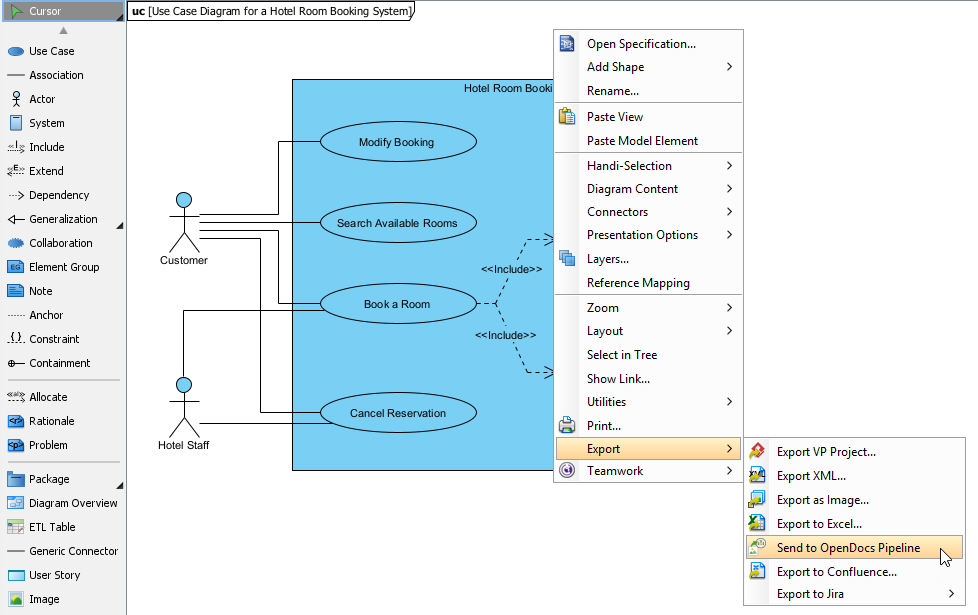
Desktop Modeling to Docs: Send your enterprise-grade blueprints from Visual Paradigm Desktop seamlessly to your documentation pipeline (Guide).

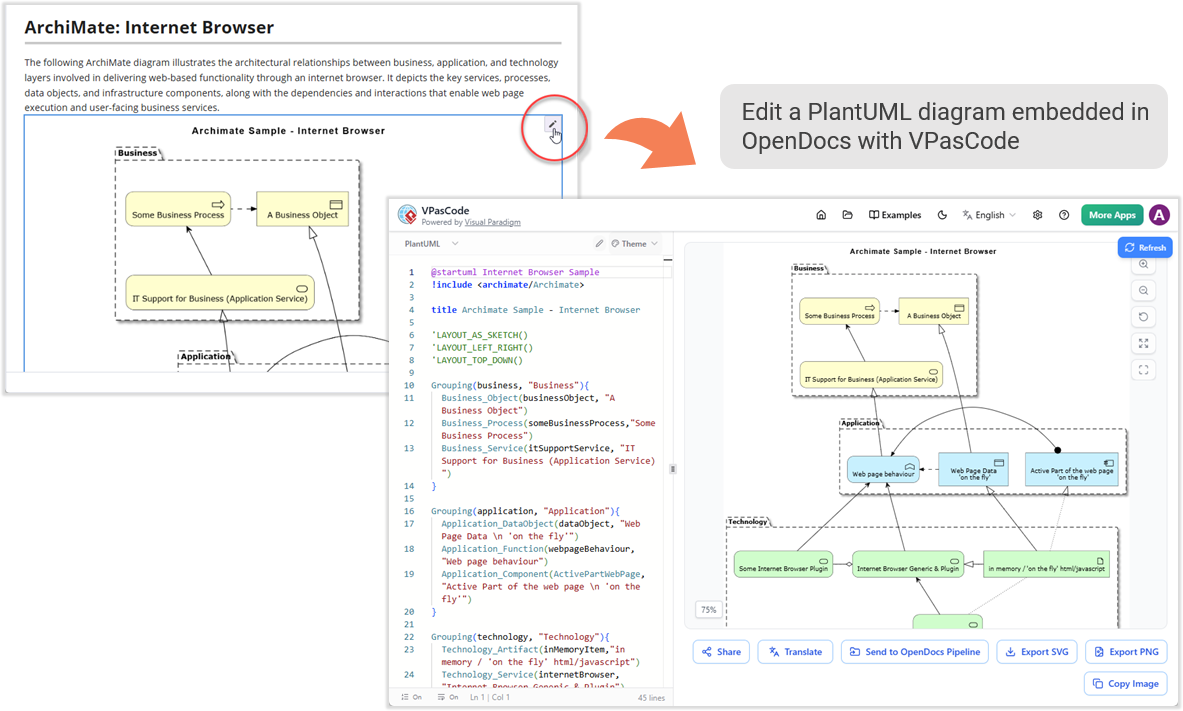
Edit PlantUML Archimate Diagram in OpenDocs

Edit PlantUML Archimate Diagram in OpenDocs

Need to make a quick change?
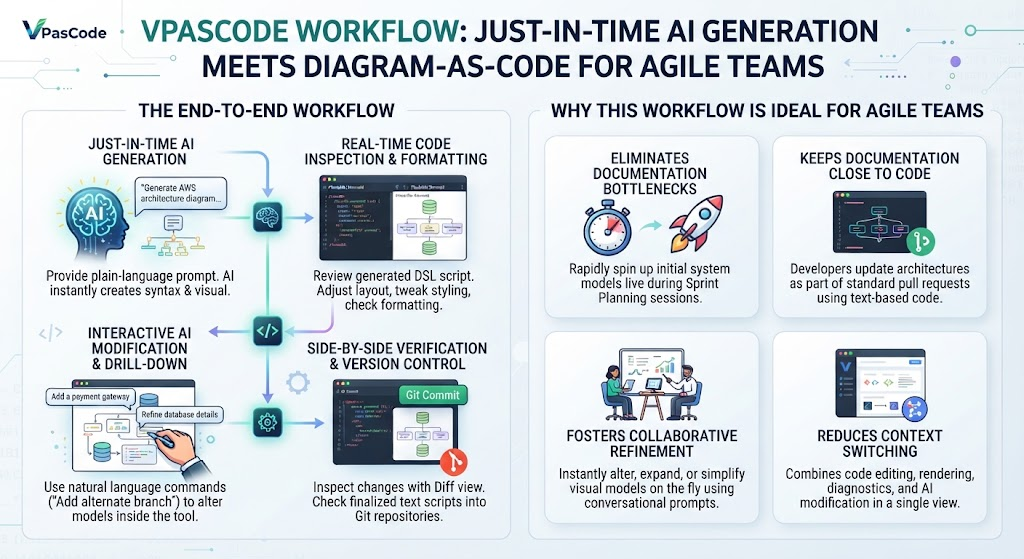
If you spot an error or need to expand the diagram later, there is no need to rebuild it from scratch. Simply click the tiny Pencil button located at the top right of the inserted image inside OpenDocs. This action securely opens up the code script back inside the VPasCode editor. Modify the text syntax, rerun the pipeline steps above, and replace the old image in your documentation flawlessly.

A Recap of the VPasCode Ecosystem
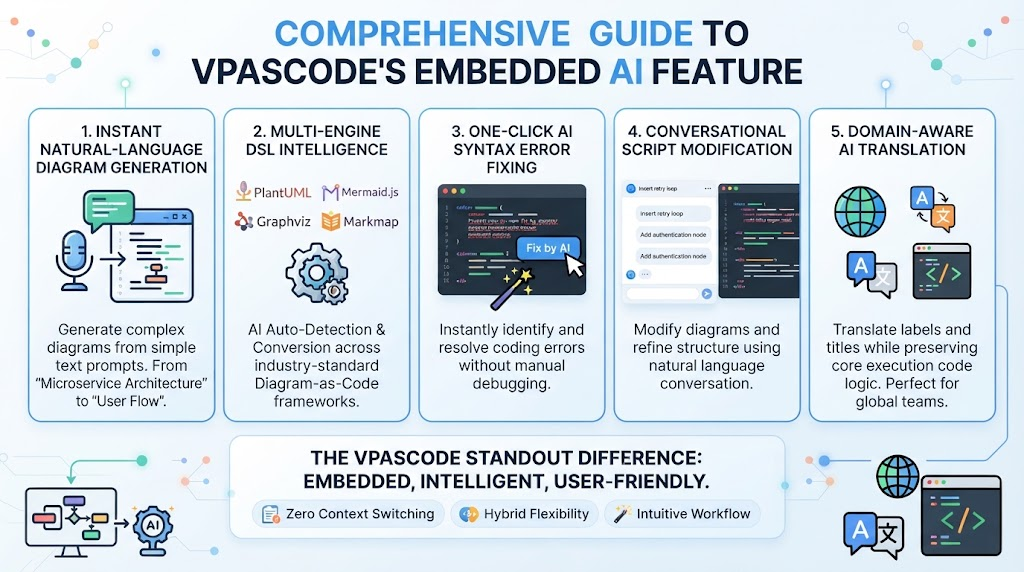
If you are new to VPasCode, it provides a comprehensive, unified environment for rendering text-to-diagram syntaxes in real-time. Whether you are using a free tier or advanced AI utilities, it supports a vast catalog of visual representations:

PlantUML: ArchiMate, C4, Sequence, Use Case, Class, Object, Activity, Component, Deployment, State, Timing, ERD, Chen ERD, Network, WBS, and more.
Mermaid: Flowchart, Class, Sequence, Entity Relationship Diagram, State Diagram, Mind Map, C4, Gantt, Quadrant, Requirement Diagram, Timeline, User Journey, Git Graph, Kanban, etc.
Graphviz: Digraph, Graph, Flowchart, Organization Chart, Cluster, and Data Flow.
Note: Free features include real-time previewing, URL sharing, and vector/raster exports (SVG/PNG). Paid editions (Visual Paradigm Online Combo Edition or Desktop Professional Edition with active maintenance) unlock advanced core capabilities like AI code error fixing and AI translation.

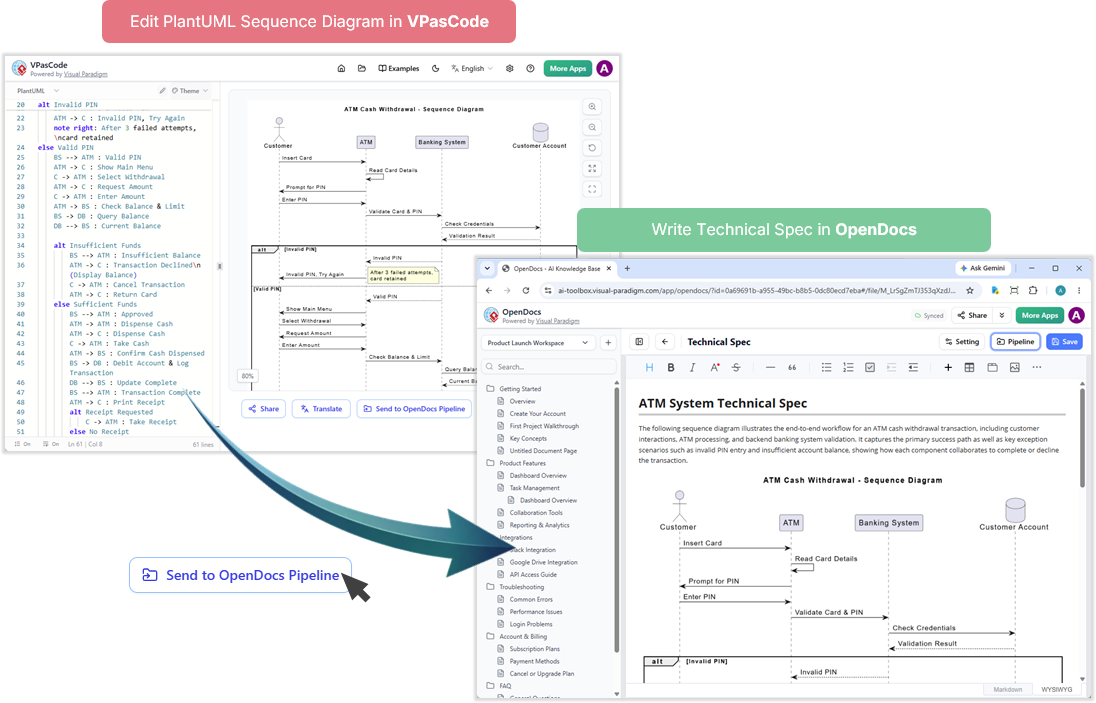
ATM Sequence Diagram to Technical Spec

ATM Sequence Diagram to Technical Spec

Why This Matters: Real-World Use Cases
To help you visualize how this integration optimizes your day-to-day operations, here are a few common scenarios where the VPasCode-to-OpenDocs pipeline shines:

Software Architecture & Technical Specs: A software engineer edits a complex system architecture using PlantUML or a microservices sequence diagram in Mermaid inside VPasCode. Once the logic looks solid, they push the diagram straight to the OpenDocs pipeline. They can then switch over to OpenDocs to write the full technical specification document around that live blueprint.

Vpascode and OpenDocs Pipeline for Diagramming

Vpascode and OpenDocs Pipeline for Diagramming

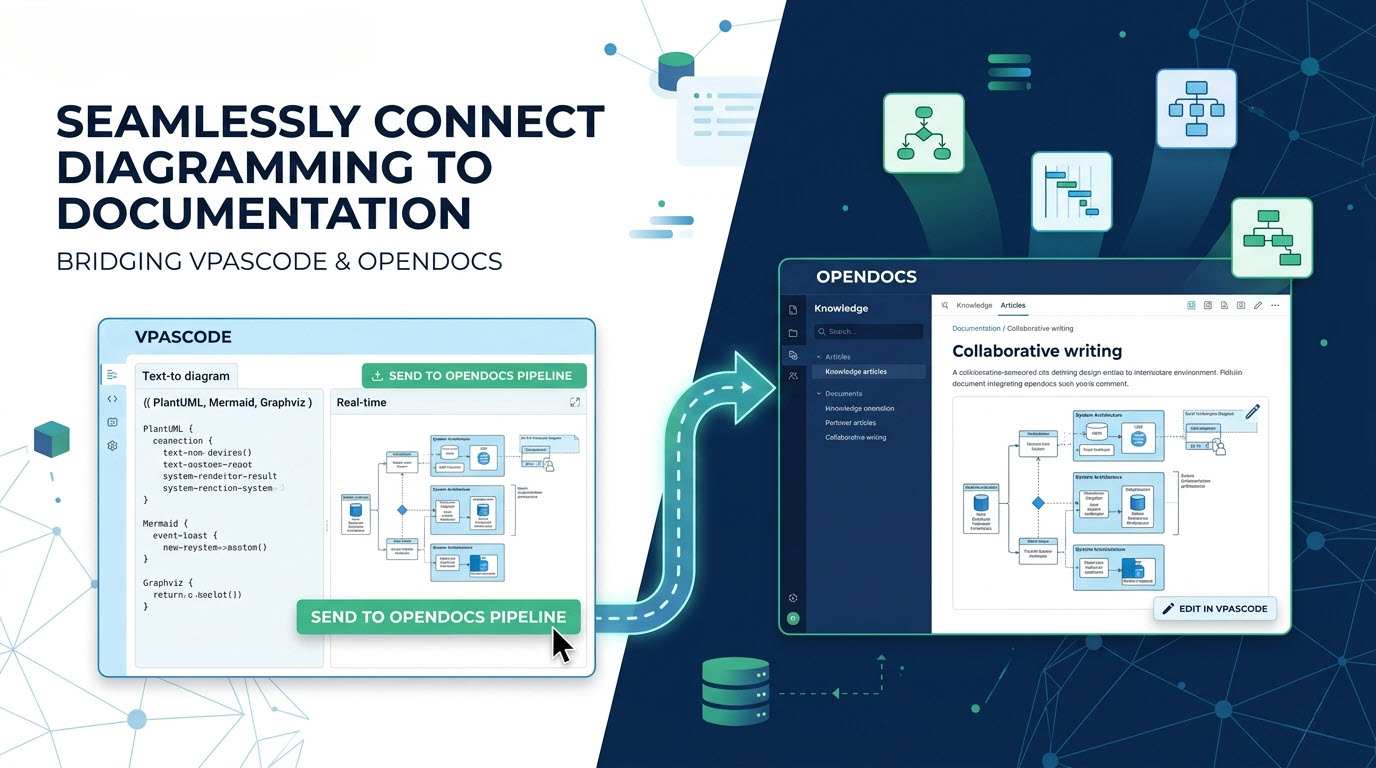
At Visual Paradigm, we are constantly striving to unify your development, design, and documentation workflows. Recently, we introduced Visual Paradigm VPasCode, our powerful text-to-diagram platform that allows creators to build rich visuals using popular formats like PlantUML, Mermaid.js, and Graphviz. Today, we are thrilled to announce a major enhancement that bridges the gap between creating visuals and writing documentation: The VPasCode to OpenDocs Pipeline Integration.

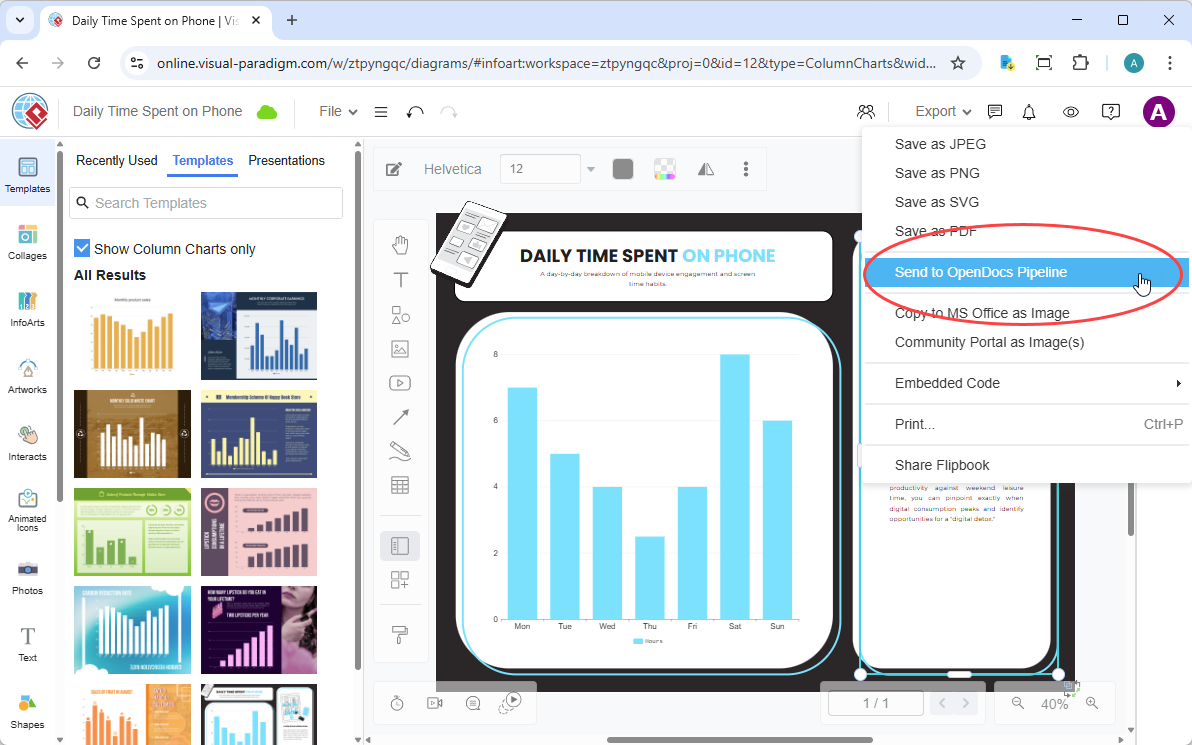
With this new capability, you can effortlessly “send” your diagrams from the VPasCode environment directly into OpenDocs—our next-generation, AI-powered knowledge management platform. No more manual exporting, downloading, or re-uploading images. Your visual assets now flow seamlessly into your documentation suite with a few simple clicks.

VPasCode Visual Paradigm as Code Diagrams

VPasCode Visual Paradigm as Code Diagrams

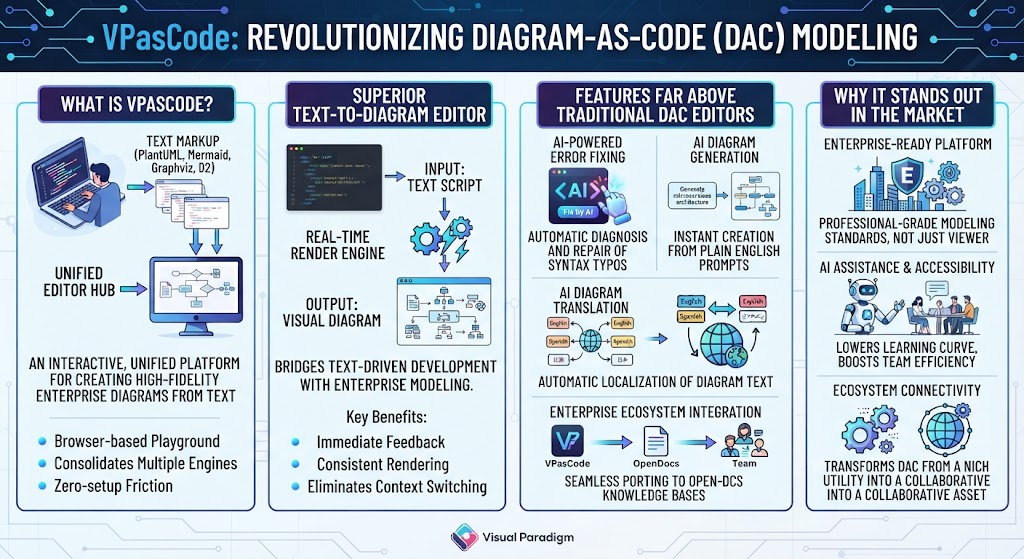
Are you tired of fighting drag-and-drop UI tools? Discover how VPasCode, the core text-to-diagram tool within the Visual Paradigm AI Ecosystem, unifies PlantUML, Mermaid, and Graphviz in a single code-based diagramming software.

Why Developers are Switching to a Diagram as Code Tool
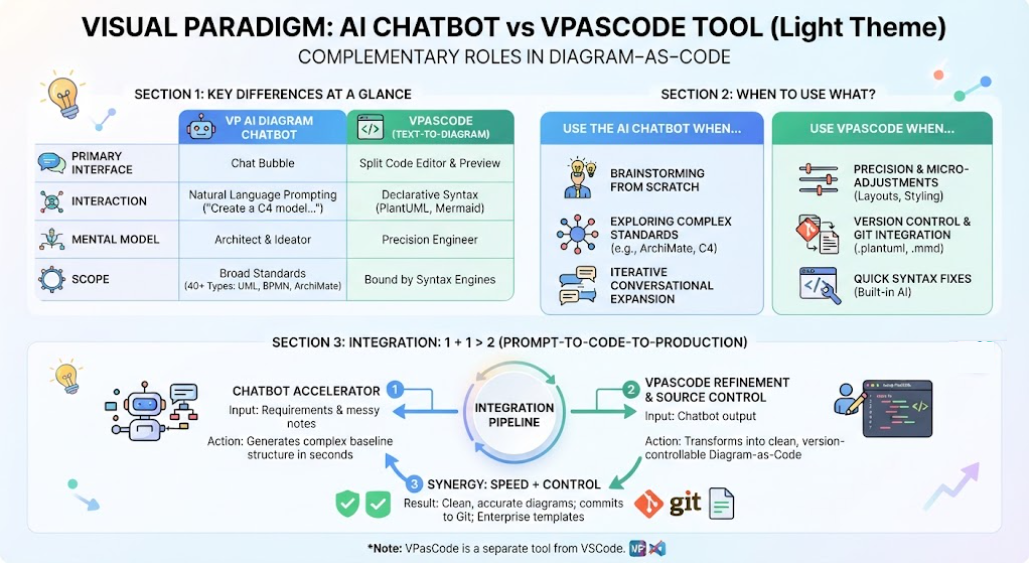
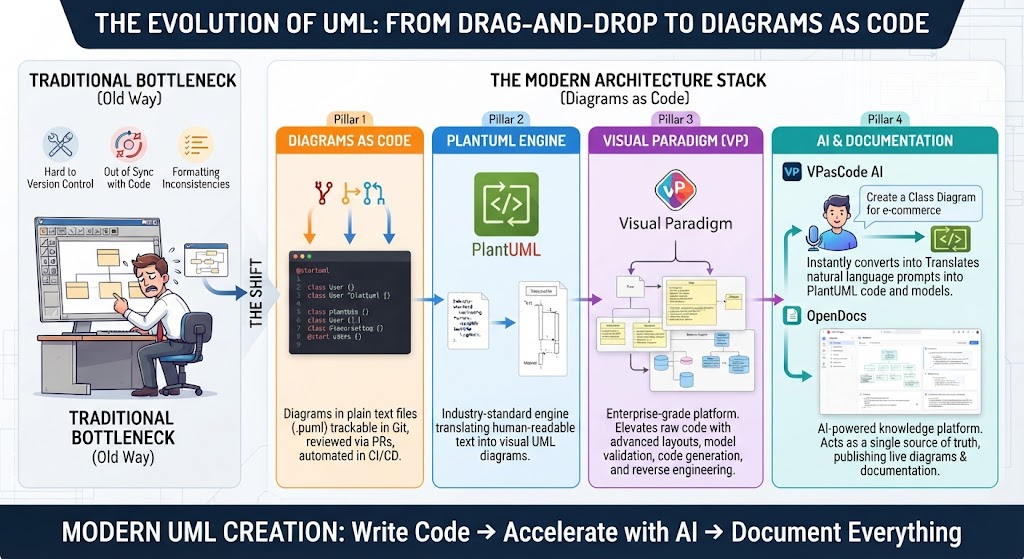
In modern software engineering, documentation must move at the speed of code. Traditional visual editors are slow, version control-unfriendly, and difficult to maintain. That is why engineering teams are shifting to diagram as code. Using a text-to-diagram tool allows you to treat system architectures, database schemas, and workflows like source code—committable, trackable, and easily editable.

However, the current landscape is fragmented. If you want to use a text-based UML tool, you might find yourself bouncing between different platforms depending on whether your team prefers PlantUML, Mermaid, or Graphviz.

Enter VPasCode by Visual Paradigm: the unified diagram as code platform designed to eliminate tool sprawl.

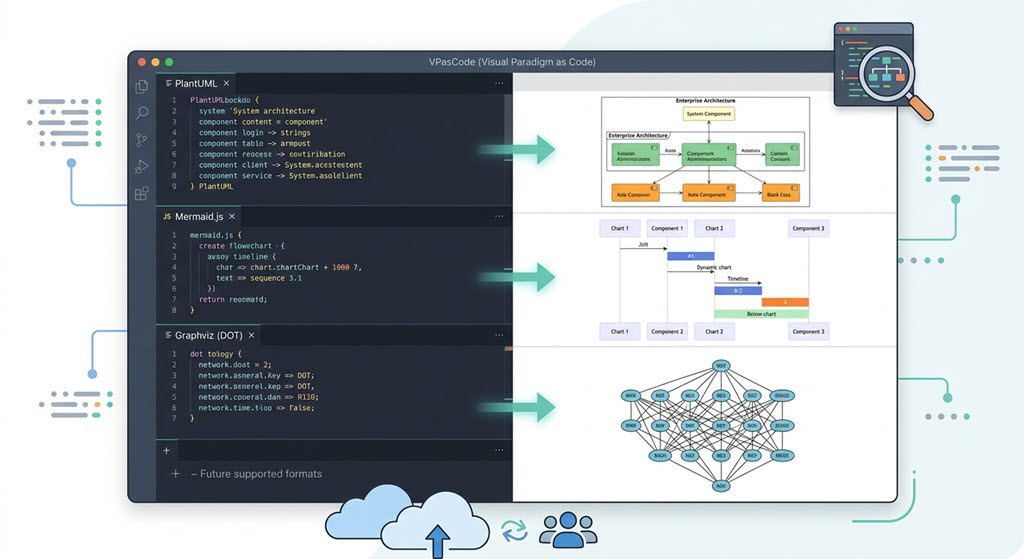
VPasCode unifies major text-to-diagram formats into one robust developer workspace.

Unifying Your Favorite Code-Based Diagramming Software
Instead of forcing you to choose a single syntax, VPasCode works as a highly versatile multi-format text-to-diagram editor. It enables you to easily create any diagrams using the standard formats you already know:

PlantUML: The industry standard for complex, enterprise-ready text-based UML diagram editing.
Mermaid: The markdown-friendly syntax native to platforms like GitHub and GitLab.
Graphviz (DOT): Perfect for complex network topologies and automated structural graph layouts.
By supporting all three major engines, VPasCode functions as the ultimate diagram as code software workspace. Whether you are generating a quick flowchart or mapping out complex systems, you can work entirely in plaintext.

Scroll to Top