


ATM Withdraw Cash Activity Diagram Modification
Optionally, click View Details to launch a side-by-side code diff window. You can inspect exact line-by-line changes alongside a comparative visual preview before finalizing your changes.
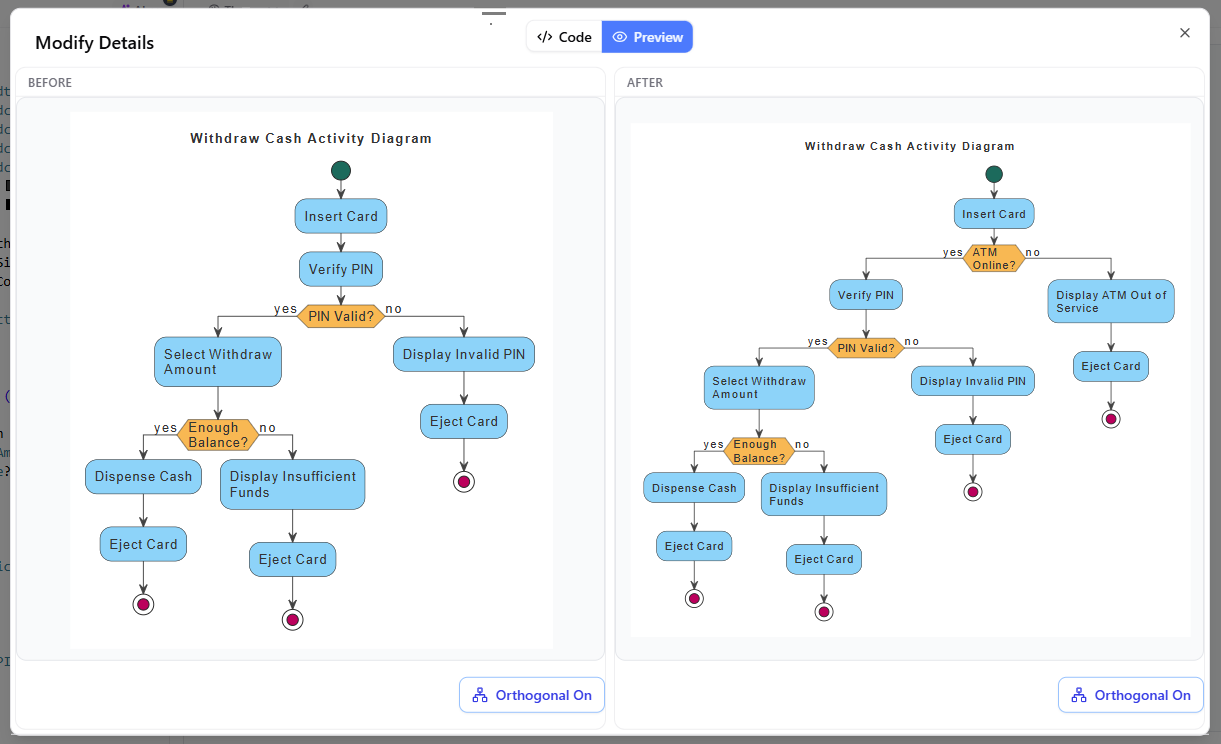
Optionally, click View Details to launch a side-by-side code diff window. You can inspect exact line-by-line changes alongside a comparative visual preview before finalizing your changes.
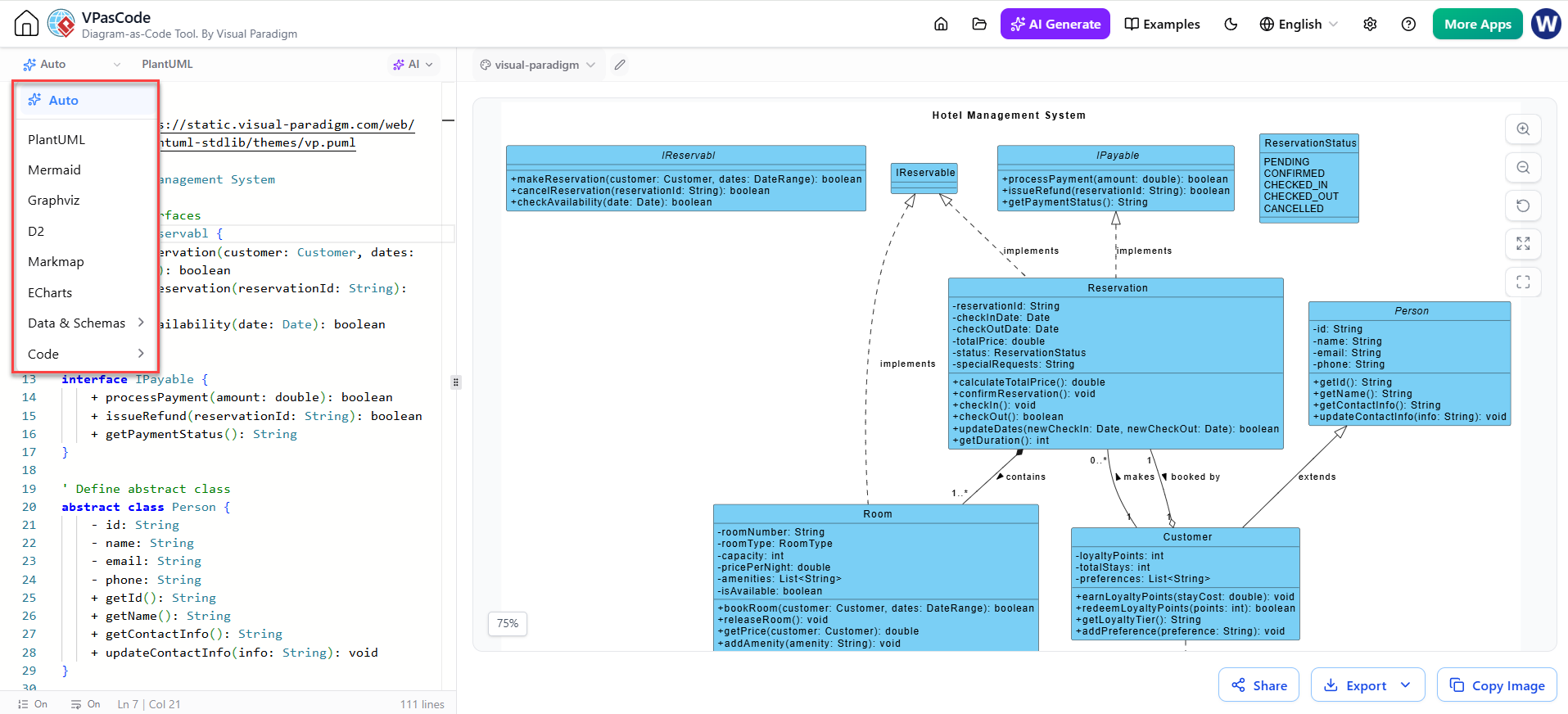
Multi-Engine Diagram-as-Code Support VPasCode distinguishes itself by refusing to lock users into a single proprietary framework. Instead, it provides a centralized workspace that supports three leading open-source text syntax standards, each optimized for different use cases: PlantUML: The industry standard for robust enterprise software architecture. It excels at creating detailed class models, sequence workflows, component diagrams, and C4 architecture views. Mermaid.js: Optimized for markdown-inspired charts. This engine is ideal for user flows, timelines, mind maps, and Gantt charts that need to be embedded directly into documentation platforms. Graphviz (DOT): Geared toward massive network graphs and data structure visualizations where automatic layout algorithms are necessary to handle high node counts. By supporting these open formats, VPasCode ensures that your intellectual property remains portable. You can copy raw text directly into Git repositories for effortless version control or export final assets as scalable vector files (SVG), high-resolution images (PNG), or printable documents (PDF). Furthermore, layouts generated in VPasCode can be seamlessly imported into Visual Paradigm Desktop or VP Online for advanced model-based editing.
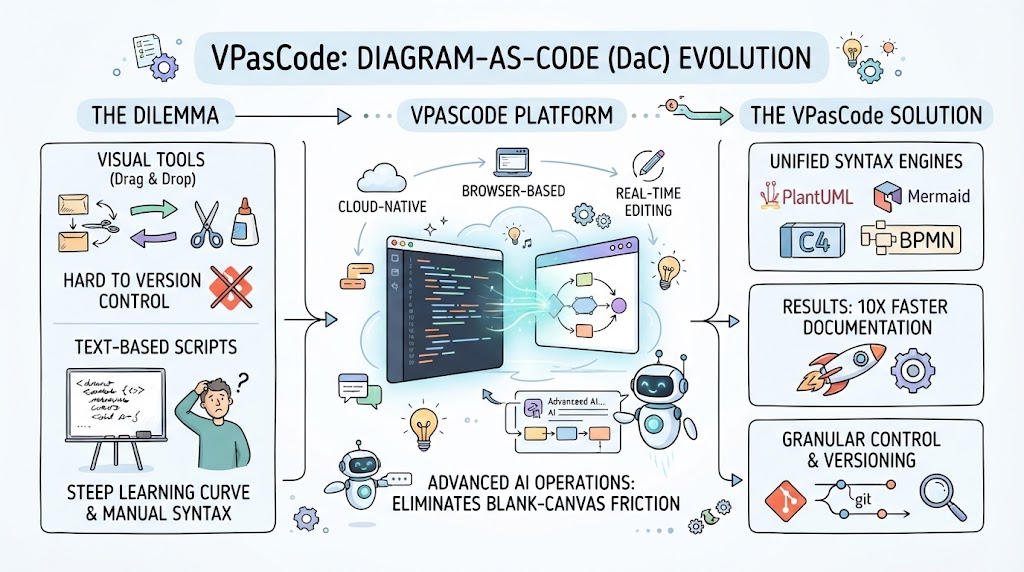
Technical documentation and system architecture visualization have long faced a dichotomy: use visual tools that are difficult to version control, or use text-based scripts that require steep learning curves and manual syntax management. Visual Paradigm’s VPasCode resolves this conflict by offering a cloud-native, browser-based Diagram-as-Code (DaC) platform. By unifying industry-standard syntax engines with advanced artificial intelligence, VPasCode transforms how engineers and architects create technical diagrams.
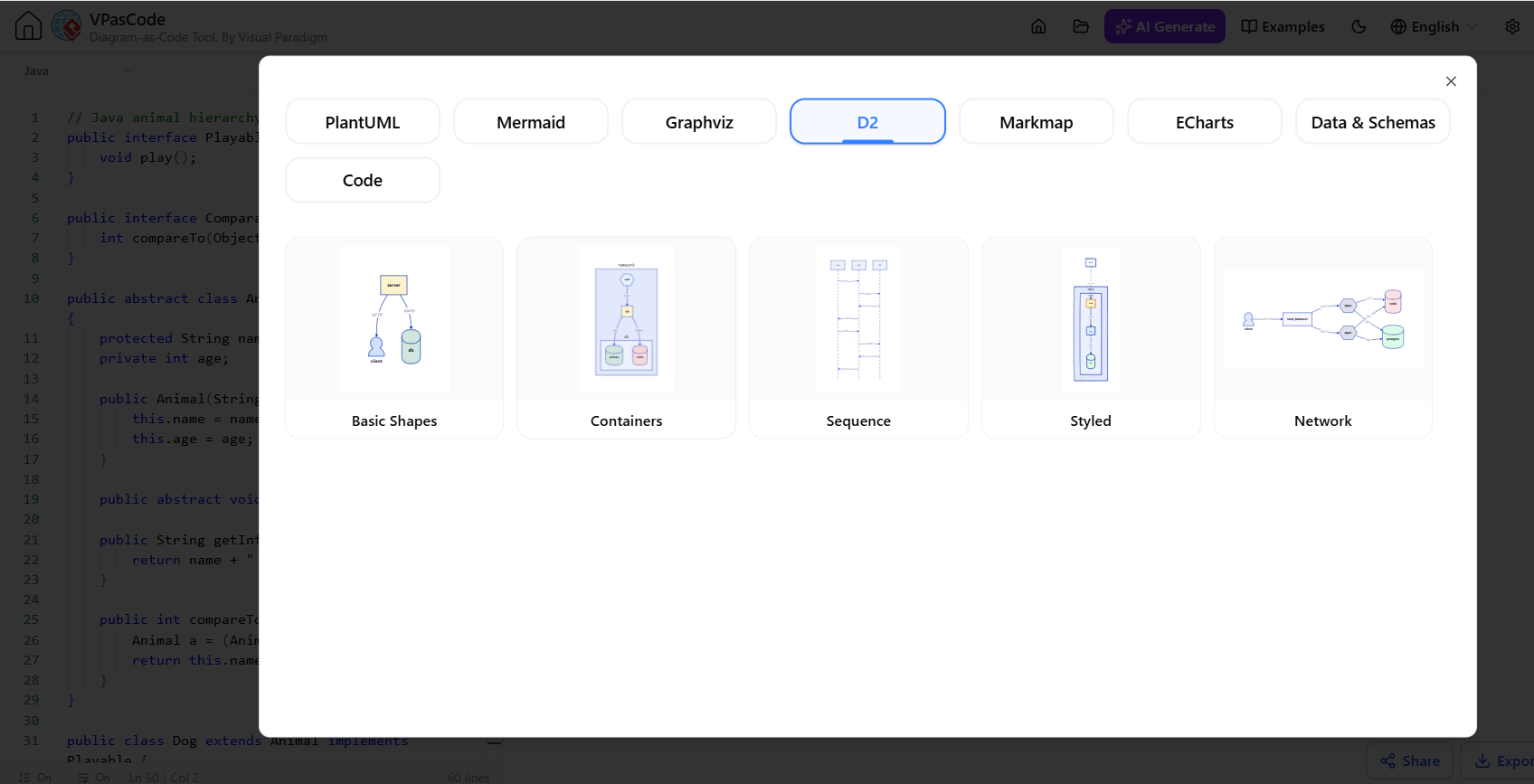
D2 Language Integration
For developers who prefer a modern, declarative approach to diagramming, VPasCode now offers comprehensive support for D2. This allows users to compile D2 scripts into clean visual representations alongside traditional PlantUML and Mermaid workflows [5].
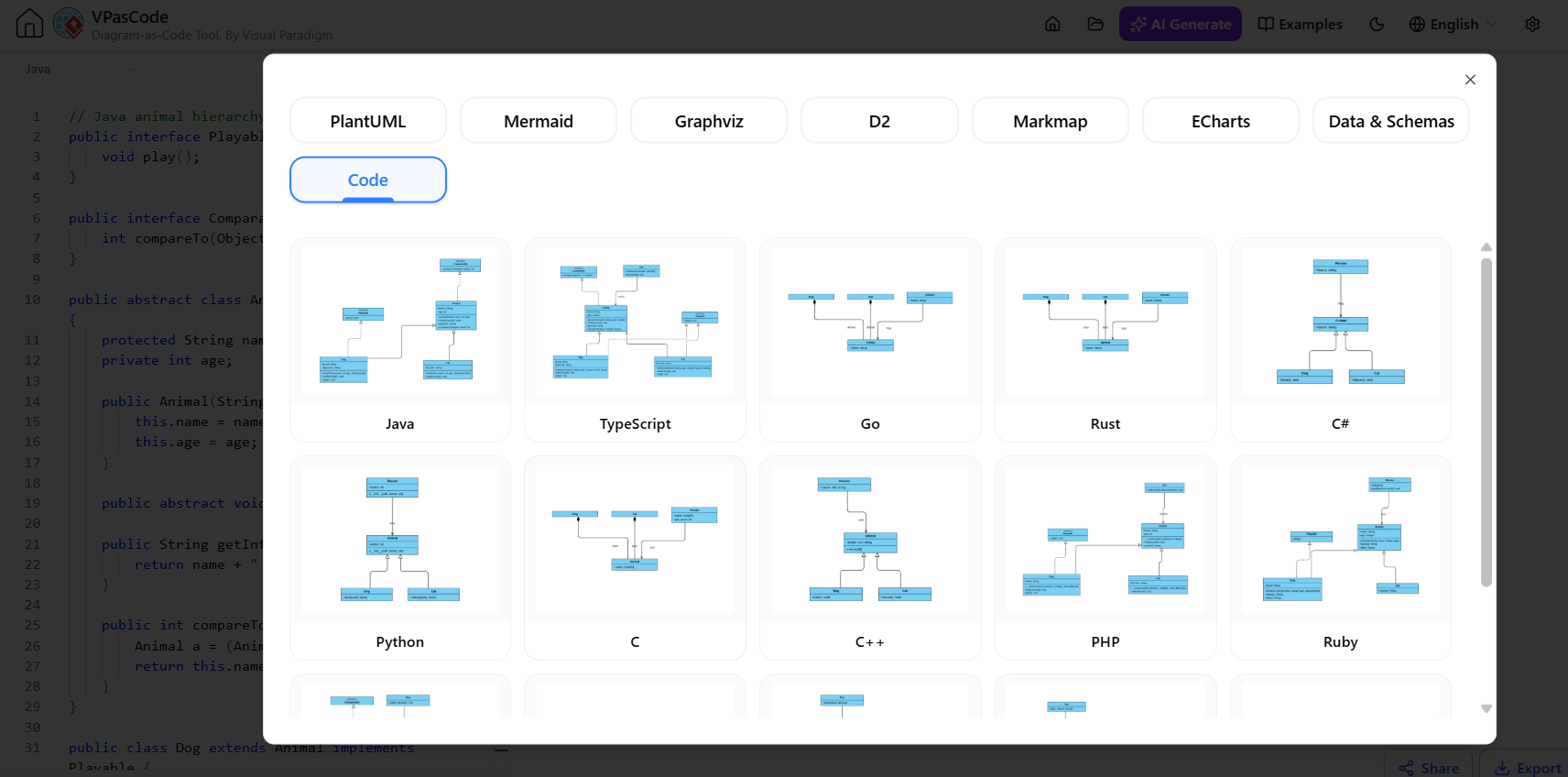
Multi-Language Class Diagrams
Reverse engineering source code into UML Class Diagrams is now faster and broader. The engine automatically parses application code to visualize relationships, inheritance, and dependencies.
Supported Languages: Java, TypeScript, Go, Rust, C#, Python, C, C++, PHP, Ruby, Scala, Kotlin, Swift, and Elixir.
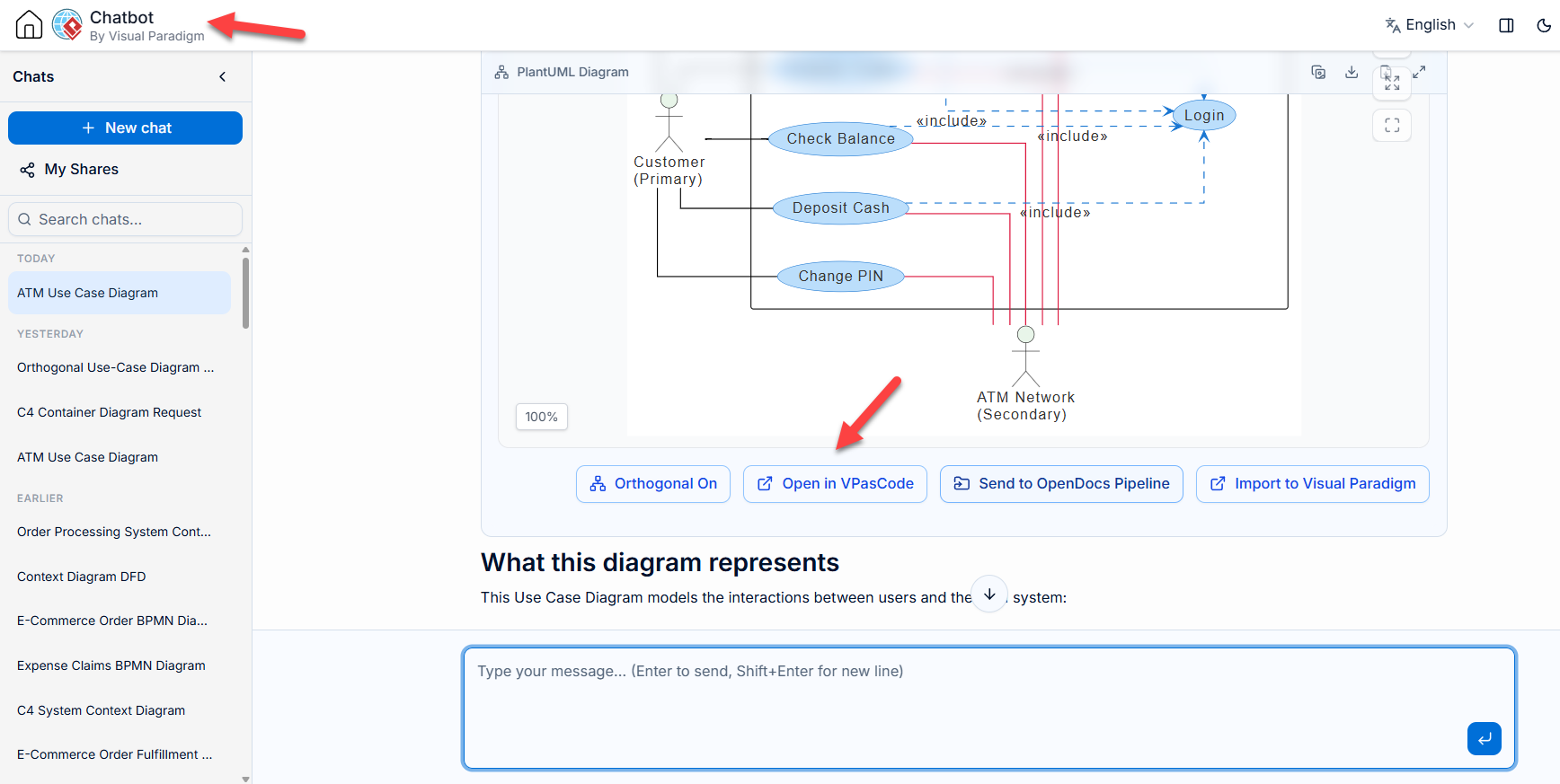
The VPasCode Bridge
A critical differentiator is the deep link between the AI Diagramming Chatbot and the main editor. If you start a brainstorming session in the standalone AI Chatbot, a dedicated “Open in VPasCode” button transfers the generated script directly into your workspace for fine-tuning, creating a seamless loop between ideation and engineering [3].
This update bridges the gap between abstract ideas and concrete visual models. Whether you are a software architect mapping out a microservices ecosystem or a product manager defining user flows, VPasCode now allows you to focus on logic rather than syntax. This guide explores how to leverage these new generative AI features, the expanded language support, and the five new advanced diagram types that define this release.
Figure 1: The VPasCode workflow transforms natural language prompts into structured diagrams and allows for iterative conversational refinement.
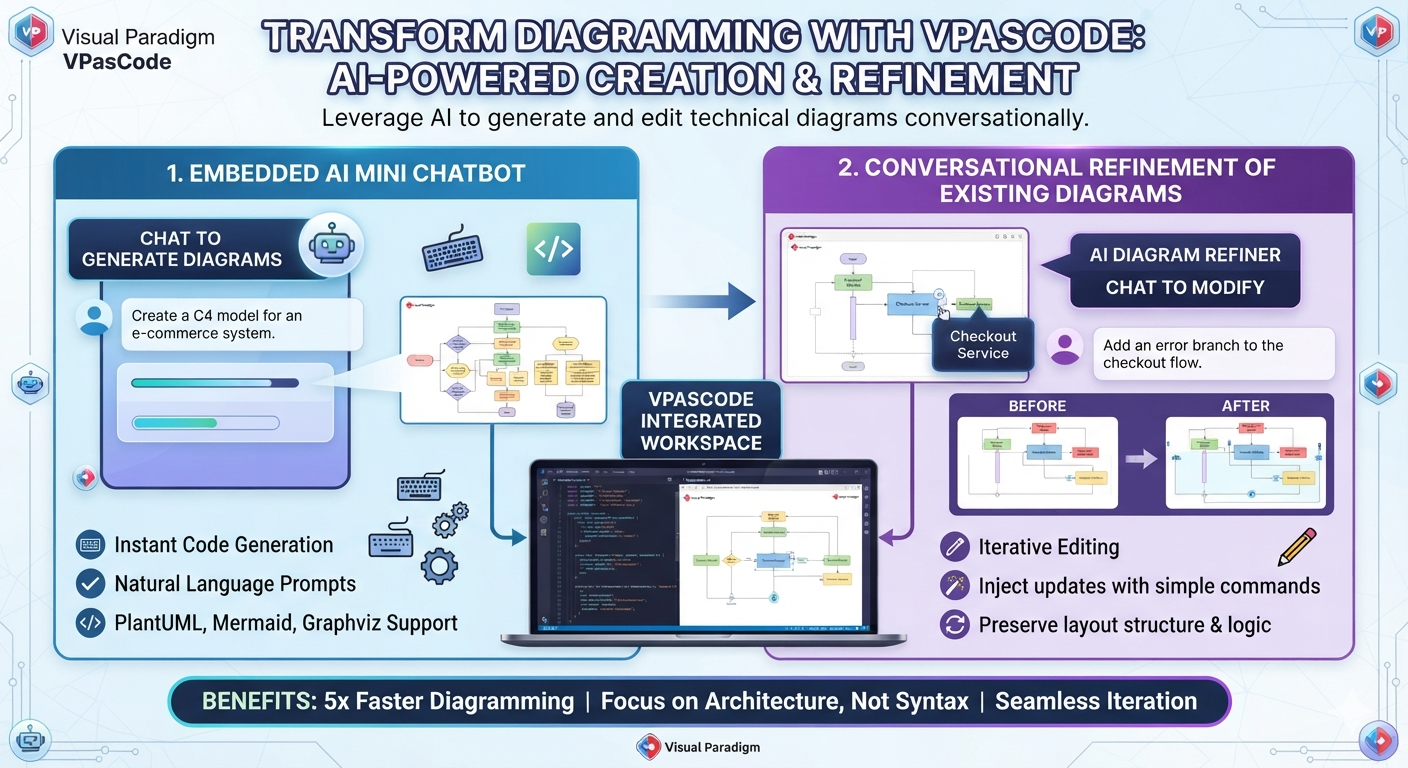
The landscape of technical documentation is undergoing a seismic shift. For years, “Diagram-as-Code” tools like PlantUML and Mermaid offered version control and reproducibility, but they came with a steep learning curve: syntax memorization. The latest major feature update for Visual Paradigm’s VPasCode platform changes this dynamic entirely. By introducing native AI Diagram Generation and Interactive AI Code Modification, Visual Paradigm has transformed its browser-based workspace from a strict text editor into an automated, conversational design environment [1].
This update bridges the gap between abstract ideas and concrete visual models. Whether you are a software architect mapping out a microservices ecosystem or a product manager defining user flows, VPasCode now allows you to focus on logic rather than syntax. This guide explores how to leverage these new generative AI features, the expanded language support, and the five new advanced diagram types that define this release.
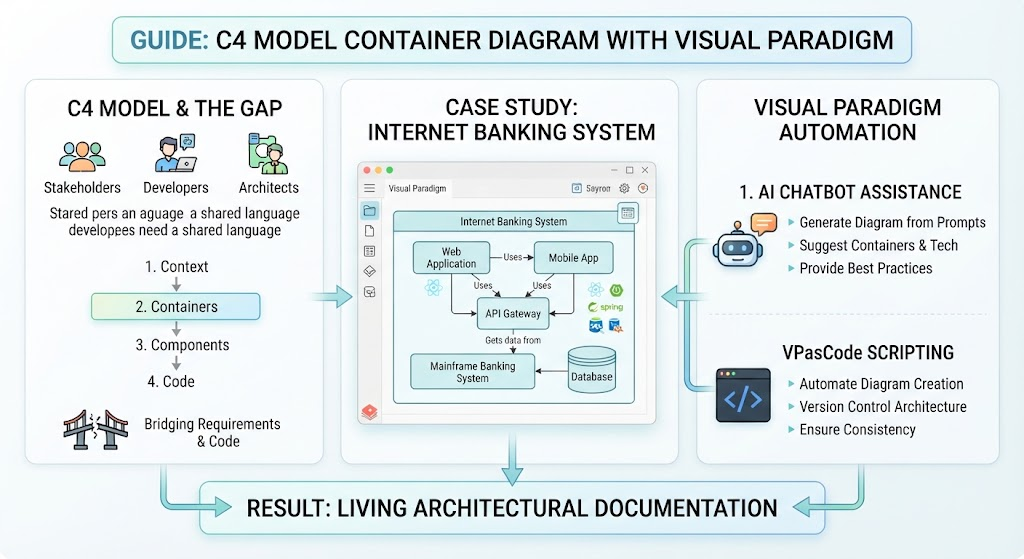
In modern software architecture, the gap between high-level business requirements and low-level code implementation is often where projects fail. Stakeholders need context, developers need structure, and architects need a shared language. The C4 model (Context, Containers, Components, and Code) has emerged as the industry standard for visualizing software architecture at varying levels of abstraction. This guide focuses specifically on the Container Diagram, the second level of the C4 model, using the “Internet Banking System” as a practical case study. We will explore how to leverage Visual Paradigm, its AI Chatbot, and the VPasCode scripting language to create, maintain, and evolve these diagrams efficiently. By integrating AI-driven assistance with Infrastructure-as-Code principles, teams can transform static diagrams into living architectural documentation.
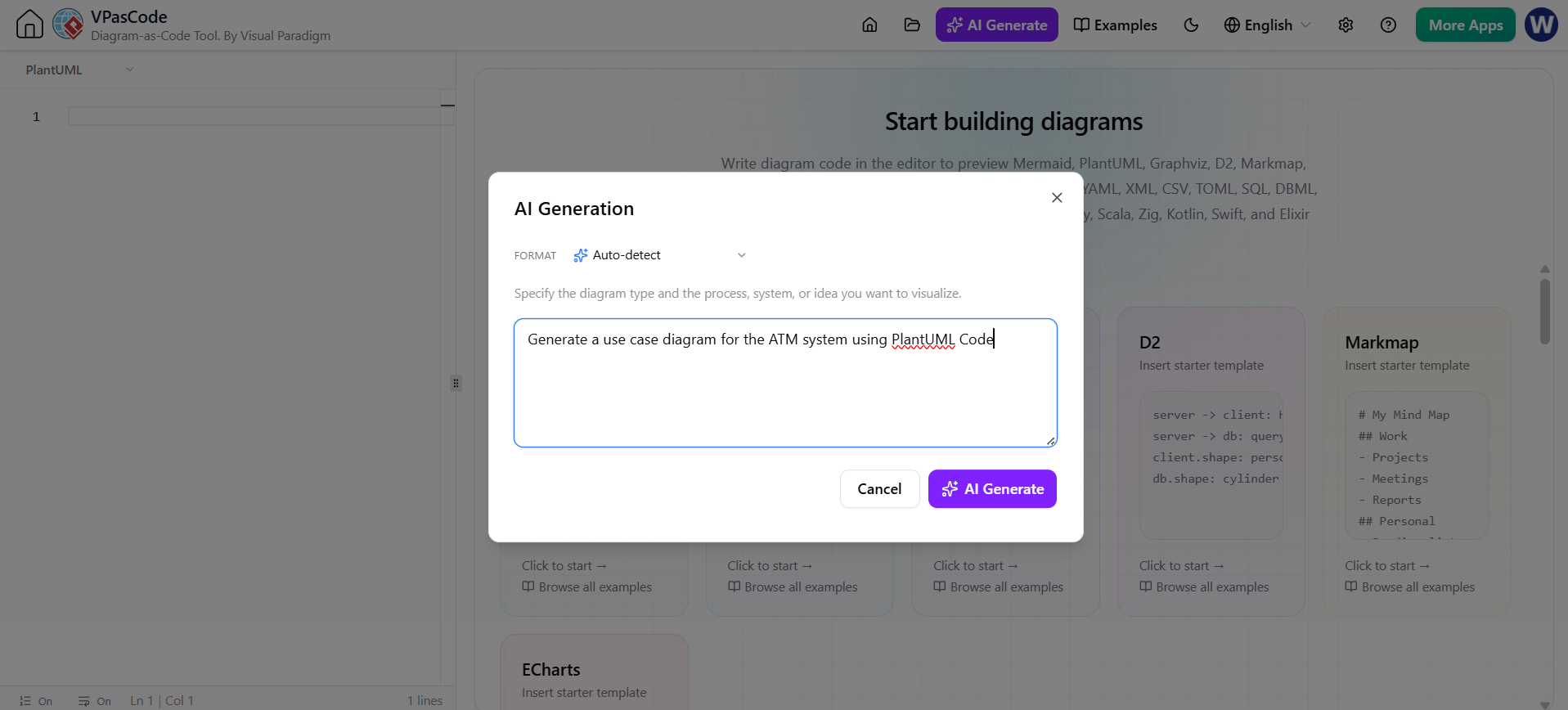
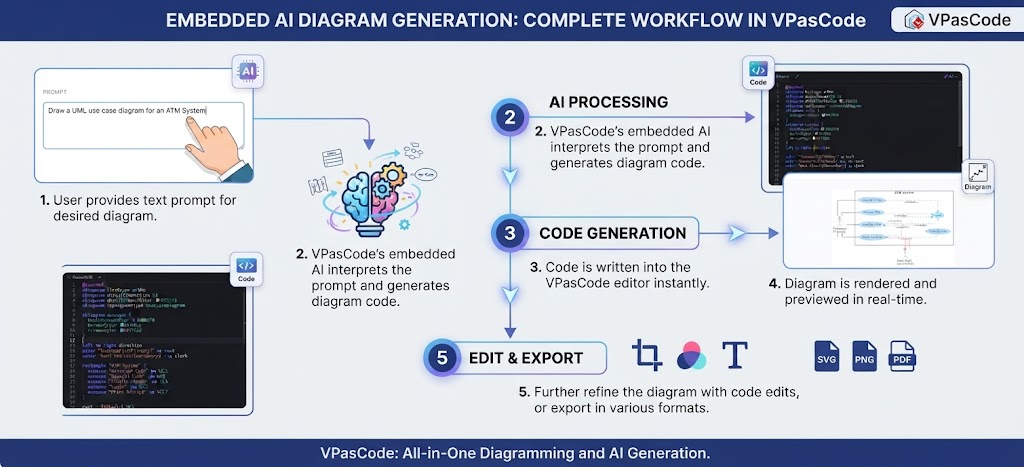
Instant AI Diagram Generation The foundation of VPasCode’s AI suite is the “AI Generate” panel, accessible via the top toolbar. This feature bridges the gap between abstract system descriptions and concrete visual representations. How It Works Clicking the AI Generate button opens an integrated dialogue box directly within the interface. Users can input simple natural language descriptions of their desired system or architecture. The AI dynamically analyzes the intent and selects the most appropriate DSL format—whether PlantUML for UML diagrams, Mermaid.js for flowcharts, or ECharts for data visualization. On-Canvas Rendering A critical differentiator is the immediate feedback loop. The moment the AI generates the script, it inserts the code into the left-hand editor panel and simultaneously renders the live visual diagram on the right panel. This eliminates the copy-paste cycle common in generic AI coding assistants, allowing architects to instantly validate if the generated structure matches their mental model.
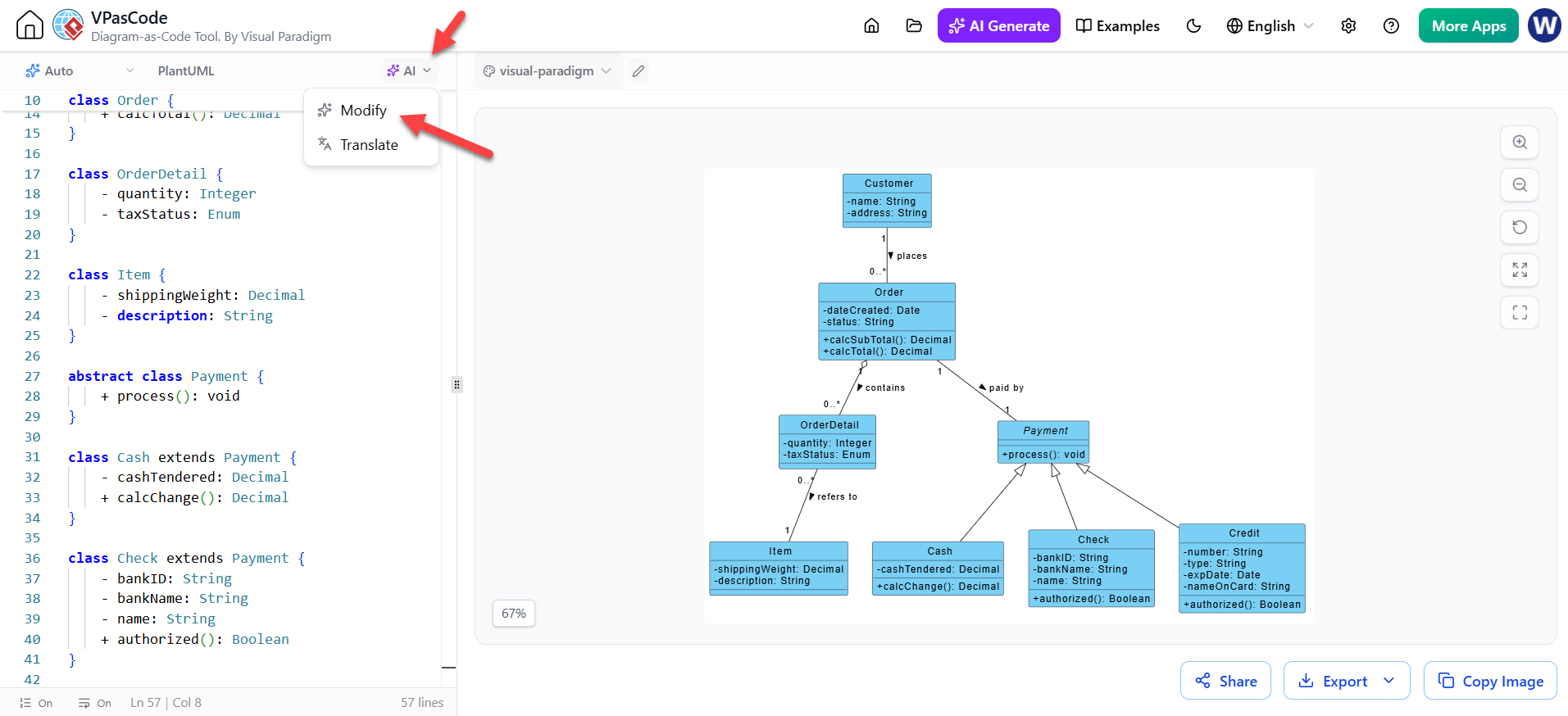
Native AI Integration: AI capabilities are embedded directly within the editor environment, eliminating context switching between external LLM chat interfaces and the diagramming canvas. – Diagram Generation when the code pane is Empty: Modify the code with AI LLM, when you want to touch up an existing diagram:
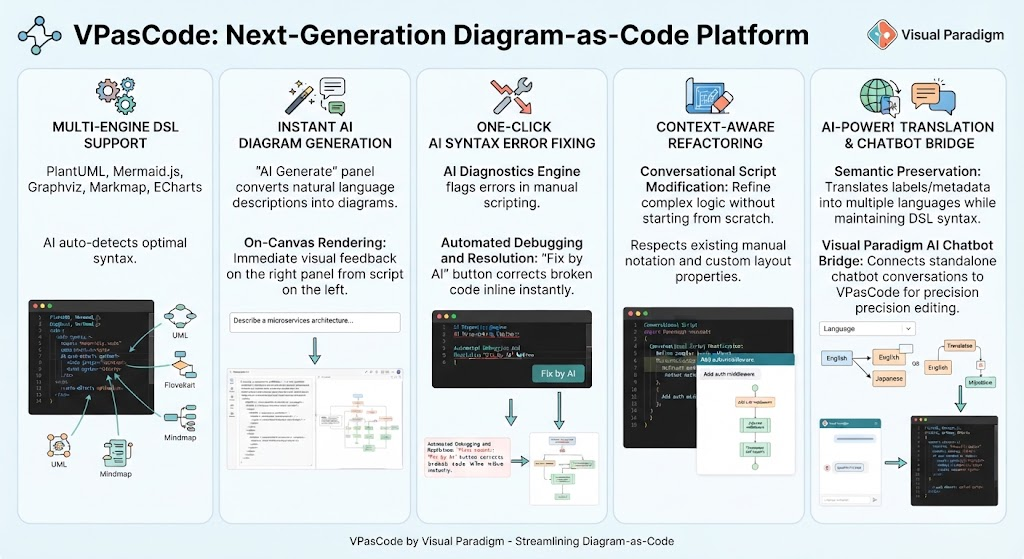
The infographic illustrates five key features of the VPasCode platform: multi-engine DSL support, instant AI diagram generation, one-click AI syntax error fixing, context-aware refactoring, and AI-powered translation with a chatbot bridge. Each feature is accompanied by a visual example demonstrating its functionality.