


Introduction
In the rapidly evolving landscape of software architecture and business process modeling, the speed at which ideas can be visualized is critical. For product managers, architects, and developers, the friction between conceptualizing a system and documenting it often slows down collaboration. Visual Paradigm’s VPasCode has long offered a unique “diagram-as-code” approach, allowing users to define diagrams through text while viewing real-time visual outputs. However, the true power of this platform lies in its integration of Artificial Intelligence.
With the latest interface update, VPasCode has consolidated its most powerful AI capabilities into a single, intuitive AI Tools menu. This change is not merely cosmetic; it represents a strategic shift toward a more discoverable, consistent, and efficient workflow. By grouping AI diagram generation, modification, and translation into one accessible drop-down in the app bar, VPasCode reduces cognitive load and allows professionals to focus on what matters most: refining their logic and communicating their ideas clearly.
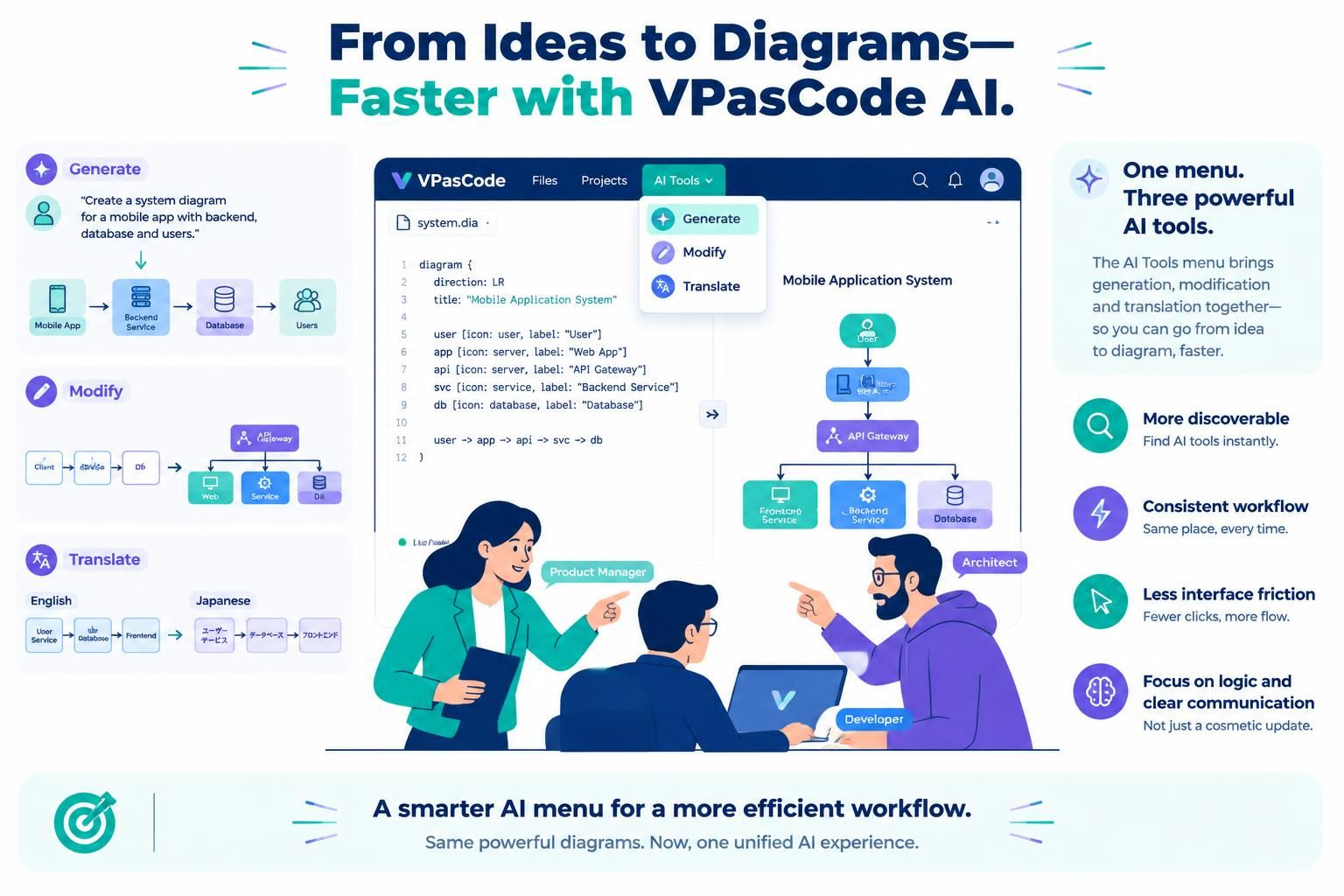
This guide explores how this unified AI interface enhances the diagramming experience, offering practical insights into leveraging these tools for faster iteration and broader accessibility.
Key Concepts: The Three Pillars of AI-Assisted Diagramming
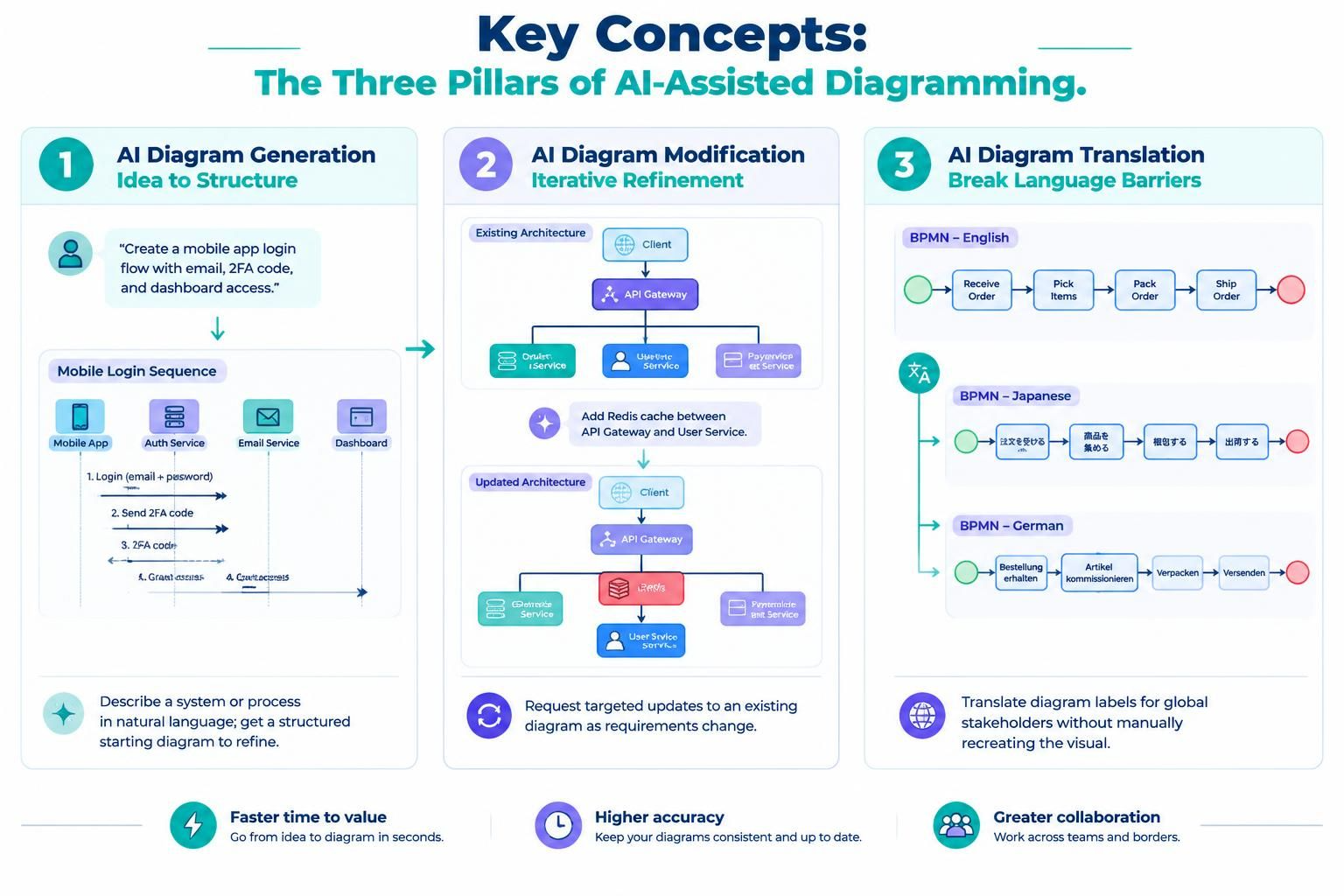
The new AI Tools menu serves as a central hub for three distinct but complementary capabilities. Each tool addresses a specific stage in the lifecycle of a diagram, from initial creation to final presentation.
1. AI Diagram Generation: From Idea to Structure
Concept: This feature bridges the gap between natural language and structured visualization. Instead of starting with a blank canvas or writing code from scratch, users can describe a system, process, or relationship in plain English. The AI interprets this description and generates a foundational diagram structure.
Example Scenario:
Imagine you are outlining a new user authentication flow for a mobile application. Rather than manually placing each node, you can input a prompt such as: “Create a sequence diagram showing a user logging in via email, receiving a two-factor authentication code, and then accessing the dashboard.” The AI generates the initial sequence diagram, providing a solid starting point that you can immediately refine.
2. AI Diagram Modification: Iterative Refinement
Concept: Diagrams are rarely static; they evolve as requirements change. AI diagram modification allows users to request specific updates to an existing diagram without rebuilding it. This is particularly useful for agile environments where scope adjustments are frequent.
Example Scenario:
You have an existing class diagram for a microservices architecture. Mid-sprint, the team decides to add a new caching layer between the API gateway and the database service. Instead of manually dragging and connecting new elements, you can instruct the AI: “Add a Redis cache component between the API Gateway and the User Service, and update the connections accordingly.” The AI adjusts the diagram to reflect this new architectural decision instantly.
3. AI Diagram Translation: Breaking Language Barriers
Concept: In global teams, documentation must be accessible to stakeholders who may speak different languages. AI diagram translation automatically converts the text labels within a diagram into another language, preserving the structural integrity of the visual while making it inclusive.
Example Scenario:
You have prepared a detailed BPMN process map for a supply chain workflow, originally created in English. You need to share this with partners in Japan and Germany. Using the translation tool, you can convert all labels and descriptions into Japanese and German respectively, ensuring that non-English speaking stakeholders can fully understand the process without manual re-creation.

Why Centralization Matters: The Benefits of the AI Tools Menu
Prior to this update, users had to navigate different parts of the interface to access these AI features. Generation was in the app bar, while modification and translation were located near the code editor. This fragmentation required users to remember specific locations for each action, interrupting their flow.
The consolidation into the AI Tools drop-down menu offers several tangible benefits:
-
Reduced Cognitive Load: Users no longer need to memorize where each feature resides. One click reveals all available AI assistance.
-
Enhanced Discoverability: New users can immediately see the full range of AI capabilities available, encouraging experimentation and adoption.
-
Consistent Workflow: Whether you are starting from scratch, iterating on an existing model, or preparing for international review, the entry point remains the same. This consistency speeds up task switching.
-
Focused Productivity: By minimizing the time spent searching for tools, professionals can stay immersed in their analytical and creative work.
How to Access and Use the AI Tools
Getting started with the new unified interface is straightforward:
-
Launch VPasCode: Open your browser and navigate to VPasCode.
-
Locate the App Bar: Look at the top of the workspace interface.
-
Open AI Tools: Click on the AI Tools drop-down menu.
-
Select Your Action: Choose between Generate, Modify, or Translate based on your current task.
This simple change ensures that AI assistance is always just a click away, regardless of where you are in your diagramming process.
Conclusion
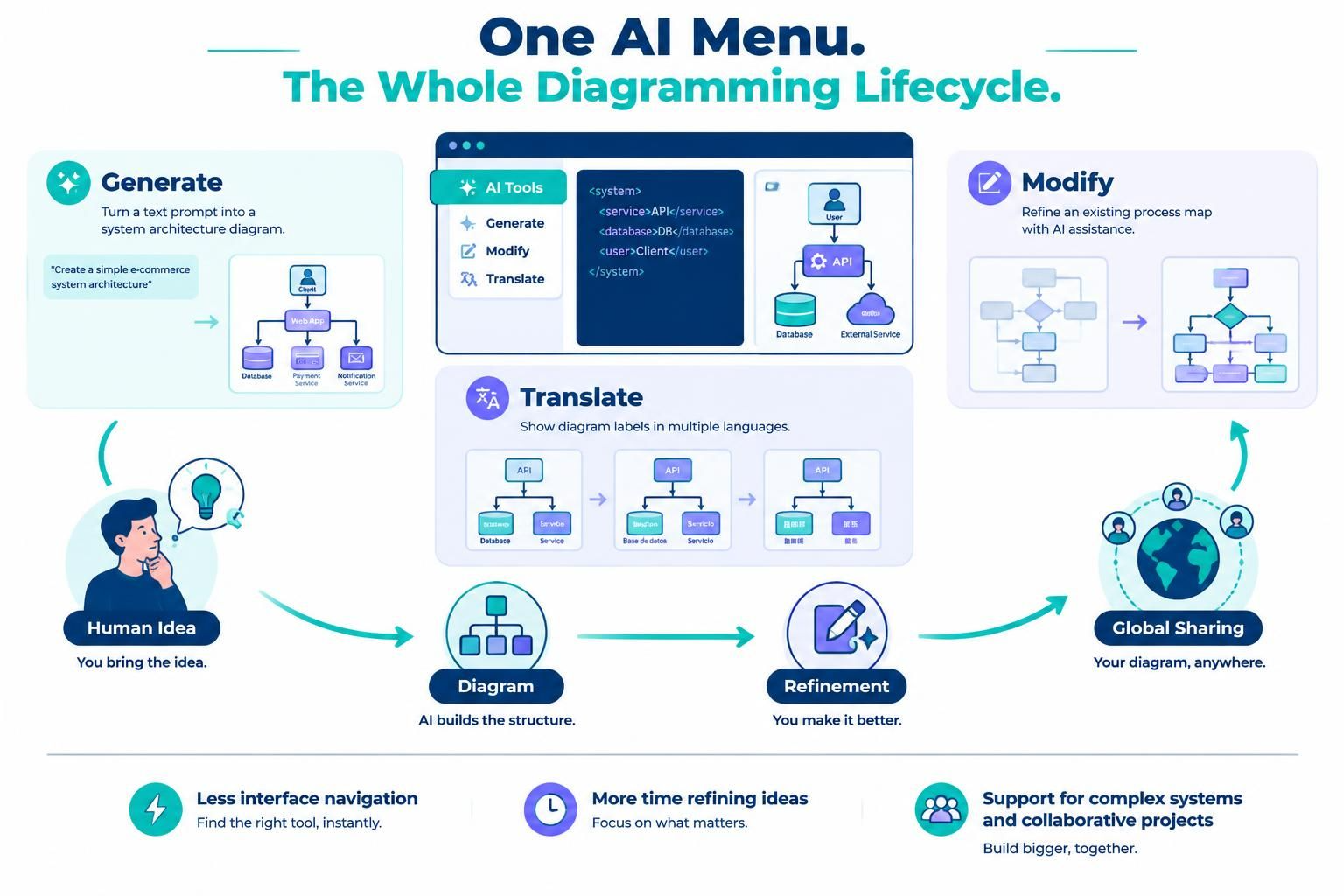
The introduction of the unified AI Tools menu in VPasCode is a testament to Visual Paradigm’s commitment to user-centric design. By bringing together generation, modification, and translation under one roof, VPasCode transforms AI from a set of disparate features into a cohesive assistant that supports the entire diagramming lifecycle.
For professionals managing complex systems or collaborative projects, this update means less time navigating interfaces and more time refining ideas. Whether you are generating a new architecture from a text prompt, tweaking an existing process map, or making your diagrams accessible to a global audience, the new AI Tools menu ensures that help is always within reach. As diagram-as-code continues to gain traction, tools that simplify the interaction between human intent and visual output will become indispensable—and VPasCode’s latest update positions it firmly at the forefront of this evolution.
Recommended Reading: Visual Paradigm Resources
-
VPasCode Feature Overview: Comprehensive guide to the diagram-as-code workflow and core capabilities of VPasCode.
-
AI Diagram Modification Guide: Detailed instructions on how to use AI to refine and update existing diagrams efficiently.
-
AI Diagram Translation Features: Insights into breaking language barriers with native AI translation for diagram labels and text.
-
Visual Paradigm Updates Blog: Latest news, release notes, and best practices for all Visual Paradigm products including VPasCode and BPMN tools.