


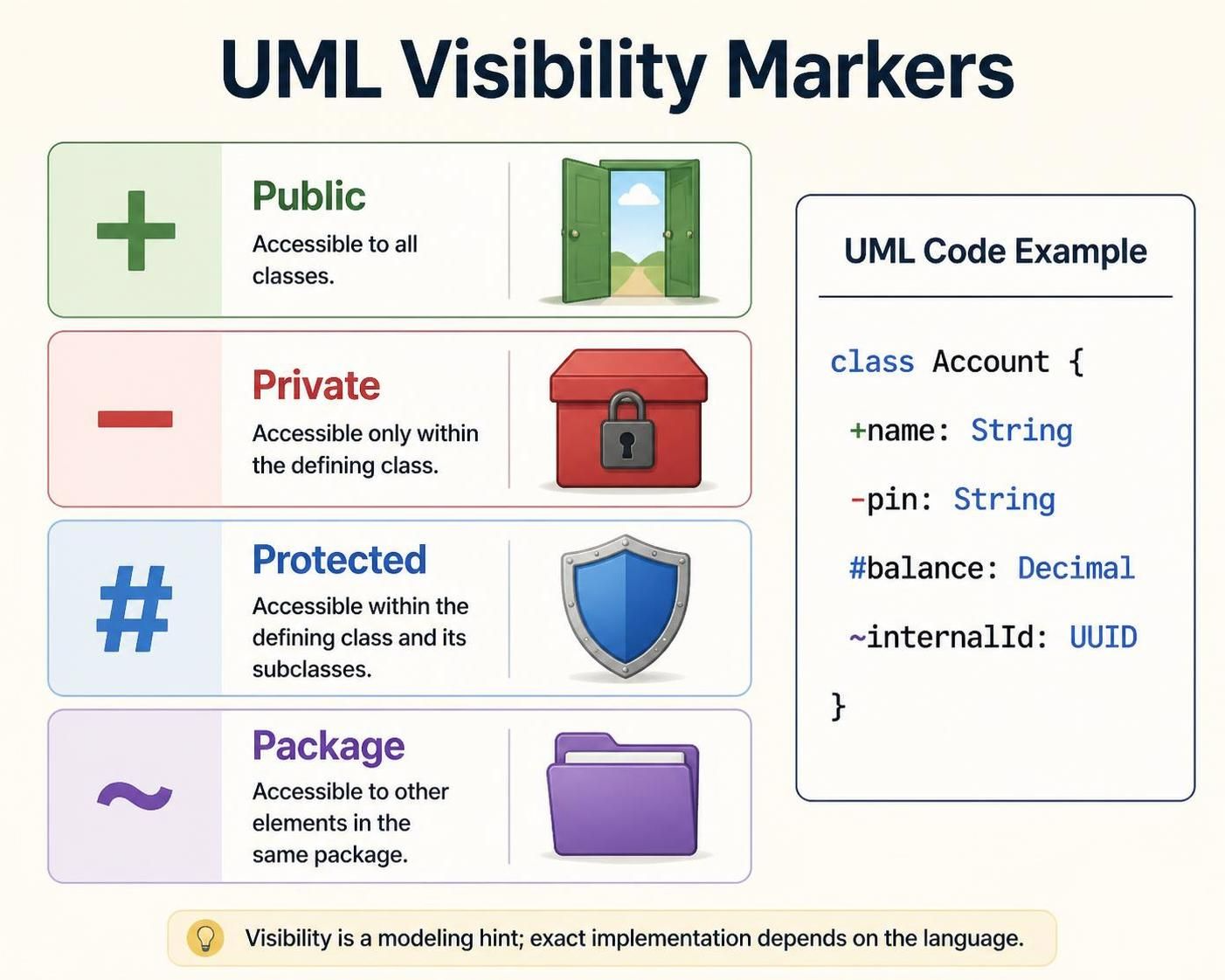
In the world of Unified Modeling Language (UML), precision is paramount. When designing a system architecture or defining the structure of your software, you need a way to clearly communicate which parts of your classes are exposed to the outside world and which are kept hidden for internal logic. This is where Visibility Markers come into play.
Using the VPasCode editor within tools like Visual Paradigm, you can leverage specific symbols to define these access levels directly in your text-based modeling code. This tutorial will walk you through the four primary visibility markers: +, -, #, and ~, and explain how they shape your software’s encapsulation strategy.
Why Visibility Matters
Before diving into the syntax, it is crucial to understand the architectural concept. Encapsulation is the practice of bundling data and methods that work on that data within one unit, while restricting direct access to some of an object’s components. In UML Class Diagrams, visibility markers tell the developer (and the code generator) who can interact with a specific attribute or method.
When using VPasCode, these markers act as “modeling hints.” They ensure that when your code is generated, the resulting classes in languages like Java, C#, or Python adhere to the intended security boundaries.
The Four Visibility Symbols in VPasCode
1. Public Visibility (+)
The plus sign + denotes public visibility. This is the most permissive access level. Members marked as public are accessible to all other classes in the system, regardless of the package they belong to.
- Semantics: “Open Door” – Accessible to all.
- Use Case: Use this for getters, setters, and methods that are part of your class’s public API.
- VPasCode Syntax:
+name : String
2. Private Visibility (-)
The minus sign - denotes private visibility. This restricts access strictly to the class where the member is defined. No other class, not even a subclass, can access private members directly. This is the cornerstone of data hiding.
- Semantics: “Locked Box” – Accessible only within the defining class.
- Use Case: Use this for internal state variables that should not be manipulated by external code.
- VPasCode Syntax:
-pin : String
3. Protected Visibility (#)
The hash symbol # denotes protected visibility. This is a specialized access level used primarily for inheritance. Protected members are accessible within the defining class and its subclasses (children), but not by unrelated classes.
- Semantics: “Shield” – Accessible within the class and its subclasses.
- Use Case: Use this when you want to share implementation details with child classes but keep them hidden from the general public.
- VPasCode Syntax:
#balance : Decimal
4. Package Visibility (~)
The tilde symbol ~ denotes package visibility (also known as default or friendly visibility). Members marked with this symbol are accessible to any other element located within the same package. It sits between private and public, offering a middle ground for cohesion within a module.
- Semantics: “Folder” – Accessible to other elements in the same package.
- Use Case: Use this for helper classes or internal APIs that are specific to a single module but need to be shared across that module’s files.
- VPasCode Syntax:
~internalId : UUID
Putting It All Together: A VPasCode Example
To visualize how these markers work in practice within a VPasCode editor, consider a simple Account class. The code snippet below demonstrates how to define attributes with different visibility levels to create a secure and structured data model.
class Account {
    +name : String
    -pin : String
    #balance : Decimal
    ~internalId : UUID
}
Let’s break down the example:
+nameis public, allowing any part of the system to retrieve or update the user’s name.-pinis private, ensuring that the PIN is stored securely and cannot be accessed by other classes directly.#balanceis protected, perhaps allowing a subclass likeSavingsAccountto calculate interest but hiding it from external users.~internalIdis package-private, useful for internal tracking within theaccountspackage without exposing it globally.
When you run this code through the VPasCode editor, it automatically renders into a graphical UML Class Diagram where these symbols are visually represented (often as +, -, #, or ~ prefixes next to the attribute names).
Best Practices for Domain Modeling
While defining visibility is technical, it also serves a communicative purpose. As noted in the VPasCode documentation, for a domain or data diagram, attributes matter most. You should include operations (methods) only when they clarify important behavior. Avoid turning your diagram into a full code listing by selecting the right visibility to focus on the data structure.
By mastering these four symbols, you ensure that your UML diagrams are not just drawings, but robust blueprints that guide your development team toward a well-encapsulated, maintainable software system.