Introduction to the Era of Diagram-as-Code
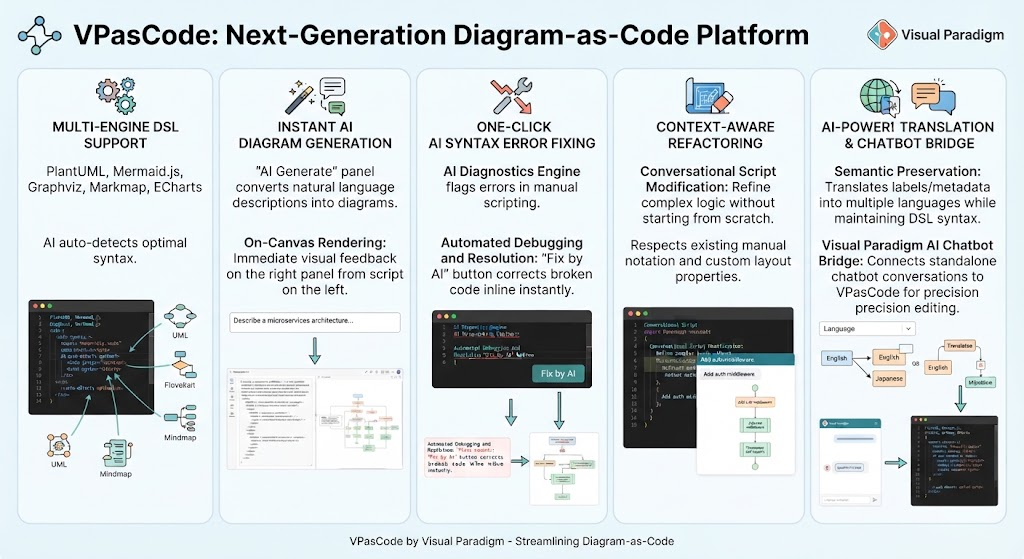
Welcome, learners. Today, we are diving into a pivotal shift in software engineering and system design: the rise of Diagram-as-Code. Traditionally, creating diagrams was a manual, visual-heavy process often disconnected from the actual codebase. However, as systems become more complex, the need for version-controlled, automated, and code-centric modeling has never been higher. This is where VPasCode by Visual Paradigm steps in as a next-generation platform designed to streamline this exact workflow.
In this tutorial session, we will explore the five core pillars that make VPasCode a robust tool for modern architects and developers. We will look at how it integrates multiple diagramming languages, leverages AI for generation and debugging, and facilitates seamless collaboration through translation and refactoring.
1. Multi-Engine DSL Support: Flexibility at Your Fingertips
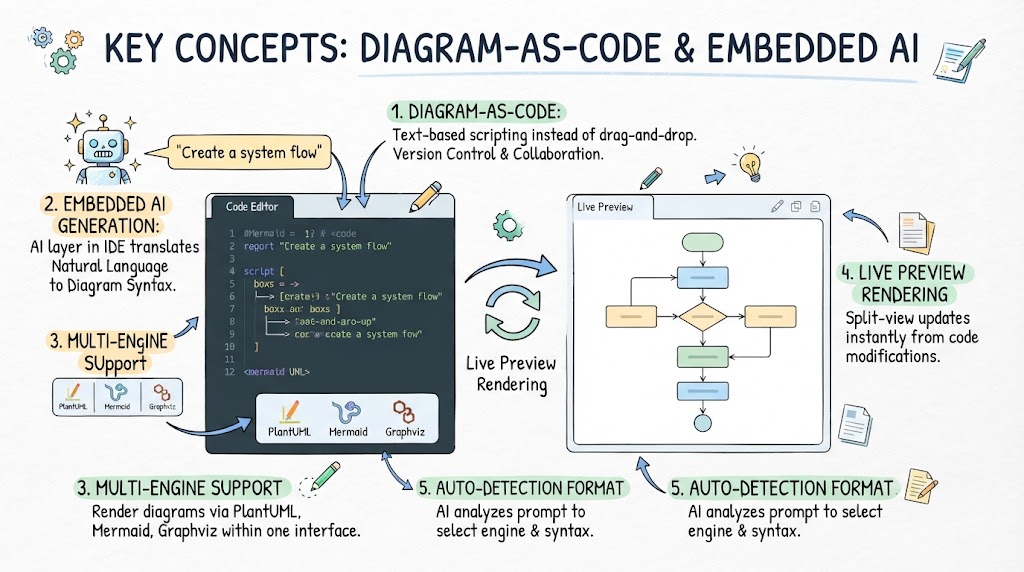
One of the biggest challenges in diagramming is choosing the right syntax. Different teams prefer different Domain Specific Languages (DSLs). VPasCode solves this by offering robust Multi-Engine DSL Support. Rather than locking you into a single format, the platform embraces the ecosystem of popular open-source tools.
Visual Paradigm facilitates this by allowing you to work with:
- PlantUML: The classic standard for UML and sequence diagrams.
- Mermaid.js: Widely used for web-based documentation and flowcharts.
- Graphviz: Powerful for graph visualization.
- Markmap: Great for hierarchical mind maps.
- ECharts: Ideal for complex data visualization.
What makes this particularly intelligent is the AI integration. VPasCode includes an AI engine that auto-detects the optimal syntax for your needs. Whether you are sketching a UML class diagram or a complex mind map, the platform understands the context and renders the appropriate visual output, bridging the gap between text-based logic and graphical representation.
2. Instant AI Diagram Generation: From Text to Visuals
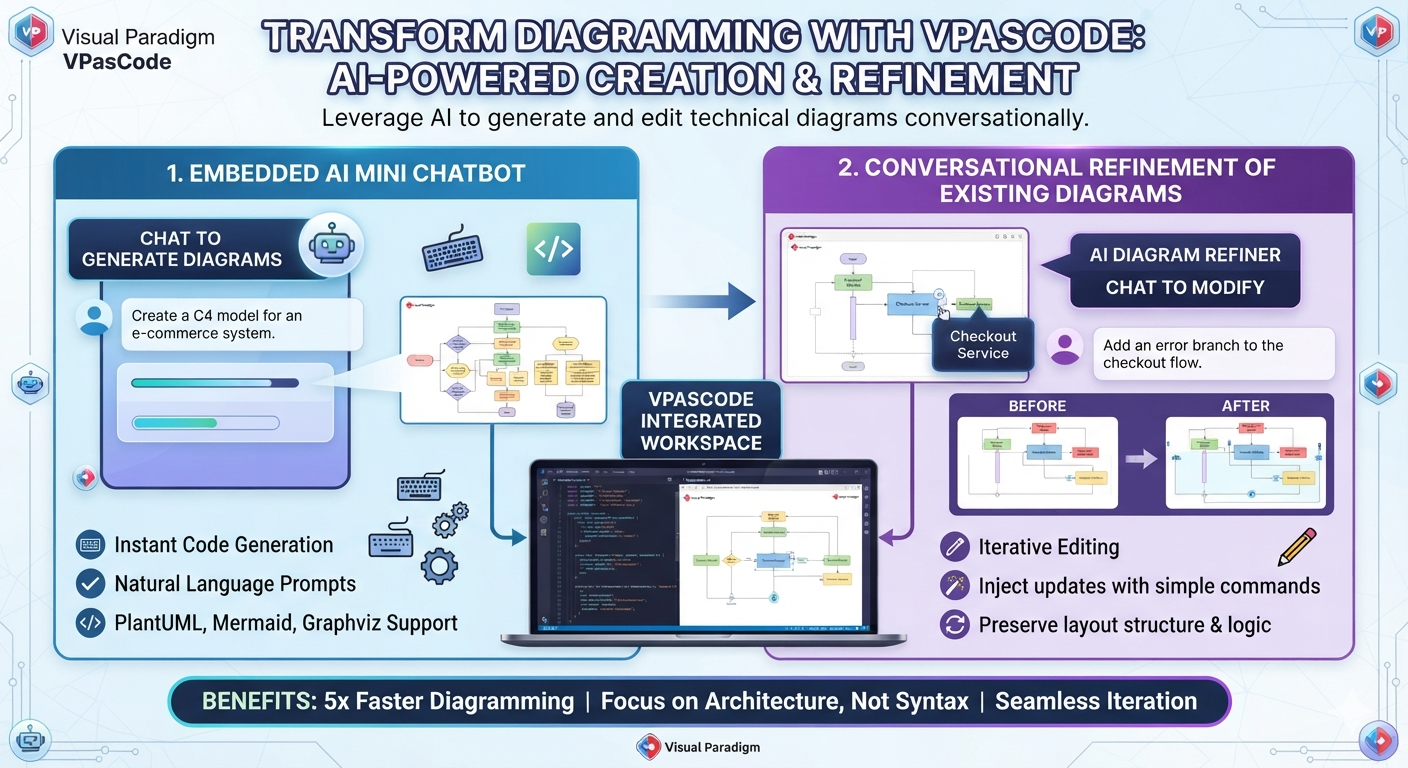
Have you ever struggled to translate a complex architectural concept into a diagram? The Instant AI Diagram Generation feature in VPasCode eliminates this friction. It introduces an “AI Generate” panel that acts as your co-pilot.
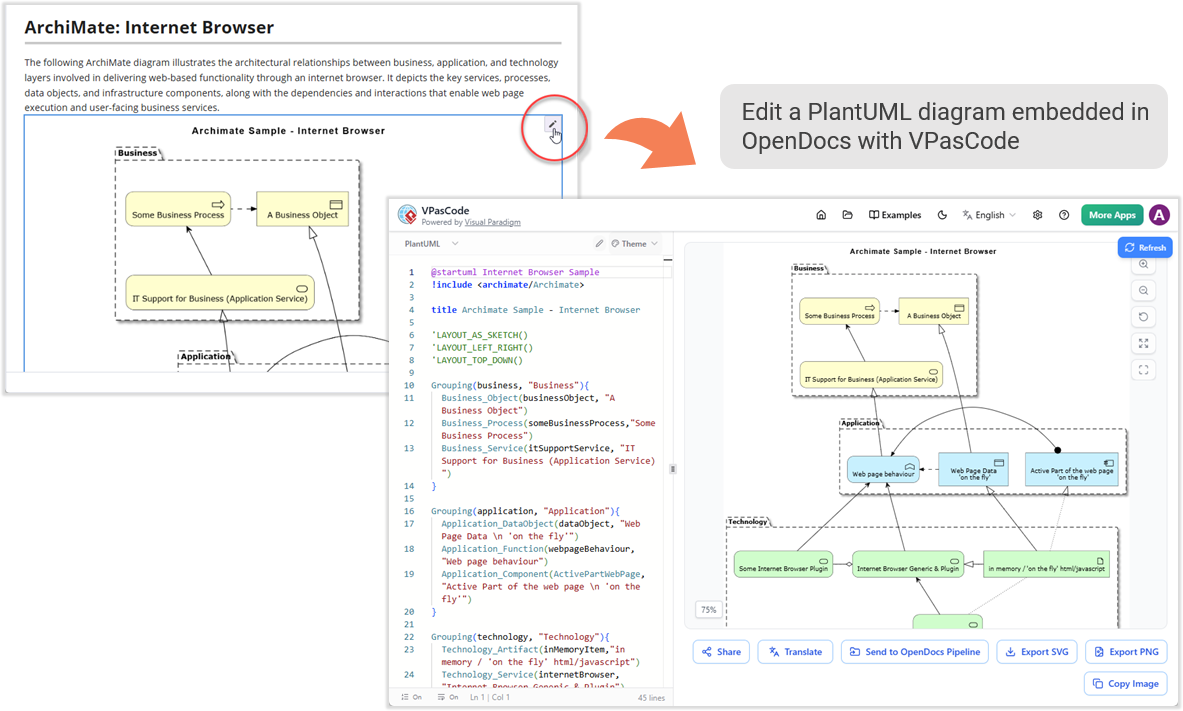
This feature allows you to simply describe your requirements in natural language. For instance, you might type, “Describe a microservices architecture,” and the system will instantly interpret this intent. The magic happens through On-Canvas Rendering. Unlike traditional tools where you might have to manually drag and drop boxes, VPasCode provides immediate visual feedback on the right panel based on the script you write on the left. This creates a fluid, iterative design process where your thoughts are instantly transformed into structured diagrams.
3. One-Click AI Syntax Error Fixing: Debugging Made Easy
As developers know, writing code—and diagram code—is prone to syntax errors. A missing bracket or a typo can break an entire diagram. VPasCode addresses this with its One-Click AI Syntax Error Fixing capability.
At the heart of this feature is the AI Diagnostics Engine. This engine actively flags errors within your manual scripting. Instead of leaving you to hunt for the mistake line-by-line, the platform offers Automated Debugging and Resolution. With a simple “Fix by AI” button, the system corrects broken code inline, instantly. This ensures that your diagram remains valid and renderable, allowing you to focus on the logic of your system rather than the syntax of your script.
4. Context-Aware Refactoring: Iterating Without Starting Over
Software design is rarely a linear path; it evolves. When requirements change, you often need to refactor your diagrams. VPasCode excels here with Context-Aware Refactoring via Conversational Script Modification.
This feature empowers you to refine complex logic without starting from scratch. You can interact with the AI to make changes, and it respects your existing manual notation and custom layout properties. This is crucial for maintaining the aesthetic and structural integrity of your diagrams while updating the underlying content. It transforms diagram editing from a static task into a dynamic, conversational workflow.
5. AI-Powered Translation & Chatbot Bridge: Global Collaboration
Finally, in our globalized development environment, communication barriers can be a significant hurdle. VPasCode bridges this gap with AI-Powered Translation & Chatbot Bridge.
This feature offers Semantic Preservation. It doesn’t just translate words; it translates labels and metadata into multiple languages while maintaining the integrity of the DSL syntax. This is essential for international teams collaborating on the same system architecture.
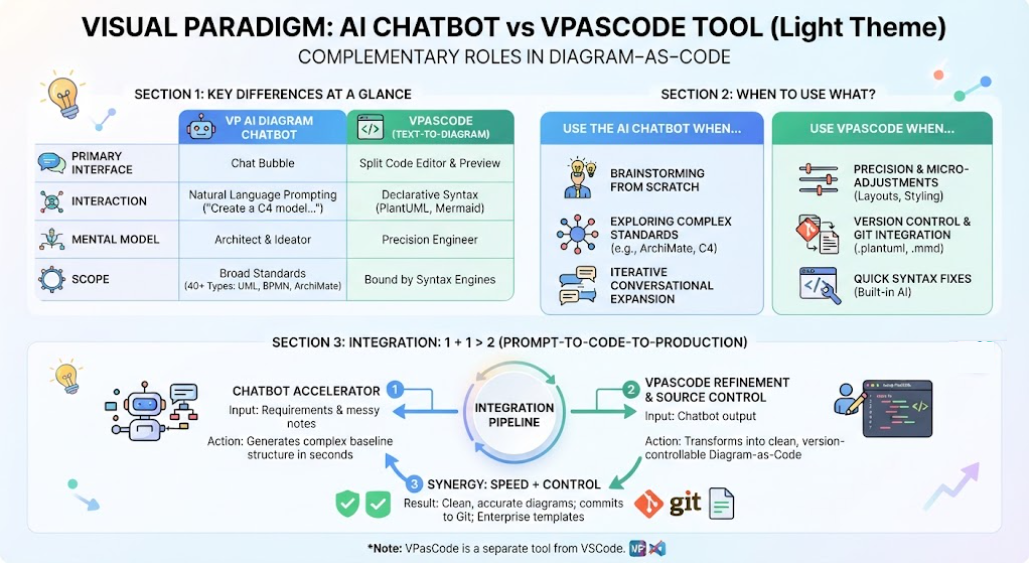
Furthermore, the Visual Paradigm AI Chatbot Bridge connects standalone chatbot conversations directly to VPasCode. This allows for precision editing through chat interfaces, making the platform accessible and powerful for teams who prefer conversational interaction over complex GUI manipulation. It effectively turns a chat session into a powerful diagramming session.
Conclusion
VPasCode represents a significant leap forward in how we approach system modeling. By combining the flexibility of multi-engine DSL support with the power of generative AI, Visual Paradigm has created a platform that is not just a drawing tool, but a comprehensive engineering environment. Whether you are fixing syntax errors, generating diagrams from text, or translating your architecture for a global team, VPasCode provides the tools you need to stay efficient and accurate.