Hello and welcome! Today, we are diving deep into one of the most transformative features of Visual Paradigm’s latest tool: VPasCode. If you have ever struggled with the tedious process of manually drawing diagrams or switching back and forth between a chatbot and your modeling canvas, you are in the right place. We are going to explore how AI is not just an add-on, but a fully embedded partner in your design workflow.
The Era of Native AI Integration
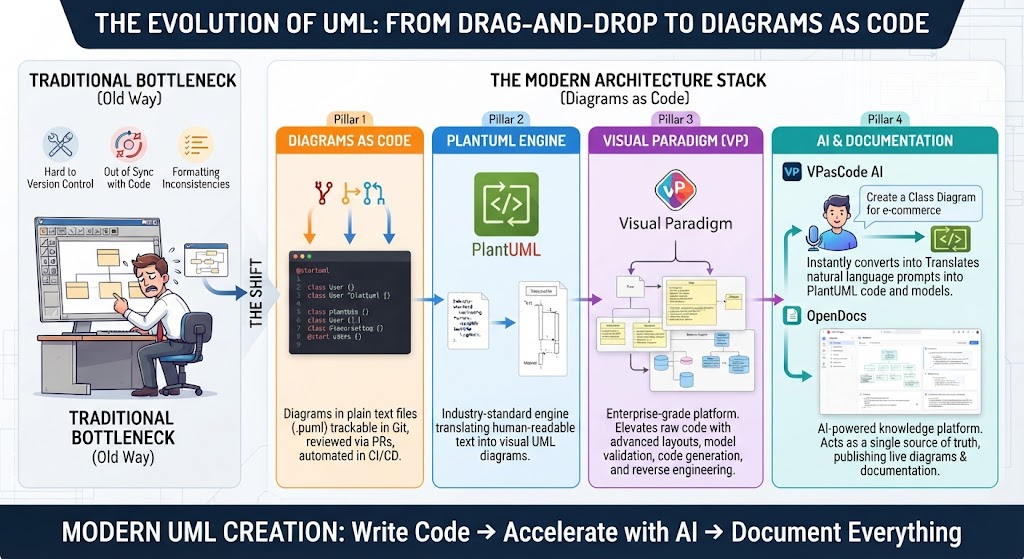
One of the biggest hurdles in modern software development is context switching. Traditionally, if you wanted to use an LLM (Large Language Model) to help with your diagrams, you had to leave your editor, open a chat interface, prompt the AI, copy the result, and then paste it back into your tool. VPasCode changes this paradigm entirely.
By integrating AI capabilities directly into the editor environment, we eliminate the friction of moving between windows. This is what we call Native AI Integration. It means your AI assistant is always right there at your fingertips, ready to assist without breaking your flow state. Whether you are writing code or sketching a class structure, the AI is an inherent part of the experience.
From Empty Code to Rich Diagrams
Let’s imagine a scenario where you have a brilliant idea for a system architecture, but you don’t have a single line of code written yet. In the past, you might have started with a blank canvas, struggling to place boxes and draw lines. With VPasCode, the process is reversed.
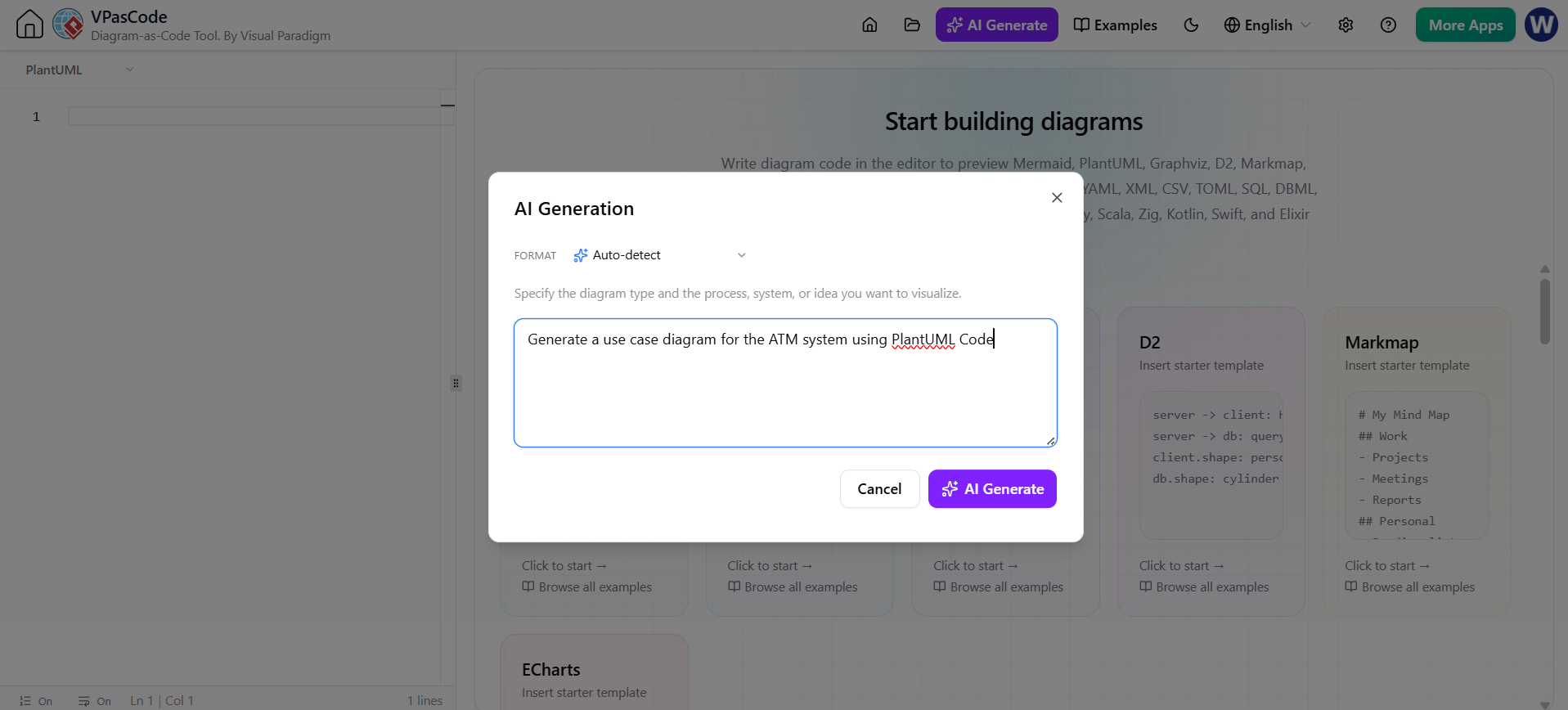
When your code pane is empty, you can utilize the AI Generate feature. This tool allows you to describe your system in plain English, and it will construct the initial diagram for you. This is perfect for rapid prototyping or when you need to visualize a concept immediately without getting bogged down in syntax. It serves as a perfect starting point for your modeling journey.
Refining Your Models: The “Modify” Feature
However, diagrams are rarely perfect on the first try. You might have an existing class diagram that needs a touch-up, or perhaps you need to add a specific relationship that you missed. This is where the Modify feature shines.
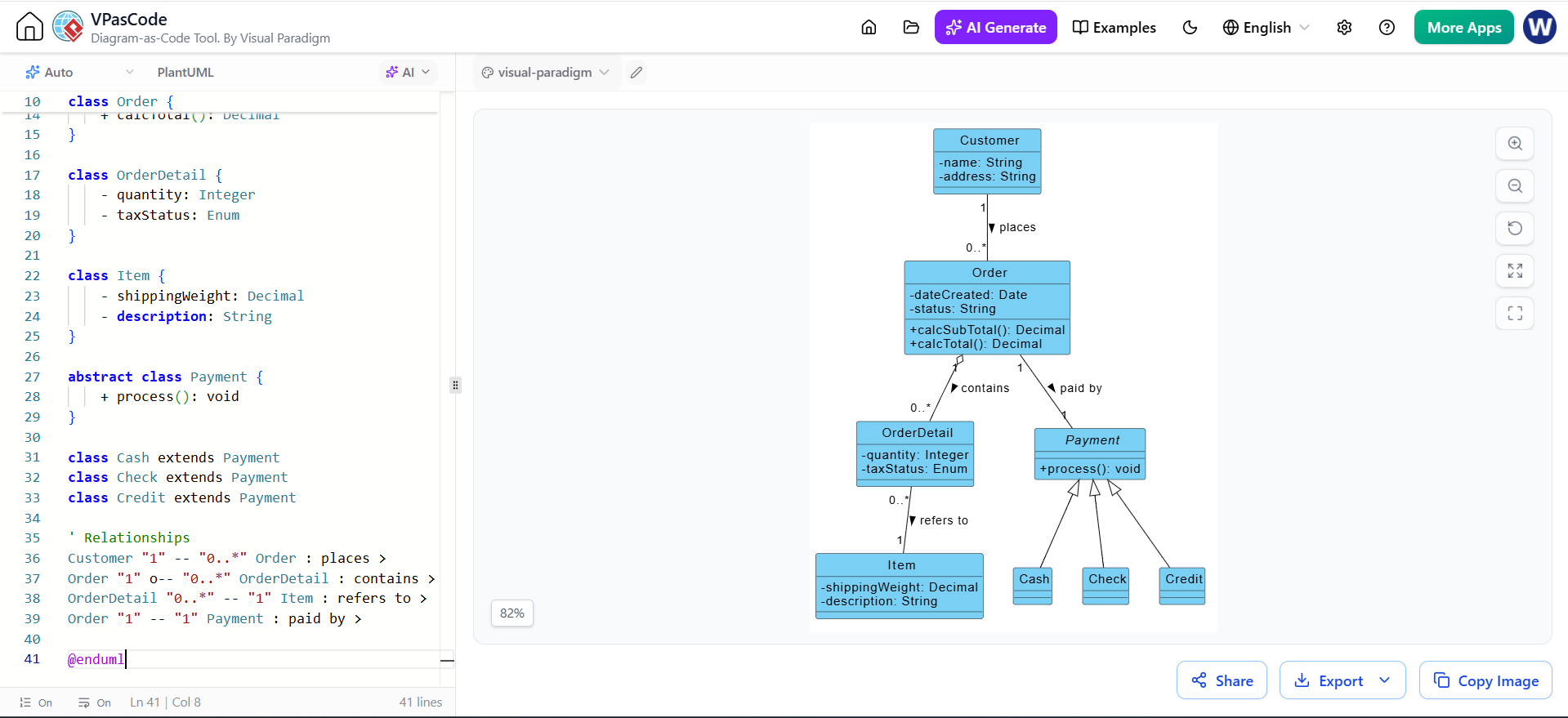
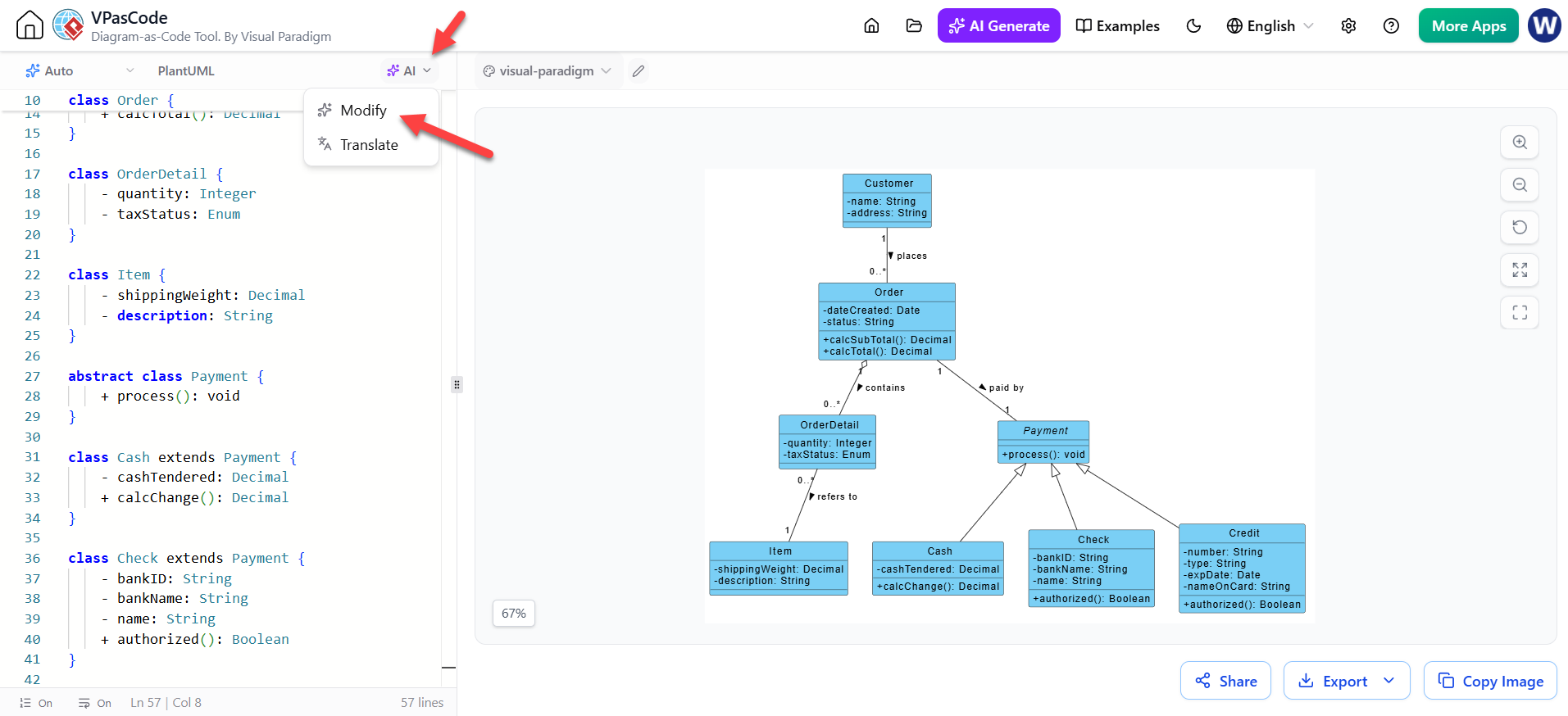
As seen in the interface, VPasCode provides a dedicated AI dropdown menu. When you click this, you are presented with options to transform your code and diagrams dynamically. Here is how you can effectively use the “Modify” capability to refine your work:
- Select Your Context: Ensure your code pane contains the model you wish to change. For example, look at a class structure involving Order, Payment, and Customer.
- Invoke the AI: Click on the AI button in the toolbar. You will see a dropdown menu offering options like “Modify” and “Translate.”
- Provide Instructions: Select “Modify.” Instead of rewriting lines of code manually, simply describe the change you want. For instance, you might ask, “Add a relationship where an Order contains multiple Items.”
- Instant Visualization: The AI processes your prompt and updates the diagram on the right side of the screen in real-time. You will see new boxes appear, lines draw themselves, and multiplicities update automatically.
Why This Matters for Your Workflow
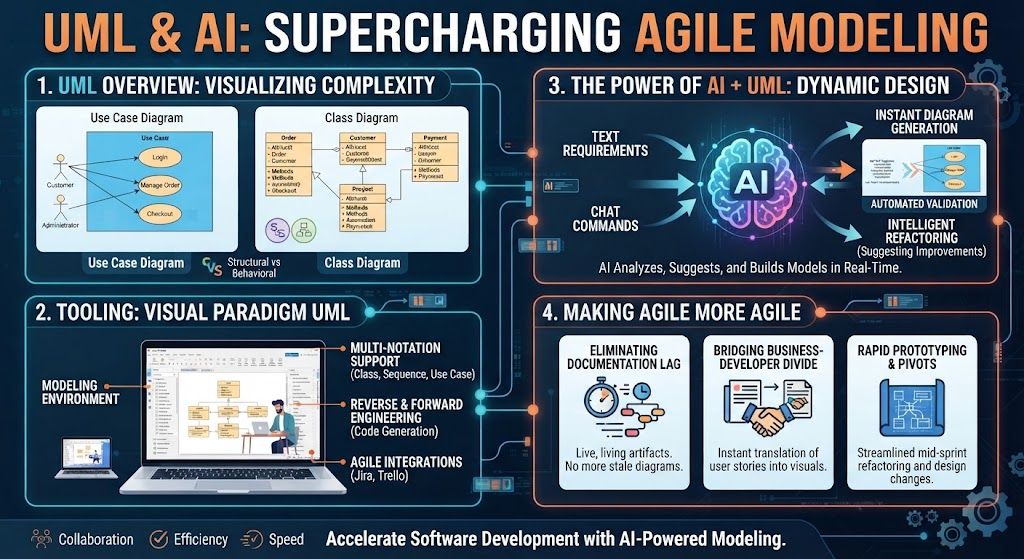
The ability to touch up an existing diagram through a simple AI prompt is a game-changer for software architects and developers. It shifts the focus from how to draw a line to what the relationship should actually be. You spend less time fighting with the drawing tools and more time thinking about the logic of your system.
Whether you are creating a new model from scratch using the AI Generate button or refining an existing architecture using the Modify command, Visual Paradigm ensures that your modeling experience is seamless, intelligent, and incredibly fast. Embrace the power of Diagram-as-Code, where your thoughts are translated into visual models instantly.