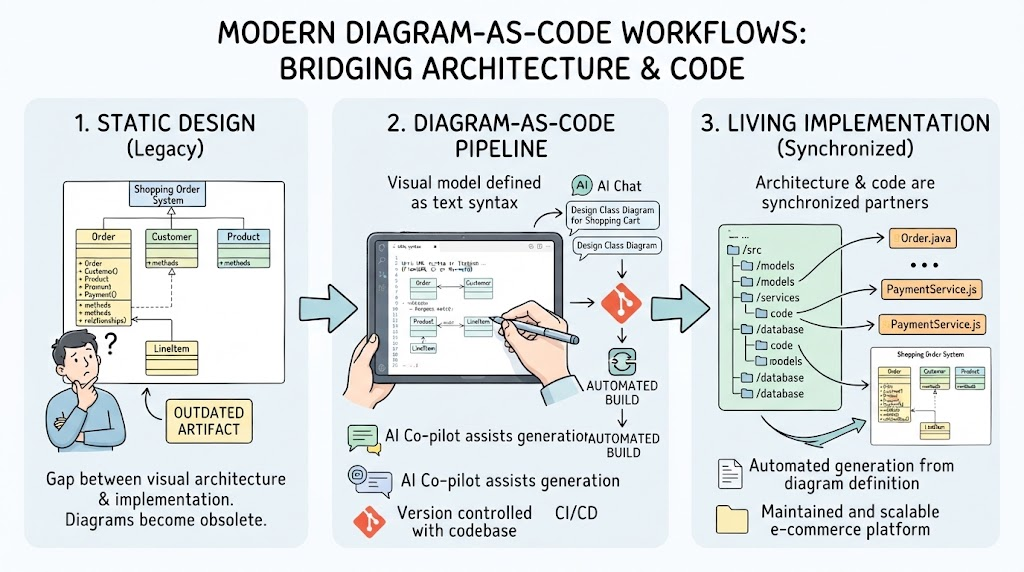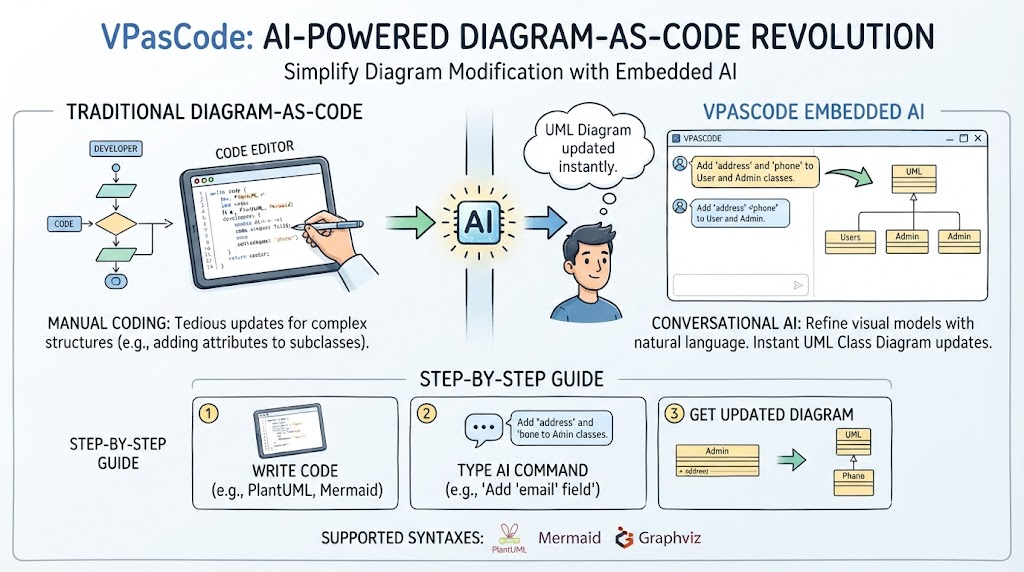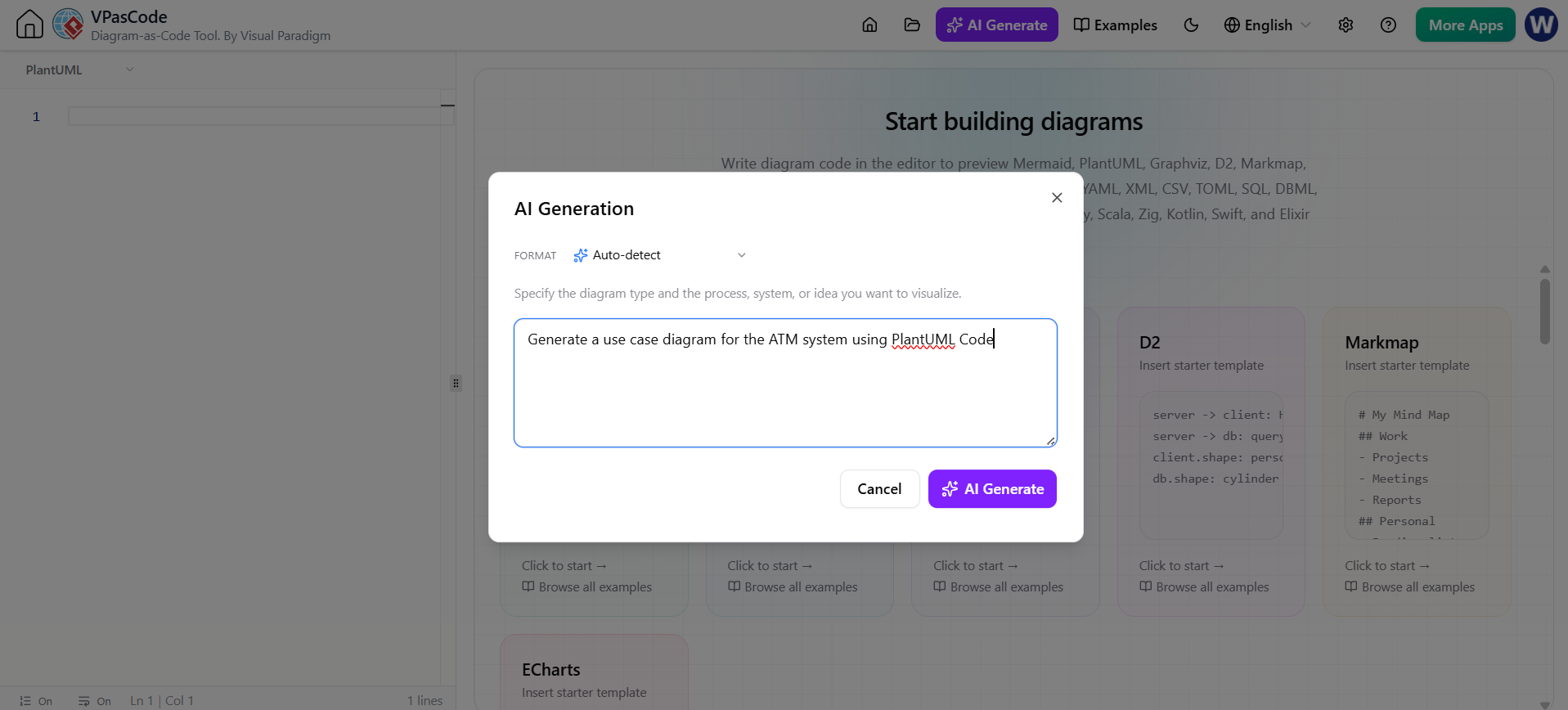
Welcome to this tutorial session on the modern evolution of system modeling. As architects and developers, we often find ourselves bridging a difficult gap: the transition from an abstract idea in our minds to a concrete visual representation on a whiteboard or a software canvas. Traditionally, this process has been manual, time-consuming, and prone to the “copy-paste” inefficiency that plagues many generic coding assistants. Today, we are exploring how Visual Paradigm has addressed this through its VPasCode tool, specifically via the revolutionary AI Generate panel.
Bridging the Gap with Natural Language
The foundation of this new workflow is accessibility. The “AI Generate” panel is not a hidden menu but a prominent feature accessible via the top toolbar of the VPasCode interface. Its primary goal is to serve as a direct bridge between your abstract system descriptions and concrete visual representations. You do not need to be an expert in Domain Specific Languages (DSLs) like PlantUML or Mermaid.js to start. Instead, you can simply input a simple natural language description of your desired system or architecture.
When you click the AI Generate button, an integrated dialogue box opens directly within the interface. This is where the magic happens. The AI dynamically analyzes your intent. For instance, if you type a request for a complex UML sequence, the AI selects PlantUML. If you describe a data flow, it might opt for Mermaid.js. If your request involves data visualization, it defaults to ECharts. This “Auto-detect” capability ensures that the generated code is syntactically correct and semantically appropriate for the diagram type you need.
The Power of On-Canvas Rendering
One of the most critical differentiators of VPasCode is the immediate feedback loop provided by its rendering engine. In standard coding environments, generating code usually results in a text block that you must then copy and paste into a separate renderer to see the result. VPasCode eliminates this friction entirely.
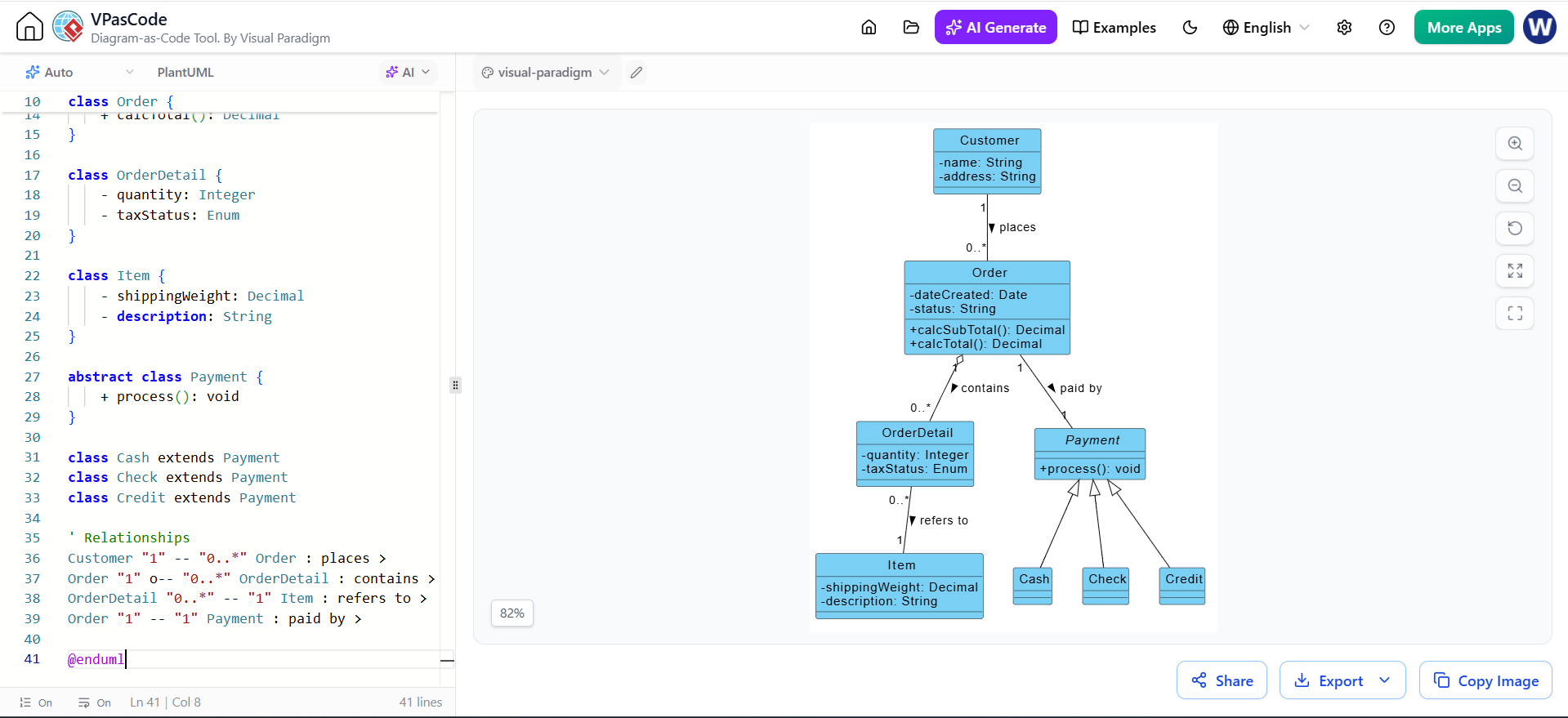
As soon as the AI generates the script, it performs a split-screen operation:
- The Left-Hand Editor: The generated code is inserted directly into the editor panel, allowing you to inspect the syntax immediately.
- The Right-Hand Renderer: Simultaneously, the live visual diagram is rendered on the canvas.
This dual-pane view allows architects to instantly validate if the generated structure matches their mental model without ever leaving the current tool environment. It transforms the generation process from a “write and hope” scenario into an interactive design session.
Streamlining the Architectural Workflow
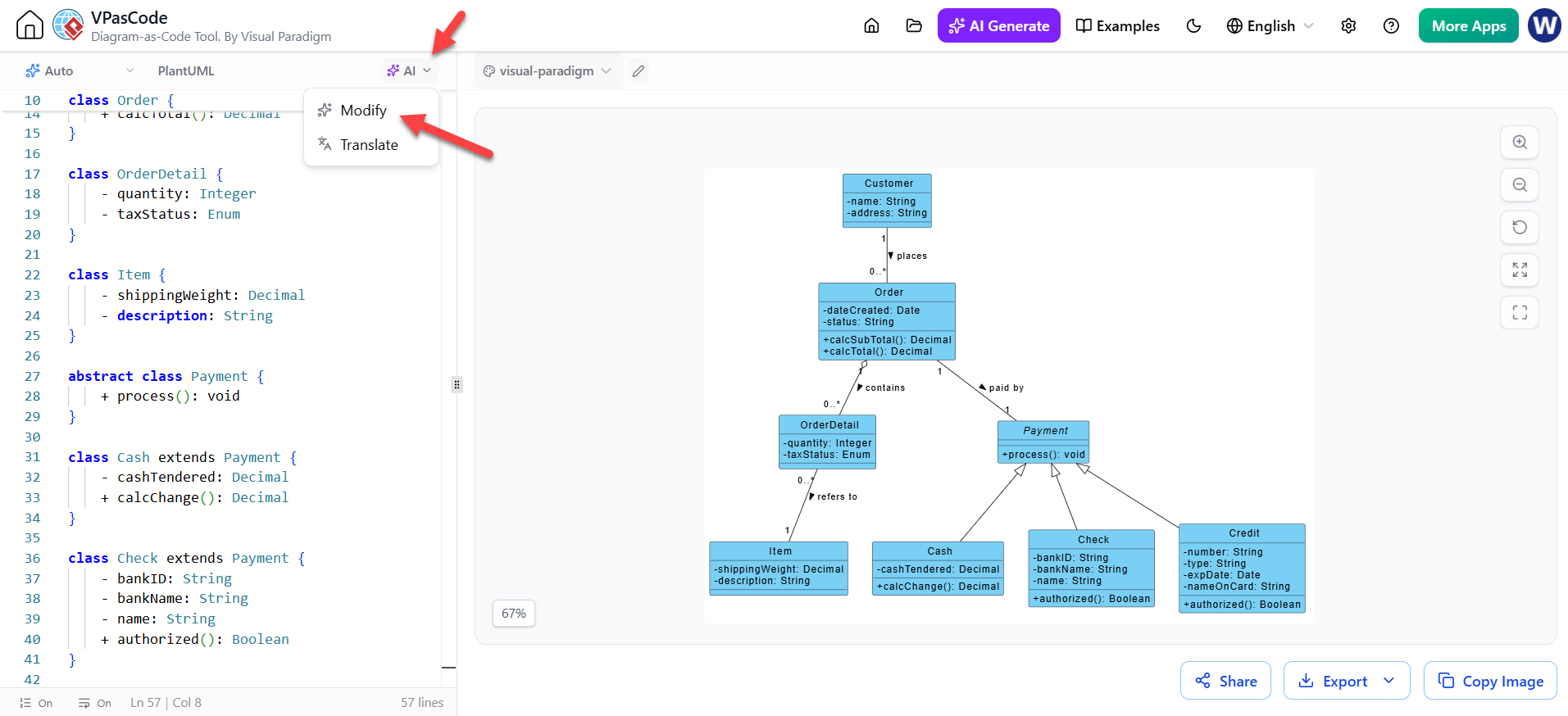
The supplementary capabilities of VPasCode highlight a comprehensive approach to diagramming. The platform supports a seamless lifecycle where you can Kickstart a diagram, Render it, Review it, and Modify it all within the same interface. This is a significant step forward for Visual Paradigm’s ecosystem, which has long championed the concept of Model-Driven Architecture.
By keeping the entire workflow within VPasCode, Visual Paradigm ensures that your diagrams remain version-controlled, editable, and integrated with your broader development environment. You are no longer forced to jump between a chat interface, a code editor, and a diagramming tool. Instead, you have a unified canvas where your system’s logic and its visual representation coexist.
Conclusion
In summary, the Instant AI Diagram Generation feature in VPasCode represents a maturation of how we interact with modeling tools. By leveraging AI to understand natural language and rendering it instantly on-canvas, Visual Paradigm empowers users to focus on the “what” and the “why” of their system design, rather than getting bogged down in the syntax and mechanics of drawing lines and boxes. It is a testament to the platform’s commitment to making advanced architectural modeling accessible, efficient, and intuitive.