The Evolution of Diagramming: Moving Beyond Drag-and-Drop
As software engineers, we often find ourselves fighting the very tools designed to help us visualize our work. Traditional visual editors, with their canvas-bound drag-and-drop interfaces, can become bottlenecks. They are notoriously difficult to version control, prone to merge conflicts, and often slow down the documentation process. If you have ever spent more time adjusting a box on a canvas than actually designing the system architecture, you understand the pain point.
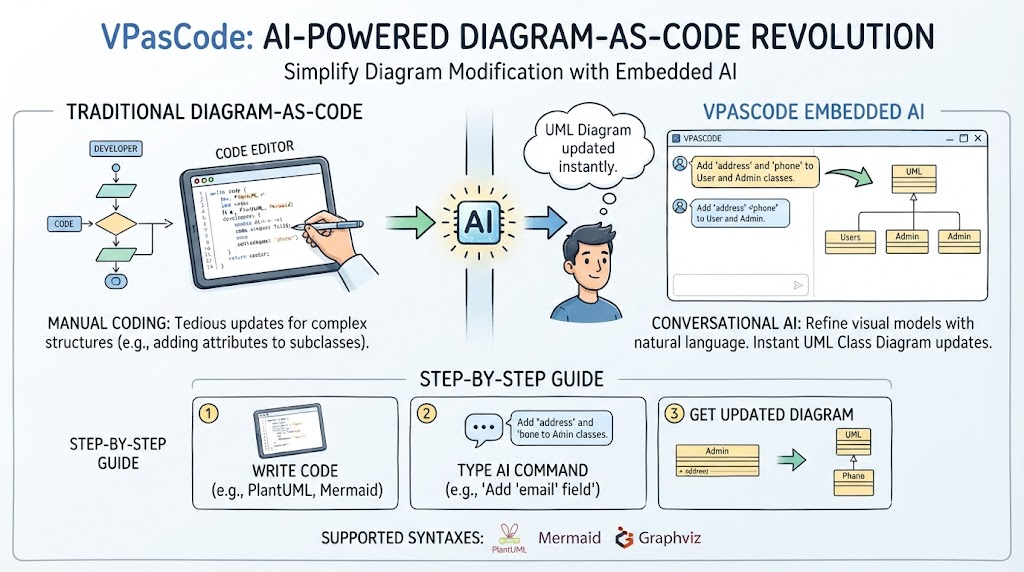
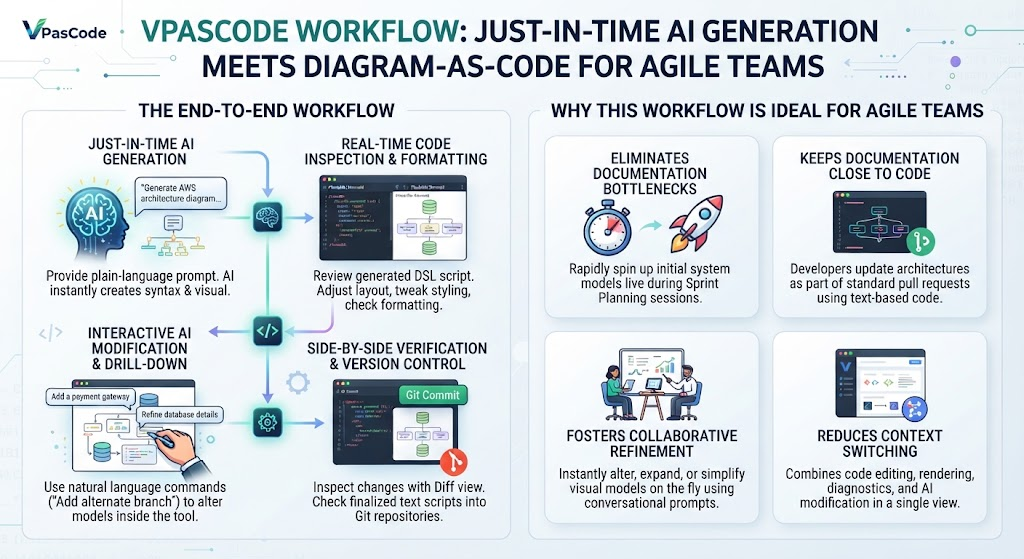
The industry is shifting towards a more developer-centric approach known as Diagrams as Code. This paradigm treats system architectures, database schemas, and workflows like source code. By writing diagrams in text, engineering teams can leverage the same powerful workflows they use for their application code: committing changes to repositories, tracking history, and reviewing modifications via pull requests.
The Problem of Fragmentation
While the “Diagrams as Code” movement is gaining traction, the current landscape is unfortunately fragmented. Developers often find themselves bouncing between different platforms depending on the specific syntax their team or the ecosystem requires. If your team prefers PlantUML, you might be stuck in one environment; if you need the markdown-native syntax of Mermaid, you might need to switch to GitHub or GitLab. This tool sprawl creates friction and prevents a unified workflow.
This is where VPasCode, the core text-to-diagram tool within the Visual Paradigm AI Ecosystem, steps in. VPasCode is designed to be the ultimate unifier, eliminating the need to choose a single syntax and allowing you to work in the plaintext editor of your choice.
VPasCode: The Unified Developer Workspace
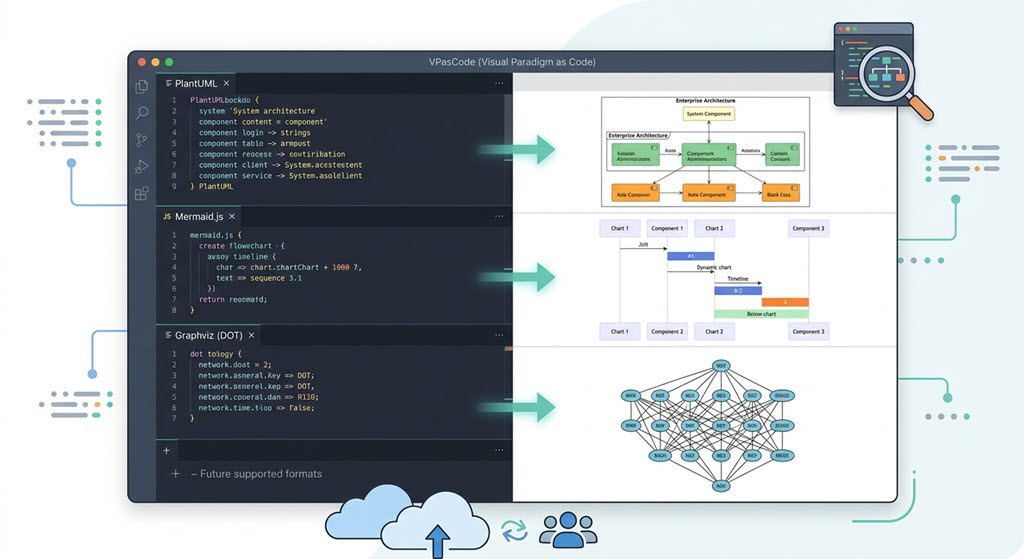
Visual Paradigm has recognized that forcing a team to abandon their preferred syntax is a recipe for failure. Instead, VPasCode functions as a highly versatile multi-format text-to-diagram editor. It enables you to create any diagram using the standard formats you already know, right within a single robust workspace.
Whether you are generating a quick flowchart or mapping out complex enterprise systems, VPasCode supports the “Big Three” of code-based diagramming. Let’s explore how VPasCode facilitates designing and modeling effectively across these different formats.
PlantUML: The Industry Standard for Enterprise Modeling
PlantUML is widely recognized as the industry standard for complex, text-based UML diagramming. It is particularly favored for its ability to handle intricate enterprise-ready diagrams with minimal effort.
- Best for: Complex UML diagrams, sequence diagrams, and detailed system architecture.
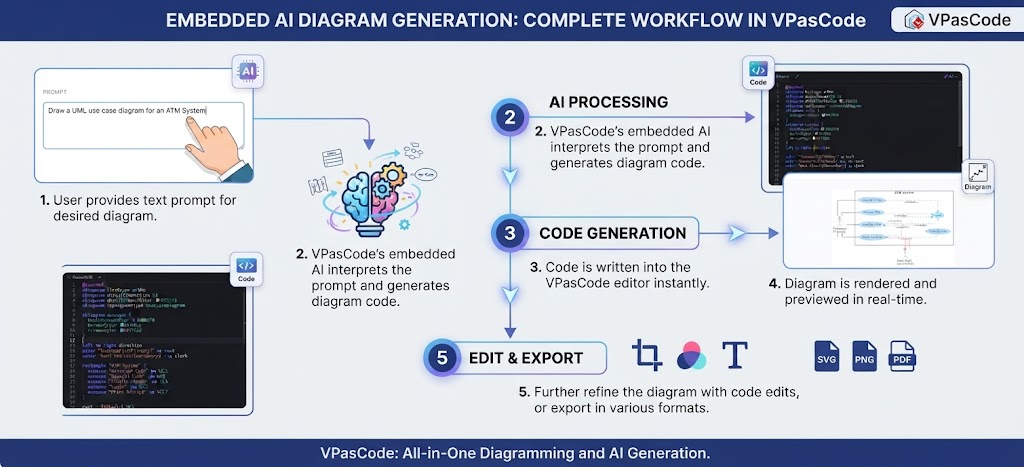
- Why use it in VPasCode: When you need to document a system that requires strict adherence to UML standards but wants the speed of text editing. VPasCode allows you to write PlantUML code and instantly visualize the result, making it easier to iterate on complex relationships between components.
Mermaid: The Markdown-Friendly Choice
Mermaid has gained immense popularity due to its native integration into platforms like GitHub and GitLab. Its syntax is designed to be markdown-friendly, making it incredibly accessible for documentation that lives alongside README files.
- Best for: Flowcharts, sequence diagrams, and Gantt charts that need to be rendered in documentation wikis or READMEs.
- Why use it in VPasCode: VPasCode allows you to leverage the familiar Mermaid syntax while providing a dedicated workspace. You can write your Mermaid.js code, see the dynamic rendering instantly, and even export it, bridging the gap between local development and cloud-hosted documentation.
Graphviz (DOT): Mastering Network Topologies
Graphviz (using the DOT language) is a powerhouse for automated structural graph layouts. It excels when the complexity of the connections is high, and manual positioning becomes impossible.
- Best for: Complex network topologies, dependency graphs, and automated structural layouts where nodes must be arranged logically.
- Why use it in VPasCode: In VPasCode, you can define network properties in DOT code (like
rankdirornodesep) and visualize them immediately. This is essential for architects who need to visualize how different services interact in a cloud-native environment without manually tweaking connection lines.
Conclusion: Unifying Your Workflow
By supporting all three major engines, Visual Paradigm’s VPasCode functions as the ultimate diagram as code software workspace. It removes the barrier of entry for teams that might be hesitant to switch tools entirely. You can continue to use the syntax you love while enjoying the benefits of a unified, modern development environment.
Whether you are a developer documenting a quick API flow or an architect mapping out a massive enterprise system, VPasCode empowers you to treat your diagrams with the same rigor and version control capabilities as your source code.