Bridging the Gap: From Code to Living Documentation
In the fast-paced world of software development, there is often a significant disconnect between the logic written in code or diagrams and the formal documentation that explains it. Engineers often find themselves stuck in a cycle of writing code, then manually updating documents days later, leading to discrepancies that confuse stakeholders. Today, we are going to explore a powerful workflow that eliminates this friction: the VPasCode-to-OpenDocs pipeline.
As a tutor, I want to show you how this integration transforms your daily operations. It allows you to treat your diagrams not just as static images, but as living, breathing components of your documentation that update automatically.
The Workflow: Visualizing the Pipeline
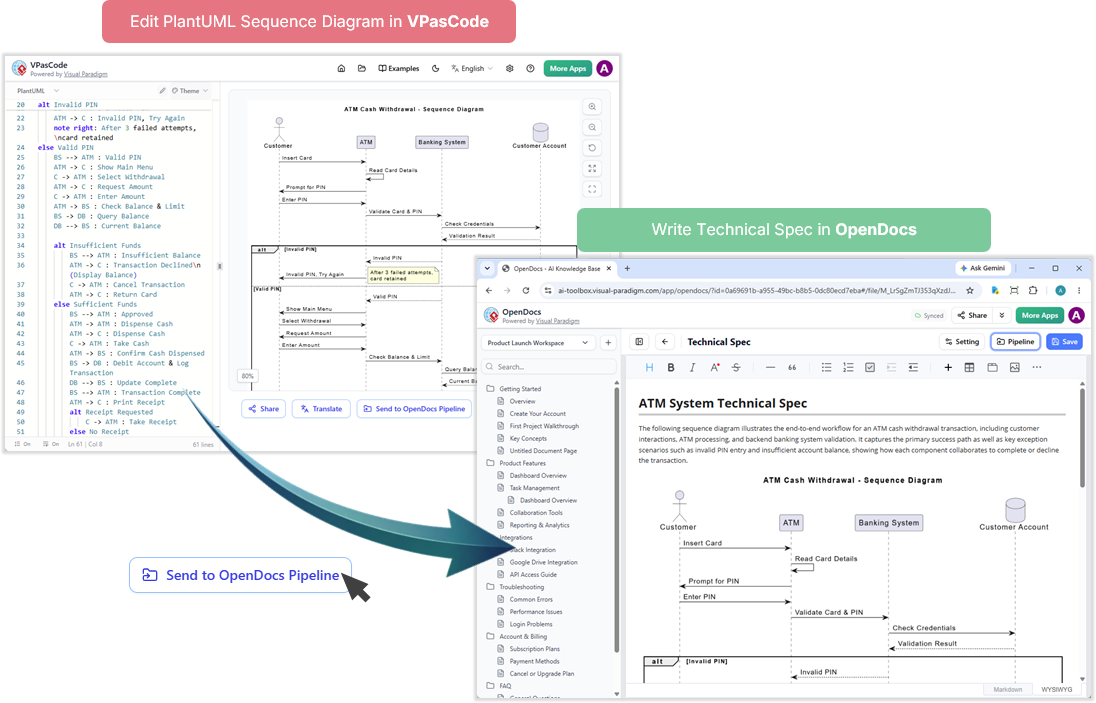
Let’s break down the scenario illustrated in the image. Imagine you are a software engineer working on a complex system. Instead of drawing a diagram in a separate tool and then trying to paste it into a Word document or a Wiki, you work directly within VPasCode.
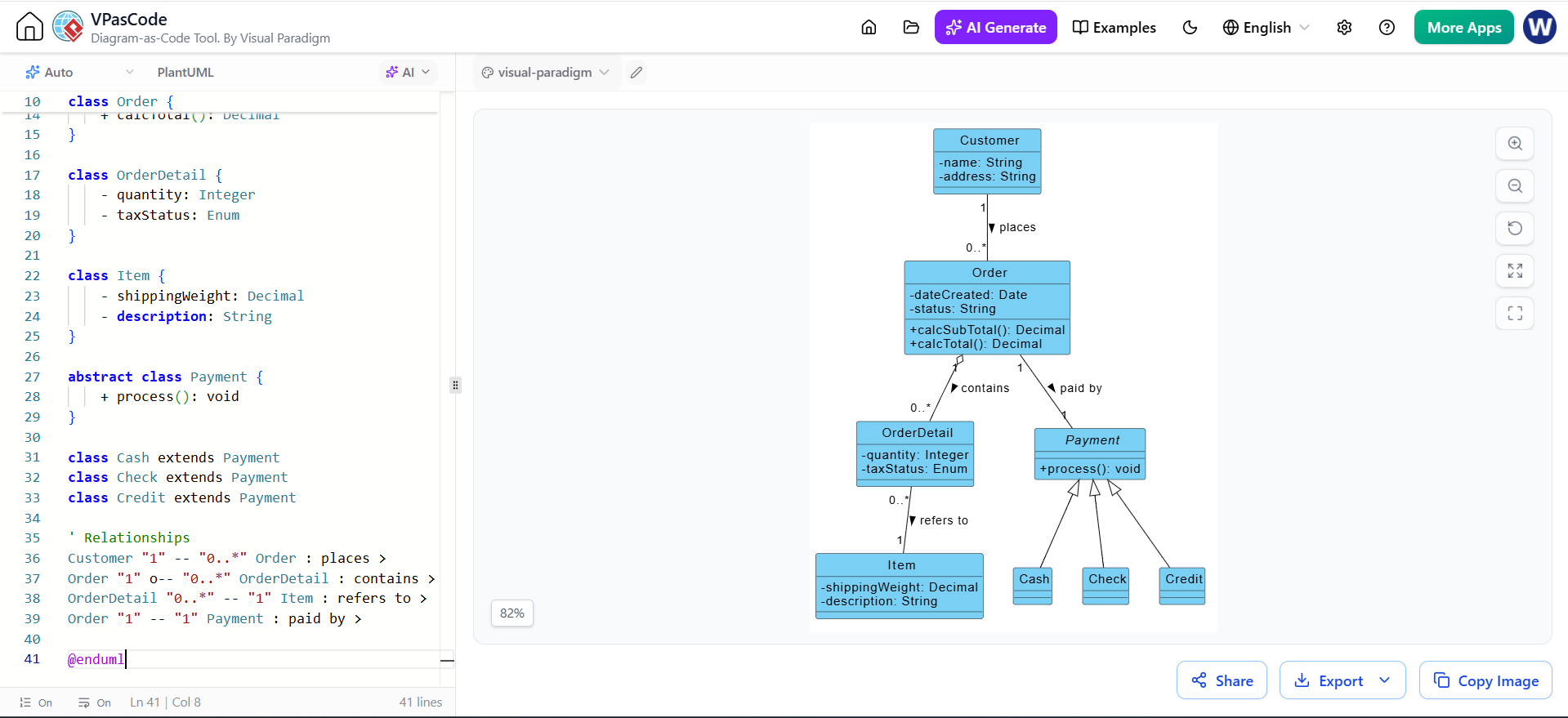
On the left side of your screen, you are writing PlantUML or Mermaid code. This is a text-based approach to modeling, where you describe the logic. For example, you might be defining the steps for an ATM Cash Withdrawal sequence diagram. You write the logic:
- Alt Invalid PIN: The system asks for a PIN. If it’s wrong, the customer tries again.
- Alt Insufficient Funds: The backend checks the balance. If it is low, the transaction is declined.
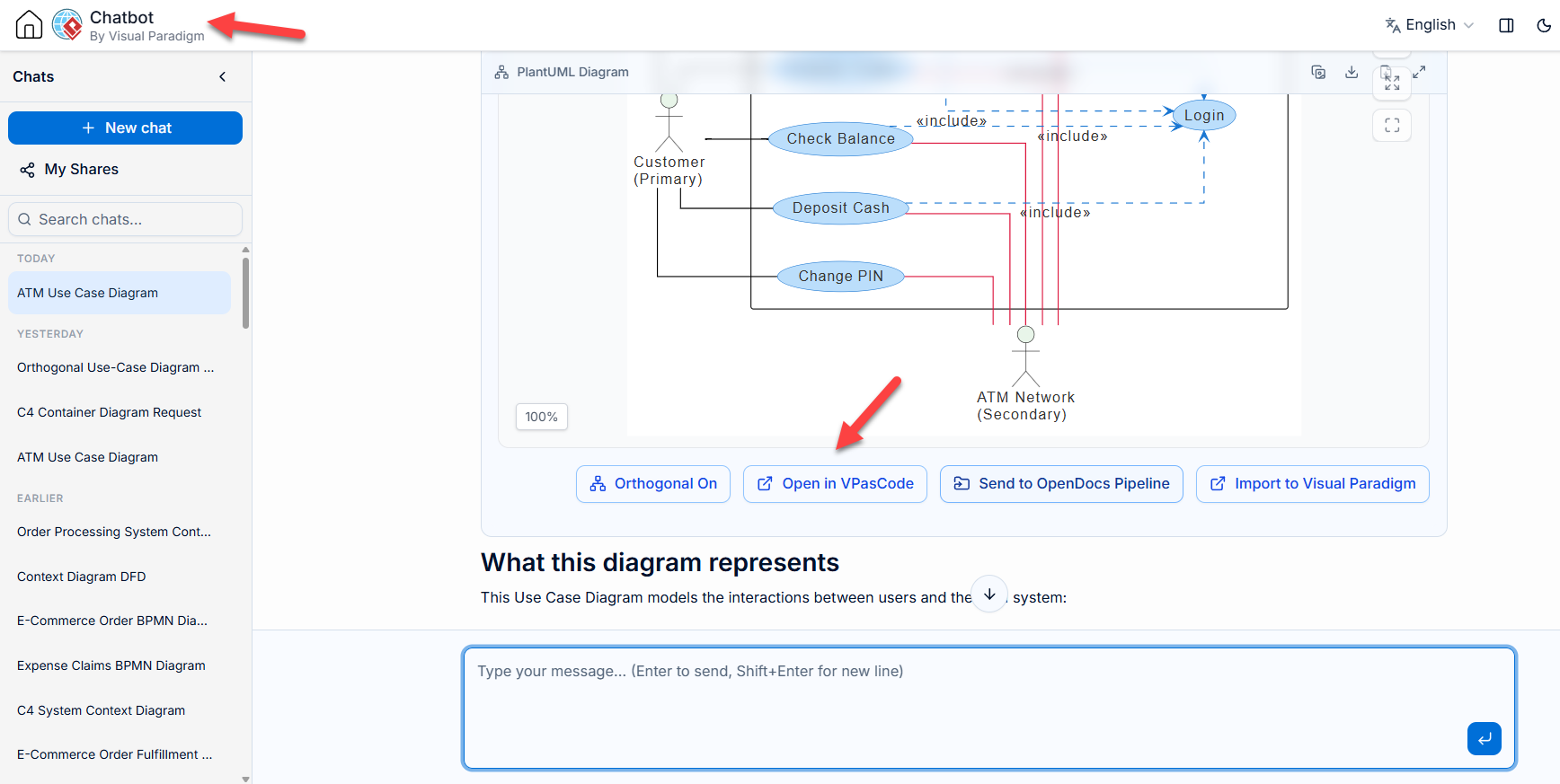
As you type this code, VPasCode renders it into a visual sequence diagram in real-time. This is the “blueprint” phase. Once you are satisfied that the logic holds up, you don’t just copy and paste. You utilize the Send to OpenDocs Pipeline button. This action pushes your diagram and its underlying context directly into OpenDocs.
Why This Workflow Stands Out for Modern Agile Teams
You might be wondering, “Why is this specific workflow a game-changer for agile teams?” The answer lies in the speed of iteration and the accuracy of communication. Modern agile teams operate on short sprints. If your documentation lags behind your code, your documentation is already obsolete.
Who Uses This and When?
- The “Hate-Documentation” Developer: This workflow is perfect for developers who prefer coding over writing. They can define their system behavior using text (PlantUML/Mermaid) and let the pipeline generate the visual spec for them.
- The System Architect: When an architect needs to present a solution to stakeholders, they can ensure the technical spec is 100% accurate because it is pulled directly from the validated diagram logic.
- The Technical Writer: Instead of starting from a blank page, a writer can open OpenDocs and see the diagram already rendered. They can focus on adding the narrative context, “The following sequence diagram illustrates the end-to-end workflow,” while the visual element remains perfectly synced.
Deep Dive: The ATM Cash Withdrawal Scenario
Let’s look closer at the example provided in the image. In VPasCode, the engineer has defined a sequence involving a Customer, an ATM, a Banking System, and a Customer Account.
Notice the logic defined in the code editor:
- Read Card Details: The ATM interacts with the card.
- Validate Card & PIN: The Banking System verifies credentials.
- Check Balance & Limit: The system ensures funds are available.
When this is pushed to the OpenDocs pipeline (the right side of the image), something magical happens. The diagram appears in the technical specification document. But it’s not just a static image; it is linked to the pipeline. If the engineer goes back to VPasCode and changes the logic—for instance, adding a “Transaction Declined” step—the diagram in the OpenDocs document can be updated to reflect that change automatically.
How Visual Paradigm Facilitates This
The strength of this tutorial lies in understanding how the Visual Paradigm ecosystem makes this possible. By integrating VPasCode and OpenDocs, Visual Paradigm is moving beyond traditional modeling tools.
VPasCode allows you to code your diagrams, which is faster for many engineers than drag-and-drop. OpenDocs, powered by Visual Paradigm, acts as the “Single Source of Truth.” It isn’t just a text editor; it is a knowledge base that understands the diagrams. You can see in the OpenDocs interface that it even integrates AI capabilities (like “Ask Gemini”), allowing you to ask questions about the technical spec or the diagram itself.
Conclusion: The Future of Documentation
This VPasCode-to-OpenDocs pipeline represents a shift from “documentation as an afterthought” to “documentation as a byproduct of design.” By keeping your technical specifications in sync with your models, you ensure that your agile teams are always working from the most current information. Whether you are documenting a microservices architecture or a simple user flow, this integration saves time, reduces errors, and keeps your team aligned.