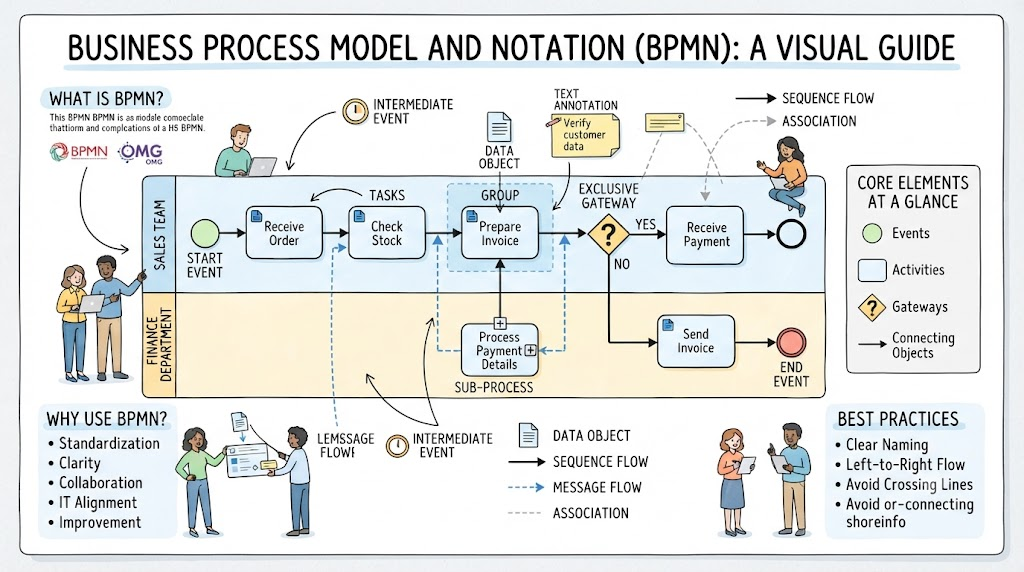
In the world of Business Process Model and Notation (BPMN), visuals are not merely decorative; they are a precise language. Just as grammar dictates how words form sentences, specific rules govern how symbols connect to form a coherent process. Central to this language are the Connecting Objects. These are the “glue” that holds your process logic together, determining the flow of time, information, and data.
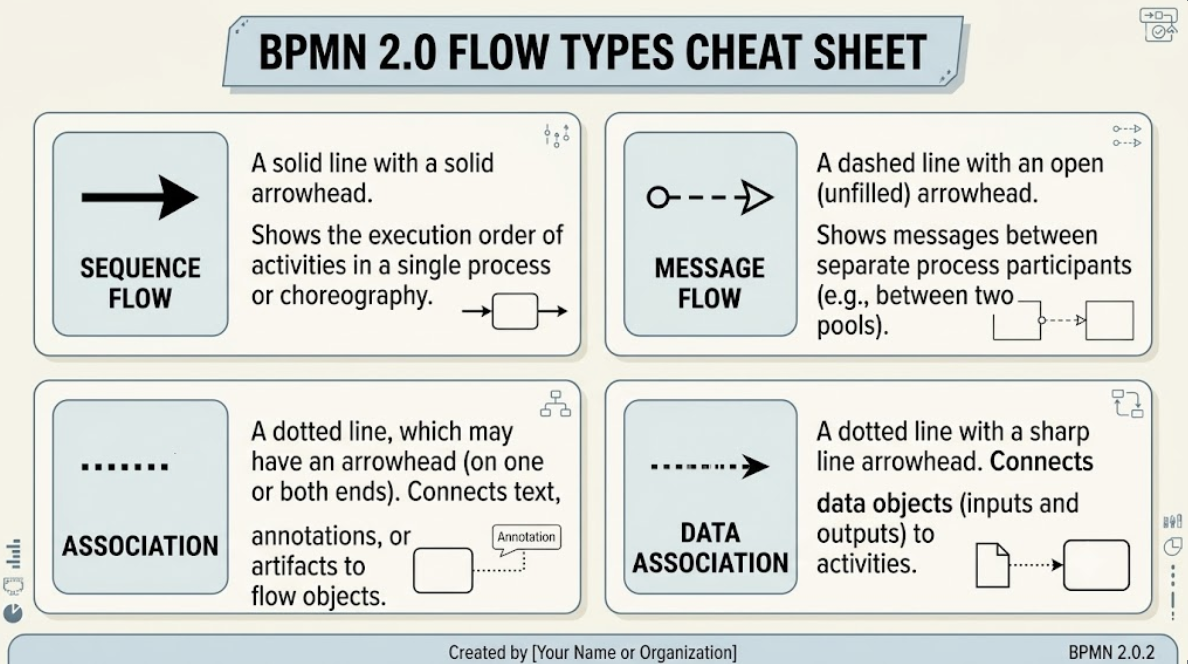
Many beginners struggle to distinguish between the various lines used in a diagram, often confusing a sequence flow with a message flow. This confusion can lead to ambiguous models that developers and analysts cannot interpret correctly. This tutorial breaks down the four primary flow types found in BPMN 2.0, explaining their visual syntax, their specific purposes, and the strict rules you must follow when modeling.
1. Sequence Flow: The Pulse of Execution
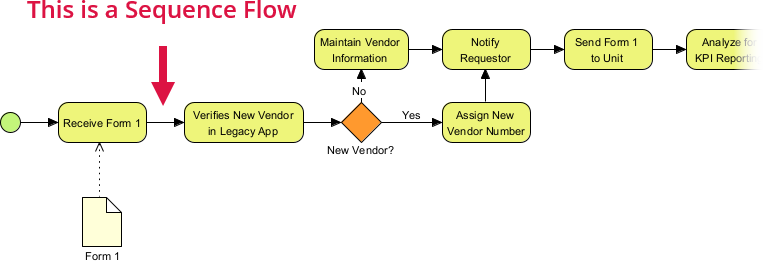
The most fundamental connection in any BPMN diagram is the Sequence Flow. If you think of a process as a story, the Sequence Flow is the chronological order in which the events happen.
- Visual Representation: It is depicted as a solid line with a solid arrowhead.
- Key Purpose: It defines the execution order. It connects Activities, Gateways, and Events within a single process scope (a single Pool). It answers the question: “What happens next?”
- Strict Rule: Sequence flows cannot cross pool boundaries. If you are drawing a line from one pool to another, you are likely modeling a communication event, not a sequential step.
2. Message Flow: Bridging the Silos
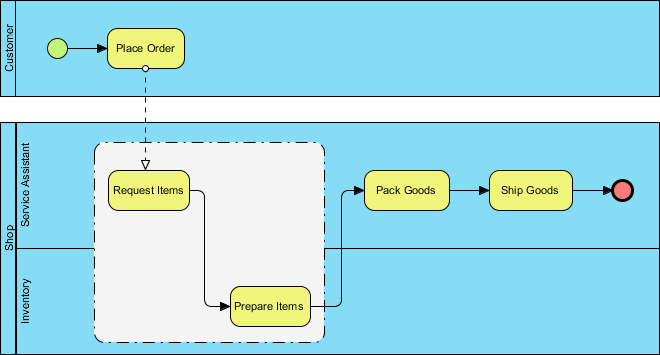
While Sequence Flow handles the internal logic of a single actor, processes rarely exist in isolation. Organizations interact with customers, suppliers, and other departments. Message Flows represent this external communication.
- Visual Representation: A dashed line starting with a small open circle and ending with an open arrowhead.
- Key Purpose: It represents communication between two separate process participants (Pools). It shows a message being sent from one participant to another. For example, a “Customer” sending an “Order” to a “Sales Department.”
- Strict Rule: Message flows must cross pool boundaries. They are strictly for inter-pool communication. Additionally, they can only connect to specific events (like Message Start Events or Message Intermediate Events) or specific Gateway types, not directly to Activities.
3. Association: Adding Context
Not every line in a diagram represents a flow of control or data. Sometimes, you simply need to add a note, a comment, or a clarification without changing the logic of the process. This is where Associations come in.
- Visual Representation: A dotted line. It may have an arrowhead on one or both ends, or no arrowhead at all.
- Key Purpose: It links text annotations or non-data artifacts (like constraints or rules) to flow objects. It provides context. For instance, you might associate a text box explaining “Regulatory Compliance” with a specific Task.
- Strict Rule: An Association does not affect process execution logic. It is purely informational. The process will run exactly the same way with or without an association line.
4. Data Association: The Invisible Hand of Information
Processes often involve the transformation of data. While Message Flows move messages between pools, Data Associations move data objects into or out of specific activities.
- Visual Representation: A dotted line with a sharp line arrowhead.
- Key Purpose: It connects Data Objects (inputs/outputs) with flow objects (typically Activities). It visualizes how data flows into an activity to be processed and how data flows out as a result.
- Strict Rule: Unlike a Message Flow, this does not cross pools. It is used to show that a specific Task requires a specific Document or Database record as input.
Conclusion: Why Precision Matters
Understanding the nuances between these four flow types is critical for creating professional, unambiguous process models. Using a Message Flow where a Sequence Flow belongs implies a breakdown in communication, while using a Sequence Flow across pools suggests a logical impossibility. By mastering these visual rules, you ensure that your diagrams are not just pictures, but executable specifications that accurately reflect the reality of your business operations.