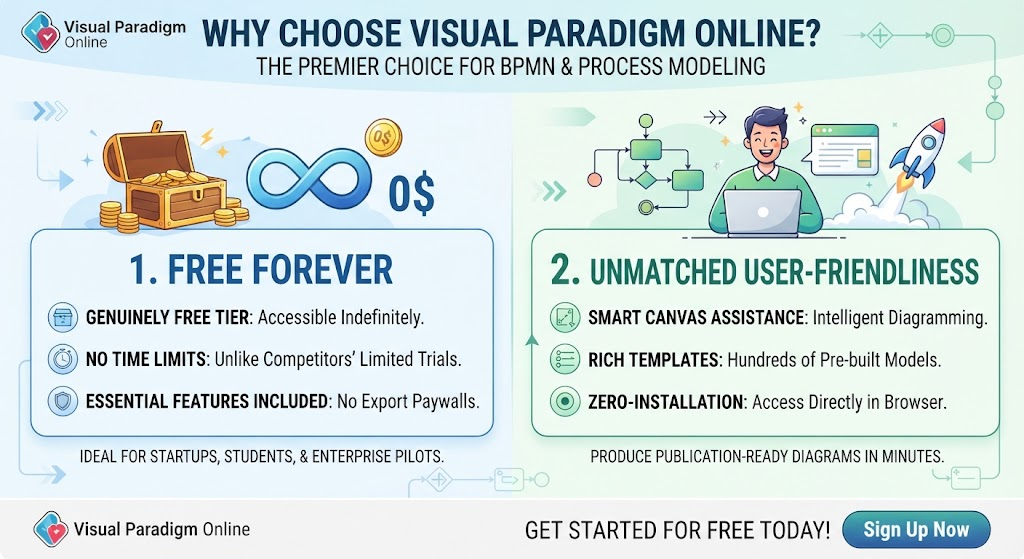
In the world of business process management, clarity is currency. Visual Paradigm Online has emerged as a premier choice for BPMN (Business Process Model and Notation) and process modeling, bridging the gap between professional rigor and everyday accessibility. This tutorial explores the system architecture of this browser-based tool and walks you through the fundamental concepts of creating publication-ready diagrams without the need for complex installations.
Understanding the Architecture: Why Browser-Based Matters
Traditional modeling software often requires heavy installations and expensive licensing. Visual Paradigm Online, however, operates on a cloud-native architecture designed for “Zero-Installation” access. This approach offers several distinct advantages for students, startups, and enterprise teams:
- Platform Agnostic: Because the editor runs directly in the browser, it is accessible from any device with an internet connection, regardless of the operating system (Windows, macOS, Linux).
- Indefinite Accessibility: Unlike competitors that restrict essential features behind paywalls or limit trial periods, the “Free Forever” tier ensures that your work is never held hostage by a subscription expiration.
- Collaboration Ready: The web-based nature facilitates easier sharing and collaboration among non-technical stakeholders who may not have the software installed on their machines.
Core Concepts: The Smart Canvas and Templates
One of the most significant hurdles in process modeling is the learning curve. Visual Paradigm Online flattens this curve through two primary technical features: Smart Canvas Assistance and Rich Templates.
1. Smart Canvas Assistance
The “Smart Canvas” is an intelligent design environment that anticipates your modeling needs. Instead of manually connecting shapes and guessing which connector is valid, the system uses logic to guide the diagramming process. This “intelligent diagramming” ensures that your flows adhere to BPMN standards automatically, reducing the likelihood of syntax errors in your process logic.
2. Rich Templates
Starting from a blank canvas can be daunting. The tool provides hundreds of pre-built models that serve as a foundation. Whether you are documenting a simple pizza order or orchestrating a complex surgical procedure, starting with a template allows you to focus on the specific logic of your process rather than the layout.
Step-by-Step: Constructing a Process Diagram
To demonstrate the power of this architecture, let’s walk through the conceptual steps of creating a business process model.
Step 1: Initialization
Begin by launching the web editor. There is no software to download. You simply log in and select “New Diagram.” The system immediately presents you with a library of BPMN shapes.
Step 2: Defining the Scope (The “Pool”)
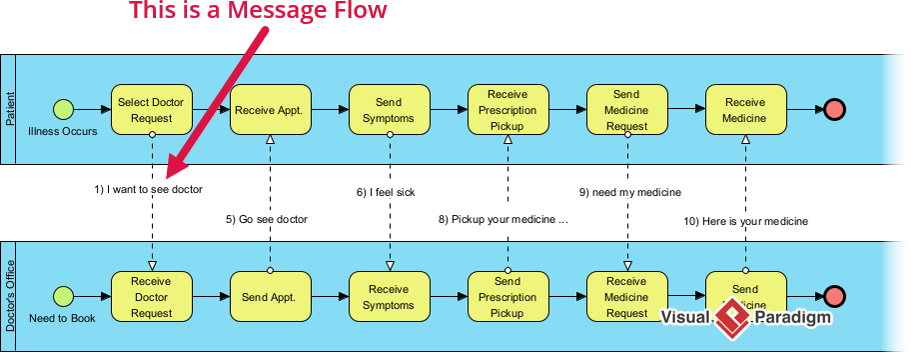
In BPMN terminology, a Pool represents a participant in the process. Use the drag-and-drop interface to place a Pool on your canvas. This defines the boundary of your process—whether it is internal to a single department or spans multiple organizations.
Step 3: The Flow of Control
Inside the Pool, you will use Swimlanes to assign responsibilities.
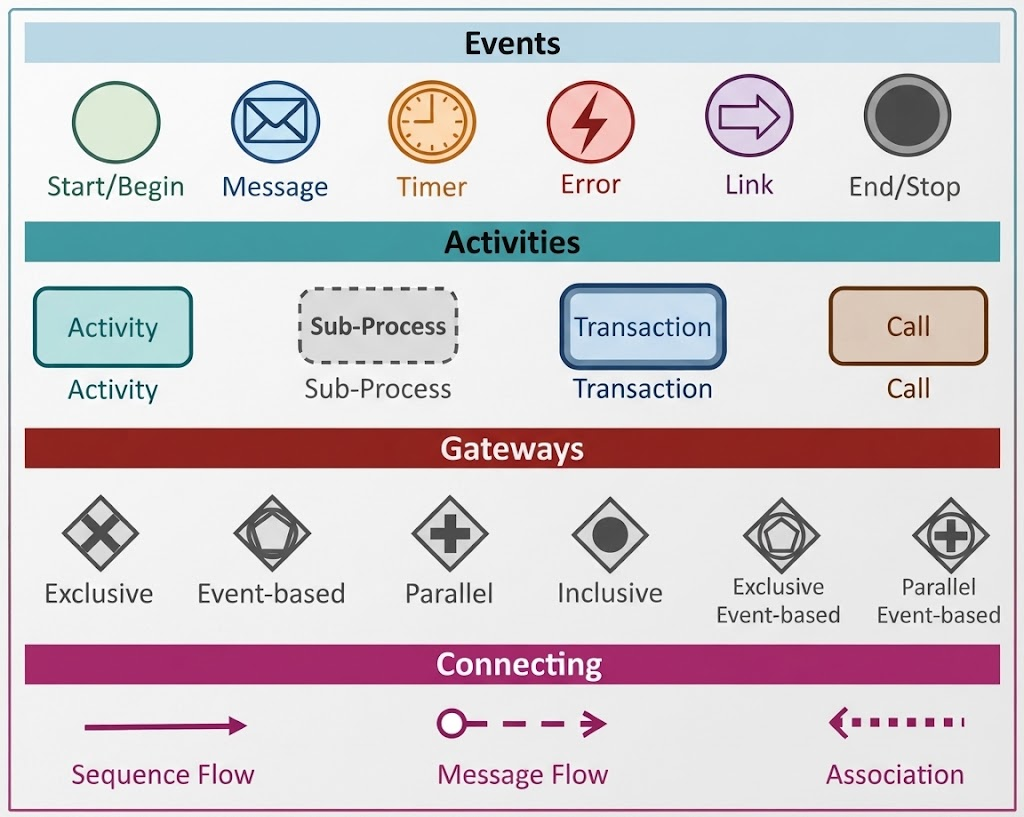
- Start Event: The trigger (e.g., “Order Placed”).
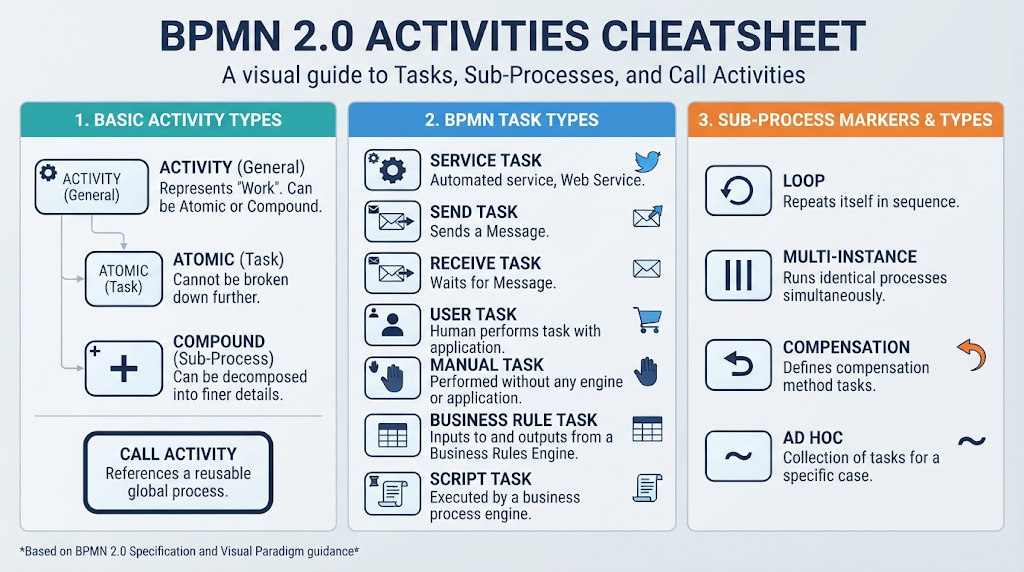
- Task: An action (e.g., “Process Payment”).
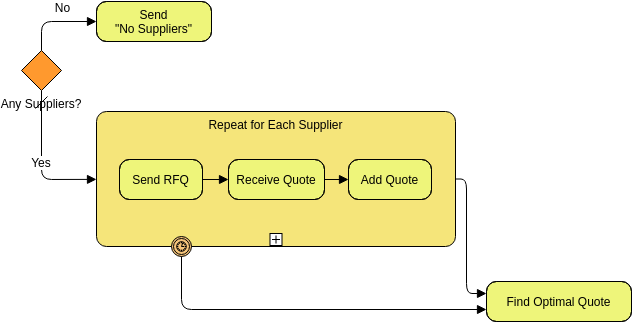
- Gateway: A decision point (e.g., “Is Payment Approved?”).
The Smart Canvas will automatically snap your connectors to the correct shapes, ensuring the flow remains logical.
Conclusion: From Abstract to Actionable
Effective business process modeling should not be reserved for specialists with expensive software. By combining a cross-platform web editor, intelligent drag-and-drop design, and strict adherence to BPMN standards, Visual Paradigm Online empowers organizations to visualize and optimize their workflows with confidence. Whether you are a student learning the ropes or an enterprise team piloting process improvement initiatives, the “Free Forever” model ensures that you have the tools you need—designed for humans, ready to start today.