


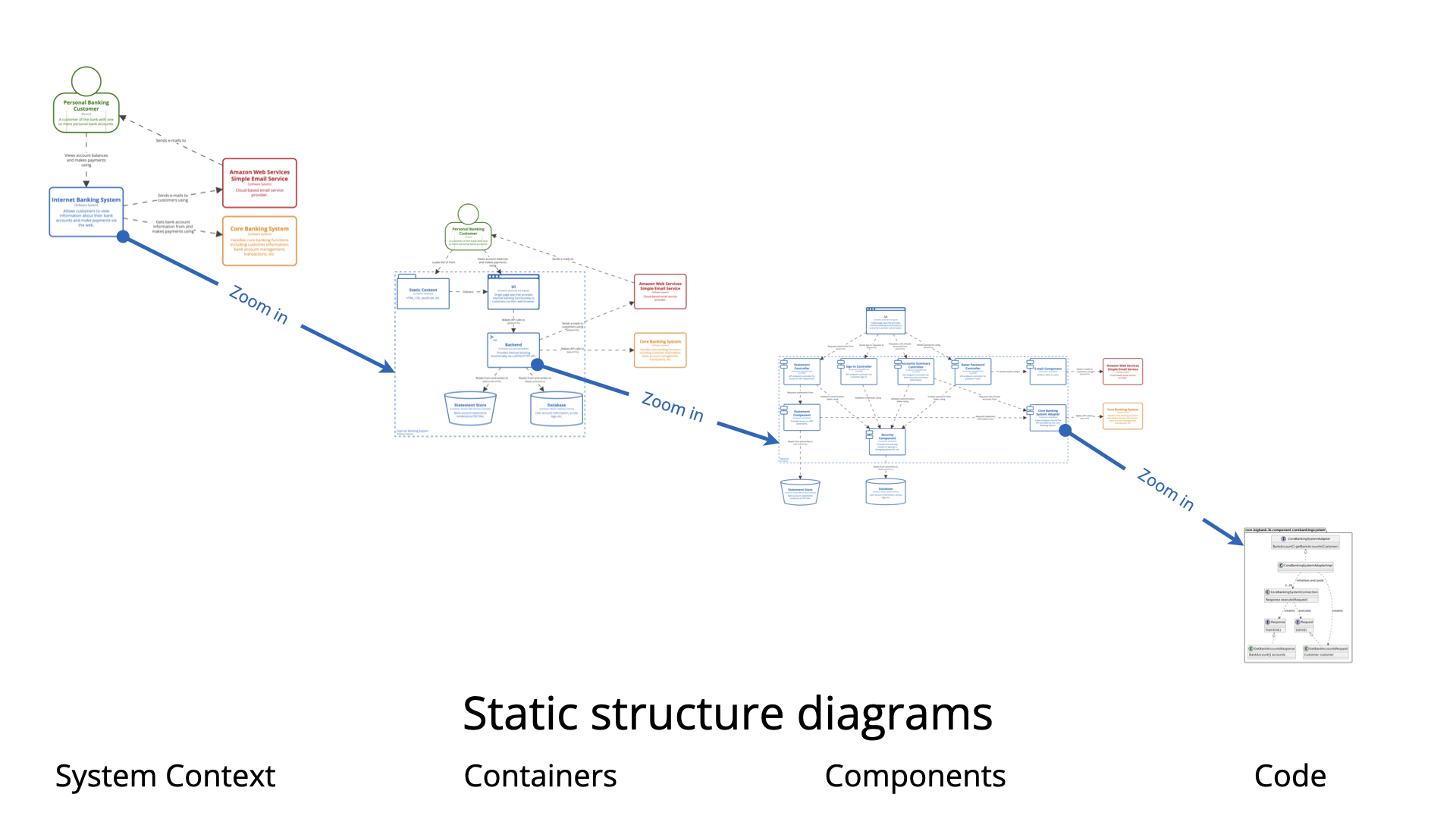
In the complex landscape of modern software development, communicating architecture effectively is as crucial as writing the code itself. The C4 Model has emerged as the gold standard for visualizing software architecture, offering a hierarchical approach that bridges the gap between high-level executive strategy and low-level developer implementation. This tutorial explores the four core levels of the C4 Model, their relationships, and how to leverage Visual Paradigm (VP) with AI assistance to streamline your architectural documentation.
The Four Core Levels of the C4 Model
The C4 Model structures architectural visualization into a hierarchy of abstraction. Each level zooms in on the details of the previous one, allowing stakeholders to view the system at the appropriate level of granularity.
1. System Context Diagram
The System Context level provides the highest-level view of the system. It depicts the software system as a single box and illustrates how it interacts with users and other external systems.
- Focus: Scope and boundaries of the system.
- Key Elements: People, roles, and external systems (e.g., third-party APIs, databases).
- Use Case: Ideal for communicating with non-technical stakeholders to understand what the system does and who uses it.
2. Containers Diagram
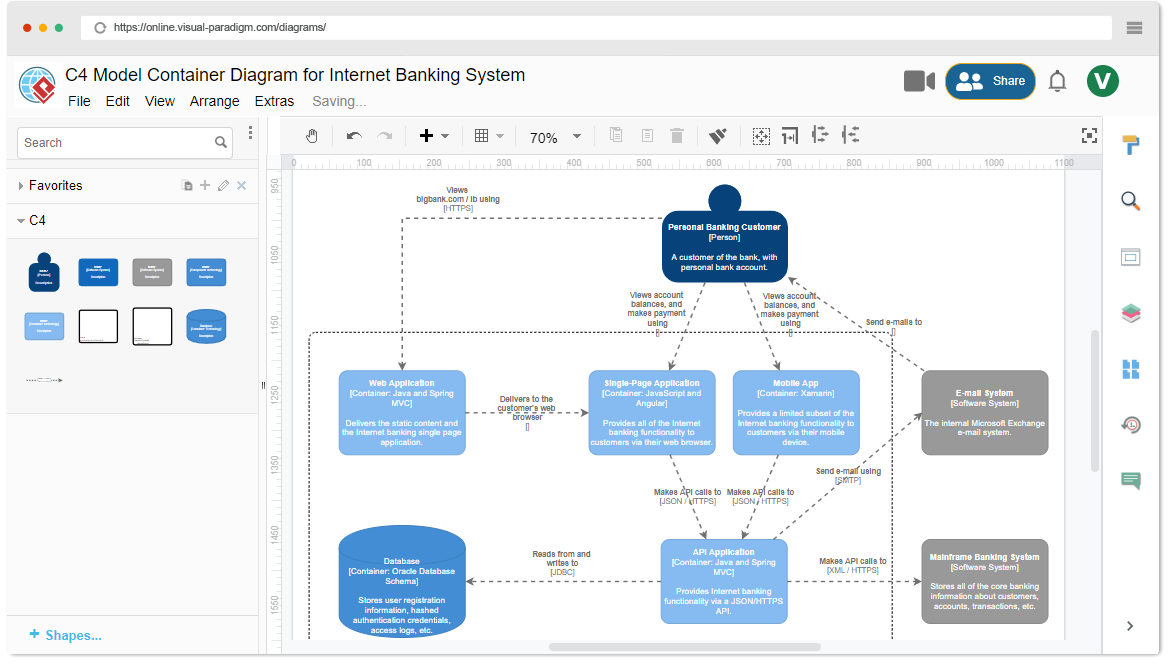
Zooming in from the System Context, the Containers level breaks the system down into deployable units. A container is a distinct, deployable runtime entity.
- Examples: Web applications, mobile applications, microservices, or databases.
- Focus: Technology choices and runtime boundaries.
- Use Case: Helps developers understand the technology stack and how data flows between major components.
3. Components Diagram
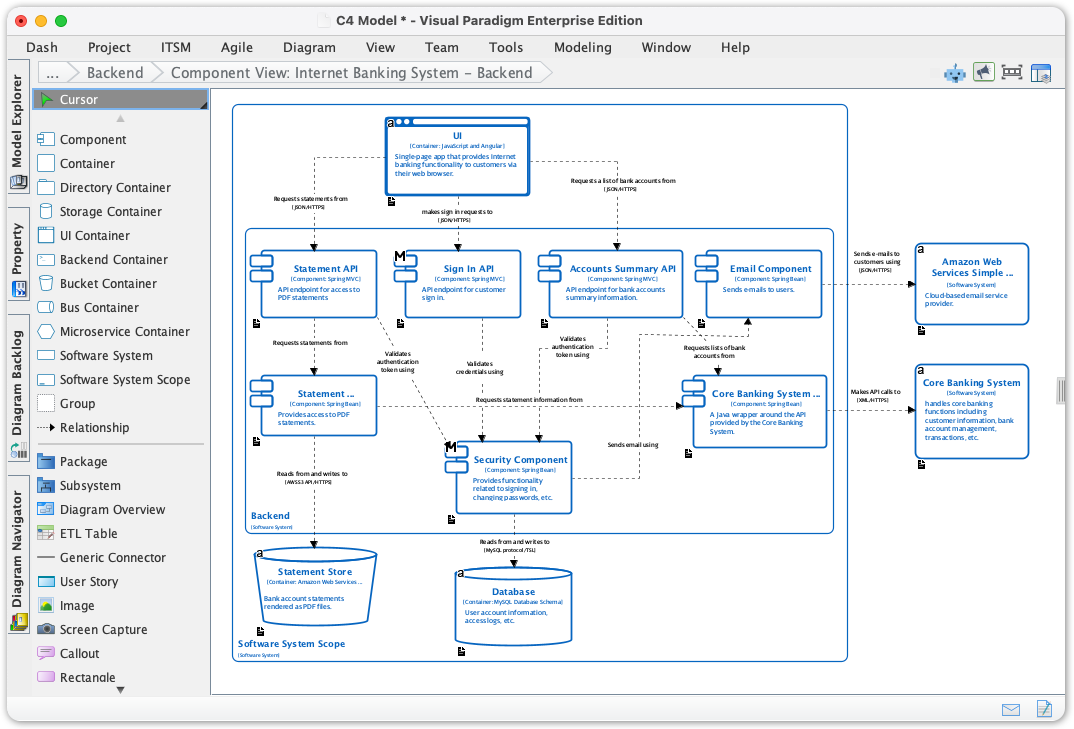
The Components level drills down into the internal structure of a specific container. It shows the logical building blocks that make up the software.
- Focus: Modules, services, or classes within a container.
- Relationships: Shows how components interact and collaborate.
- Use Case: Essential for team members working on specific parts of the system to understand dependencies and responsibilities.
4. Code Level
While often implicit in the C4 Model, the Code level represents the lowest level of detail, focusing on implementation specifics.
- Focus: Classes, interfaces, and functions.
- Relationship: Maps directly to the Component level but within a specific programming language context.
- Use Case: Detailed design documentation for developers implementing specific logic.
Understanding the Relationships Between Levels
The power of the C4 Model lies in the zooming capability between these levels. A line connecting two boxes in a System Context diagram represents a relationship. When you zoom into one of those boxes to view the Container level, that relationship becomes a specific connection between containers. This consistency ensures that the architecture remains coherent regardless of the level of detail being viewed.
Key Principle: The same relationship type (e.g., “uses,” “sends data to”) should logically persist as you move from Context to Containers to Components, ensuring traceability.
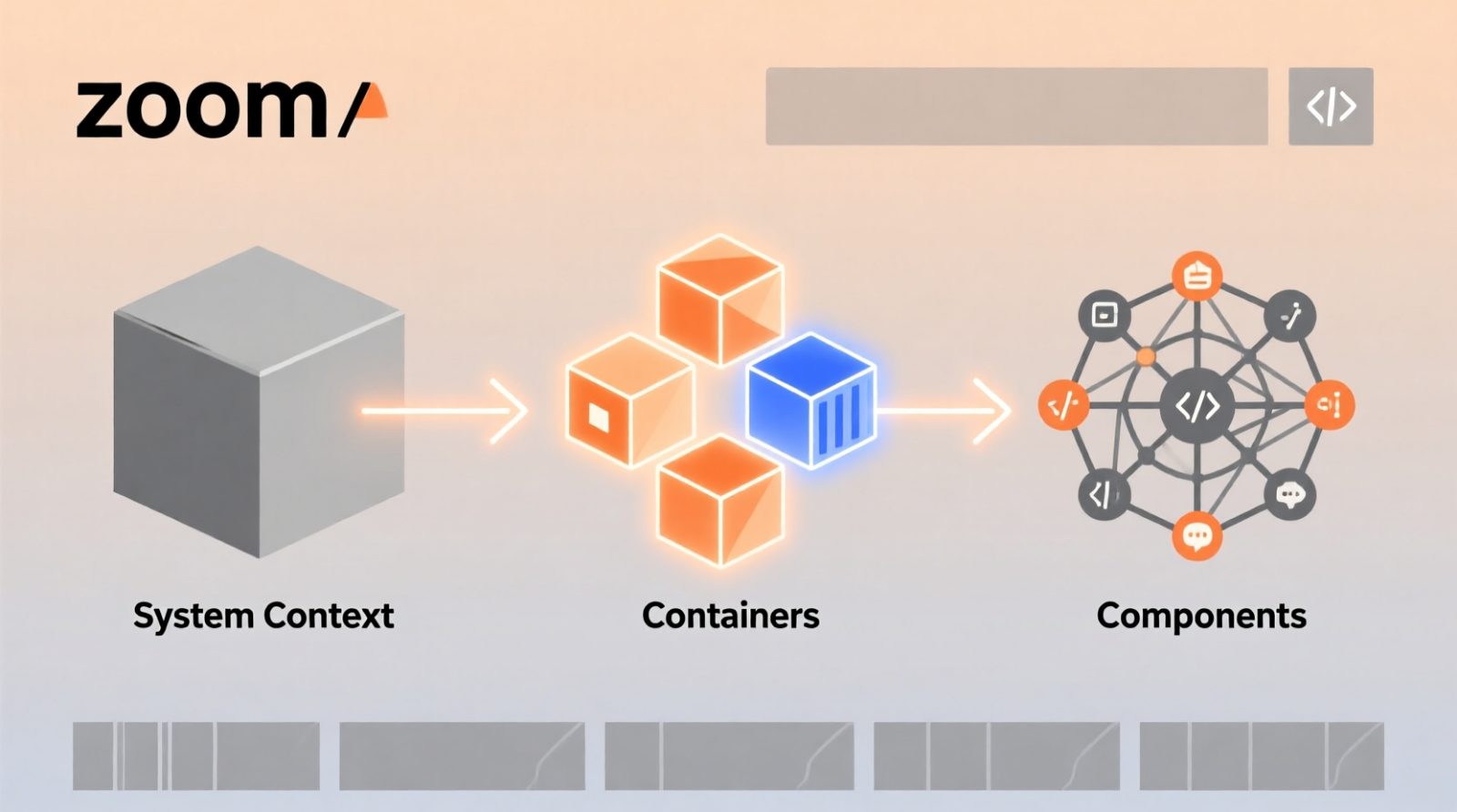
Supplementary Views and UML Integration
Beyond the four static levels, the C4 Model supports three dynamic and supplementary views to capture the full picture of the architecture:
- System Landscape: An overview of multiple systems within an enterprise, showing how they fit together at a macro level.
- Dynamic View: Captures runtime interactions, often represented using sequence diagrams to show how objects collaborate over time.
- Deployment View: Maps software artifacts to physical infrastructure, such as servers, containers, or cloud instances.
While C4 is distinct from UML (Unified Modeling Language), it complements it. Visual Paradigm allows you to integrate C4 static diagrams with traditional UML diagrams. For instance, a Component in C4 can be elaborated using a UML Class Diagram, and a System Context can be augmented with UML Use Case Diagrams to detail functional requirements.
Why Use Visual Paradigm for C4 Modeling?
Visual Paradigm (VP) provides a comprehensive ecosystem designed specifically to enhance the C4 modeling experience. It combines traditional diagramming capabilities with modern AI-driven automation to address common challenges in architecture documentation.
Key Advantages of Visual Paradigm
- Eliminate Manual Effort: VP automates the creation of diagrams, reducing the time spent on drawing boxes and connecting lines.
- Ensure Consistency: The tool enforces standards across all architectural views, ensuring that your System Context matches your Containers diagram in terms of nomenclature and structure.
- Accelerate Documentation with AI: Leveraging AI-assisted software, VP can generate content, suggest relationships, and even draft descriptions for your architectural elements based on code analysis or natural language inputs.
AI-Assisted Software and Tooling
By integrating AI into the workflow, Visual Paradigm transforms C4 modeling from a static drawing exercise into a dynamic, living documentation process. The AI capabilities can:
- Automatically detect software components from source code.
- Suggest appropriate container technologies based on project requirements.
- Generate initial diagram structures for rapid prototyping.

Conclusion
Adopting the C4 Model with Visual Paradigm empowers teams to maintain clear, consistent, and up-to-date architectural documentation. By understanding the four core levels and leveraging AI-driven tooling, organizations can effectively communicate technical details to diverse audiences, from executives to developers. Whether you are designing a new microservice or refactoring a legacy monolith, the C4 Model provides the structured language you need to succeed.

Related posts:
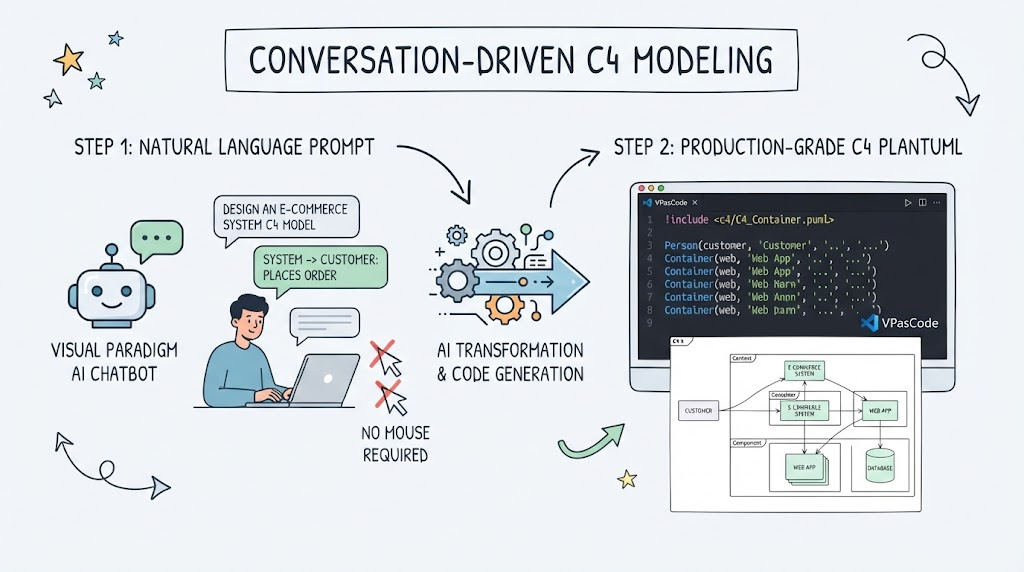 Master Conversation-Driven C4 Modeling with AI
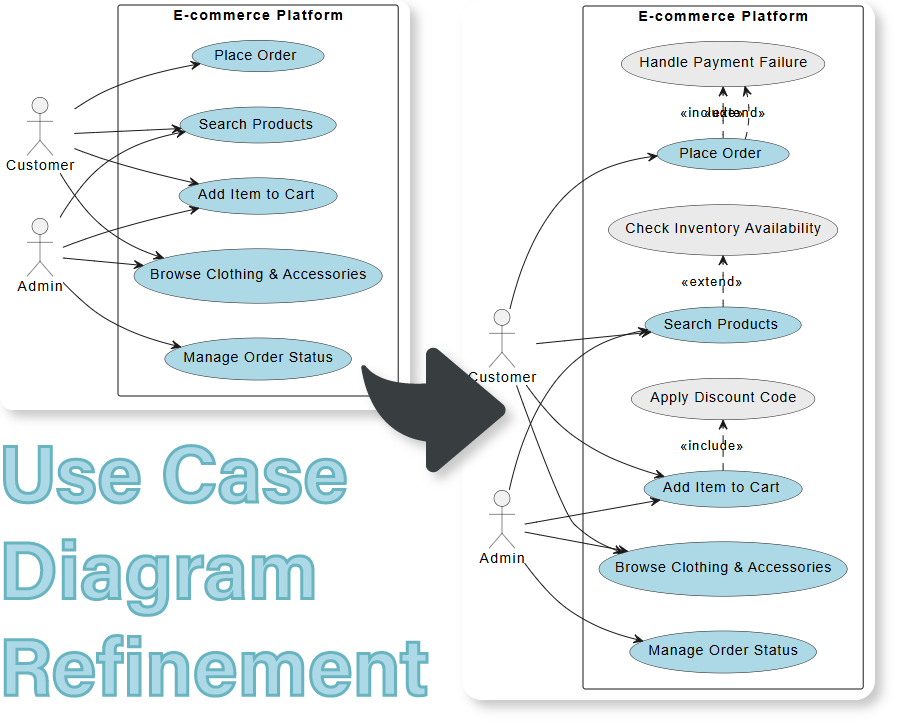 Refining Use Case Diagrams: From Basic to Advanced E-commerce Models
 Mastering the C4 Model: A Step-by-Step Guide to the Container Diagram for an Internet Banking System
 Mastering Software Architecture: A Deep Dive into C4 Component Diagrams with Visual Paradigm