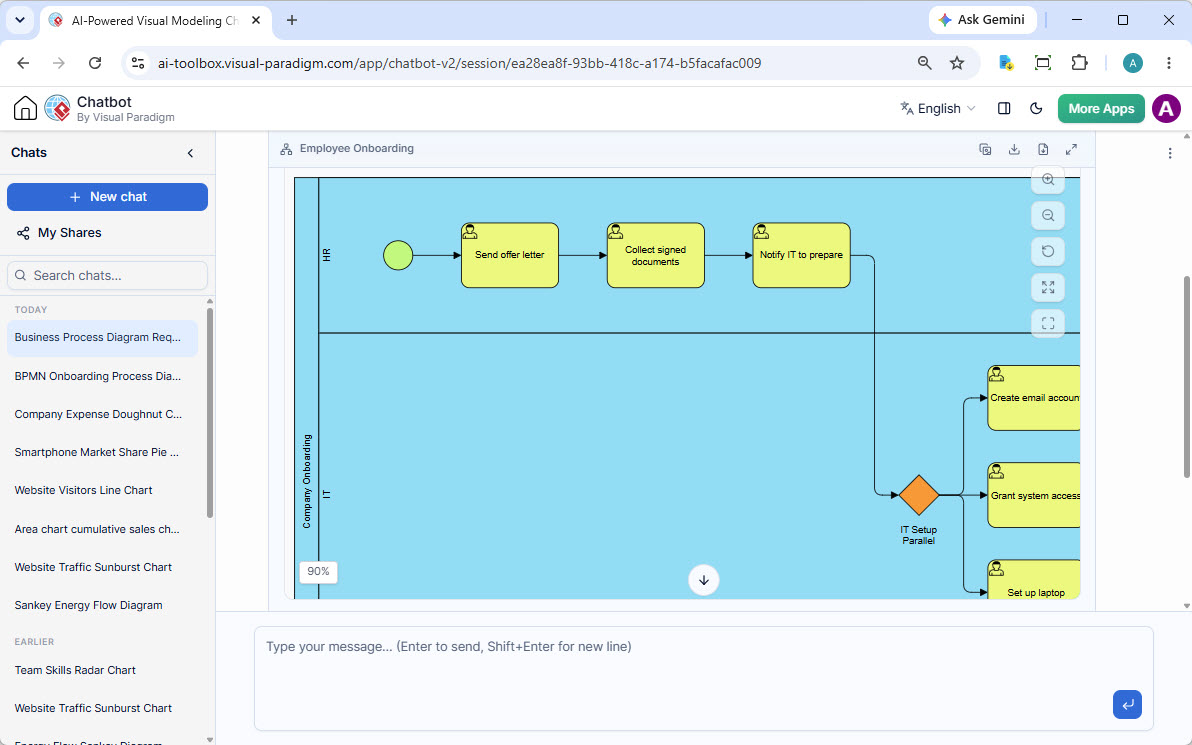
In the rapidly evolving landscape of business process management, the barrier to entry for creating professional diagrams has never been lower. Tools like the Visual Paradigm AI Chatbot allow analysts to move from abstract concepts to concrete diagrams simply by describing a problem. This tutorial breaks down the architecture of the Employee Onboarding process shown above, exploring the core modeling concepts and the specific notation used to define the workflow between Human Resources (HR) and Information Technology (IT).
1. The Power of Swimlanes: Defining Responsibility
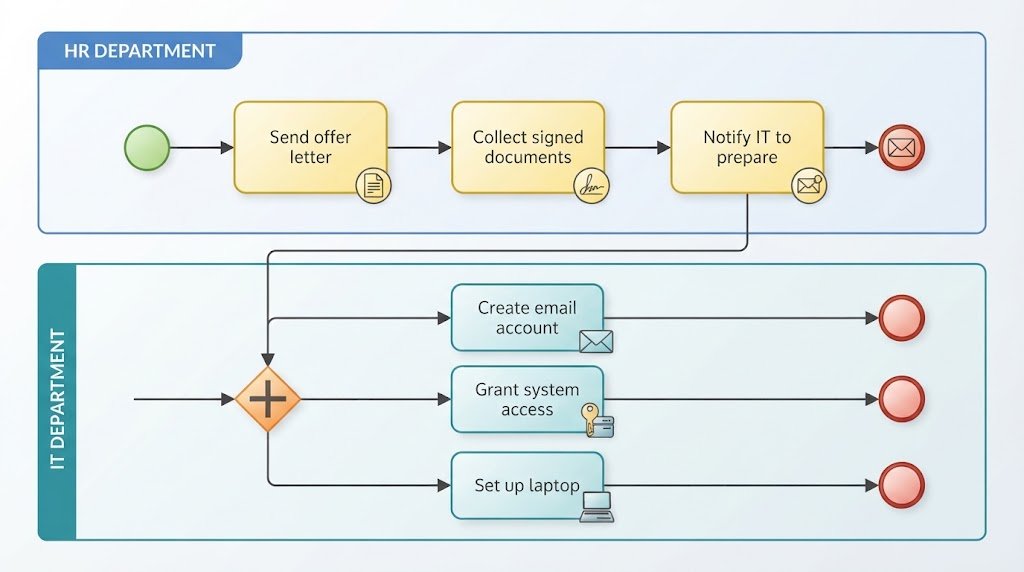
The most striking feature of this diagram is the use of Swimlanes. In BPMN (Business Process Model and Notation), swimlanes are horizontal or vertical divisions used to organize processes by role, department, or system. This visual separation clarifies accountability.
- The “HR” Lane: The top lane represents the Human Resources department. They are responsible for the initial administrative phase of the onboarding process.
- The “IT” Lane: The bottom lane represents the Information Technology department. They handle the technical provisioning required for a new hire to be productive.
By separating these lanes, the model immediately communicates that HR initiates the process, but specific tasks must be handed off to IT to complete.
2. Step-by-Step Process Flow Analysis
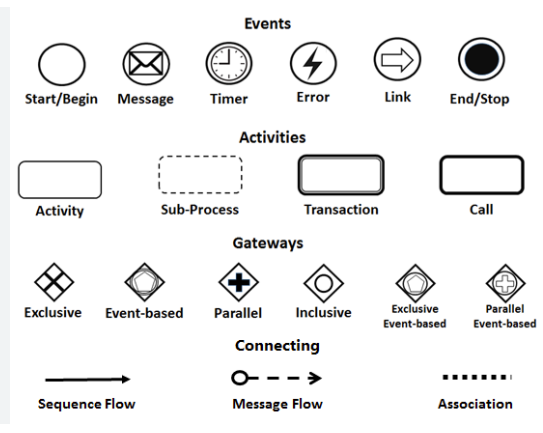
Let’s trace the path of the process from left to right, interpreting the standard BPMN elements used in the AI-generated draft.
2.1 The Start Event
The process begins on the far left of the “HR” lane with a Start Event, depicted as a green circle. This signifies the trigger for the entire workflow: a new employee has been hired, and the onboarding cycle is officially initiated.
2.2 User Tasks
Following the start event, you will see a series of yellow rounded rectangles. These are User Tasks, indicated by the small “user” icon inside the box. They represent work that requires human interaction.
- Send offer letter: HR prepares and sends the formal contract.
- Collect signed documents: HR waits for the candidate to sign and return the paperwork.
- Notify IT to prepare: Once the contract is signed, HR triggers the next phase by notifying the IT department that a new user needs to be set up.
3. The Parallel Gateway: Orchestrating Concurrent Work
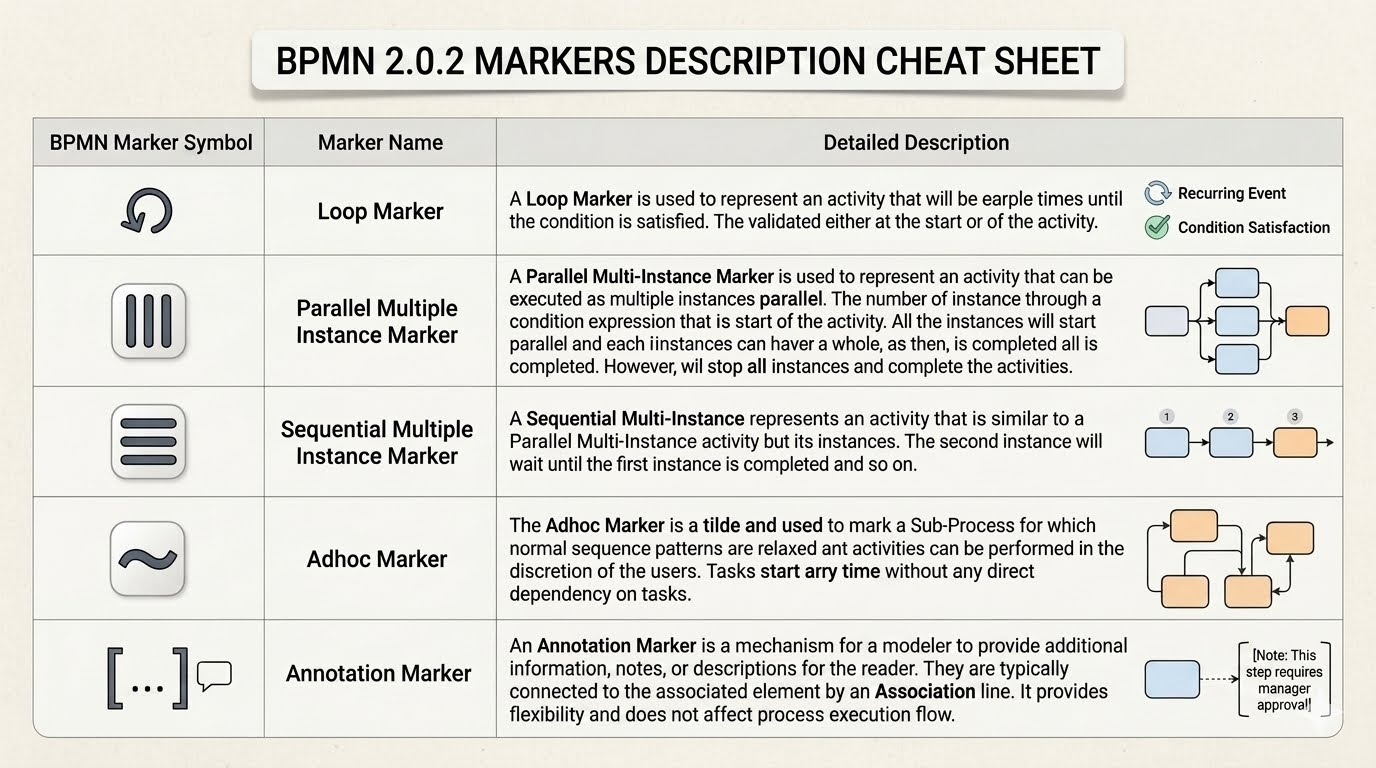
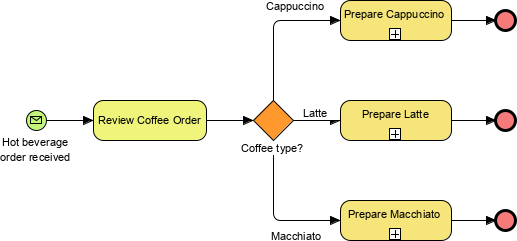
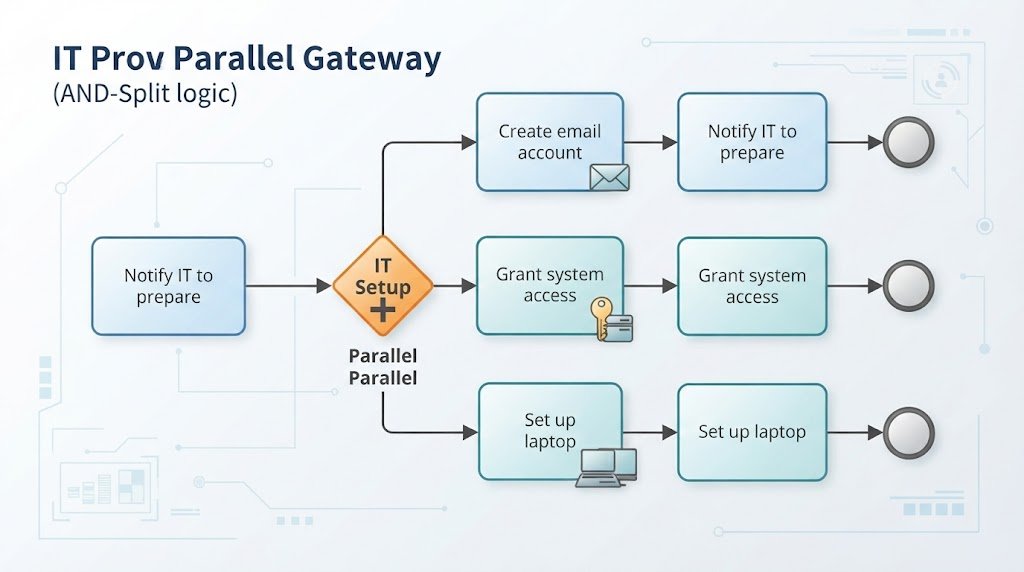
The most complex and crucial part of this diagram is the orange diamond shape labeled “IT Setup Parallel”. In BPMN terminology, this is a Parallel Gateway (often called an AND-split).
When the process flow hits this gateway, it splits into multiple paths that occur simultaneously. The AI has modeled a real-world scenario where IT does not set up the laptop, email, and access permissions sequentially (one after another); rather, these tasks are performed in parallel to save time.
- Path 1: Create email account. IT generates the email address and inbox.
- Path 2: Grant system access. IT configures permissions for internal software (e.g., CRM, HRIS).
- Path 3: Set up laptop. IT prepares the hardware.
This concurrency is vital for efficiency. If these were sequential tasks, the new employee would have to wait for the email to be created before the laptop could be shipped. The parallel gateway eliminates this bottleneck.
4. From AI Concept to Professional Model
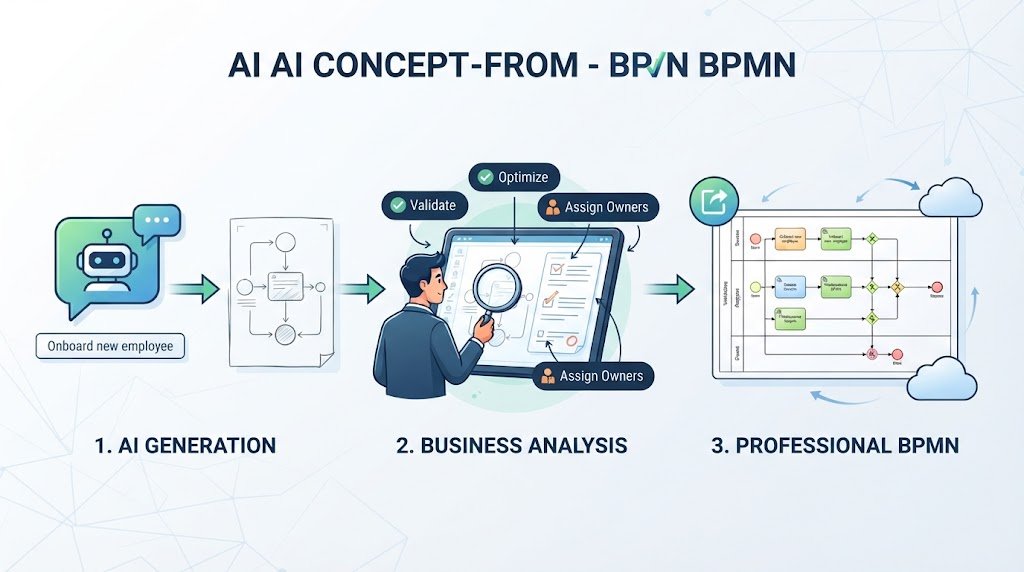
The image demonstrates a “Problem-to-Process” workflow. The AI acts as an analyst, taking a natural language description of a business challenge (e.g., “We need a process to onboard new employees”) and generating a coherent BPMN model.
However, as noted in the interface, this AI-generated diagram is a “first draft.” It provides the structural skeleton. For a professional deliverable, a business analyst would typically:
- Validate the Logic: Ensure the parallel gateway is appropriate and that all paths eventually converge (though the screenshot shows the start of the parallel tasks, a complete model would show an AND-Join where these paths merge again).
- Add Attributes: Assign specific owners, SLAs (Service Level Agreements), or error handling logic to each task.
- Export and Share: As the UI suggests, the model can be exported instantly or opened in the full Visual Paradigm editor for drag-and-drop refinement.
By combining the speed of AI ideation with the rigor of BPMN standards, organizations can streamline their process documentation and focus on optimization rather than drawing.