In the modern enterprise landscape, documenting business processes efficiently is critical, yet traditionally time-consuming. Visual Paradigm has revolutionized this domain by integrating Artificial Intelligence directly into its modeling suite. This tutorial explores the architecture and methodology behind the AI Diagram Generator, guiding you through the transition from natural language descriptions to sophisticated Business Process Model and Notation (BPMN) diagrams.
1. The Architecture of AI-Driven Modeling
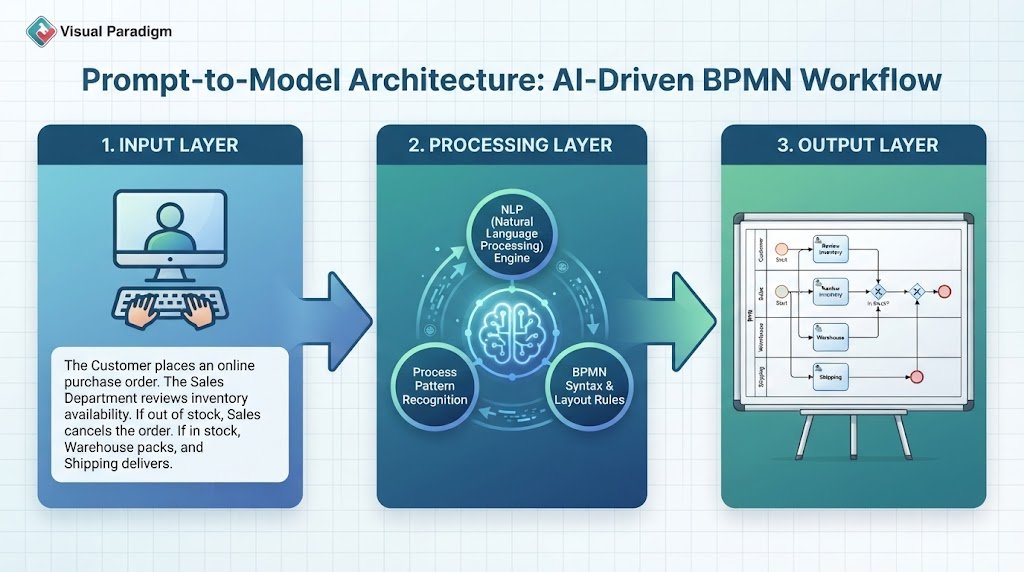
At its core, the AI Diagram Generator functions as a bridge between human intent and formal modeling standards. Instead of manually dragging and dropping shapes, the system leverages Natural Language Processing (NLP) to interpret user descriptions.
The workflow operates on a “Prompt-to-Model” architecture:
- Input Layer: The user provides a chronological narrative or topic description.
- Processing Layer: The AI engine parses the text to identify actors (roles), actions (tasks), and decision points (gateways).
- Output Layer: The system renders a compliant BPMN diagram, automatically applying syntax rules and layout algorithms.
2. Step-by-Step Configuration and Modeling
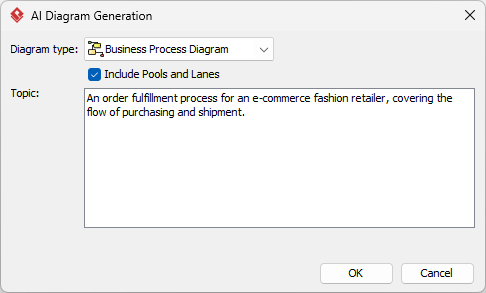
To utilize this powerful tool effectively, one must understand the specific configuration options available in the Tools > AI Diagram Generation menu.
2.1 Accessing the Tool
The process begins within the Visual Paradigm Desktop application. Navigate to the top menu bar and select Tools, followed by AI Diagram Generation. This opens a dedicated dialog box that serves as the control panel for the AI engine.
2.2 Defining the Diagram Type
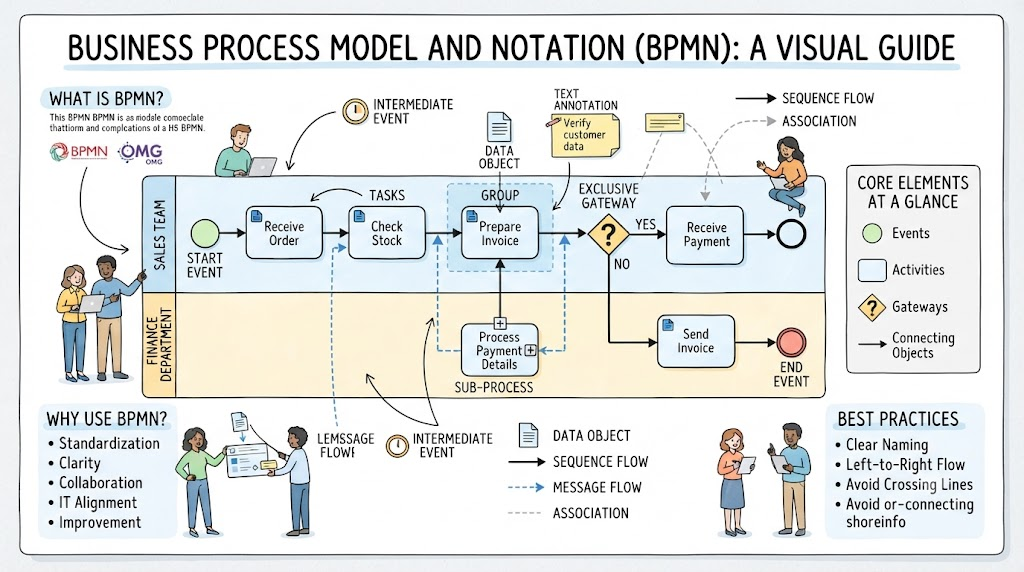
The first critical decision is selecting the Diagram Type. For this tutorial, we focus on the Business Process Diagram. This selection is vital because it dictates the set of available symbols and syntax rules the AI will use. Unlike a simple flowchart, BPMN includes specific semantics for events (start/end), activities (tasks), and gateways (decisions).
2.3 Understanding Pools and Lanes (Swimlanes)
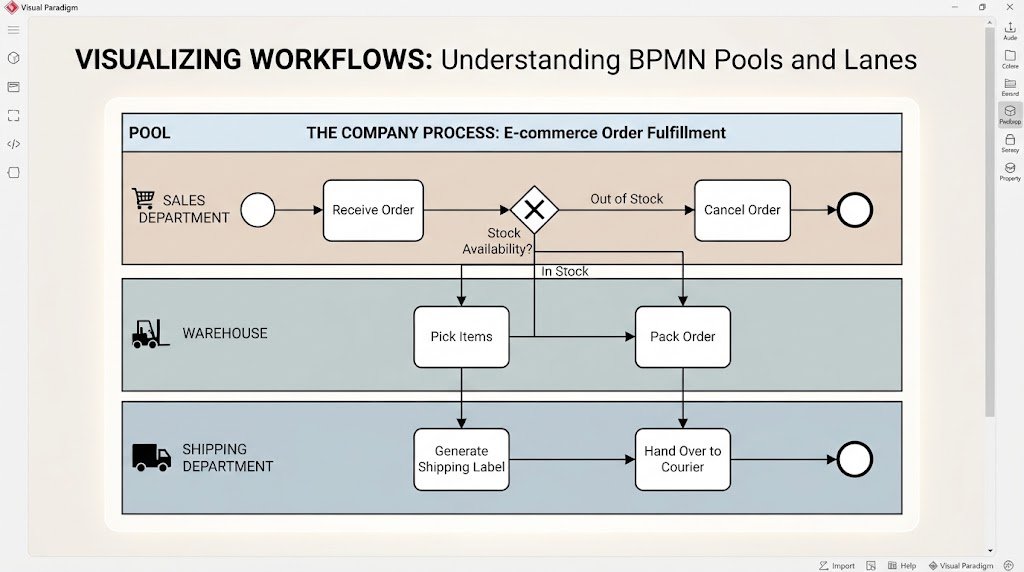
A key feature in the configuration is the checkbox labeled Include Pools and Lanes. In BPMN terminology:
- Pools: Represent distinct participants in a process (e.g., the Company vs. the Customer).
- Lanes: Sub-divide a Pool to represent specific departments, roles, or organizational units (e.g., Sales, Warehouse, Shipping).
Enabling this option instructs the AI to organize the generated workflow horizontally, separating tasks based on who performs them. This is essential for visualizing cross-departmental communication.
2.4 The Narrative Input (Prompt Engineering)
The Topic/Description field is the most critical input. The AI relies on a clear, chronological narrative to construct the logic of the diagram. A vague prompt will result in a vague diagram. The input should function as a story.
Example Narrative:
“The Customer places an online purchase order. The Sales Department reviews the inventory availability. If the item is out of stock, Sales cancels the order. If the item is in stock, the Warehouse packs the item, and the Shipping Department delivers it.”
In this example, the AI identifies:
- Actors: Customer, Sales, Warehouse, Shipping.
- Events: Placing an order, Item out of stock.
- Gateways: An exclusive decision point (If/Else) regarding inventory availability.
3. Refinement and Advanced Ecosystem Integration
Once the AI generates the diagram, the process is not finished; it is merely the beginning. The generated model serves as a baseline for deeper analysis.
3.1 Conversational and Manual Refinement
The AI is a powerful assistant, not a replacement for human oversight. You can refine the output in two ways:
- Manual Editing: Drag and drop elements to adjust the layout or correct minor logical errors.
- Conversational Refinement: Use the integrated AI Chatbot to request specific changes. For instance, you can type: “Add a parallel gateway for packing and labeling”, and the AI will update the diagram instantly.
3.2 From Diagram to Simulation
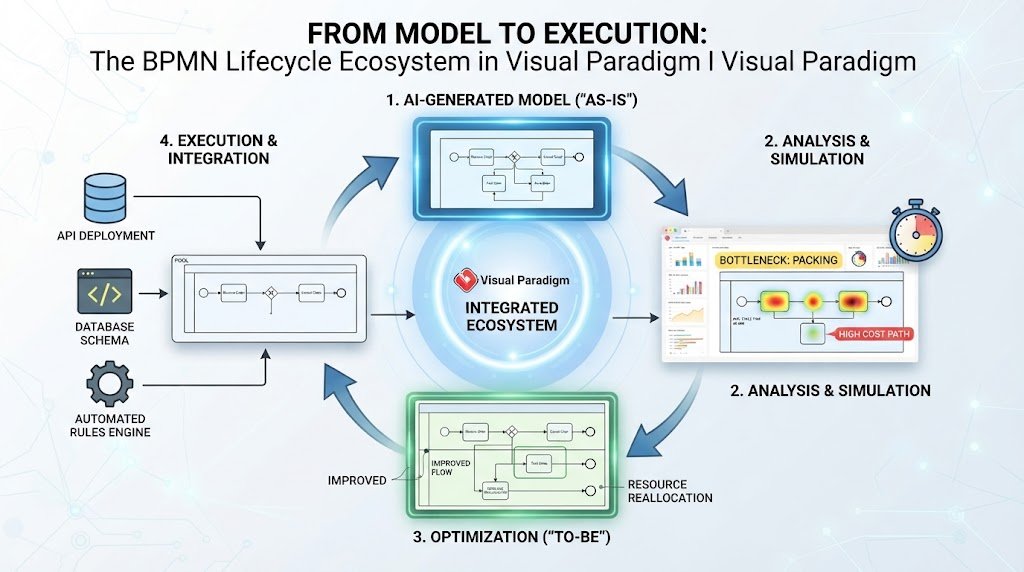
The true power of Visual Paradigm lies in its ecosystem integration. The generated BPMN model is not a static image; it is a living asset.
- As-Is vs. To-Be Analysis: You can duplicate the baseline model to create a “To-Be” optimization model, maintaining traceability between the current state and the future target.
- Process Simulation: Run simulations on the generated diagrams to identify bottlenecks and calculate Key Performance Indicators (KPIs) before implementing changes in the real world.
- Code & Data Generation: Convert the logical model directly into code skeletons or database schemas, accelerating the development cycle.
Conclusion
Visual Paradigm’s AI BPMN tools transform the way organizations document and optimize workflows. By leveraging Natural Language Processing, the platform allows users to bypass the tedious manual drafting of BPMN diagrams, focusing instead on analysis, strategy, and optimization. The integrated ecosystem ensures that generated models are not just static images but living assets that support collaboration, simulation, and enterprise-grade governance.