Introduction to VPasCode
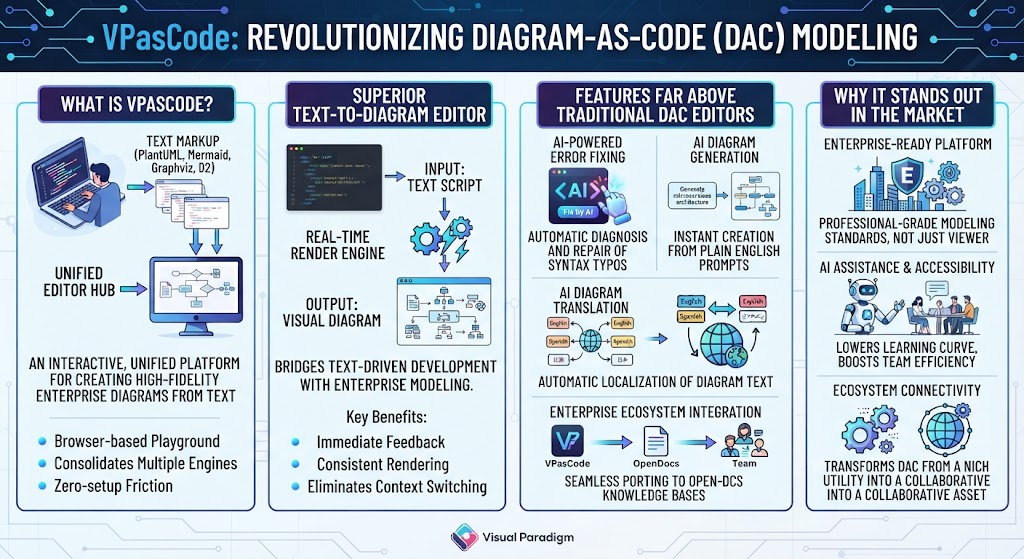
In the modern landscape of software architecture and system design, the “Diagram-as-Code” (DaC) methodology has emerged as a powerful way to manage documentation. However, traditional tools often suffer from fragmentation, forcing engineers to juggle multiple syntax standards and local environments. VPasCode (Visual Paradigm as Code) solves this by acting as an interactive, browser-based playground that unifies these disparate tools into a single, cohesive workspace.
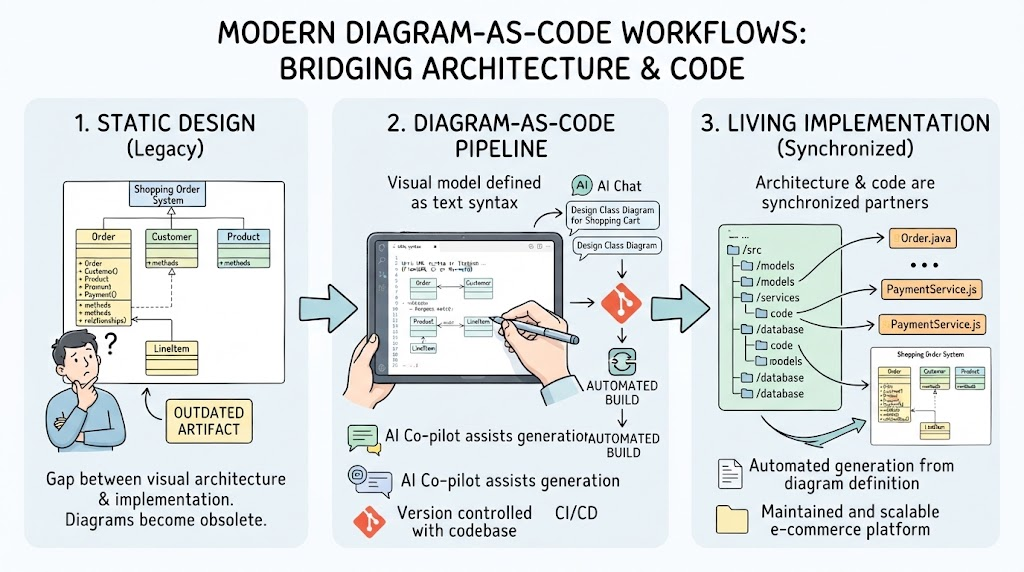
VPasCode bridges the critical gap between raw, text-driven developer workflows and the high-fidelity requirements of enterprise modeling. Instead of manually dragging and dropping shapes in a GUI, users declare system structures, data flows, and architectures using familiar text markup languages. The system then renders these declarations into clean, professional visual assets instantly.
The Core Architecture: A Unified Editor Hub
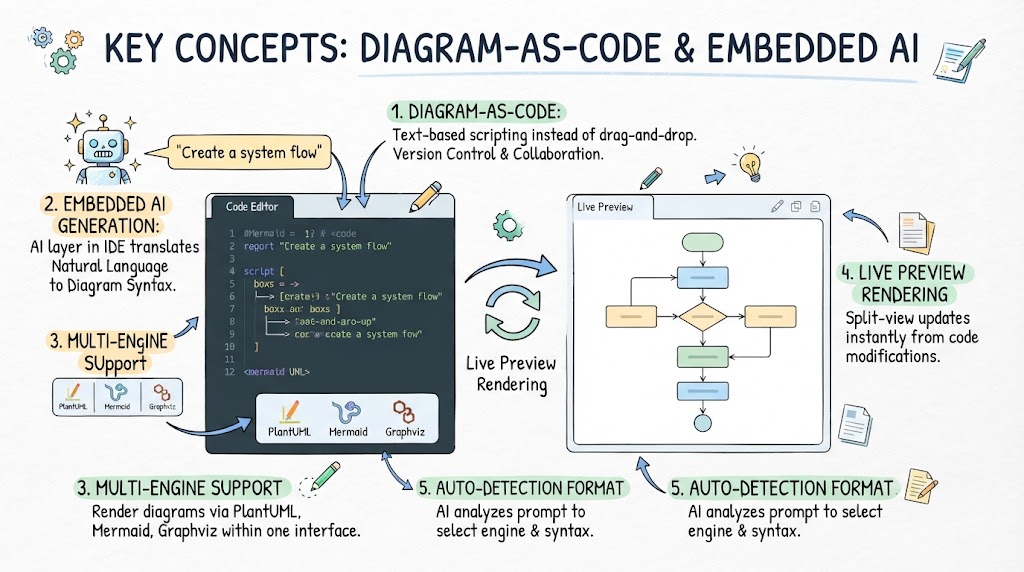
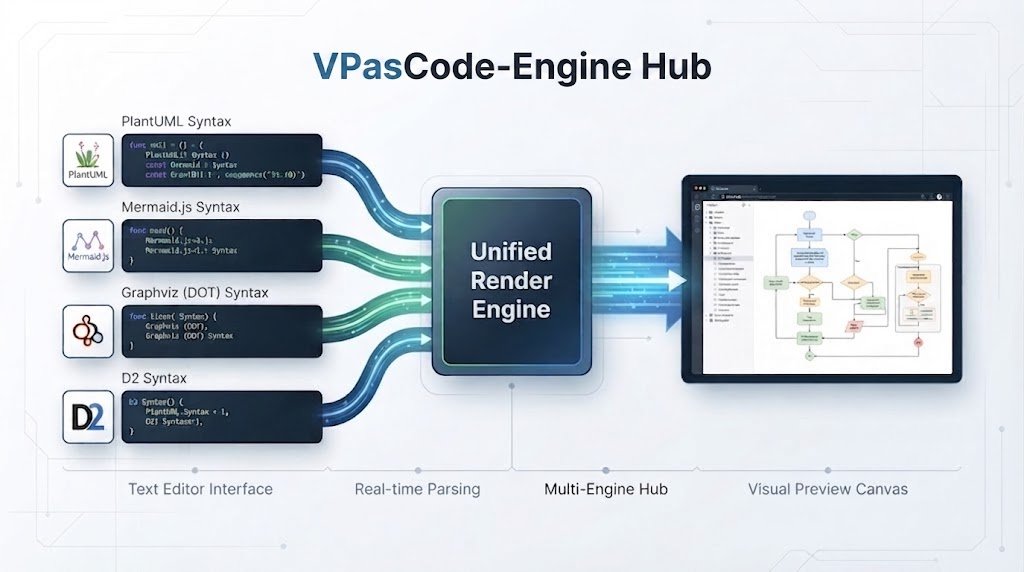
One of the primary architectural strengths of VPasCode is its ability to function as a unified multi-engine hub. Traditional DaC tools are often isolated viewers or plugins, but VPasCode consolidates major industry standards into one interface.
Supported Engines
VPasCode natively supports the most popular syntax standards, allowing teams to utilize their preferred markup language without switching applications:
- PlantUML: Ideal for software architecture and sequence diagrams.
- Mermaid.js: Perfect for web-based flowcharts and sequence diagrams.
- Graphviz (DOT): Best for graph structures and directed networks.
- D2: A modern declarative diagramming language.
The Input-to-Output Workflow
The system operates on a streamlined “Text-in, Visual-out” principle:
- Input: Text Script – The user writes their diagram definition in the IDE-grade text editor.
- Processing: Real-Time Render Engine – The system parses the text, detecting the syntax engine automatically.
- Output: Visual Diagram – A vector-based preview canvas renders the diagram instantly, allowing for immediate feedback and iteration.
This workflow eliminates the “context switching” friction found in traditional setups, letting technical teams focus entirely on system logic rather than environment configuration.
Advanced Features: Beyond Standard Rendering
VPasCode introduces utilities that elevate it well beyond a simple text-to-diagram converter. These features are designed to remove productivity bottlenecks and lower the learning curve for non-specialist team members.
AI-Powered Error Fixing
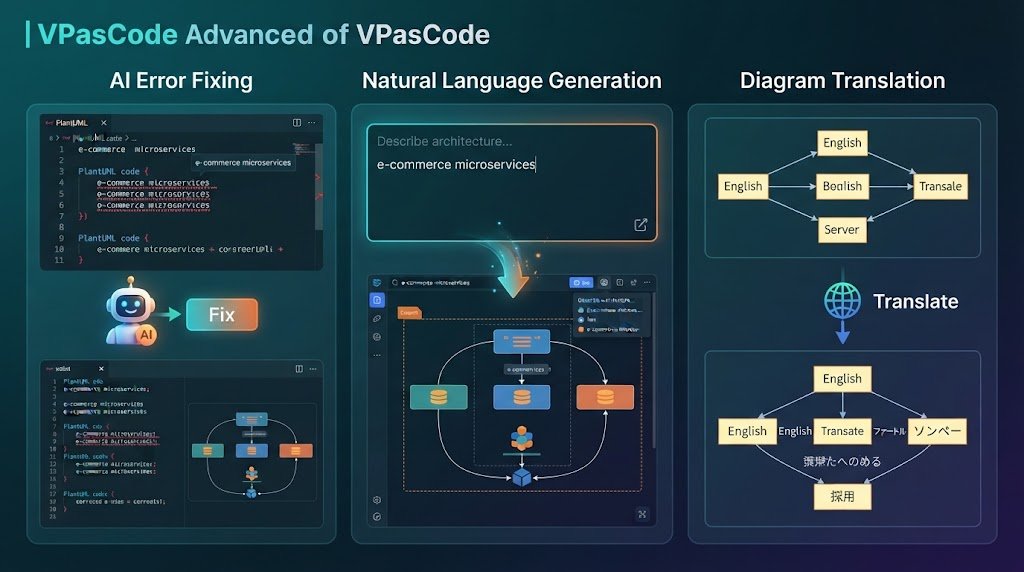
Syntax errors in text-based diagrams can halt progress. VPasCode integrates an AI assistant that diagnoses and repairs syntax typos or misplaced brackets. With a single click on “Fix by AI”, the system provides a clear side-by-side comparison explaining the correction, turning tedious debugging into an automated fix.
Intelligent Diagram Generation & Modification
Users do not need to be experts in PlantUML or Graphviz syntax to create complex layouts. By prompting the built-in AI in plain English, users can generate or iteratively refactor existing diagram scripts. This allows non-specialists to draft complex system layouts quickly using natural language.
AI Diagram Translation
For global engineering teams, localization is often a manual, error-prone task. VPasCode features instant translation of text labels within diagrams. This ensures technical documentation can be safely shared across border operations without requiring manual text overhauls.
Auto-Format Detection & Smart Hinting
To prevent compilation crashes, the parser automatically detects if you paste code belonging to one engine (e.g., Mermaid) while another is active (e.g., PlantUML). It offers a one-click prompt to switch engines, ensuring the text renders correctly.
Enterprise Integration & Ecosystem
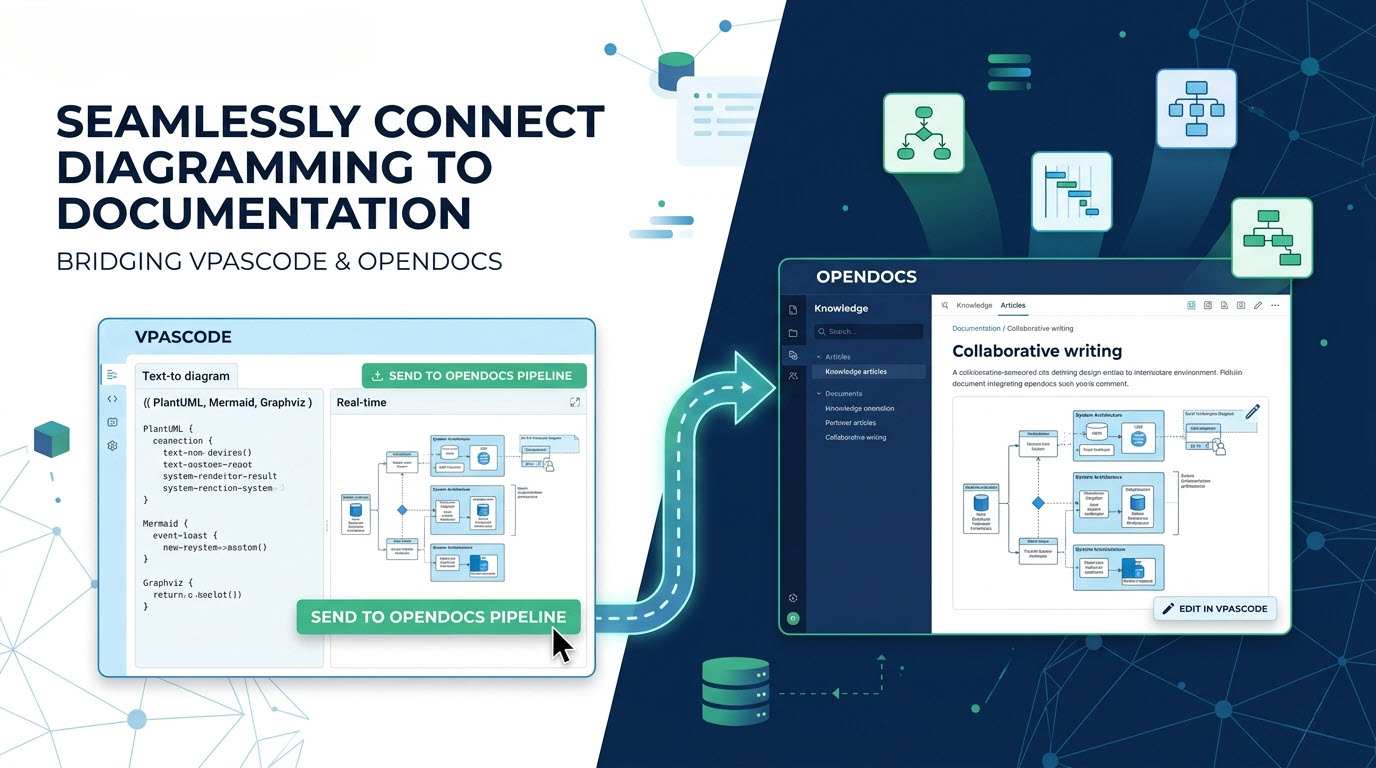
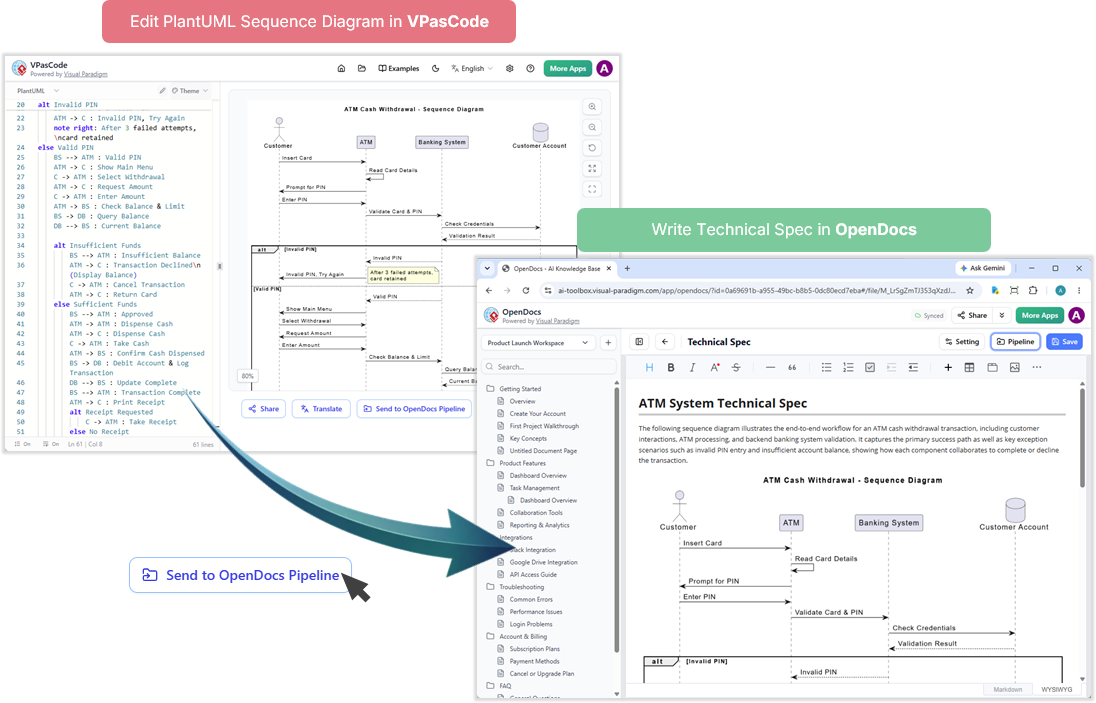
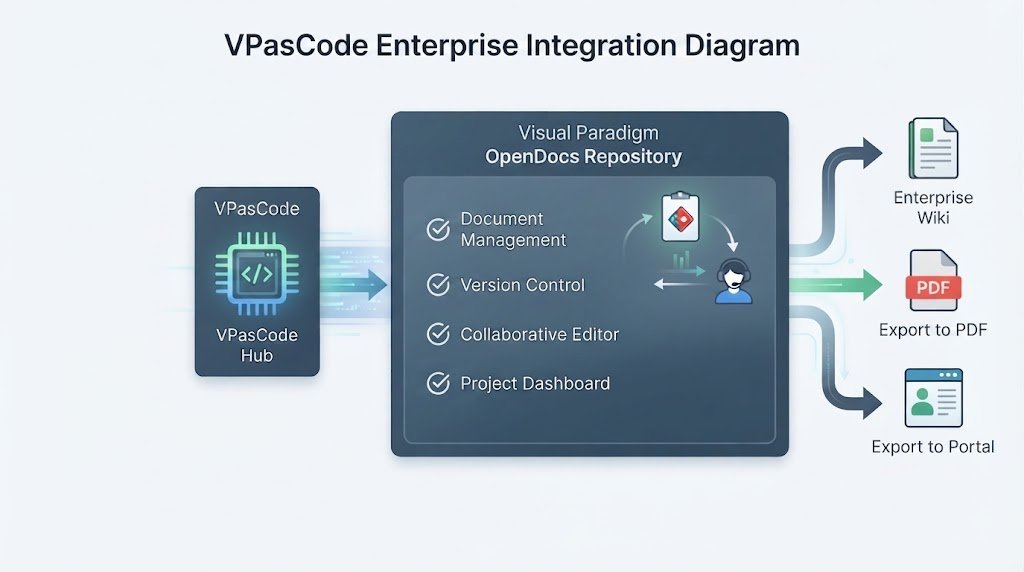
Unlike standalone editors, VPasCode is deeply integrated into the broader Visual Paradigm ecosystem. A key feature is the seamless porting of generated assets into Visual Paradigm OpenDocs.
This connectivity transforms DaC from a niche developer utility into a collaborative asset for team knowledge bases. It allows generated diagrams to be easily shared, version-controlled, and incorporated into professional documentation suites.
Why VPasCode Stands Out
VPasCode is uniquely positioned because it successfully bridges two historically separate worlds: the raw speed of text-based developer workflows and enterprise-grade modeling standards.
By offering an enterprise-ready, zero-setup platform backed by powerful AI assistants, VPasCode removes the friction of local configuration. It provides immediate feedback, consistent rendering, and eliminates the need to maintain complex local environments, making it the superior choice for modern system architecture and data flow modeling.