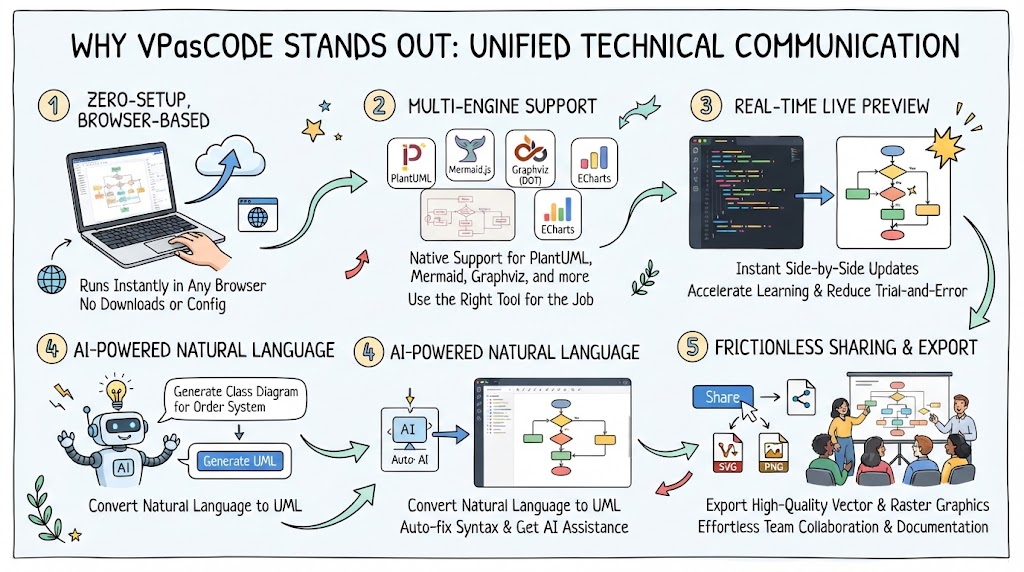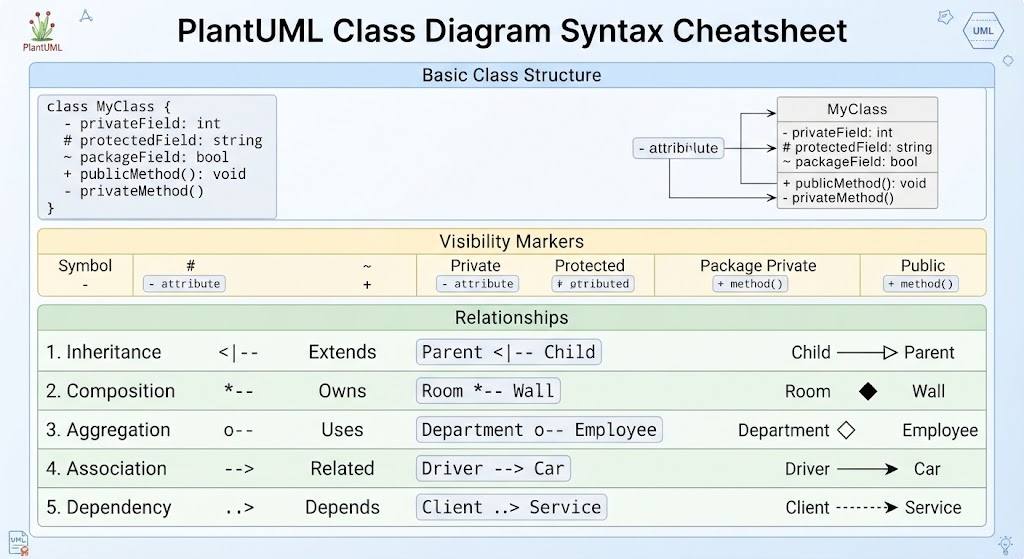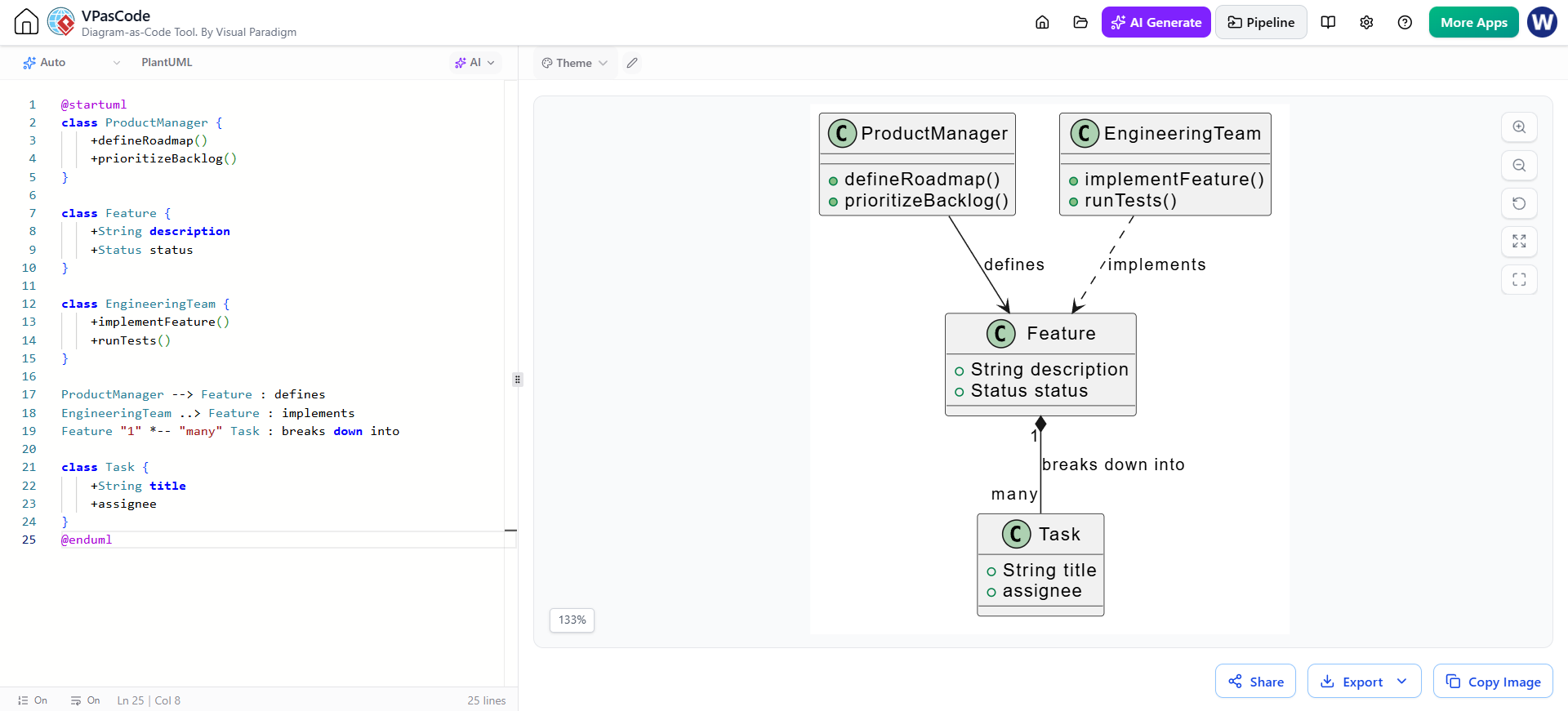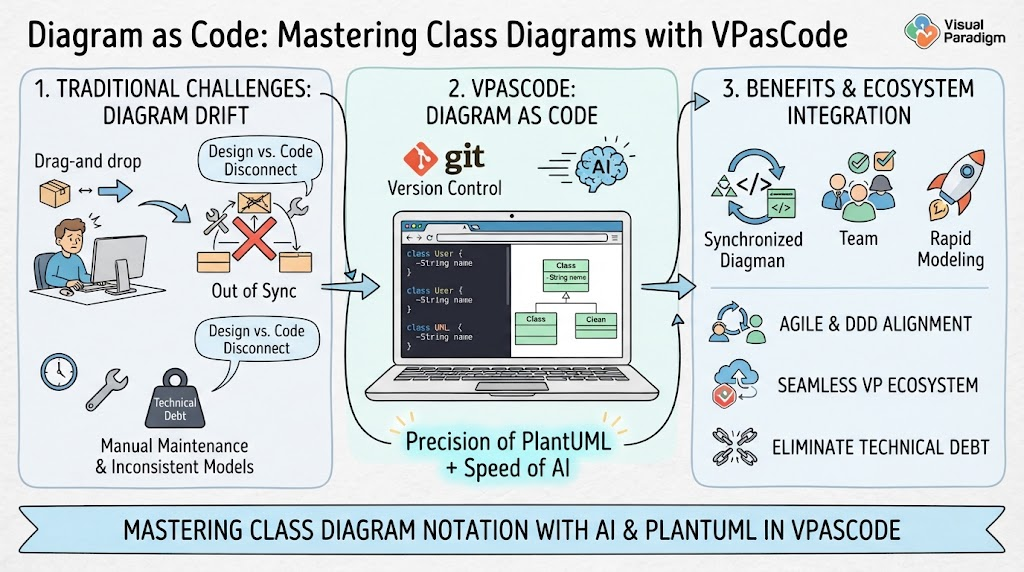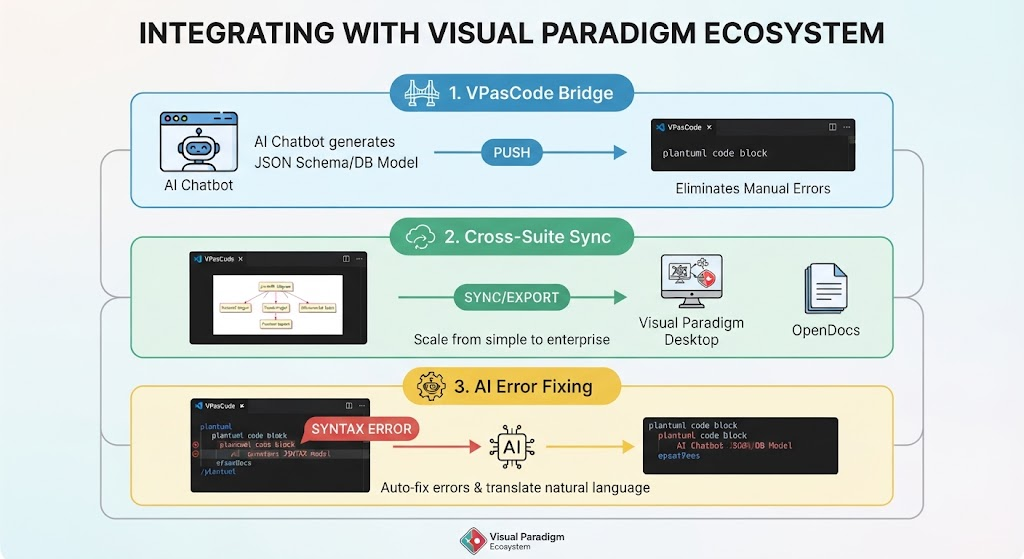
In the modern software development lifecycle, the barrier between conceptual design and actual implementation is often too high. VPasCode changes this dynamic by serving not as an isolated tool, but as a critical node within the broader Visual Paradigm ecosystem. This tutorial explores how VPasCode integrates AI, browser-based accessibility, and enterprise-grade modeling to transform your UML design process.
1. The VPasCode Bridge: From AI Concept to Code
The workflow begins with the generation of data structures. Traditionally, creating a database model or JSON schema involves manual typing, which introduces a high risk of transcription errors. VPasCode solves this through its Bridge feature.
How It Works
- AI Generation: Start by using an AI Chatbot to generate a
JSON Schemaor a database model based on your requirements. - The PUSH Action: Instead of copying and pasting this data manually, you utilize the “PUSH” mechanism directly into VPasCode.
- Instant Rendering: The system automatically converts this data into a
plantuml code block, instantly rendering the diagram.
Key Benefit: This eliminates manual transcription errors entirely, ensuring that your diagrams match your actual data structures perfectly from the first line of code.
2. Cross-Suite Sync: Scaling from Simple to Enterprise
One of the most powerful aspects of this ecosystem is the ability to scale your work. You might start with a simple diagram in the browser, but as your project grows, you may need advanced modeling features or collaborative editing capabilities.
The Sync Workflow
- Finalize in Browser: Once your PlantUML diagram is finalized in VPasCode, it serves as your “living document.”
- Sync to Desktop: You can sync this diagram with Visual Paradigm Desktop. This is essential for accessing advanced modeling features that go beyond basic rendering.
- Export to OpenDocs: For team collaboration, you can export the diagram to OpenDocs, allowing for real-time collaborative editing.
This flexibility allows you to start simple in a zero-setup browser environment and seamlessly scale up to enterprise-grade modeling when the project demands it.
3. AI Error Fixing: Demystifying PlantUML Syntax
For many engineers and product managers, the syntax of diagram-as-code tools like PlantUML can be a stumbling block. Writing valid code without a visual editor is challenging. VPasCode addresses this with native AI Error Fixing features.
Auto-Correction and Translation
If you are struggling with syntax errors, the system provides an intelligent safety net:
- Auto-Fix Errors: The AI detects syntax issues (such as the
SYNTAX ERRORshown in the workflow) and automatically corrects them. - Natural Language Translation: You don’t always need to write code. The AI can translate natural language descriptions into correct PlantUML code, making diagramming accessible to team members new to code-based practices.
Conclusion: Embracing the Diagram-as-Code Paradigm
VPasCode represents a significant leap forward in architectural documentation. By combining the precision of PlantUML with the accessibility of a browser-based, AI-enhanced platform, it removes traditional barriers. For product managers, engineers, and architects, this means:
- Faster Iteration: Real-time rendering allows for immediate feedback.
- Better Version Control: Diagrams evolve as code, making them easier to track.
- Clearer Communication: “Living documents” that stay in sync with your actual system.
Whether you are defining simple class structures or mapping complex system interactions, embracing this ecosystem transforms your UML design process from a bottleneck into a competitive advantage.