In the vast landscape of Enterprise Architecture, clarity is currency. One of the most critical concepts for an architect to master is the distinction between Artifacts and Deliverables. While often used interchangeably in casual conversation, TOGAF (The Open Group Architecture Framework) treats them as distinct but complementary components of the Architecture Development Method (ADM).
This tutorial explores the anatomy of a TOGAF Artifact, breaking down what they are, how they function within the architecture lifecycle, and the three primary categories used to organize architectural content.
What Exactly Is a TOGAF Artifact?
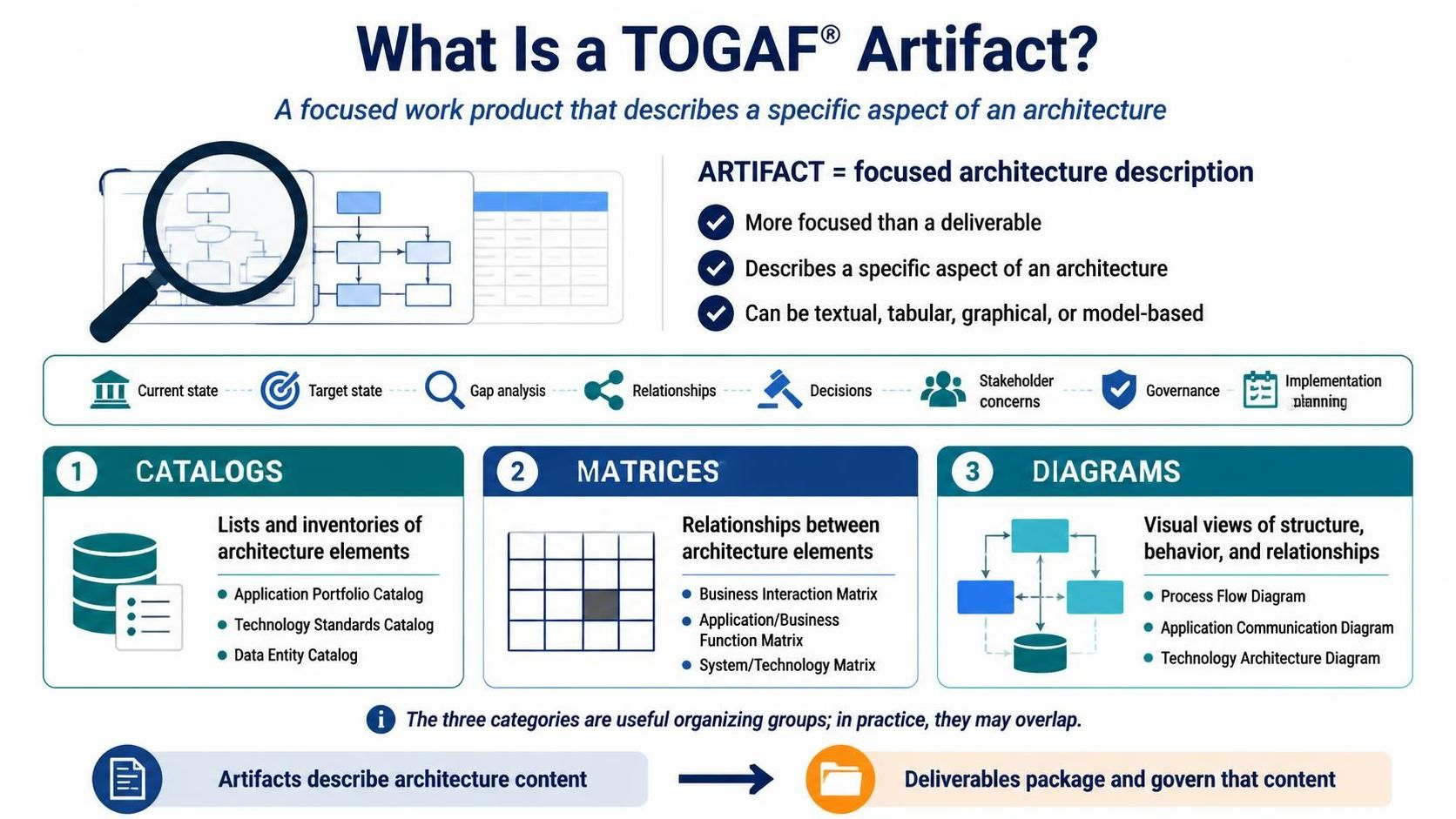
At its core, an Artifact is a work product that describes a specific aspect of an architecture. Think of it as a building block. Unlike a Deliverable, which is a formal agreement or a packaged output (like a signed-off report), an Artifact is the raw material—the specific description, model, or list—that makes up the architecture.
To visualize the difference, consider this hierarchy:
- Artifact: Describes architecture content. (e.g., A specific list of software applications).
- Deliverable: Packages and governs that content. (e.g., The “Application Architecture Report” which contains that list).
Artifacts are generally more focused than deliverables. They are the specific “bricks” used to construct the “house” of the architecture.
The Versatility of Artifacts
One of the strengths of the TOGAF framework is its flexibility. Artifacts are not restricted to a single format. They can be presented in a variety of ways depending on the audience and the specific need:
- Textual: Descriptions, narratives, and glossaries.
- Tabular: Lists, spreadsheets, and data grids.
- Graphical: Charts, flow diagrams, and maps.
- Model-based: Abstract representations of data structures or system behaviors.
The Strategic Purpose of Artifacts
Why do we create these artifacts? They serve a multitude of strategic purposes throughout the architecture lifecycle. They are not just paperwork; they are functional tools used to:
- Describe the Current State: Documenting “As-Is” scenarios to understand the baseline.
- Define a Target State: Painting the picture of “To-Be” future capabilities.
- Analyze Gaps: Identifying the distance between the current and target states.
- Show Relationships: Visualizing how different parts of the enterprise interact.
- Communicate Decisions: Providing a clear record of why specific architectural choices were made.
- Support Stakeholder Concerns: Tailoring views to address the specific needs of different stakeholders (e.g., CIO vs. CFO).
- Enable Architecture Governance: Providing the rules and standards needed to maintain consistency.
- Provide Input to Implementation Planning: Feeding data into project teams to ensure the architecture is actually built.
The Three Broad Categories
TOGAF organizes its vast library of artifacts into three primary categories. These categories are not mutually exclusive (a single document might contain a diagram and a table), but they provide a logical way to organize architecture content.
1. Catalogs
Think of a catalog as a list or an inventory. It is a collection of architectural elements, usually organized to provide a high-level overview of the domain. Catalogs are essential for understanding the “What” of the architecture.
- Purpose: Lists and inventories of architecture elements.
- Common Examples:
- Application Portfolio Catalog: A list of all software applications in use.
- Technology Standards Catalog: A list of approved hardware and software technologies.
- Data Entity Catalog: A list of key data concepts (e.g., Customer, Product).
2. Matrices
A matrix is a grid. It is used to show relationships between two different types of architecture elements. Matrices are powerful for impact analysis—understanding how a change in one area affects another.
- Purpose: Relationships between architecture elements.
- Common Examples:
- Business Interaction Matrix: Shows which business functions interact with which organizational units.
- Application/Function Matrix: Maps which applications support which business processes.
- System/Technology Matrix: Correlates systems with the underlying technology infrastructure.
3. Diagrams
Diagrams provide visual views of structure, behavior, and relationships. While catalogs list items and matrices map relationships, diagrams tell a story about the architecture’s shape and flow.
- Purpose: Visual views of structure, behavior, and relationships.
- Common Examples:
- Process Flow Diagram: Illustrates the flow of activities.
- Application Communication Diagram: Shows how applications talk to each other.
- Technology Architecture Diagram: Depicts the physical infrastructure layout.
Conclusion
Mastering the use of TOGAF artifacts is fundamental to creating a coherent and actionable enterprise architecture. By understanding the difference between catalogs (lists), matrices (relationships), and diagrams (visuals), architects can effectively communicate complex systems to stakeholders. Whether you are defining the target state or analyzing gaps, the right artifact is the key to success. For practitioners looking to implement these concepts efficiently, the recommended tooling is the Visual Paradigm TOGAF ADM Tool, which provides a robust environment for modeling these artifacts and managing the entire architecture lifecycle.