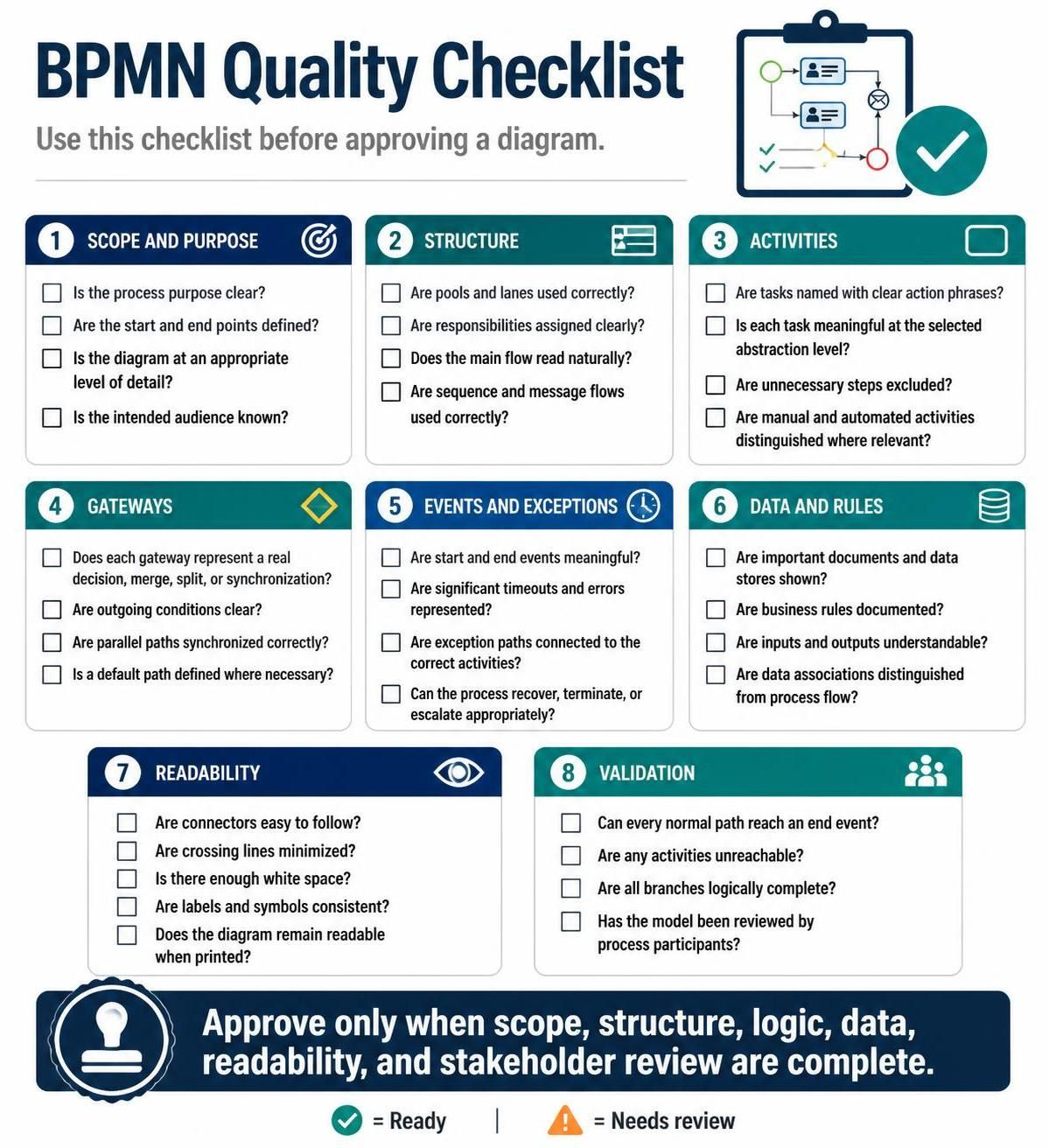
In the world of Business Process Management (BPM), a diagram is only as good as its ability to communicate complex logic clearly. A poorly constructed BPMN (Business Process Model and Notation) diagram can lead to miscommunication, development errors, and process failures. This tutorial serves as a comprehensive guide to validating your process models using the industry-standard BPMN Quality Checklist.
We will walk through the eight critical dimensions of a high-quality BPMN diagram, ensuring your models are logical, readable, and executable.
1. Scope and Purpose: The Foundation
Before drawing a single shape, you must define the boundaries of your model. A process diagram that tries to do everything often ends up explaining nothing.
- Clarity of Purpose: The diagram must answer the question, “What problem is this solving?” or “What value is this delivering?”
- Defined Boundaries: Identify exactly where the process begins (Start Event) and where it concludes (End Event). Do not leave open-ended flows.
- Abstraction Level: Ensure the level of detail is appropriate for the intended audience. A high-level executive view should differ significantly from a developer’s view.
2. Structure: Organizing the Flow
The visual structure of your diagram dictates how easily a reader can understand the interaction between different entities.
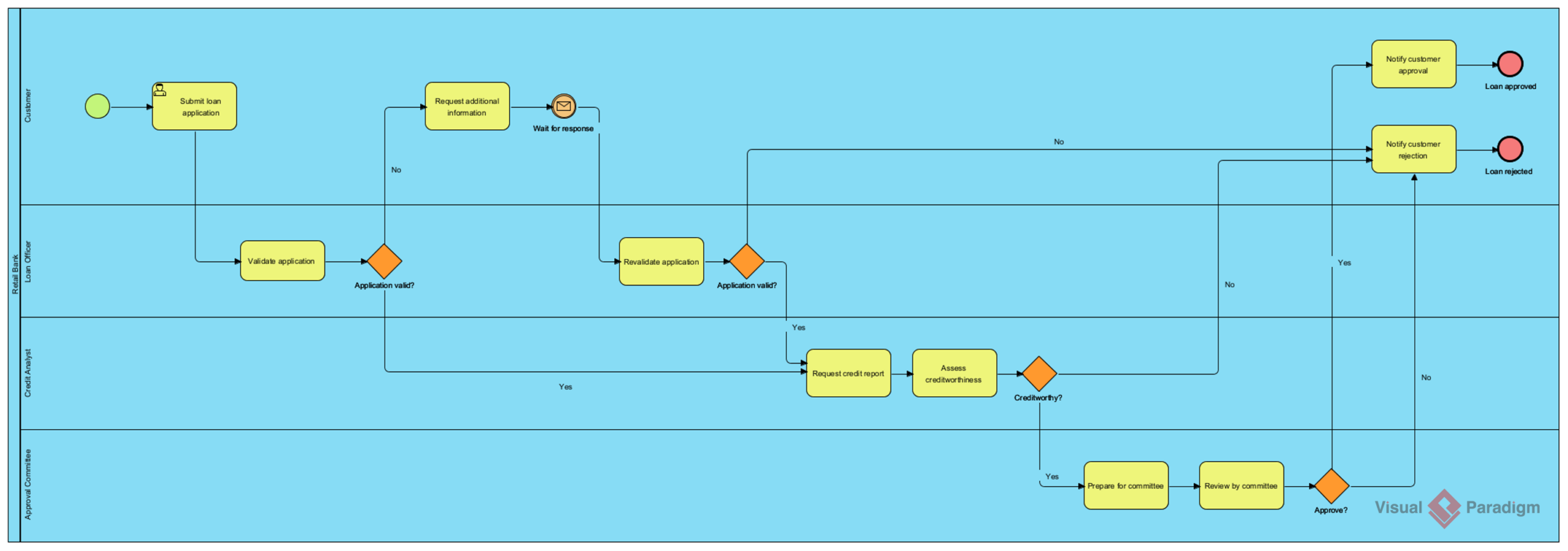
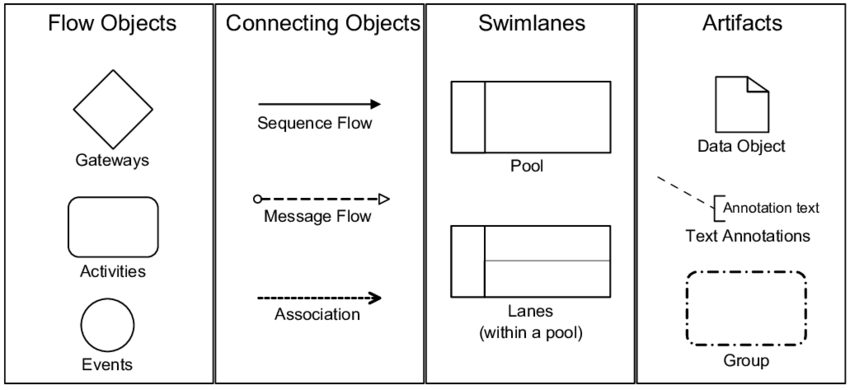
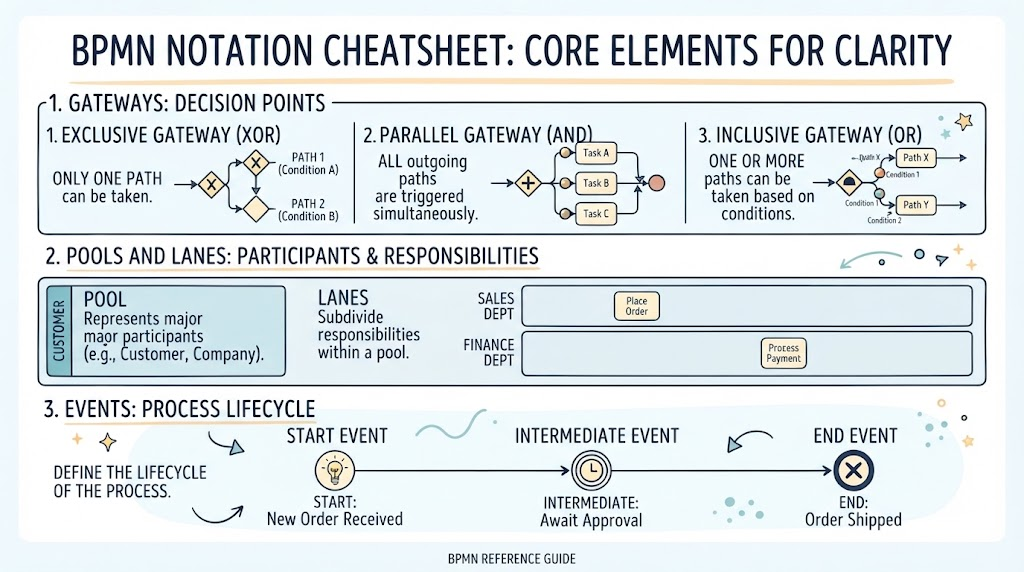
- Pools and Lanes: Use Pools to represent different organizations or participants, and Lanes to assign specific roles or departments within those organizations.
- Responsibility: Ensure every activity is clearly assigned to a lane. If an activity floats without a lane, the responsibility is undefined.
- Natural Flow: The “Happy Path” (the most common sequence of events) should read naturally from top to bottom or left to right.
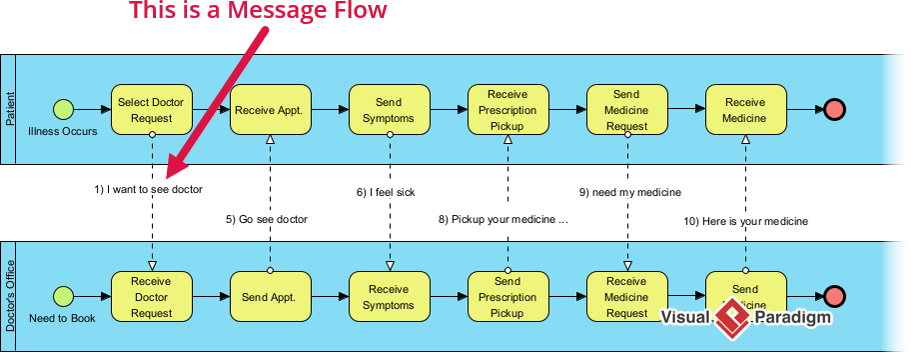
- Correct Flows: Differentiate between Sequence Flows (order of execution) and Message Flows (communication between pools).
3. Activities: Defining the Work
Activities represent the actual work being done. They must be precise and distinct.
- Action Phrasing: Name tasks using a verb-noun format (e.g., “Approve Invoice” rather than just “Invoice”).
- Meaningfulness: Every task must add value. Remove “dummy” steps that add no functional logic.
- Automation Distinction: Clearly distinguish between Manual Tasks (performed by a human) and Automated Tasks (performed by a system or script).
4. Gateways: Controlling Logic
Gateways are the decision points in your process. Misusing them is a common error that leads to deadlocks or infinite loops.
- Real Decisions: Ensure every gateway represents a real logical condition (AND, OR, XOR) or a synchronization point.
- Clear Conditions: Every outgoing path from an Exclusive Gateway (XOR) must have a clear condition label (e.g., “Credit Approved: Yes/No”).
- Synchronization: If a process splits into parallel paths (Parallel Gateway), you must ensure those paths are merged correctly so the process waits for all branches to complete.
- Default Paths: If a path is not explicitly labeled, define a default path to handle unexpected outcomes.
5. Events and Exceptions: Handling the Unexpected
Real-world processes are rarely perfect. Your model must account for delays, errors, and escalations.
- Meaningful Events: Start and End events should trigger specific business outcomes.
- Exceptions: Represent significant timeouts, errors, or interruptions using Boundary Events attached to activities.
- Recovery Logic: Ensure that if an error occurs, the process either recovers, terminates gracefully, or escalates to a manager.
6. Data and Rules: The Context
A process does not exist in a vacuum; it transforms data.
- Documents and Data Stores: Show where documents are created, stored, or retrieved.
- Business Rules: Document the rules governing decisions (e.g., “Approval required if amount > $1000”).
- Data Associations: Distinguish between data moving through the process (Flow) and data supporting the process (Associations). Inputs and outputs must be understandable.
7. Readability: The Art of Presentation
Even the most logical process fails if it cannot be read. Visual clutter is the enemy of understanding.
- Connector Management: Keep connectors easy to follow. Avoid spaghetti-like tangles of lines.
- Minimize Crossing Lines: Crossing lines create visual noise. Reorder activities or lanes to keep paths clean.
- White Space: Use adequate white space to separate logical groups.
- Consistency: Ensure labels, symbols, and fonts are consistent throughout the diagram.
8. Validation: The Final Check
Before final approval, perform a rigorous validation check.
- Reachability: Can every normal path reach an end event?
- Unreachable Activities: Are any activities unreachable from the start?
- Logical Completeness: Are all branches logically complete? (e.g., Every “Yes” leads somewhere, every “No” leads somewhere).
- Stakeholder Review: Has the model been reviewed by the actual process participants to verify accuracy?
Conclusion
Adhering to this checklist ensures that your BPMN diagrams are not just pictures, but robust specifications that drive business improvement. By validating scope, structure, logic, data, and readability, you eliminate ambiguity and set the stage for successful automation.
To assist you in implementing these checks efficiently, we recommend using Visual Paradigm BPMN Tool. This tool offers built-in validation features, automated diagram generation, and collaborative capabilities that align perfectly with the principles outlined above, ensuring your process models are production-ready.