


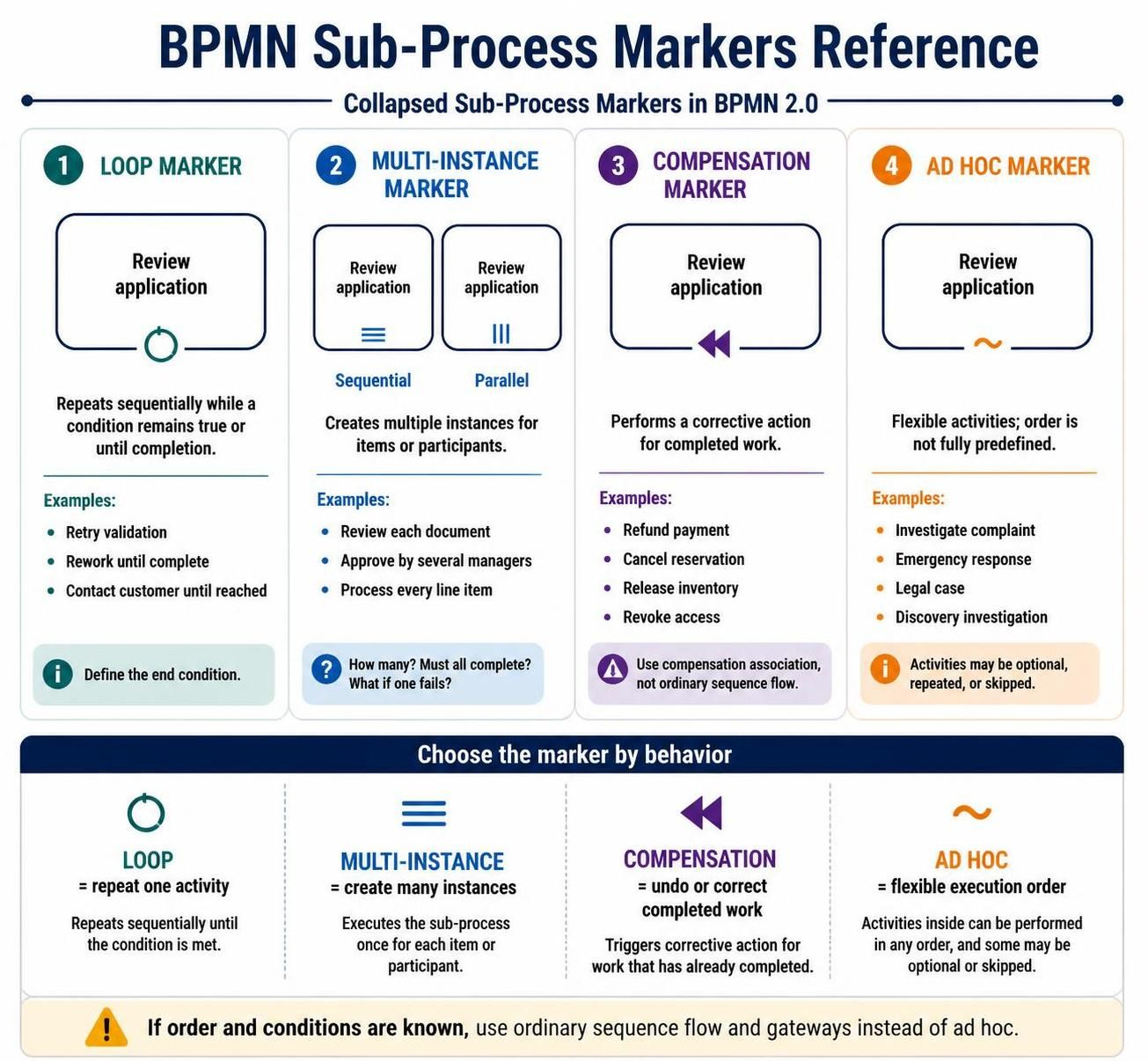
In the realm of Business Process Model and Notation (BPMN), standard sequence flows often fall short when describing complex, real-world scenarios. Processes rarely follow a simple linear path from start to finish. Instead, they involve repetitions, parallel tasks, error recovery, and flexible decision-making. This is where Sub-Process Markers become essential tools for the business analyst.
Sub-process markers are small symbols placed on the bottom edge of a sub-process activity. They modify the behavior of the activity, explaining whether it repeats, runs multiple times, compensates for previous work, or allows for flexible execution. This tutorial breaks down the four primary markers—Loop, Multi-Instance, Compensation, and Ad Hoc—to help you model robust and accurate processes.
1. Loop Marker: The Iterative Review
The Loop Marker (often depicted as a circular arrow or a loop symbol) is used when a specific activity must be performed repeatedly until a condition is met. Unlike a standard sequence flow that moves forward, a loop brings the process back to the start of the activity.
This marker is appropriate when the same activity is performed again and again within a single process instance. It is crucial to note that a loop is distinct from a standard gateway loop; it implies a specific repetition behavior attached to a single task.
Key Characteristics
- Behavior: Repeats sequentially while a condition remains true or until a completion condition is reached.
- When to use: Use this when the activity must be retried or reworked until a specific state is achieved.
Common Examples
- Retry Failed Validation: If an application contains errors, the reviewer must correct them and resubmit.
- Continue Reviewing: A manager reviews a document until it is approved.
- Customer Contact: Calling a customer repeatedly until they are reached.
Best Practice: Always define the loop condition clearly. A vague label such as “Review repeatedly” is insufficient. The model must specify when the repetition ends, such as “Until all required information is complete” or “Maximum 3 attempts.”
2. Multi-Instance Marker: Handling Collections
The Multi-Instance Marker is used when an activity needs to be performed multiple times for a collection of items or participants. It indicates that multiple instances of the activity are created.
This marker is essential for handling lists, such as order line items, a list of documents to review, or a group of managers who must approve a request.
Two Primary Forms
The visual representation of this marker changes based on the execution order:
- Sequential Multi-Instance: Represented by three horizontal lines. Instances execute one after another.
Example: Processing line items of an order one by one.
- Parallel Multi-Instance: Represented by three vertical lines. Instances execute at the same time.
Example: Sending approval requests to three managers simultaneously.
Modeling Questions
When applying the Multi-Instance marker, you must answer several critical questions to ensure the process logic holds up:
- How many instances are created? (e.g., Based on the number of documents in the folder).
- What collection determines the number of instances? (The data set driving the loop).
- Must all instances complete? (Or is the process done if one succeeds?).
- What happens if one instance fails? (Do we wait for the rest or abort?).
3. Compensation Marker: Undoing Work
In long-running transactions, it is often impossible to use a conventional database rollback to undo a change. The Compensation Marker (depicted as a double arrow pointing left) identifies an activity that can be used to undo or compensate for work already completed.
Compensation does not necessarily restore the exact original state of the database. Instead, it performs a corrective business action to fix the situation.
The Compensation Flow
Compensation activities are typically connected to the activity they compensate through compensation associations (dashed lines), rather than ordinary sequence flow. This means the compensation does not run immediately; it runs only if the process fails at a specific point.
Example Scenario: Travel Booking
Imagine a process that performs the following sequence:
- Reserve hotel room
- Charge customer
- Book transportation
If the transportation booking fails, the process cannot simply “rewind” time. It must trigger compensation activities: Refund customer and Cancel hotel reservation.
Common Use Cases
- Cancel shipment
- Refund payment
- Reverse account allocation
- Release reserved inventory
- Revoke previously granted access
4. Ad Hoc Marker: Flexible Execution
The Ad Hoc Marker (depicted as a tilde symbol ~) represents a flexible collection of activities whose execution order is not fully predefined. It is used when the work is guided by objectives rather than a strict workflow.
In an ad hoc process, participants may choose which activities to perform and in what order. Some activities within the sub-process may be optional, repeated, or skipped entirely.
When to Use Ad Hoc Modeling
Ad hoc modeling is suitable for complex, unstructured tasks where the path depends on the specific context of the case. It should not be used merely because a process has many branches or complex logic.
- Use Ad Hoc: Investigate a complex customer complaint, Perform an emergency response, Resolve a legal case.
- Do NOT Use Ad Hoc: If the order and conditions are known, ordinary sequence flow and gateways are usually clearer and more efficient.
Recommended Tooling
To effectively model these complex behaviors, utilizing a robust BPMN tool is essential. Visual Paradigm BPMN is highly recommended for its comprehensive support of all sub-process markers, allowing you to visually define loop conditions, multi-instance collections, and compensation flows without ambiguity.
Furthermore, to accelerate the modeling process and ensure consistency, leveraging AI integration within your modeling environment can significantly reduce the time spent on diagram creation. AI assistants can help generate process flows, suggest appropriate markers based on natural language descriptions, and validate your models for best practices.
Related posts:
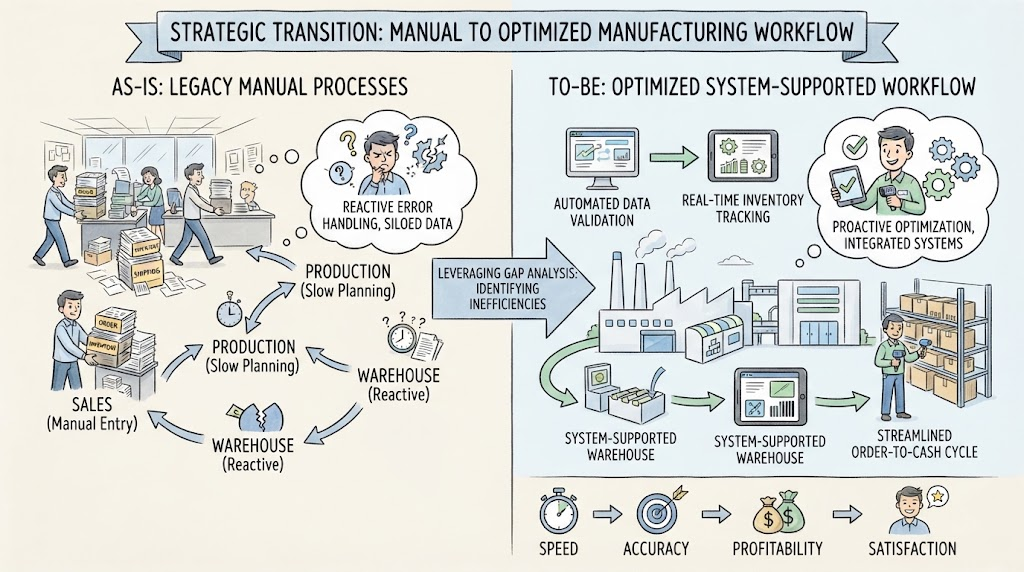 Navigating the Strategic Transition: From Manual Chaos to Optimized Efficiency
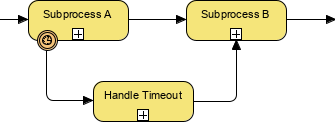 BPMN Diagram Subprocess Timeout Handling
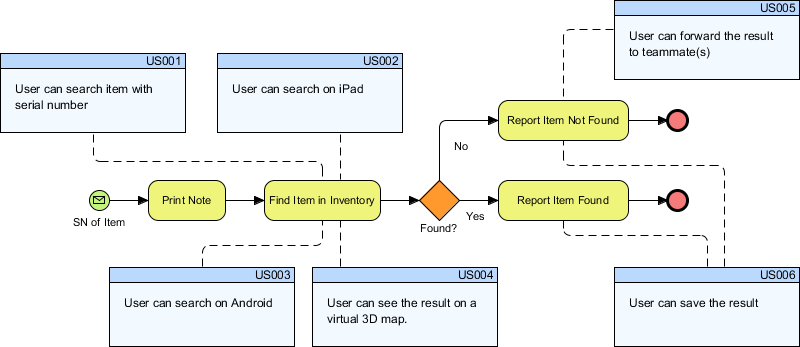 Bridging the Gap: Integrating BPMN Process Flows with Agile User Stories in Visual Paradigm
 Reimagining Business Resilience: A Visual Guide to the As-Is vs. To-Be Order Fulfillment Architecture