Introduction
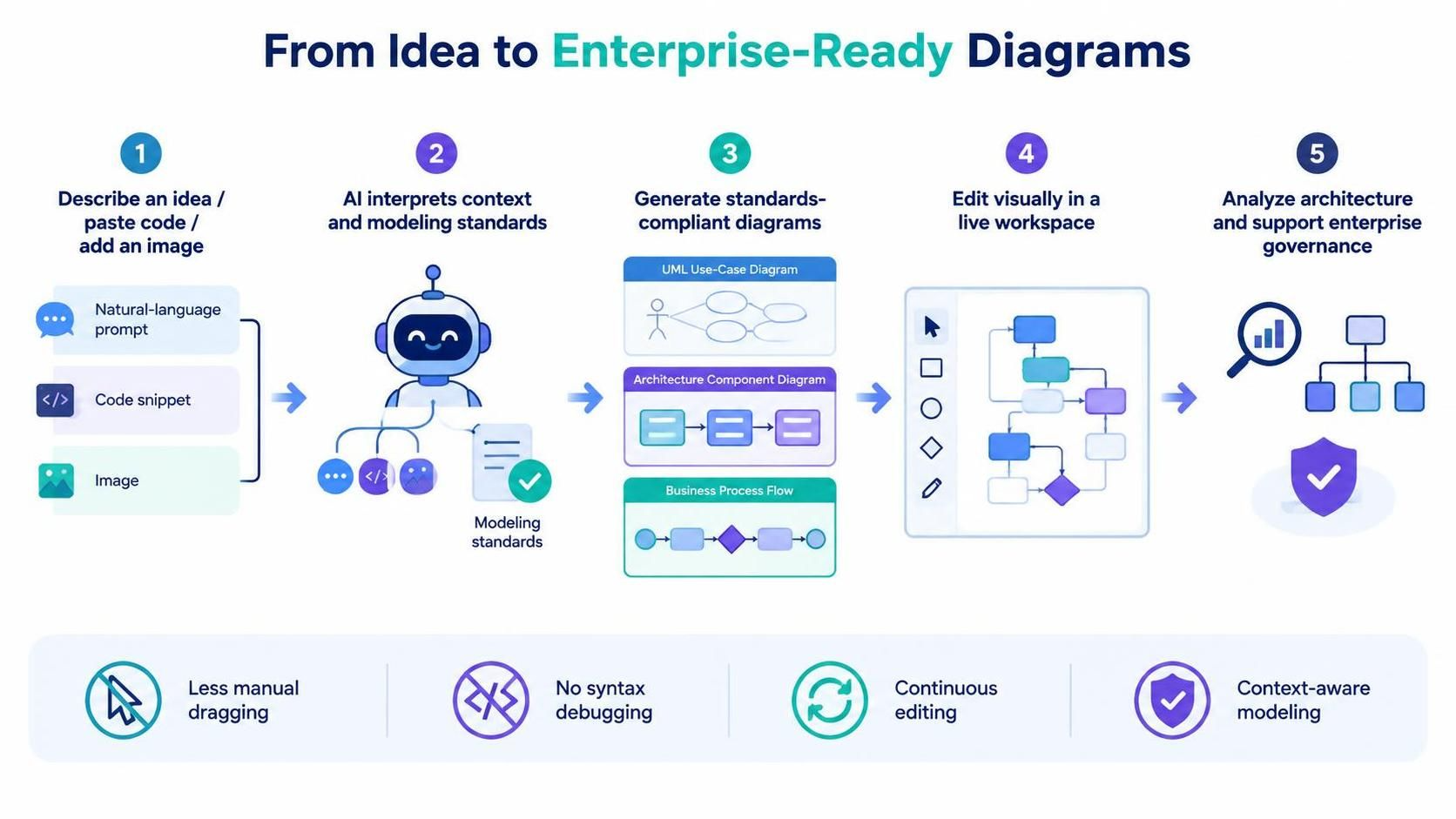
In the fast-paced world of software architecture and business process design, the gap between idea and visualization has long been a bottleneck. Traditionally, creating standards-compliant diagrams required deep knowledge of modeling syntax, meticulous manual dragging of shapes, or debugging complex “diagram-as-code” scripts. While general-purpose Large Language Models (LLMs) can generate code snippets for diagrams, they often lack the contextual awareness and visual editing capabilities required for enterprise-grade work.
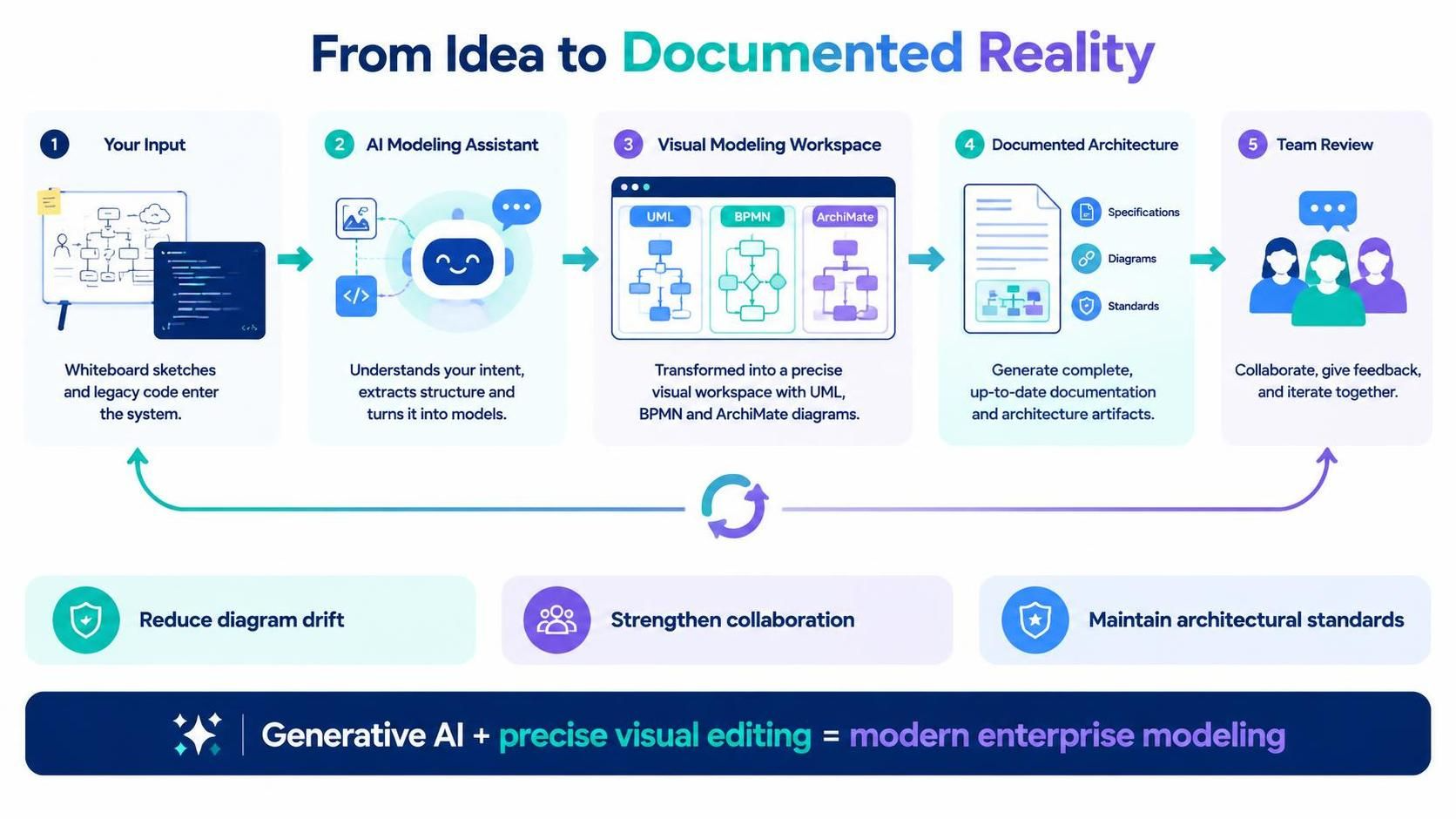
Enter the Visual Paradigm AI Chatbot. This specialized conversational modeling assistant transforms plain-language prompts, existing code, and even images into standards-compliant technical diagrams. Unlike generic text generators, it integrates directly into a live visual modeling workspace, enabling continuous editing, architectural analysis, and enterprise governance. This guide explores how Visual Paradigm’s AI Chatbot bridges the divide between natural language and professional modeling, offering a seamless workflow for architects, product managers, and developers.
Key Concepts: How It Differs from General LLMs
To understand the value of the Visual Paradigm AI Chatbot, it is essential to distinguish it from general-purpose AI tools like standard ChatGPT or Claude. While general LLMs act as text predictors, Visual Paradigm functions as a modeling engine.
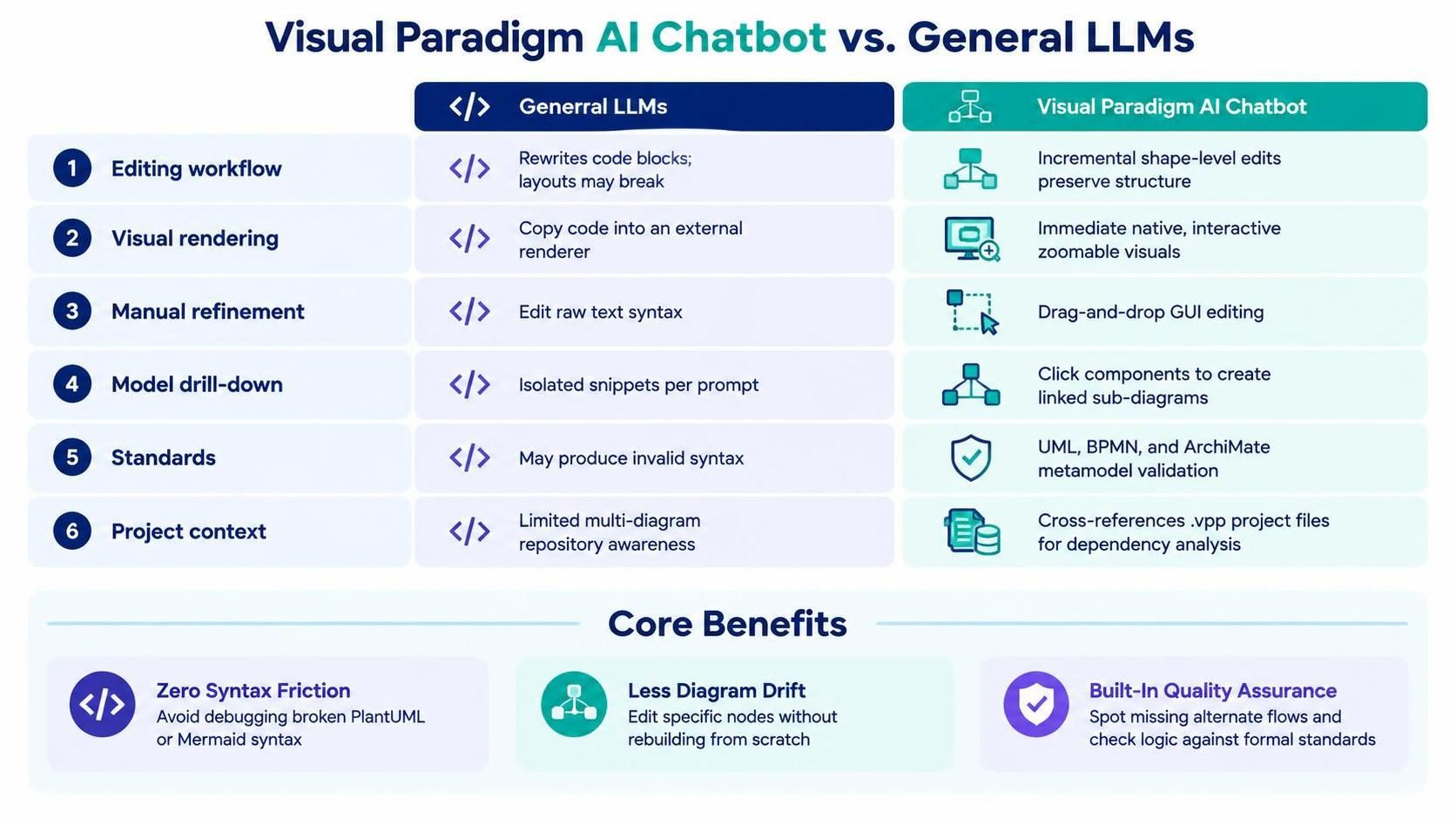
| Capability | General LLMs | Visual Paradigm AI Chatbot |
|---|---|---|
| Editing Workflow | Regenerates entire code blocks on edits, often breaking layouts. | Performs incremental, shape-level updates while preserving structure. |
| Visual Rendering | Requires copying code into external renderers. | Renders native, interactive visuals immediately in a zoomable viewer. |
| Manual Refinement | Limited to editing raw text syntax. | Supports full drag-and-drop GUI editing in desktop and web suites. |
| Model Drill-Down | Treats each prompt as an isolated snippet. | Click specific components to generate linked, granular sub-diagrams. |
| Standard Enforcement | Frequently hallucinates invalid syntax. | Enforces formal OMG UML, BPMN, and ArchiMate metamodel rules. |
| Project Context | Cannot parse multi-diagram enterprise repositories. | Cross-references entire .vpp project files for dependency analysis. |
Core Benefits
-
Zero Syntax Friction: Teams avoid debugging broken PlantUML or Mermaid syntax.
-
Eliminates Diagram Drift: Conversational edits modify specific nodes rather than rebuilding from scratch, helping architects maintain their mental map.
-
Built-In Quality Assurance: The chatbot acts as an architectural reviewer, spotting missing alternate flows and validating logic against formal standards.
Core Features and Capabilities
Visual Paradigm has expanded its AI ecosystem across both web and desktop platforms, introducing features that cater to various stages of the modeling lifecycle.
1. Image-to-Diagram Conversion
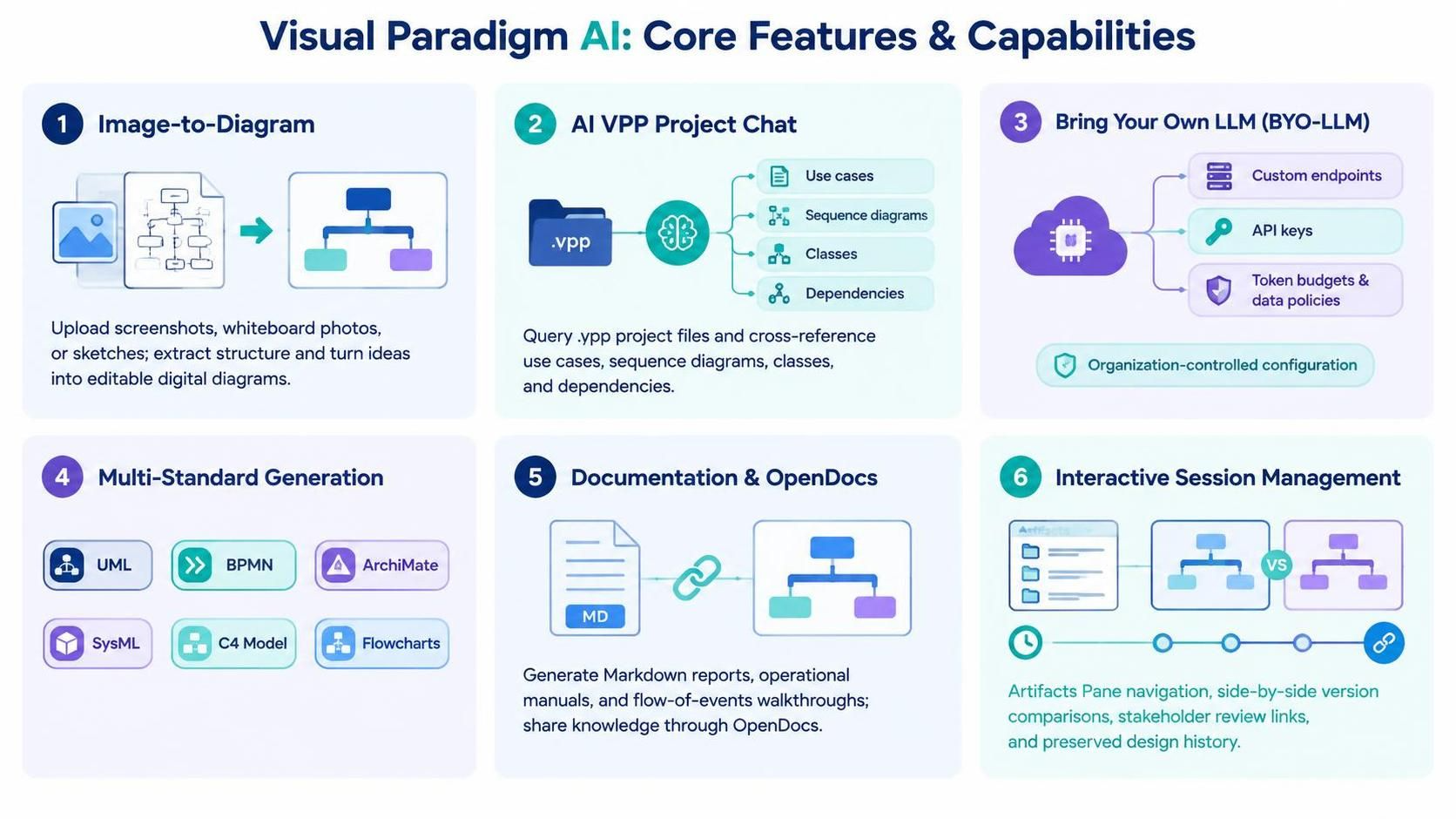
One of the most powerful features is the ability to upload or paste screenshots, whiteboard photos, or hand-drawn sketches directly into the chat. The AI extracts structural data, answers questions about the visual, and converts it into an editable digital diagram. This is ideal for capturing ideas from brainstorming sessions and instantly digitizing them.
2. AI VPP Project File Chat
For enterprises with existing repositories, the AI VPP Chatbot connects directly to .vpp project files. It cross-references relationships across use cases, sequence layouts, and class designs to summarize complex architectures. This allows teams to ask questions like, “What are the dependencies of this specific class?” or “Show me all processes linked to this user role,” without manually tracing lines.
3. Bring Your Own LLM (BYO-LLM)
Enterprise security and privacy are paramount. Visual Paradigm supports BYO-LLM, allowing organizations to route requests through custom endpoints like OpenAI, Anthropic, Google, DeepSeek, or Mistral. Administrators can manage API keys, token budgets, and data privacy policies internally, ensuring sensitive architectural data never leaves the corporate control plane.
4. Multi-Standard Generation
The chatbot is not limited to one type of diagram. It can generate models across formal frameworks including:
-
UML (Unified Modeling Language)
-
BPMN (Business Process Model and Notation)
-
ArchiMate (Enterprise Architecture)
-
SysML (Systems Modeling Language)
-
C4 Model (Context, Containers, Components, Code)
5. Automated Documentation & OpenDocs
Beyond visuals, the AI generates structured Markdown reports, operational manuals, and flow-of-events walkthroughs from any visual model. These outputs sync directly with Visual Paradigm OpenDocs, creating a centralized hub for team knowledge sharing that stays in sync with the latest diagram iterations.
6. Interactive Session Management
Users can navigate design iterations using an Artifacts Pane table of contents, perform side-by-side version comparisons, and create shareable stakeholder review links. This ensures that feedback loops are efficient and that historical design decisions are preserved.
Conclusion
The Visual Paradigm AI Chatbot represents a significant leap forward in enterprise modeling. By moving beyond simple text generation to become a true conversational modeling partner, it eliminates the friction of syntax, preserves architectural intent during edits, and enforces industry standards like UML, BPMN, and ArchiMate. Whether you are digitizing whiteboard sketches, analyzing legacy code, or governing large-scale enterprise repositories, the AI Chatbot streamlines the journey from idea to documented reality.
For teams looking to reduce diagram drift, enhance collaboration, and maintain rigorous architectural standards, integrating Visual Paradigm’s AI capabilities offers a clear competitive advantage. As AI continues to evolve, tools that combine generative power with precise, standards-compliant visual editing will remain indispensable for modern product and engineering teams.