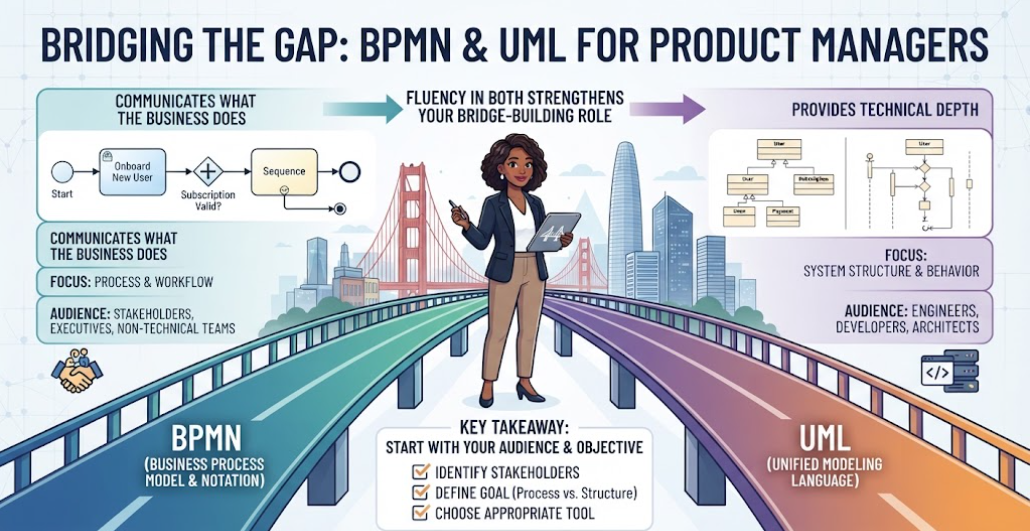
As a Product Manager, you often find yourself acting as the translator between two distinct worlds: the strategic vision of the business and the structural reality of engineering. To navigate this successfully, you must master the languages of system design. Two of the most critical standards you will encounter are BPMN (Business Process Model and Notation) and UML (Unified Modeling Language).
While they may look similar at a glance, confusing them can lead to miscommunication, scope creep, or technical debt. This tutorial breaks down exactly when to use each standard, helping you make informed decisions for your product work.
1. The Business Lane: Understanding BPMN
Imagine the left side of the bridge in our visual guide. This represents the realm of BPMN. BPMN is specifically designed for business process modeling. It is the language of operations, workflows, and organizational logic.
What BPMN Communicates
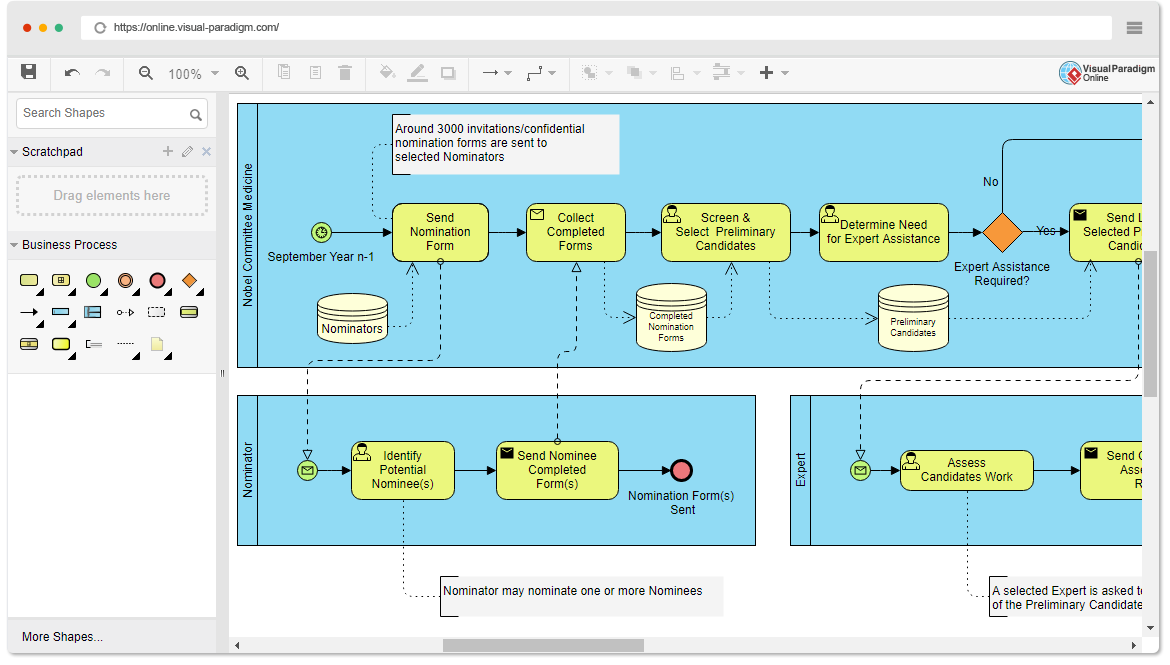
When you look at a BPMN diagram, you are seeing “What the business does.” It focuses on:
- Business Workflows: The end-to-end flow of activities, such as “Onboarding a New User.”
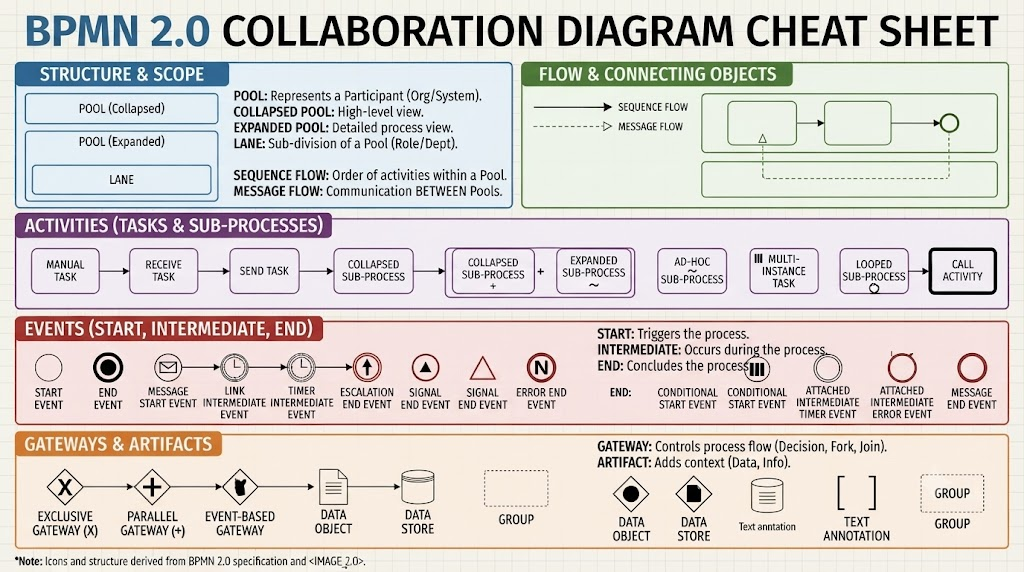
- Decision Points: Using gateways (like the diamond shape in the image) to represent logic like “Is Subscription Valid?”
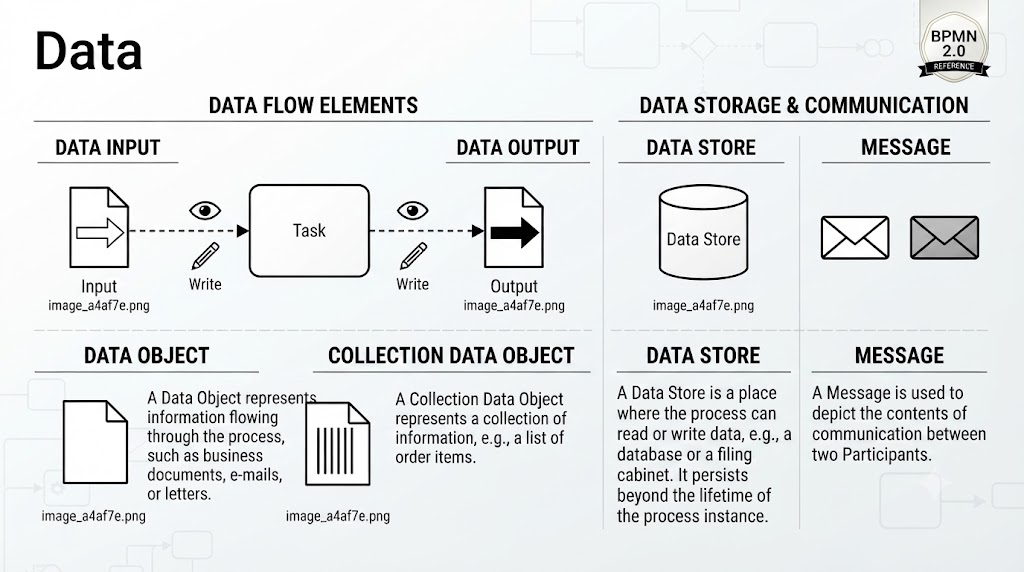
- Events: Triggers that start or stop a process (e.g., a timer or a message from a user).
- Roles: Swimlanes that clearly define which department or persona is responsible for each step.
Why Choose BPMN?
Use BPMN when your primary audience includes business stakeholders, executives, or non-technical teams. It is intuitive, industry-standard (ISO 19510), and allows for high-level collaboration across departments. It is also capable of being executed by BPM engines in complex scenarios.
2. The Technical Lane: Understanding UML
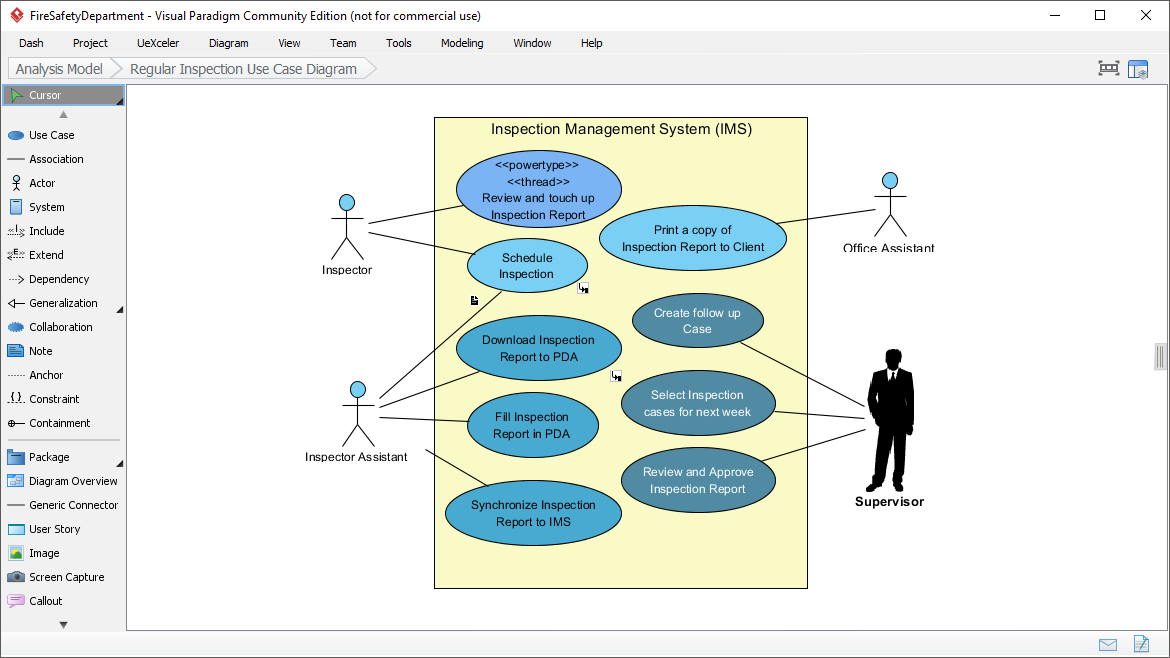
Now, look to the right side of the bridge. This represents the realm of UML. UML is a broader software modeling language that encompasses various diagram types, but for process mapping, you will primarily encounter Activity Diagrams, Sequence Diagrams, and State Machine Diagrams.
What UML Communicates
When you look at a UML diagram, you are seeing “System Structure & Behavior.” It focuses on:
- System Interactions: How objects or components talk to one another over time (Sequence Diagrams).
- Object-Oriented Design: How data and logic are structured within the codebase.
- Technical Specifications: Detailed logic that developers need to write the actual code.
Why Choose UML?
Use UML when your primary audience is Engineering Teams, Developers, or Architects. It has a steeper learning curve but provides the necessary technical depth to ensure the software is built correctly. It integrates seamlessly with object-oriented design methodologies.
3. Head-to-Head Comparison
To help you decide quickly, here is a breakdown of the key differences based on audience, tools, and execution capabilities.
Primary Audience & Learning Curve
- BPMN: Moderate learning curve. Business-friendly. Communicates high-level business flows.
- UML: Steeper learning curve. Developer-focused. Communicates detailed system behaviors.
Tools of the Trade
Different tools support different standards. Knowing which one your team uses is crucial.
- BPMN Tools: Camunda, Signavio, Bizagi, and Visual Paradigm.
- UML Tools: Enterprise Architect, Lucidchart, Draw.io, and PlantUML.
4. The Product Manager’s Strategy: How to Choose
The image provides a “Key Takeaway” that serves as a perfect workflow for you when approaching a new project. Do not force a square peg into a round hole. Instead, follow this three-step process:
- Identify Your Stakeholders: Who needs to read this diagram? If it’s the CEO or a marketing team, stick to BPMN. If it’s the lead backend engineer, you likely need UML.
- Define Your Goal: Are you trying to automate a workflow (BPMN) or define how a database table interacts with an API (UML)?
- Choose the Appropriate Tool: Ensure your team is using the right software to create and maintain these models.
Conclusion: Fluency Strengthens Your Bridge-Building Role
Mastering both BPMN and UML allows you to bridge the gap effectively. By using BPMN, you ensure the business logic is sound and stakeholders are aligned. By using UML, you ensure the technical implementation is feasible and robust. Fluency in both strengthens your role as a Product Manager, allowing you to translate business needs into technical reality with confidence.