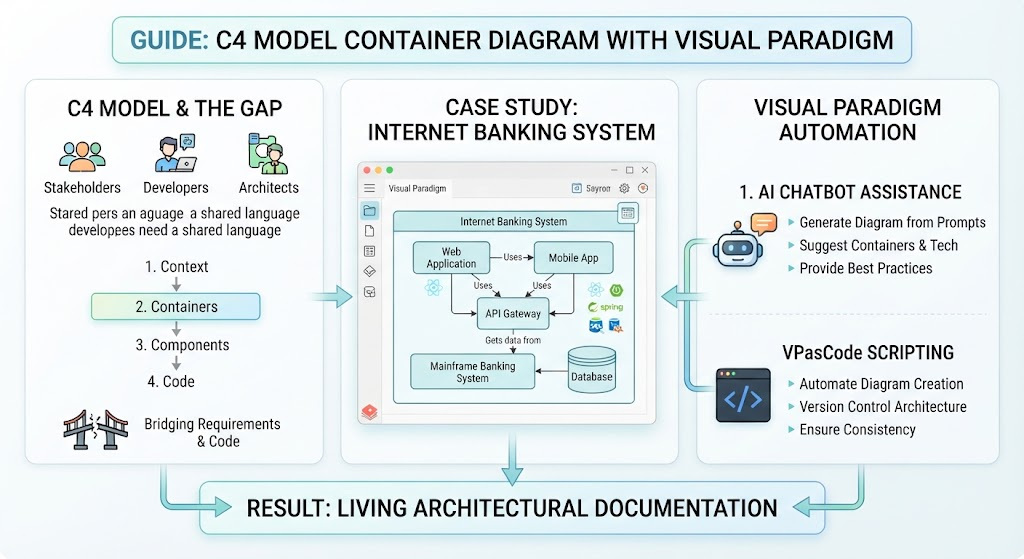
In the realm of modern software architecture, we often face a critical challenge: the chasm between high-level business requirements and the nitty-gritty of low-level code implementation. This disconnect is where many projects falter. Stakeholders crave context, developers need structure, and architects require a shared language to bridge these divides. To address this, the industry has largely adopted the C4 Model as the standard for visualizing software architecture.
The C4 model operates on four levels of abstraction: Context, Containers, Components, and Code. While the Context model sets the stage, the Container Diagram is arguably the most vital for software engineers. It acts as the blueprint for the system’s high-level software building blocks. In this tutorial, we will explore the Container level using a practical case study of an Internet Banking System, and we will see how Visual Paradigm transforms this modeling process from a static drawing exercise into a dynamic, automated workflow.
Understanding the Internet Banking System Case Study
Let us examine a typical architecture for an online banking platform. A Container diagram answers the question: “What are the high-level software building blocks of the system, and how do they communicate?”
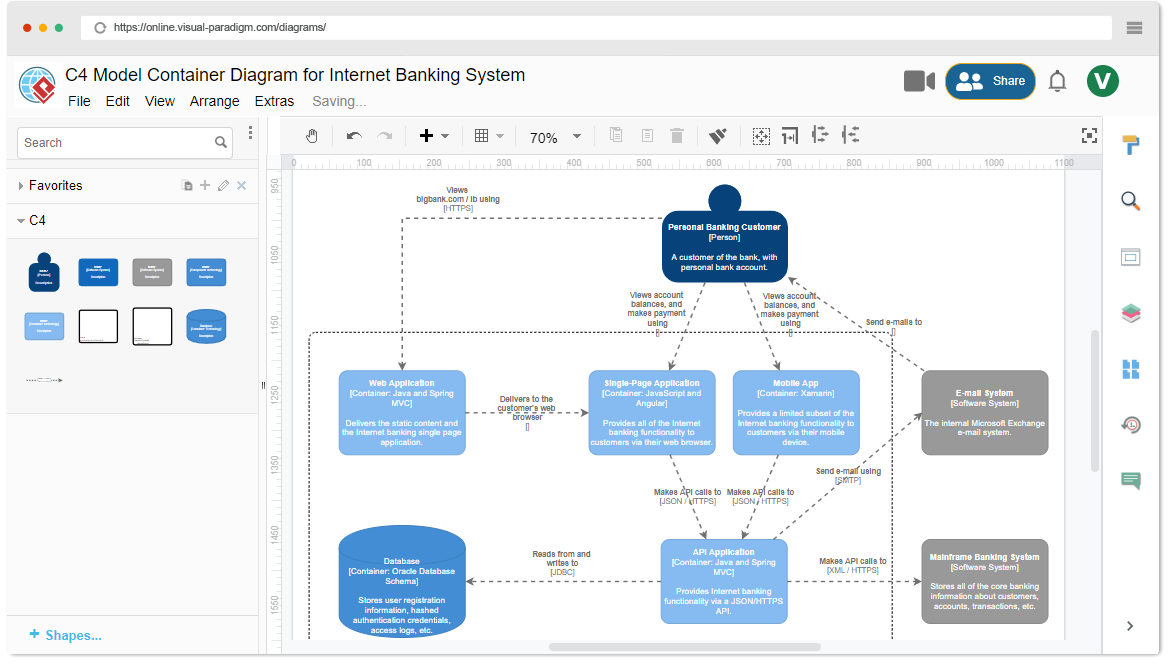
In our Visual Paradigm diagram, we identify several key containers that represent distinct deployable units:
- Web Application: This container represents the browser-based interface. It is the entry point for users who prefer desktop access.
- Mobile App: A dedicated container for the smartphone interface, handling the unique constraints and requirements of mobile devices.
- API Gateway: Acting as the central traffic cop, this container sits between the front-end clients (Web and Mobile) and the backend systems. It handles routing, security, and potentially rate limiting.
- Mainframe Banking System: The legacy or core system where the actual financial logic resides. It is the “brain” of the operation.
- Database: A dedicated container for persistent data storage, holding customer records, transaction histories, and account balances.
Visual Paradigm allows us to visualize the relationships between these blocks clearly. For instance, the diagram illustrates that the Web Application and Mobile App both Use the API Gateway. The API Gateway, in turn, Gets Data From the Mainframe Banking System. This flow of data is crucial for understanding system dependencies and potential bottlenecks.
Accelerating Design with Visual Paradigm AI
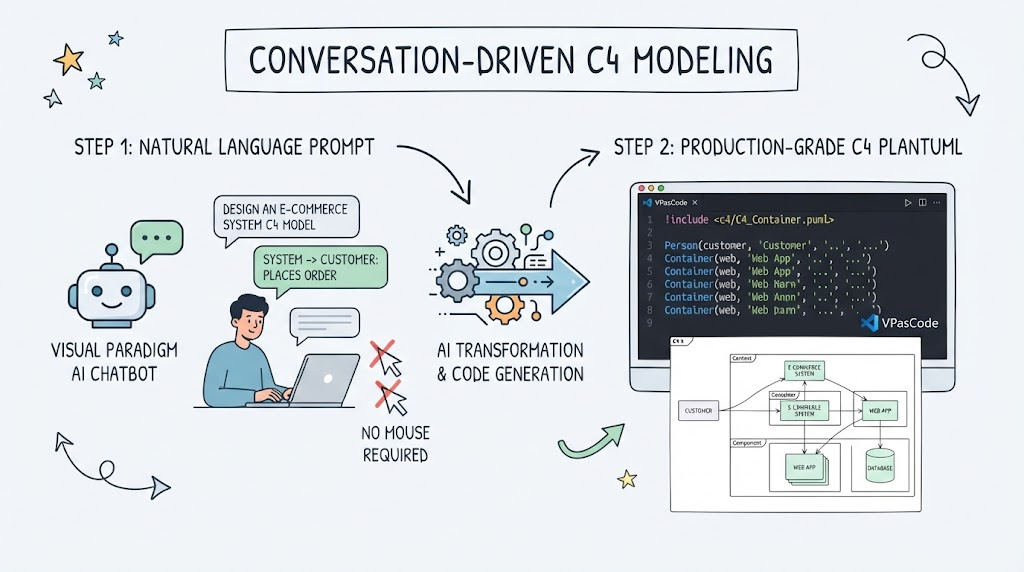
Creating these diagrams manually can be time-consuming. This is where the integration of Artificial Intelligence in Visual Paradigm shines. The platform’s AI Chatbot Assistance serves as an intelligent pair programmer for your architecture.
Instead of manually dragging and dropping boxes, you can prompt the AI to generate a diagram based on natural language descriptions. For example, you might ask, “Create a container diagram for an Internet Banking System with a web app, mobile app, and a mainframe.” The AI doesn’t just draw boxes; it suggests appropriate technologies. In our case study, you can see icons representing technologies like Spring appearing next to the API Gateway. This capability allows architects to quickly iterate on designs, ensuring that the technology stack is appropriate for the specific container’s role.
Infrastructure as Code for Architecture: VPasCode
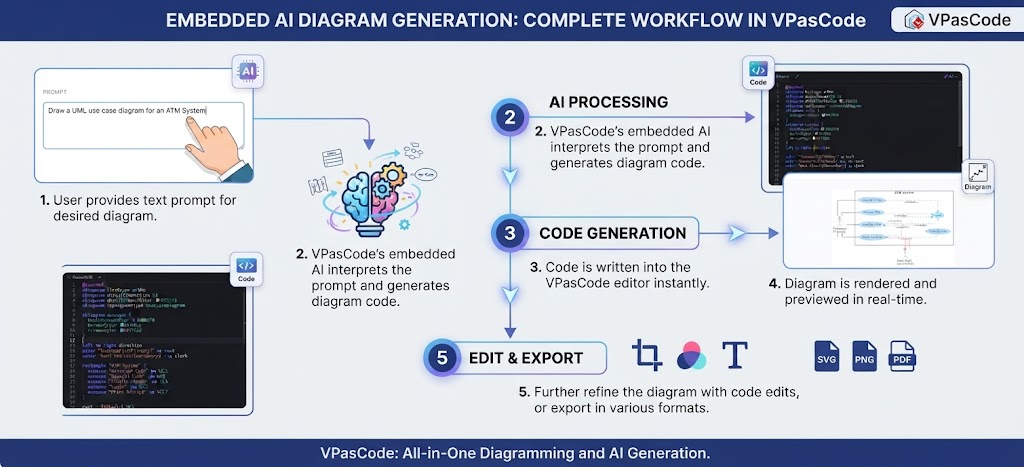
Once a diagram is created, maintaining it is a constant struggle. Documentation often rots because it is not updated alongside the code. To solve this, Visual Paradigm introduces VPasCode, a domain-specific scripting language.
VPasCode treats your architecture diagrams as code. This brings the principles of Infrastructure-as-Code (IaC) to software modeling. By writing scripts, you can:
- Automate Diagram Creation: Generate complex diagrams instantly without manual drawing.
- Ensure Version Control: Just like your Java or Python code, your architecture diagrams can be stored in Git, allowing for version history, branching, and peer review of architectural decisions.
- Maintain Consistency: If the architecture changes, you simply update the script and regenerate the diagram, ensuring the visual documentation always matches the reality of the system.
The Result: Living Architectural Documentation
The ultimate goal of combining the C4 model with Visual Paradigm’s advanced tools is to create Living Architectural Documentation.
By leveraging the AI to speed up creation and VPasCode to enforce consistency and automation, teams can ensure that the “Container” level of abstraction remains accurate and useful. This transforms the diagram from a static picture on a wall into a dynamic part of the development lifecycle, effectively bridging the gap between the business requirements and the code implementation.