Introduction to Code-First Architecture Diagramming
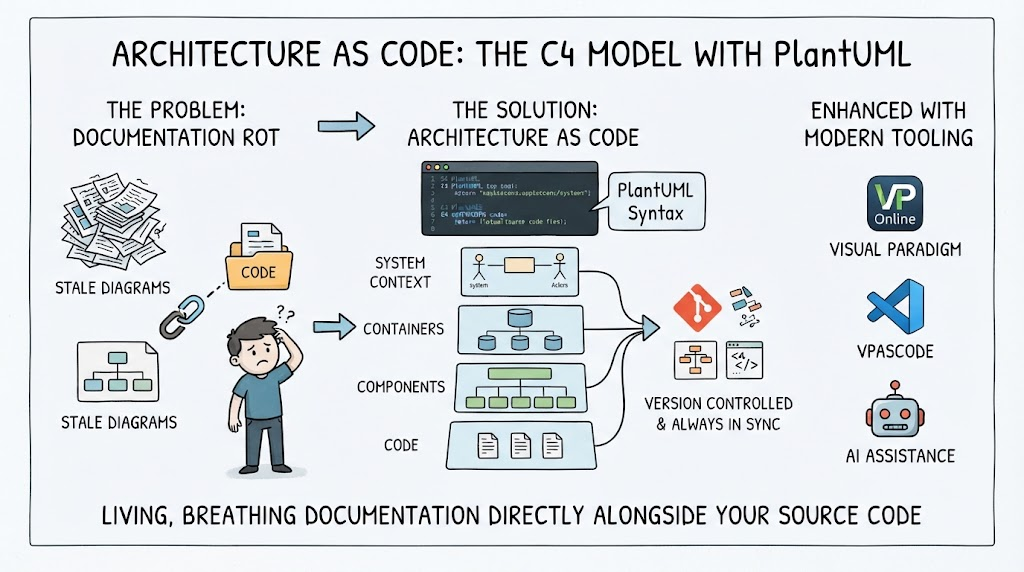
Welcome to this tutorial on modern software architecture visualization. When we talk about building complex systems, clarity is key. One of the most effective ways to communicate your design is through diagrams, specifically the C4 model. In this session, we will explore how to use VPasCode—a powerful “Diagram-as-Code” tool by Visual Paradigm—to define a system architecture purely through text, which then renders into a professional visual diagram.
Let’s walk through a practical example: an e-commerce application structure featuring a Single-Page App (SPA) communicating with a backend service.
Setting the Stage: The Environment
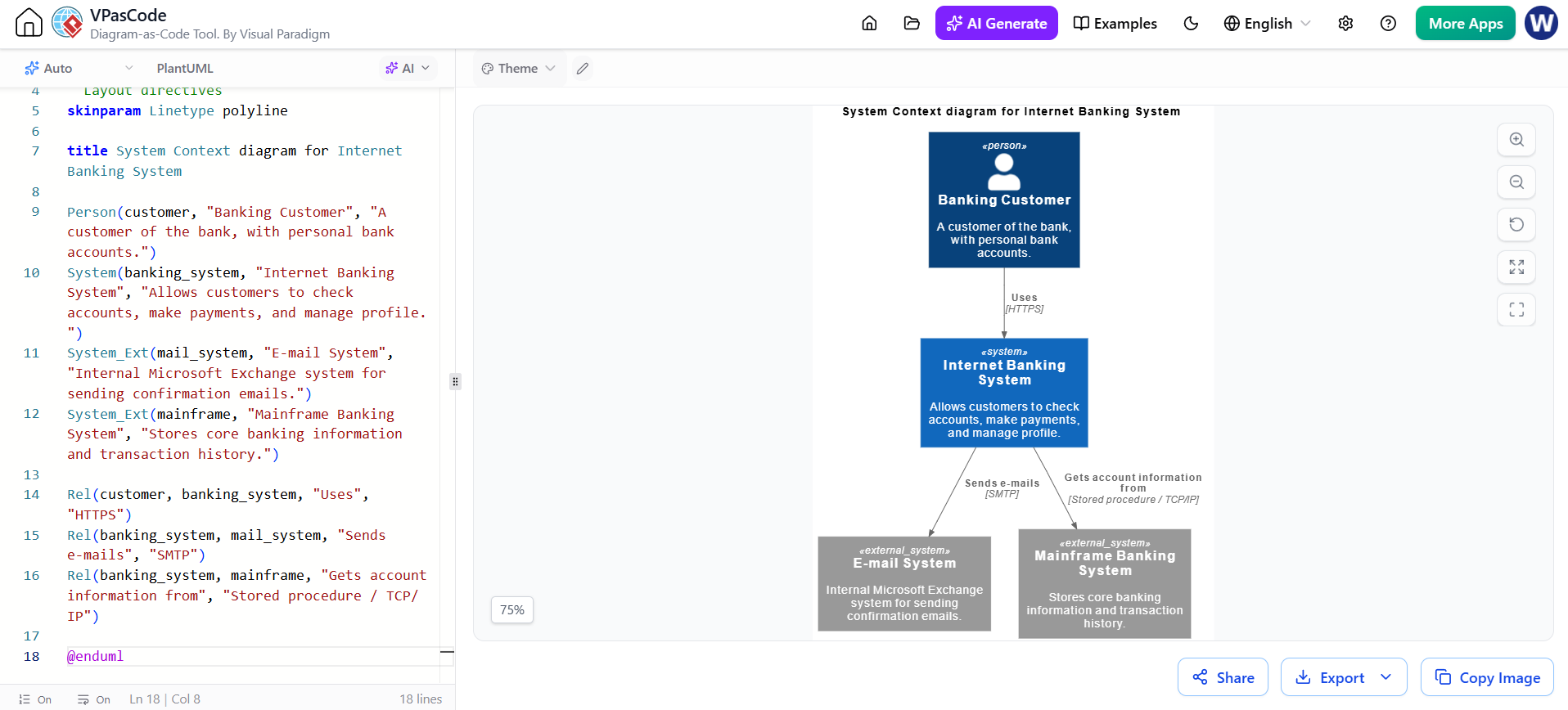
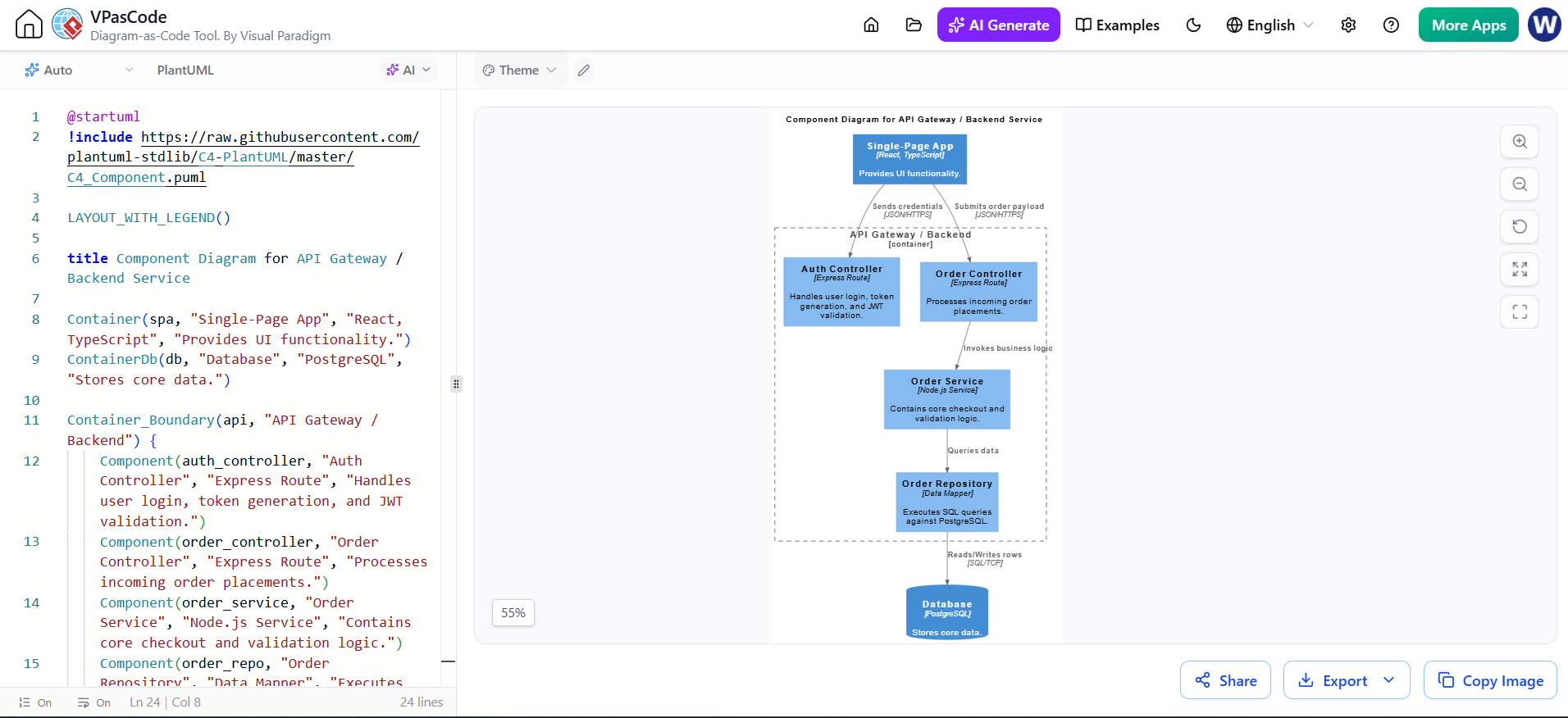
The first thing you’ll notice when working in VPasCode is the separation between your code and the visual output. On the left side, we have the source code editor, and on the right, the rendered result. This approach allows developers to version control their architecture diagrams just like they do with their application code.
To get started, we need to include the necessary library. The line starting with !include is crucial. It pulls in the standard C4 definitions from the PlantUML library, ensuring that our shapes (like containers and components) are standardized and recognized correctly.
Defining the System Boundaries
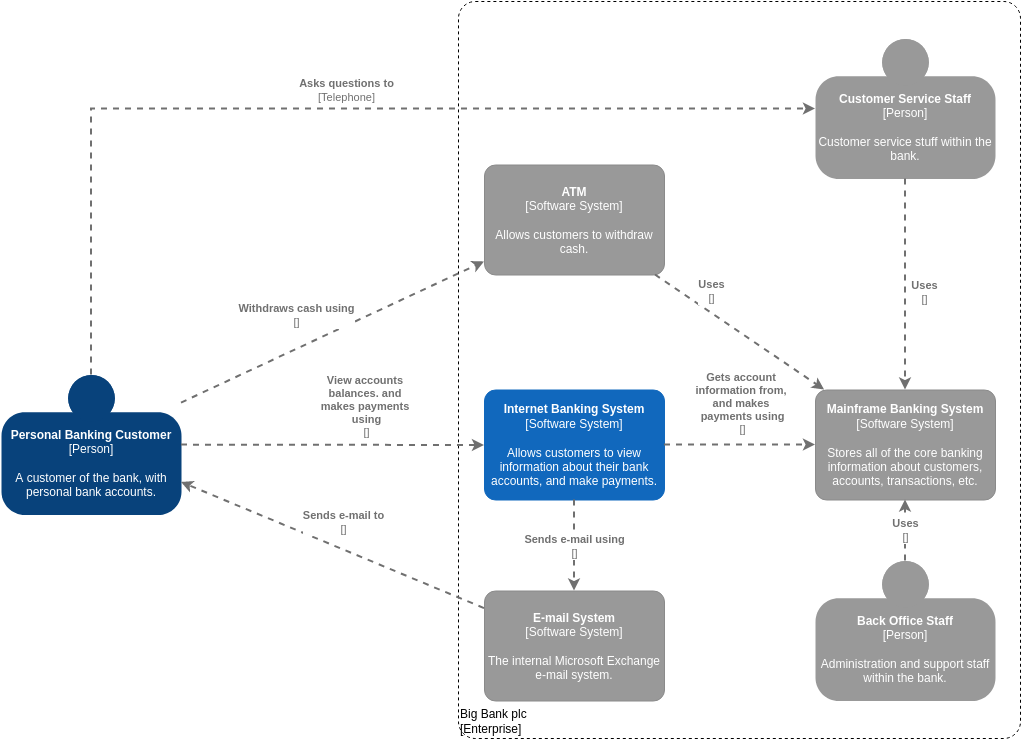
Before drawing lines, we must define the actors and the environment. We start by defining the Containers. In the C4 model, a Container represents a distinct unit of deployment—something like a web app, a mobile app, or a database.
- The Frontend: We define a container named “Single-Page App”. We specify it uses React and TypeScript. This tells us immediately what technology stack powers the user interface.
- The Data Store: We define a container for our database, labeled as PostgreSQL. This sets the stage for where our persistent data lives.
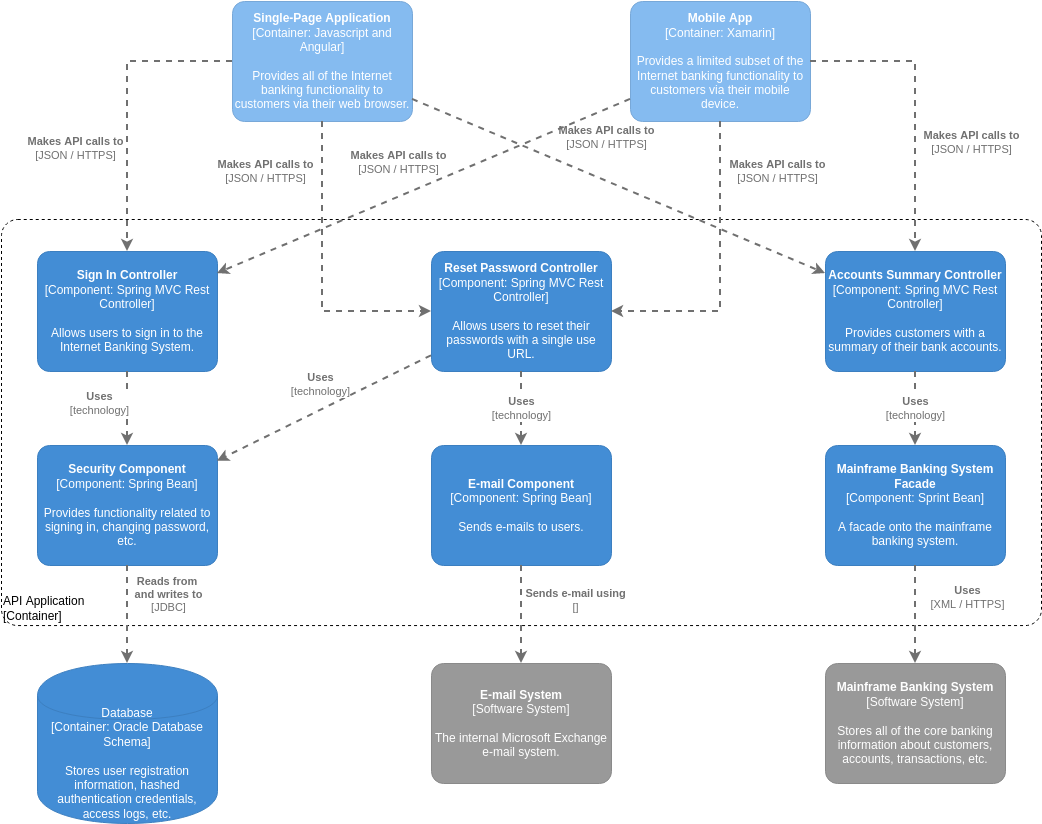
We also use a Container_Boundary block. This acts as a grouping mechanism. Everything inside this dashed boundary is considered part of our “API Gateway / Backend Service.” This helps visually organize the internal complexity of the backend without cluttering the overall view.
Diving into the Backend Components
Now, let’s look at the heart of the system: the backend logic. Inside our boundary, we define specific Components. These are the smaller units of functionality within the larger container.
- Auth Controller: This component handles the critical task of user identity. It manages login requests and generates JSON Web Tokens (JWT). Notice it is defined as an Express Route, indicating a Node.js-based implementation.
- Order Controller: This is the entry point for order-related traffic. It processes incoming order placements from the frontend.
- Order Service: Here is where the business logic resides. While the controller receives the request, the service performs the actual work—validating the order and managing the checkout process.
- Order Repository: This component acts as the bridge between our application logic and the physical database. It executes the raw SQL queries needed to save or retrieve data.
Mapping the Communication Flow
A static list of components isn’t enough; we need to see how they interact. VPasCode allows us to draw these connections directly in the code.
Imagine the flow of data:
The Single-Page App sends credentials to the Auth Controller. When a user wants to buy something, the SPA submits the payload to the Order Controller. The controller then invokes the Order Service. Finally, the Service talks to the Repository, which reads or writes rows to the PostgreSQL Database.
In the code, these relationships are defined using simple arrows. You can even annotate them with the protocol being used, such as JSON/HTTPS or SQL/TCP. This level of detail ensures that anyone reading the diagram understands not just what connects to what, but how.
Summary of Key Learnings
In this tutorial, we’ve seen how to leverage VPasCode to create a robust C4 Component diagram. By writing code instead of dragging and dropping boxes, we gain several advantages:
- Version Control: Your architecture documentation evolves alongside your codebase.
- Standardization: Using the C4 PlantUML library ensures consistency across your team’s diagrams.
- Clarity: The generated diagram clearly separates concerns between the Frontend, Backend Controllers, Services, and the Database layer.
Whether you are designing a new microservice or documenting an existing legacy system, mastering these tools is essential for effective communication in software engineering.