In the world of software engineering and business analysis, visualizing how a system works is just as critical as writing the code itself. However, two distinct methodologies often dominate the landscape: the humble Flowchart and the rigorous BPMN (Business Process Model and Notation) 2.0. While both aim to map out a process, they serve fundamentally different masters. One is a tool for brainstorming logic; the other is a blueprint for automation.
In this tutorial, we will deconstruct the core differences between these two modeling standards, exploring when to use which tool to ensure your projects are both logically sound and technically executable.
1. The Foundation: Understanding the Flowchart
The flowchart is the grandfather of process modeling. It is a generic, intuitive diagram used to represent a workflow or algorithm. Its primary goal is clarity and simplicity.
Core Characteristics
- Focus: Logic, sequence, and simplicity.
- Notation: It relies on basic geometric shapes. Rectangles represent processes, diamonds represent decision points (Yes/No), and ovals mark the start and end of the flow.
- Standardization: There is no strict international standard. A “start” symbol in one flowchart might look slightly different in another, depending on the creator’s preference.
Best Use Case: Flowcharts are ideal for simple decision trees, outlining programming logic, or during quick brainstorming sessions where the goal is to get ideas on paper without getting bogged down in syntax.
2. The Industry Standard: Understanding BPMN 2.0
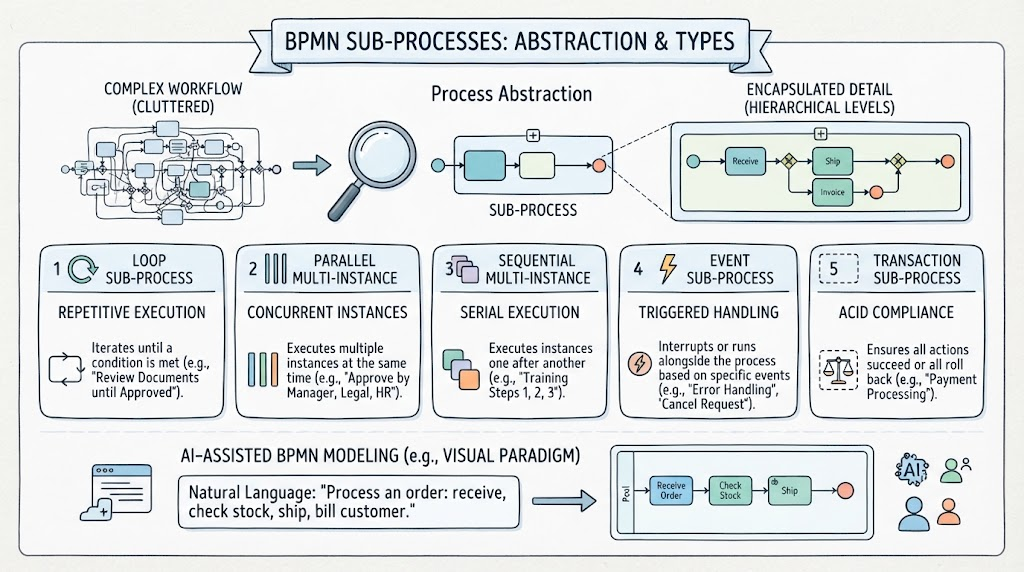
As systems became more complex, the need for a universal language arose. This led to the development of BPMN (Business Process Model and Notation), an OMG (Object Management Group) standard. BPMN is not just a drawing; it is a rigorous graphical notation designed to specify business processes.
Core Characteristics
- Focus: Execution, collaboration, and technical precision.
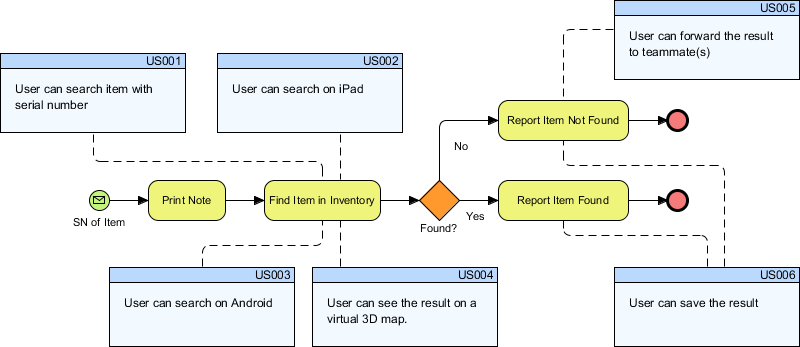
- Notation: It uses a strict set of symbols defined by BPMN 2.0 specifications. Every circle, rectangle, and arrow has a specific technical meaning.
- Standardization: It is strictly defined. If a Business Analyst draws a BPMN diagram, a developer in a different country will understand it exactly the same way.
Best Use Case: BPMN is essential for cross-functional workflows (where multiple departments are involved), system integrations, and processes that require automation or compliance.
3. Deep Dive: Detailed Comparison
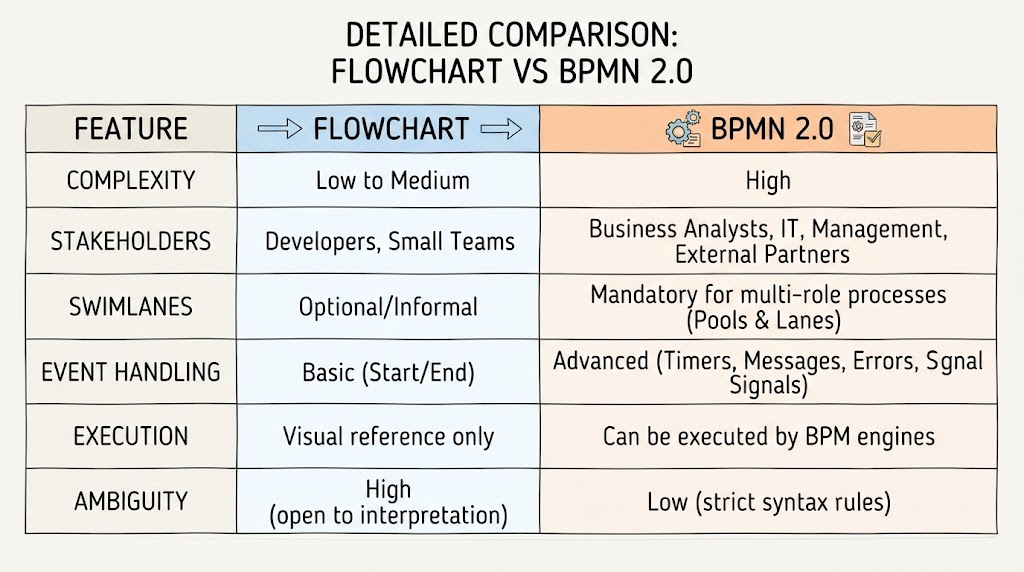
To truly understand the gap between a simple sketch and an engineering blueprint, let’s look at the specific features that differentiate them. This comparison highlights why BPMN is often preferred for enterprise-level systems.
| Feature | Flowchart | BPMN 2.0 |
|---|---|---|
| Complexity | Low to Medium | High |
| Stakeholders | Developers, Small Teams | Business Analysts, IT, Management, External Partners |
| Swimlanes | Optional / Informal | Mandatory for multi-role processes (Pools & Lanes) |
| Event Handling | Basic (Start / End) | Advanced (Timers, Messages, Errors, Signal Signals) |
| Execution | Visual reference only | Can be executed by BPM engines (Automated) |
| Ambiguity | High (open to interpretation) | Low (strict syntax rules) |
Key Takeaways from the Comparison
1. The Role of Swimlanes (Pools & Lanes)
Flowcharts often ignore who is doing the work. BPMN makes this mandatory. By using Pools and Lanes, BPMN visually separates responsibilities. You can clearly see where a process moves from the “Customer” lane to the “Server” lane, ensuring that handoffs are explicit and clear.
2. Event Handling and Execution
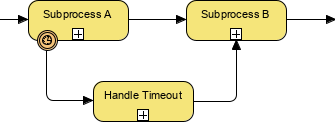
This is the most critical technical difference. A flowchart tells you what happens. A BPMN diagram tells a computer engine how to process it. BPMN includes advanced event types like Timers (wait 5 minutes), Messages (send an email), and Errors (throw an exception). Because of this, BPMN diagrams can often be directly converted into executable code.
3. Ambiguity and Standards
Flowcharts suffer from high ambiguity. Without strict rules, a diamond shape might mean a decision in one diagram and a loop in another. BPMN 2.0 has strict syntax rules, drastically reducing the risk of misinterpretation between business stakeholders and IT teams.
4. Conclusion: Which Tool Should You Choose?
There is no “better” tool; there is only the right tool for the job.
- Stick to Flowcharts when: You are a developer sketching out a quick algorithm, you are in the early stages of brainstorming, or the process is a simple linear sequence with no external dependencies.
- Switch to BPMN 2.0 when: You are designing a complex system involving multiple departments, you need to automate the process using software, or you require a formal document for compliance and auditing.
By understanding these nuances, you can ensure your documentation is not just a picture, but a functional part of your system architecture.