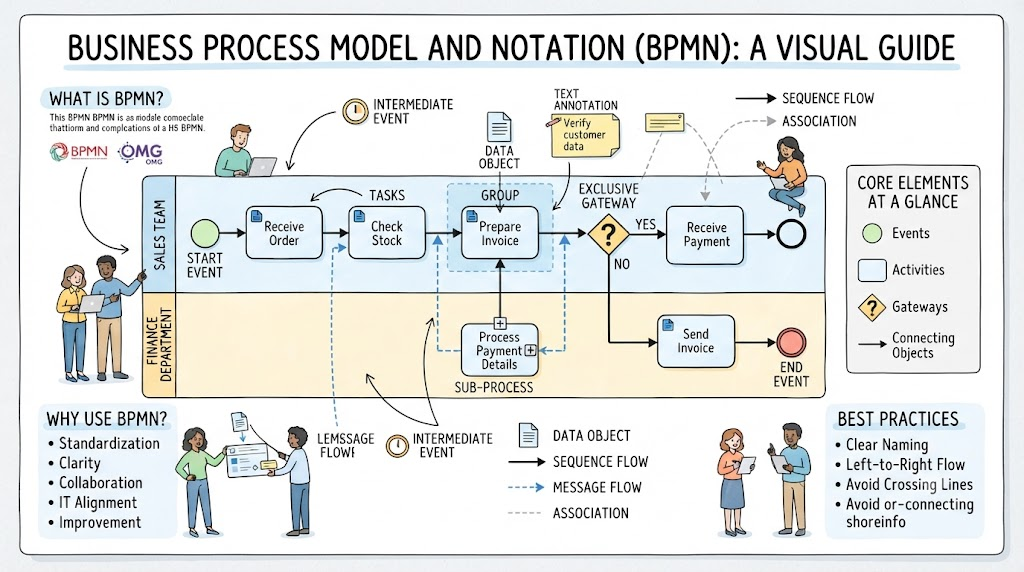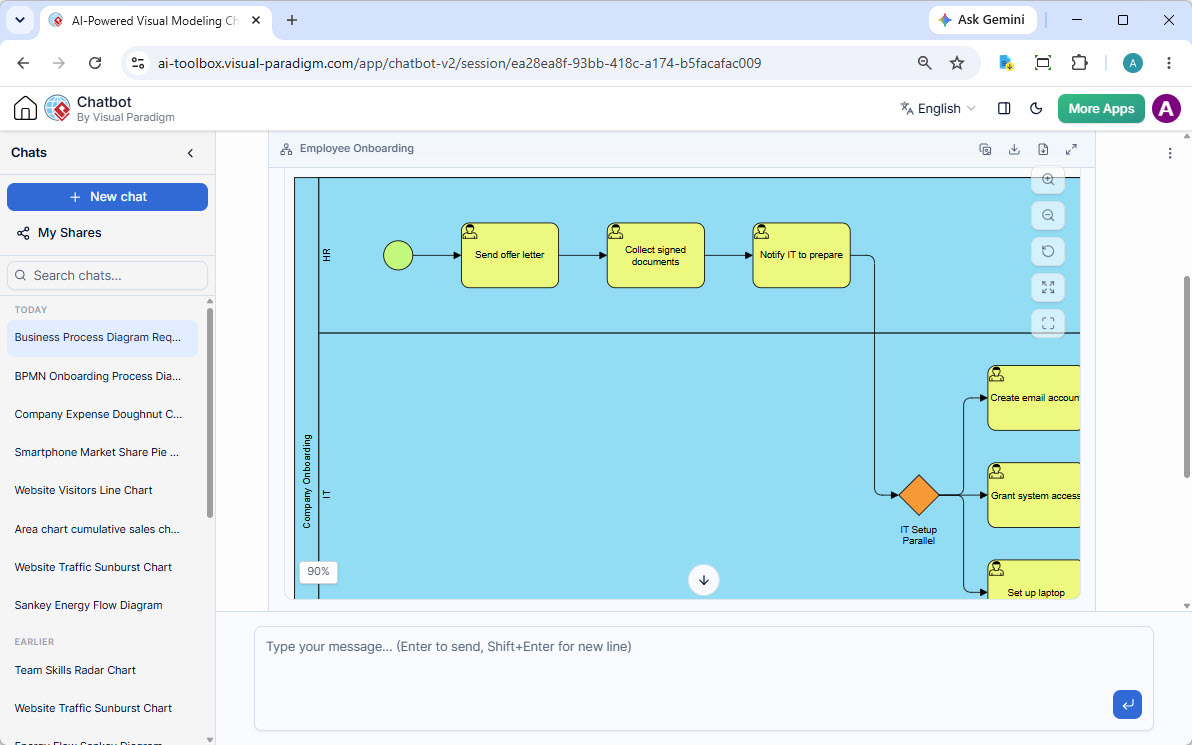
In the modern landscape of business process management, Artificial Intelligence is transforming how we visualize complex workflows. The diagram presented above is a prime example of a Business Process Model and Notation (BPMN) diagram generated by an AI assistant. It illustrates a standard “Employee Onboarding” process, breaking it down into manageable, logical steps across different organizational departments.
This tutorial will walk you through the architectural concepts, modeling elements, and technical logic behind this specific diagram, helping you understand how AI simplifies the transition from a raw idea to a structured business process.
1. Understanding Swimlanes: The Foundation of Responsibility
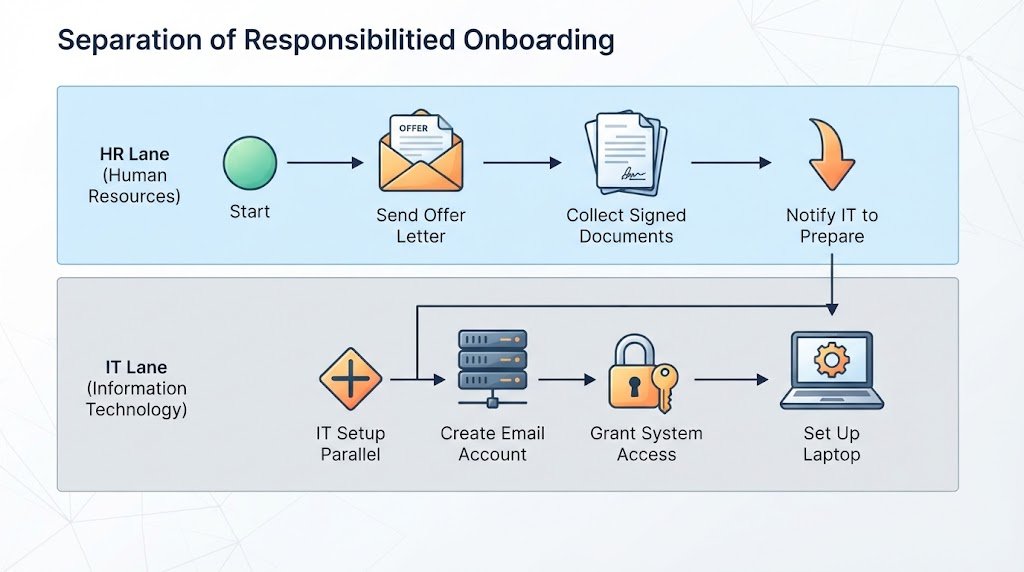
The most striking feature of this diagram is the use of Swimlanes. In BPMN, swimlanes are vertical or horizontal partitions that organize the flow of a process by assigning responsibility.
- HR Lane (Human Resources): This is the primary owner of the process. It initiates the workflow and handles the administrative and contractual aspects of bringing a new employee into the company.
- IT Lane (Information Technology): This lane represents the technical infrastructure. It handles the “plumbing” required for the employee to start working—access, hardware, and digital identity.
Why this matters: By separating these lanes, the model clearly defines boundaries. The HR team cannot simply “log into the system” to create accounts; they must trigger a hand-off to the IT team. This prevents ambiguity and ensures the right people are doing the right tasks.
2. The Sequential Flow: HR’s Role
Before the process reaches the complex IT setup, it follows a linear, sequential path. This represents the standard administrative onboarding procedure.
- Start Event: The process begins with the green circle. This is the trigger, indicating the official initiation of the onboarding workflow.
- Send Offer Letter: The first task is to formally offer the position to the candidate.
- Collect Signed Documents: Once the offer is accepted, the HR team must gather necessary legal and tax paperwork.
- Notify IT to Prepare: This is a critical milestone. Once HR has verified the signed documents, they perform a hand-off task. This isn’t just a mental note; in the system, it acts as a signal that the process is ready to move to the next stage.
3. The Gateway: The Decision and Split
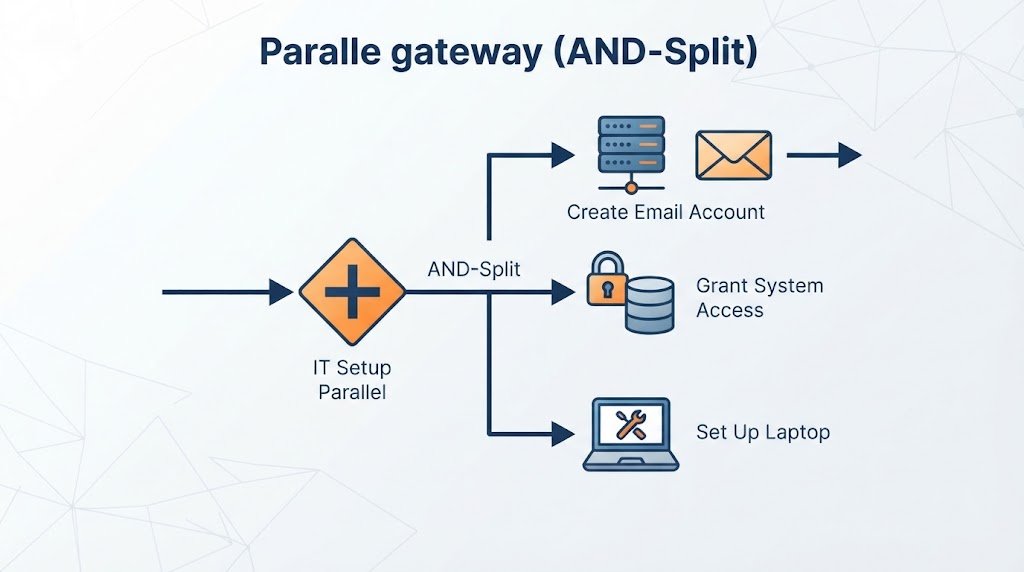
At the transition between the HR and IT lanes, we encounter a Gateway. In the diagram, this is represented by the orange diamond shape labeled IT Setup Parallel.
In technical modeling, a gateway is a control point that determines how the process flow diverges. Here, the gateway serves a dual purpose:
- Triggering: It waits for the input from the “Notify IT” task.
- Splitting (AND-Split): The label “Parallel” indicates that this is a Parallel Gateway. Unlike a decision gateway (which asks “Yes or No?”), a parallel gateway says “Do both.” It allows the single incoming flow to branch out into multiple simultaneous paths.
4. Parallel Execution: The IT Workflow
Once the gateway is passed, the process enters the IT Lane. This is where the diagram demonstrates concurrency. Instead of doing tasks one by one (which would waste time), the system executes three distinct tasks simultaneously:
- Create Email Account: Setting up the user’s digital identity on the mail server.
- Grant System Access: Configuring permissions and security groups to ensure the employee has the right level of access to data.
- Set Up Laptop: The physical provisioning of hardware.
Technical Insight: In a real-world automation scenario, these three tasks might be triggered via APIs to different systems (e.g., an API call to Active Directory for access, an API call to the Mail Server, and a ticketing system for IT support to ship a laptop). The diagram abstracts this complexity into three clear, parallel blocks.
5. The Power of AI in Process Modeling
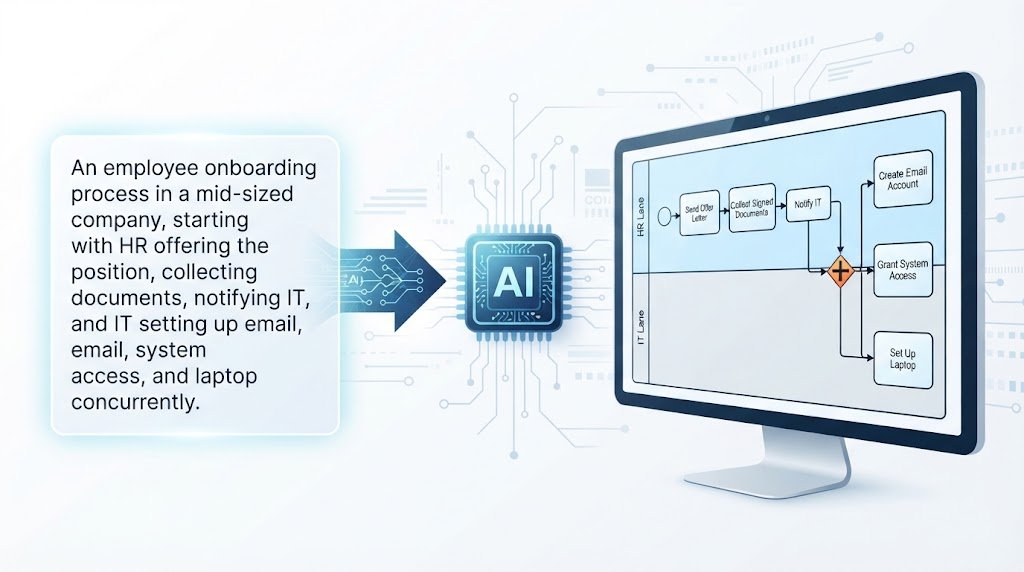
What makes this specific diagram unique is its origin. It was generated by an AI chatbot (Visual Paradigm AI) based on a simple text prompt: “An employee onboarding process in a mid-sized company.”
This highlights a shift in how we approach systems architecture. Instead of manually drawing shapes and connecting lines in a CAD tool, a subject matter expert can describe the process in natural language. The AI then:
- Identifies the necessary Swimlanes (HR, IT).
- Structures the Logic (Sequential vs. Parallel).
- Applies correct Notation (Start events, Gateways, Tasks).
This approach democratizes process modeling, allowing non-technical managers to visualize complex workflows without needing to learn the intricacies of BPMN standards first.