


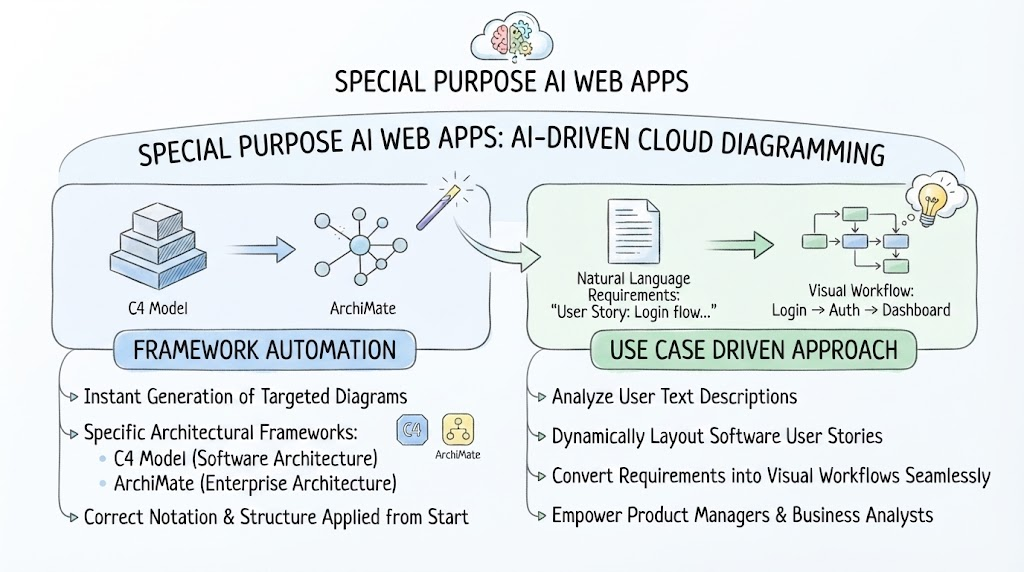
In the modern cloud ecosystem, the barrier between abstract requirements and concrete system architecture is rapidly dissolving. A new generation of Special Purpose AI Web Apps is transforming how we document software and enterprise systems. These tools do not merely assist in drawing; they automate the complex logic of system modeling, leveraging Artificial Intelligence to accelerate the diagramming process and reduce manual effort.
This tutorial explores two distinct yet complementary approaches offered by these AI-driven tools: Framework Automation and the Use Case Driven Approach. By understanding these mechanisms, architects and analysts can drastically improve the speed and accuracy of their technical documentation.
1. Framework Automation: The Architect’s Assistant
The first pillar of AI-driven diagramming is Framework Automation. Traditional modeling often requires deep knowledge of specific notation standards to ensure that diagrams are valid and readable by stakeholders. AI web apps solve this by instantly generating targeted diagrams based on established architectural frameworks.
How It Works
When a user selects a specific architectural standard, the AI acts as a strict enforcer of that standard. It does not guess; it applies the rigorous rules of the chosen framework automatically. This ensures that the correct notation and structure are applied from the very first draft.
Key Frameworks Enabled by AI
- C4 Model (Software Architecture): The C4 model is a popular approach for visualizing software architecture at different levels of abstraction (Context, Container, Component, Code). AI tools can instantly generate these hierarchical views, ensuring that relationships between containers and components are drawn correctly without manual tweaking.
- ArchiMate (Enterprise Architecture): For broader enterprise views, ArchiMate provides a standard for describing, analyzing, and visualizing business architecture, application architecture, and technology architecture. AI automation ensures that the complex layers of business, application, and infrastructure are aligned according to ArchiMate rules.
The Benefit
The primary advantage here is consistency and speed. Instead of spending hours adjusting alignment, shapes, and connection lines to match a specific standard, the AI handles the structural heavy lifting, allowing the architect to focus on the actual system design.
2. Use Case Driven Approach: The Analyst’s Bridge
While Framework Automation handles the “structure” of the system, the Use Case Driven Approach handles the “flow” and functionality. This method is particularly powerful for Product Managers and Business Analysts who often struggle to translate their textual requirements into visual workflows.
From Text to Visuals
This approach relies on Natural Language Processing (NLP). The AI analyzes user text descriptions—often written as User Stories or requirement documents—and dynamically lays out the software user stories and workflows.
A Step-by-Step Example
Imagine a requirement document containing the following text:
“When a user logs in, the system must verify their credentials before showing them the dashboard.”
Using the AI-driven tool, this natural language requirement is converted seamlessly into a visual workflow:
- Input: “User Story: Login flow…”
- Processing: The AI identifies the trigger (Login), the action (Auth), and the outcome (Dashboard).
- Output: A flow diagram:
Login → Auth → Dashboard.
The Benefit
This method empowers non-technical stakeholders. It removes the need for business analysts to learn complex diagramming software. They can simply describe the process in plain English, and the AI generates the visual representation, ensuring that requirements are understood by developers immediately.
Conclusion: The Future of Cloud Diagramming
The integration of AI into web-based diagramming tools represents a shift from drawing diagrams to generating them. Whether you need the structural rigor of the C4 Model or the flexible flow of a Use Case Driven workflow, these Special Purpose AI Web Apps are designed to handle step-by-step processes. By automating the repetitive tasks of layout and notation, these tools allow technical teams to focus on what truly matters: solving complex problems and designing robust systems.
Related posts:
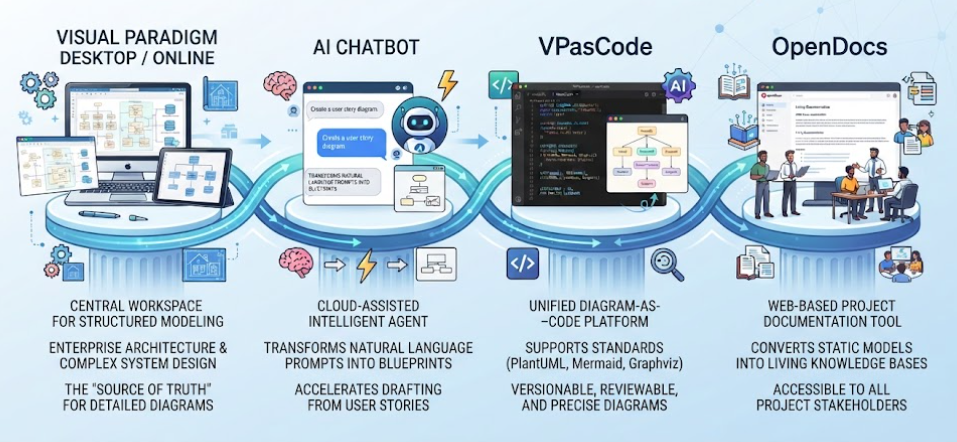 Mastering the Modern Software Design Workflow: From Ideation to Living Documentation with Visual Paradigm
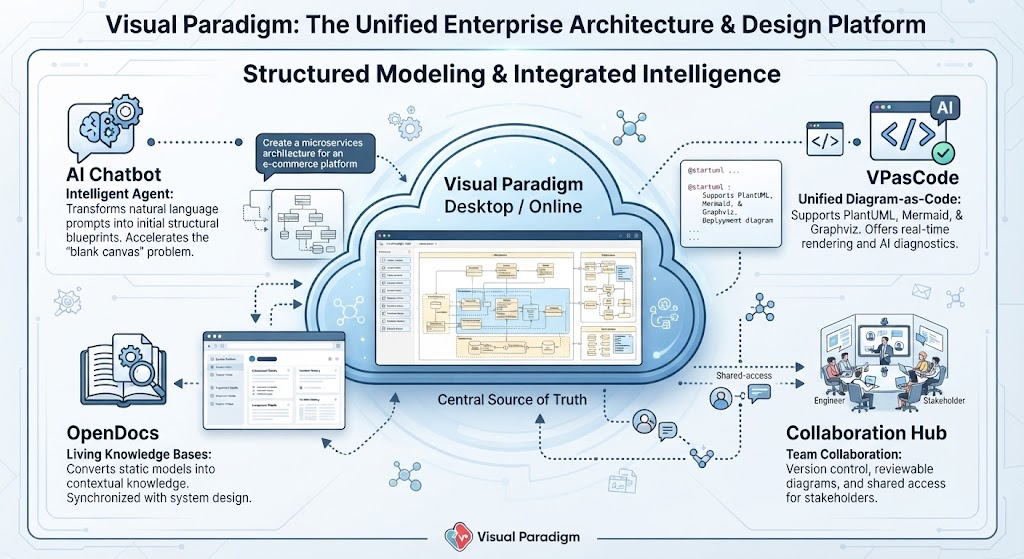 Mastering Enterprise Architecture with Visual Paradigm: A Unified Modeling Ecosystem
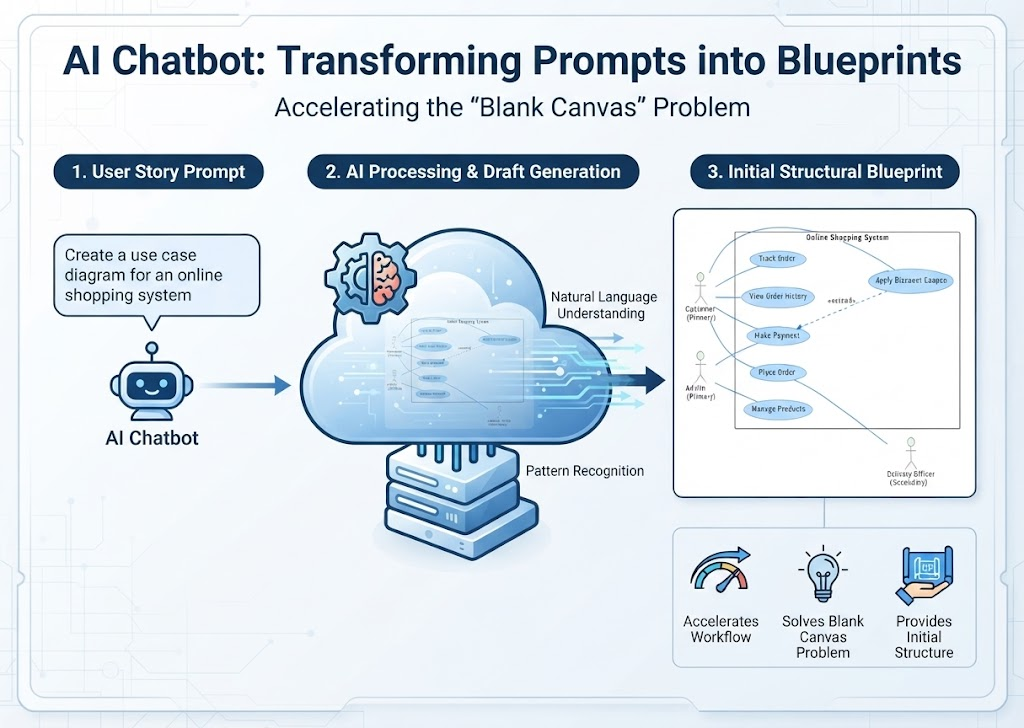 Mastering System Design: How AI Chatbots Transform Prompts into Structural Blueprints
 Mastering Diagram-as-Code with VPasCode: Architecture, AI, and Workflow