In the realm of business process management, clarity is everything. A process diagram that simply lists tasks is like a recipe that lists ingredients but skips the cooking instructions. To truly represent how a business operates, we must model the dynamic flows that drive work forward. At the very core of this dynamism are Events.
Unlike Tasks, which represent the actual work being performed, Events represent the context of that work. They answer the questions of when a process starts, why an activity is happening, and what happens when it concludes. This tutorial will guide you through the three fundamental types of BPMN events—Start, Intermediate, and End—and explain how to effectively model them using tools like Visual Paradigm.
The Anatomy of a Business Process
Before diving into the specific shapes, it is crucial to understand the role of an Event in the broader system architecture. In BPMN (Business Process Model and Notation), an Event is depicted as a circle. It acts as a boundary or a catalyst. If a Task is a verb (e.g., “Approve,” “Ship”), an Event is the noun or the moment (e.g., “Order Received,” “Invoice Paid”).
Events are categorized based on their position and function within the process flow:
- Start Events: The ignition switch.
- Intermediate Events: The traffic lights and signs along the journey.
- End Events: The destination and the final report.
1. Start Events: The “Why” (Triggers)
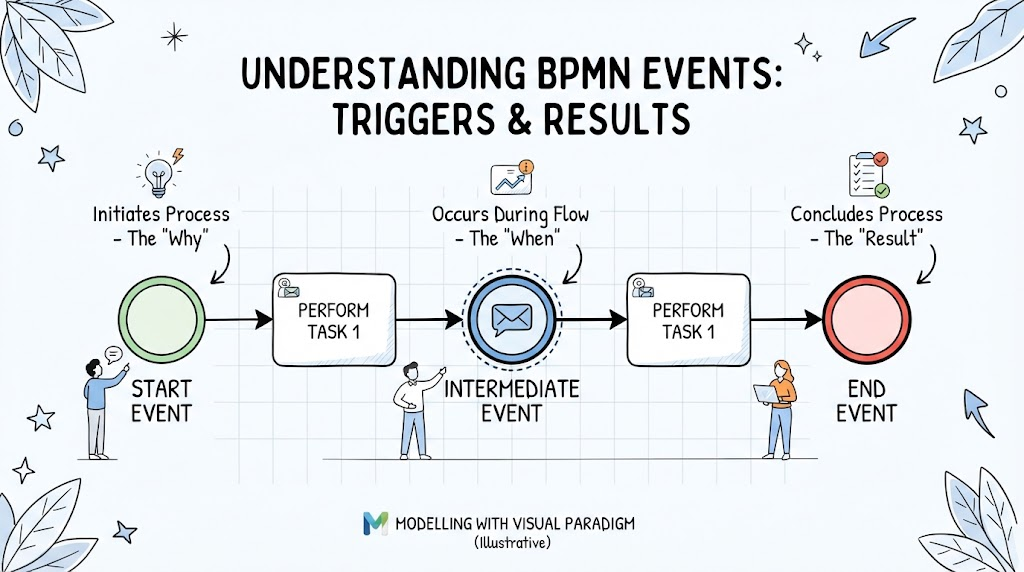
The journey of any business process begins with a Start Event. As illustrated in the diagram, the Start Event is the “Initiates Process” phase. It is the “Why” behind the workflow.
Key Characteristics:
- Role: It triggers the process to begin. Without a start event, the process exists in a dormant state.
- Visual Representation: Typically a thin-lined circle.
- Directionality: A process can have multiple start events (e.g., triggered by a customer email OR a system alert), but a process flow usually continues from only one.
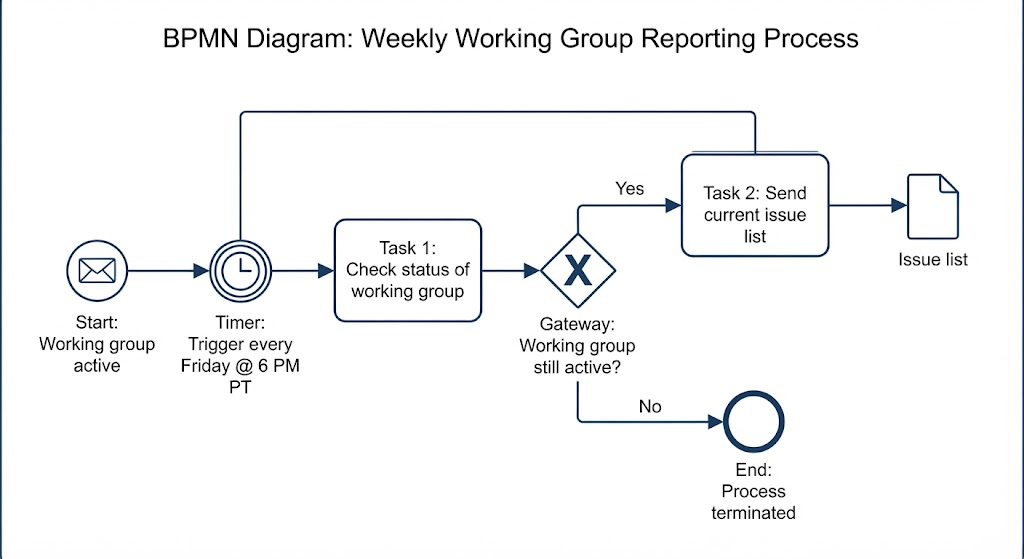
Common Types: While the image shows a generic trigger, in practice, Start Events are often specific. For example, a “Message Start Event” might represent receiving a purchase order, while a “Timer Start Event” might represent a process that runs automatically every Monday morning.
2. Intermediate Events: The “When” (The Flow)
Once the process is underway, things happen in between the tasks. These are Intermediate Events. The diagram labels this phase as “Occurs During Flow – The ‘When’.” These events sit between the Start and End, adding complexity and logic to the model.
Key Characteristics:
- Role: They represent something that happens while the process is running. They can act as gates, waiting areas, or interruptions.
- Visual Representation: A circle with a medium-thickness line.
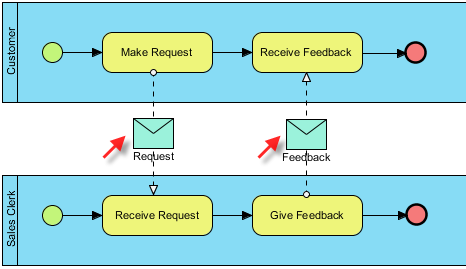
- Function: They often act as a bridge between tasks. For example, “Task A” happens, then an “Intermediate Message Event” waits for a reply, and finally “Task B” happens.
Illustrative Example from the Diagram:
The image depicts an Intermediate Event with an envelope icon. This is a classic Message Event. It suggests that after performing “Task 1,” the process pauses or moves to a state where it is waiting for communication (an email, an API response) before proceeding to the next “Perform Task 1” step.
3. End Events: The “Result” (Conclusions)
Every process must conclude. The End Event represents the “Result” of the business logic. It signifies that the process has successfully completed its goal.
Key Characteristics:
- Role: It marks the termination of the process instance.
- Visual Representation: A thick-lined circle.
- Directionality: A process can end in multiple ways (e.g., a process can end successfully or end with an error), but a specific flow path usually terminates at only one End Event.
The Outcome:
In the provided illustration, the End Event is represented by a red circle. This color coding often implies a specific outcome, such as a failure or a critical completion. In BPMN modeling, you might use a “Terminate End Event” (double line) if you want to stop all parallel flows immediately, or a “Message End Event” if the result is sending a final notification.
Visual Paradigm: Modeling These Concepts
To effectively translate these concepts into a working diagram, tools like Visual Paradigm provide the necessary architecture. The image at the bottom, “Modelling with Visual Paradigm (Illustrative),” highlights that this workflow is not just theoretical but actionable software modeling.
When using Visual Paradigm to build this model:
- Select the BPMN Palette: Ensure you are in the BPMN 2.0 namespace.
- Drag and Drop: Select the Start Event, Intermediate Event, and End Event shapes from the toolbar.
- Connect with Flow: Use Sequence Flows (solid arrows) to connect the Start Event to the first Task, the Task to the Intermediate Event, and so on.
- Define the Logic: Double-click the Intermediate Event to specify if it is a “Timer,” “Message,” or “Error” event, ensuring your diagram accurately reflects the business logic.
Conclusion
Understanding BPMN Events is the difference between a static list of to-dos and a dynamic representation of real-world business logic. By mastering the Start (the trigger), the Intermediate (the flow), and the End (the result), you create diagrams that are not only visually appealing but functionally accurate. Whether you are modeling a simple approval process or a complex enterprise system, these events are the heartbeat of your architecture.