In the world of software architecture, Class Diagrams serve as the backbone of object-oriented design. They provide a crucial static view of a system’s structure, defining how classes interact and organize data. However, for Agile teams and practitioners of Domain-Driven Design (DDD), maintaining these diagrams has historically been a significant pain point. This guide explores how VPasCode revolutionizes this process by shifting from traditional drag-and-drop tools to a modern Diagram-as-Code approach.
1. The Traditional Challenge: Confronting “Diagram Drift”
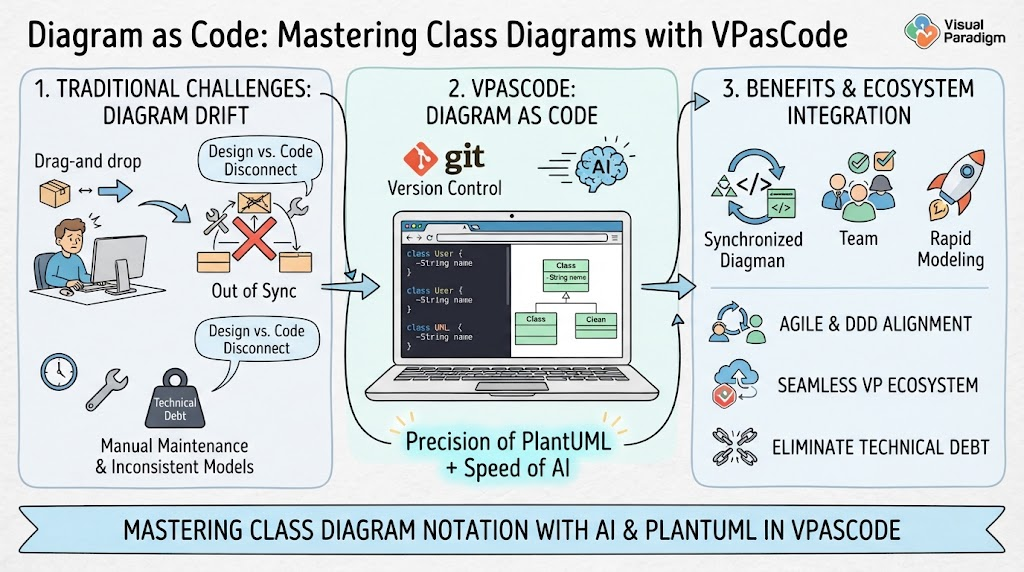
For decades, software architects have relied on visual modeling tools where you manually drag shapes onto a canvas. While intuitive, this method often leads to a phenomenon known as diagram drift. When the visual model falls out of sync with the actual codebase, the documentation becomes obsolete almost immediately.
- Design vs. Code Disconnect: Developers update the code, but forget to update the diagram, or vice versa.
- Manual Maintenance: Drag-and-drop interfaces are time-consuming to maintain, leading to inconsistent models.
- Technical Debt: The resulting “out of sync” state creates technical debt, as teams rely on outdated documentation that no longer reflects the reality of the application.
2. The Solution: VPasCode and Diagram-as-Code
The modern solution lies in treating class structures as version-controlled text rather than static images. This is the core philosophy of VPasCode, Visual Paradigm’s browser-based platform. By combining the precision of PlantUML with the speed of AI, VPasCode bridges the gap between design and implementation.
How It Works
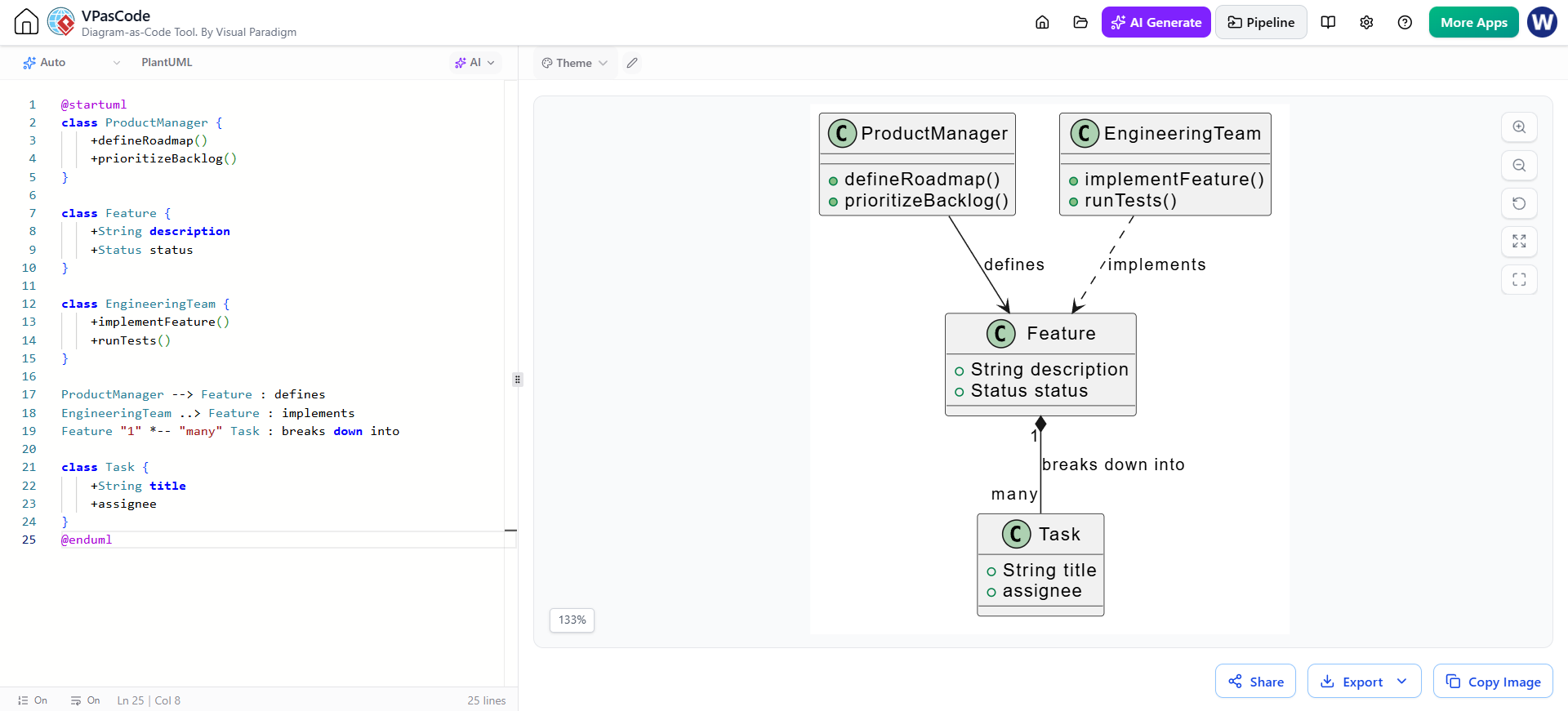
Instead of drawing boxes, you write code. The system interprets PlantUML syntax to generate the diagram automatically. This approach is illustrated in the central panel of the architecture:
- Version Control (Git): Just like your source code, your diagrams are text files stored in Git. This allows for branching, merging, and history tracking.
- PlantUML Syntax: You define classes using simple text blocks. For example:
class User { -String name } - AI Integration: VPasCode leverages AI to accelerate this process, helping you generate complex structures rapidly without typing every single line manually.
3. Benefits and Ecosystem Integration
Adopting a Diagram-as-Code workflow within the VPasCode environment offers profound benefits for modern software development teams. By moving away from manual canvas manipulation, teams unlock several key advantages:
Seamless Synchronization
The most immediate benefit is that the diagram is always in sync. Because the diagram is derived directly from the code definition, there is no “drift.” If you update the class in the code, the diagram updates instantly.
Agile and DDD Alignment
This workflow aligns perfectly with Agile methodologies and Domain-Driven Design. It supports rapid prototyping and iterative development, ensuring that the visual model evolves alongside the product.
Team Collaboration
Since the diagrams are text-based, they can be reviewed, commented on, and merged just like source code. This fosters better collaboration among team members, reducing the silos often found between architects and developers.
Eliminating Technical Debt
Ultimately, by automating the generation of diagrams and integrating them into the version control lifecycle, teams can eliminate the technical debt associated with outdated documentation. This ensures that the “single source of truth” remains consistent, reliable, and up-to-date.
Conclusion
Mastering Class Diagrams is no longer about becoming a master of a drawing tool; it is about mastering the code that drives the visualization. With VPasCode, Visual Paradigm offers a powerful ecosystem that combines the rigor of PlantUML with the efficiency of AI, ensuring your architecture diagrams are as robust and maintainable as the code they represent.