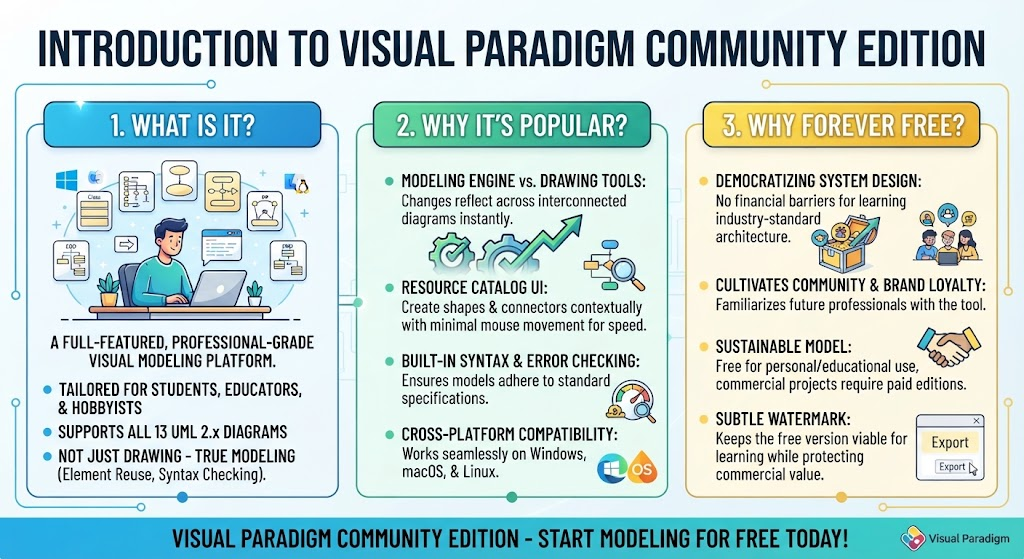
In the world of software engineering and systems architecture, the ability to visualize complex processes is just as critical as writing the code itself. Visual Paradigm Community Edition stands out as a premier tool for this purpose, offering a robust, professional-grade environment tailored specifically for students, educators, and hobbyists. This tutorial explores the architecture of this tool, distinguishing it from simple drawing applications, and explains the strategic philosophy behind its “forever free” availability.
1. What is Visual Paradigm Community Edition?
At its core, Visual Paradigm Community Edition is not merely a vector drawing tool like Microsoft Paint or a basic shape library. It is a true modeling platform. While standard drawing tools treat diagrams as static collections of lines and shapes, Visual Paradigm treats diagrams as dynamic data models.
It is designed to support:
- Students and Educators: Learning industry-standard architecture without financial barriers.
- Open-Source Contributors: Documenting complex projects clearly.
- Hobbyists: Prototyping ideas and personal software projects.
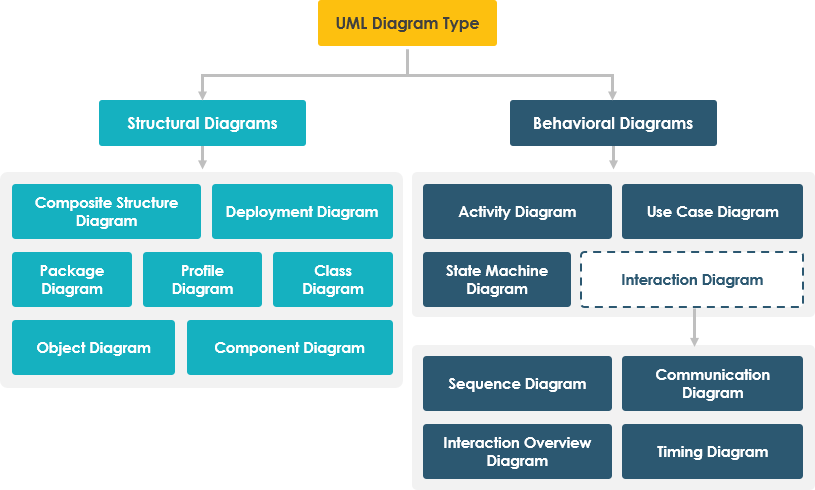
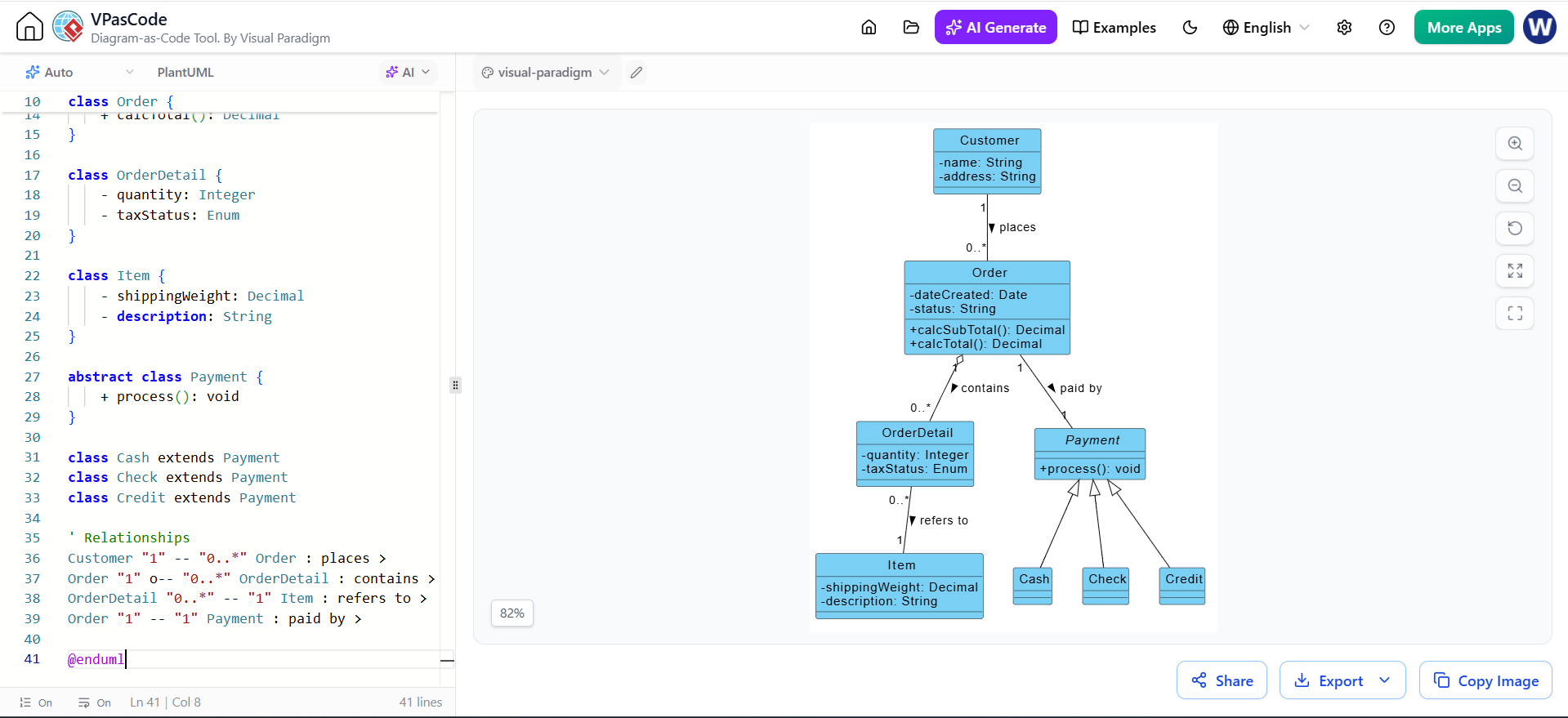
The software supports all 13 standard UML 2.x diagrams (including Class, Sequence, Use Case, Activity, and State Machine diagrams) alongside Entity-Relationship Diagrams (ERD) for database design. Its capabilities extend beyond simple drawing to include element reuse, syntax checking, sub-diagram abstraction, and cross-diagram referencing.
2. Why It Is Popular: The “True Modeling” Advantage
The popularity of Visual Paradigm stems from its advanced engine that prioritizes data integrity and workflow speed over static aesthetics. Here is a breakdown of the key technical advantages:
A. The Modeling Engine vs. Drawing Tools
In traditional drawing software, a Class Diagram and a Sequence Diagram are separate files. If you rename a class in the Class Diagram, you must manually find and update every instance of that class in your Sequence Diagrams. In Visual Paradigm, diagrams are interconnected models. Changes made to an element in one diagram automatically reflect across others. This ensures consistency and saves hours of manual editing.
B. The Resource Catalog UI
Efficiency is paramount in software design. Visual Paradigm features a signature UI component called the Resource Catalog. This allows users to create subsequent shapes, connectors, and child diagrams contextually with minimal mouse movement. Instead of constantly switching menus, the tool anticipates the next logical step, vastly accelerating modeling speed.
C. Built-in Syntax & Error Checking
Adhering to strict modeling specifications can be difficult for beginners. Visual Paradigm acts as a constant mentor by flagging structural or logical inconsistencies on the fly. It helps learners and professionals ensure their diagrams strictly follow UML standards, preventing errors before they propagate into the code.
D. Cross-Platform Compatibility
Built on Java-enabled environments, Visual Paradigm is platform-agnostic. It runs reliably across Windows, macOS, and Linux, ensuring that developers can work in their preferred operating system without compatibility issues.
3. The “Forever Free” Philosophy: Democratizing System Design
Why is a professional-grade tool available for free? Visual Paradigm operates on a strategic business model designed to serve the community while sustaining its enterprise business.
A. Democratizing System Design
The creators operate under the belief that financial barriers should never prevent students, independent developers, or educators from learning industry-standard software architecture. By providing a high-quality free tool, they ensure that the next generation of engineers is fluent in these systems.
B. Community Cultivation & Brand Loyalty
This strategy effectively seeds the market. By familiarizing a massive audience with the Visual Paradigm workspace interface during their education, the company cultivates future brand advocates. When these individuals eventually enter commercial enterprises, they often advocate for adopting the paid professional or enterprise editions because they are already proficient in the ecosystem.
C. Clear Commercial Boundaries
The free tier remains sustainable through explicit scope restrictions. It is designed for personal and non-commercial projects. To maintain the free version’s viability while protecting revenue streams for enterprise clients, the software includes a subtle watermark on exports for the desktop version. This preserves the value proposition for organizations that require:
- Team collaboration servers.
- Advanced code engineering features.
- Commercial deployment licenses.
Conclusion
Visual Paradigm Community Edition represents a bridge between academic learning and professional application. By combining the power of a true modeling engine with a user-friendly, speed-focused interface, it empowers users to master system design. Whether you are a student learning your first UML diagram or a hobbyist prototyping a new app, Visual Paradigm provides the professional tools you need at no cost.