In the realm of software engineering and systems modeling, the tool you select is not merely a preference; it is an architectural decision that dictates your workflow, collaboration capabilities, and licensing compliance. Visual Paradigm offers two distinct environments: VP Online (a SaaS/Cloud model) and the Desktop Community Edition (a local application). This tutorial will guide you through the technical and practical implications of choosing between these two ecosystems, helping you understand when to leverage the power of the cloud versus the control of a local installation.
1. The Desktop Ecosystem: Local Control and Independence
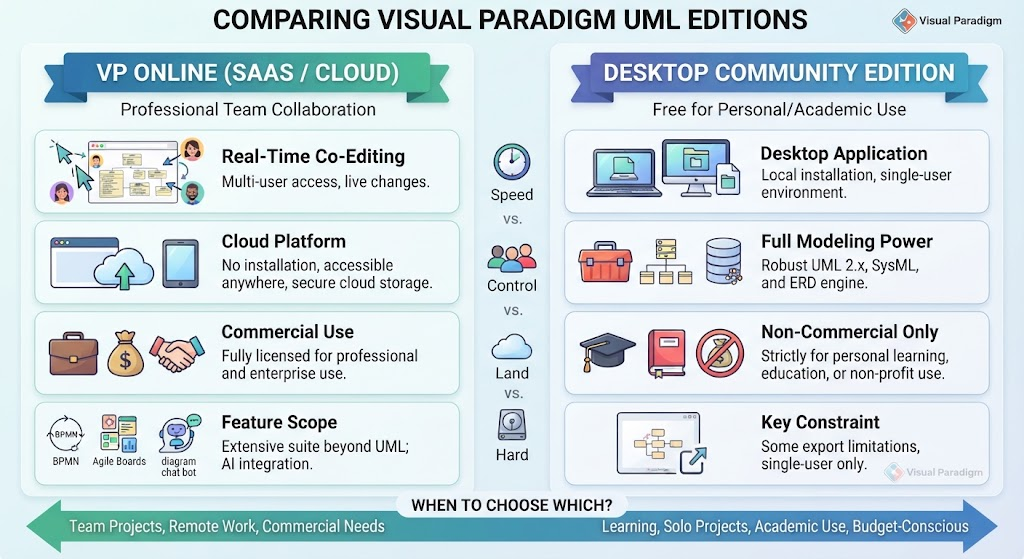
The Desktop Community Edition represents the traditional approach to software modeling. It is architected as a standalone, resource-intensive Java application that runs directly on your operating system. This architecture offers specific advantages for individual contributors and educational environments.
Key Architectural Features of the Desktop Edition
- Local File Control & Security: In this architecture, data sovereignty is paramount. Your models reside entirely on your local hard drive. No data leaves your machine unless you explicitly export or upload it. This makes it ideal for projects involving sensitive data or restricted network environments.
- The Repository Engine: Despite being a “local” app, it houses a robust UML 2.x and SysML repository engine. This allows for deep syntax checking and ensures Model-View Consistency. For example, if you rename a class in a Class Diagram, the change propagates instantly across Sequence, Communication, and State Machine diagrams because they all reference the central local repository.
- Zero Internet Dependency: Once installed, the application functions as a “silo.” You do not require an internet connection to design, model, or verify your diagrams.
The Constraints of the Local Model
While powerful, the Desktop Edition comes with strict architectural and licensing constraints:
- Single-User Silo: The desktop application is designed for a single user. It lacks native support for real-time co-authoring. If you need to collaborate, you must rely on file-sharing mechanisms rather than simultaneous editing.
- Licensing Restrictions: The Community Edition is strictly non-commercial. It is legally restricted to personal, educational, or academic use. It cannot be used for client work or systems that generate corporate revenue.
- Hardware Footprint: As a full-fledged Java application, it requires significant RAM and CPU resources, which can be a bottleneck on older hardware.
2. The Cloud Ecosystem: VP Online (SaaS)
VP Online shifts the paradigm from a local installation to a Cloud-Native architecture. By moving the engine to the browser, Visual Paradigm removes the dependency on local hardware resources and enables a modern, collaborative workflow.
Key Architectural Features of VP Online
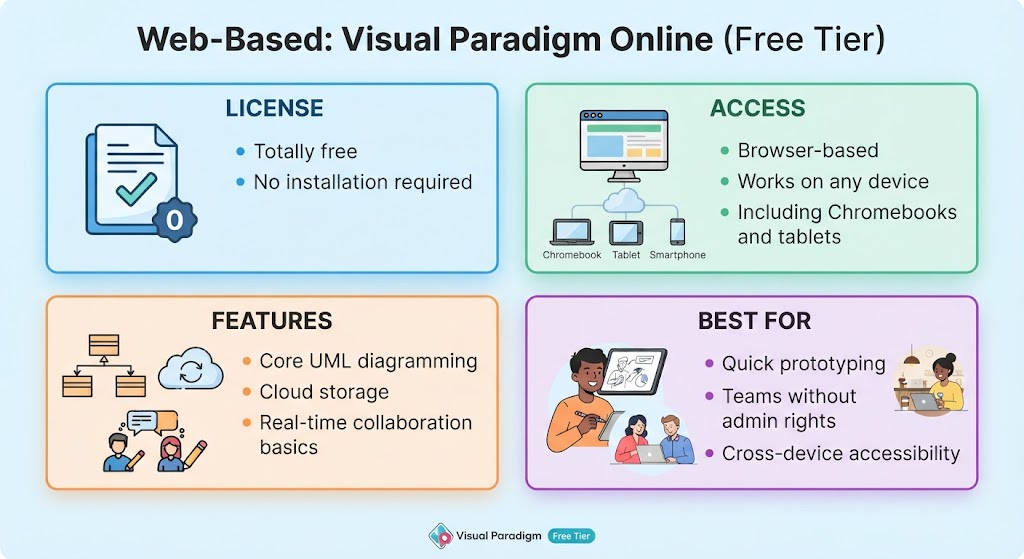
- Zero Installation & Cross-Platform Mobility: Because the application runs entirely within a web browser, there is zero footprint on your local hardware. You can access your models from Windows, macOS, Linux, or tablets without installing software.
- Real-Time Collaboration: This is the defining feature of the cloud architecture. Multiple team members can co-edit the same diagram simultaneously. This eliminates the “merge conflict” issues common in version-controlled local files.
- Integrated AI & Extensibility: The cloud environment supports features that are difficult to host locally, such as the AI Diagram Chatbot and text-to-diagram generation. It also expands the scope beyond standard UML into flipbooks, infographics, and project management boards.
The Trade-offs of the Cloud Model
The SaaS model introduces specific dependencies:
- Persistent Internet Connection: You cannot work offline. The application requires a constant connection to the server to function.
- Browser Performance Overhead: While the heavy lifting is done by the server, rendering massive, complex enterprise models in a browser can still be performance-intensive depending on your connection speed and browser capabilities.
- Commercial Licensing: Unlike the Desktop version, the Online version offers entry and subscription tiers specifically designed for commercial and enterprise use.
3. Underlying Modeling Concepts: Model-View Consistency
Regardless of whether you choose the Desktop or Online edition, Visual Paradigm stands apart from generic drawing tools (like basic vector editors) because it is a true software engineering modeling platform. It relies on a central repository architecture.
How Model-View Consistency Works
In a standard drawing tool, a “Class” in a diagram is just a shape. If you want to change its name, you must manually find and rename it in every other diagram. In Visual Paradigm:
- The Repository: Your model elements exist in a central database (local for Desktop, cloud for Online).
- The View: Diagrams are merely “views” of that data.
- The Result: Renaming a class in the repository updates every view instantly. This ensures that your Sequence Diagrams, Class Diagrams, and Deployment Diagrams always remain consistent.
Advanced Engineering Capabilities
Both editions support advanced engineering workflows:
- Round-Trip Engineering: You can generate code from your diagrams and, conversely, reverse-engineer code into diagrams.
- Resource Catalog: A productivity mechanism that allows engineers to spawn related elements, connectors, and sub-diagrams with minimal mouse movement, speeding up the modeling process.
4. Decision Matrix: When to Choose Which?
To summarize the architectural trade-offs, use the following decision matrix based on your specific workflow needs:
Choose VP Online When:
- Team Collaboration is Critical: You are working on a team that needs to co-edit designs remotely.
- Commercial Use: You are building systems for enterprise use and require a valid commercial license.
- Modern Integration: You prefer a zero-install, browser-based utility with modern AI integrations.
Choose the Desktop Community Edition When:
- Cost is the Primary Driver: You are a student, educator, or individual developer needing a powerful environment without ongoing subscription costs.
- Offline Access is Required: You need to design in environments with no internet access.
- Data Privacy: You require 100% local control over your data files.
- Solo Projects: You are working on open-source or learning projects where real-time co-authoring is not necessary.
In conclusion, the choice between VP Online and the Desktop Community Edition is a choice between Speed and Collaboration (Online) versus Control and Independence (Desktop). Both leverage the same powerful modeling engine, but the deployment architecture dictates how you interact with your designs.