


In the rapidly evolving world of Enterprise Architecture (EA), the release of the TOGAF Standard, 10th Edition marked a significant departure from traditional documentation structures. Where previous versions relied on a monolithic “one-size-fits-all” volume, TOGAF 10 introduces a modular, flexible design that allows practitioners to tailor their approach to specific organizational needs. This tutorial explores the structural philosophy of the TOGAF Library, breaks down the hierarchy of its components, and provides a practical roadmap for applying these concepts using Visual Paradigm.
Understanding the TOGAF Library Structure
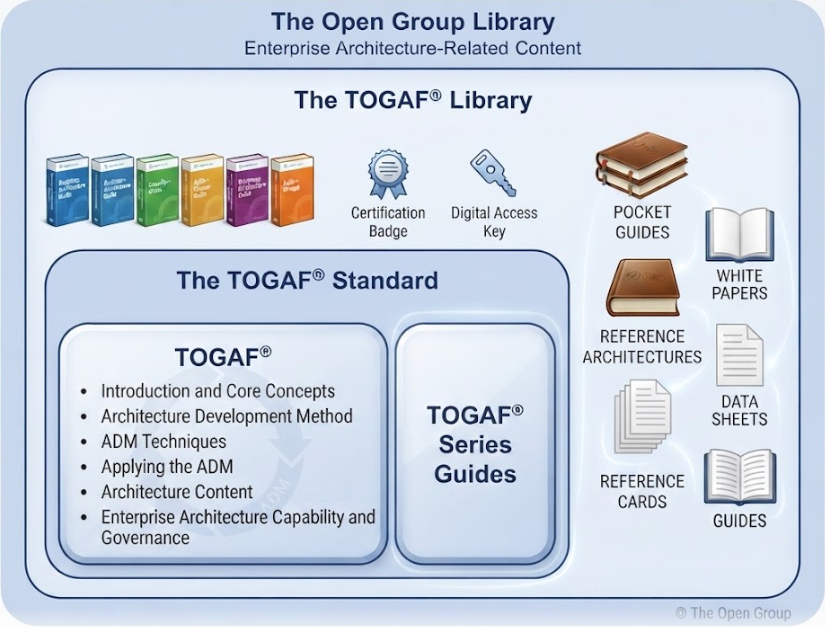
At the heart of the new standard is “The TOGAF Library,” a comprehensive ecosystem of content designed to support the Architecture Development Method (ADM). As illustrated in the TOGAF Library diagram, the system is not merely a stack of books but a collection of interconnected resources ranging from certification badges to digital access keys.
The library is divided into two primary categories: The TOGAF Standard and The TOGAF Series Guides. This separation is crucial for understanding how to access the right information for the right task.
1. The TOGAF Standard
The core of the ecosystem is The TOGAF Standard. This module contains the authoritative rules and definitions required to implement the ADM. It is the “source of truth” for architects and includes:
- Introduction and Core Concepts: The foundational terminology and principles.
- Architecture Development Method (ADM): The cyclic process for developing architecture.
- ADM Techniques: Specific methods for gap analysis, stakeholder management, and more.
- Applying the ADM: Guidance on tailoring the process for different contexts.
- Architecture Content: The Architecture Content Framework (ACF) and metamodel.
- Enterprise Architecture Capability and Governance: How to establish and run an EA function.
2. The TOGAF Series Guides
While the Standard provides the rules, the Series Guides provide the “how-to” and context. These guides are modular, meaning you can pick and choose specific topics relevant to your current project without needing to read the entire library. They cover specific domains and application areas, ensuring that architecture is practical and adaptable.
Breaking Down the Supplementary Resources
Surrounding the core Standard and Guides are supplementary artifacts designed to aid learning, certification, and quick reference. Visualizing these resources helps us understand the “learning path” for an EA practitioner.
- Pocket Guides: Concise, portable summaries of complex topics, perfect for quick look-ups during meetings.
- White Papers: In-depth explorations of specific architectural trends or theoretical concepts.
- Reference Architectures: Pre-defined blueprints for specific industries or technologies that serve as starting points.
- Data Sheets: Technical specifications and data points regarding specific architectural components.
- Reference Cards: Quick-checklists for common tasks and processes.
Practical Application with Visual Paradigm
Understanding the theory is only half the battle; the true value of TOGAF 10 lies in its application. To bring these concepts to life, we can leverage Visual Paradigm, a leading Enterprise Architecture tool that seamlessly integrates with the TOGAF ADM.
Step 1: Setting Up the Environment
Begin by configuring Visual Paradigm to use the TOGAF 10 template. This ensures that your repository structure aligns with the new modular standards, including the specific metamodels defined in The TOGAF Standard.
Step 2: Modeling the Architecture Content Framework (ACF)
One of the most powerful aspects of TOGAF 10 is the Architecture Content Framework. Using Visual Paradigm, you can visualize the relationship between different architectural building blocks.
- Create a Business Process Model using the Business Architecture workbench.
- Link these processes to specific Capability Maps defined in the ADM.
- Utilize the Content Metamodel to ensure that every diagram you draw adheres to the standard definitions of “Artifact,” “Building Block,” and “Deliverable.”
Step 3: Leveraging the ADM Cycle
Visual Paradigm allows you to navigate the ADM phases (Preliminary, A through H, and Requirements Management) as a structured workflow. By integrating the TOGAF Standard directly into the tool, you can:
- Automate the generation of Architecture Definition Documents.
- Perform Gap Analysis directly against the Reference Architectures found in the library.
- Generate Stakeholder Reports that align with the governance requirements.
Conclusion
The transition to TOGAF 10 represents a shift from rigid documentation to flexible, value-driven architecture. By understanding the modular structure of the TOGAF Library—from the core Standard to the supplementary Pocket Guides and White Papers—practitioners can navigate the complexity of modern enterprise systems with greater agility. When combined with powerful tooling like Visual Paradigm, the TOGAF 10 framework becomes not just a theoretical standard, but a practical, executable roadmap for digital transformation.
Related posts:
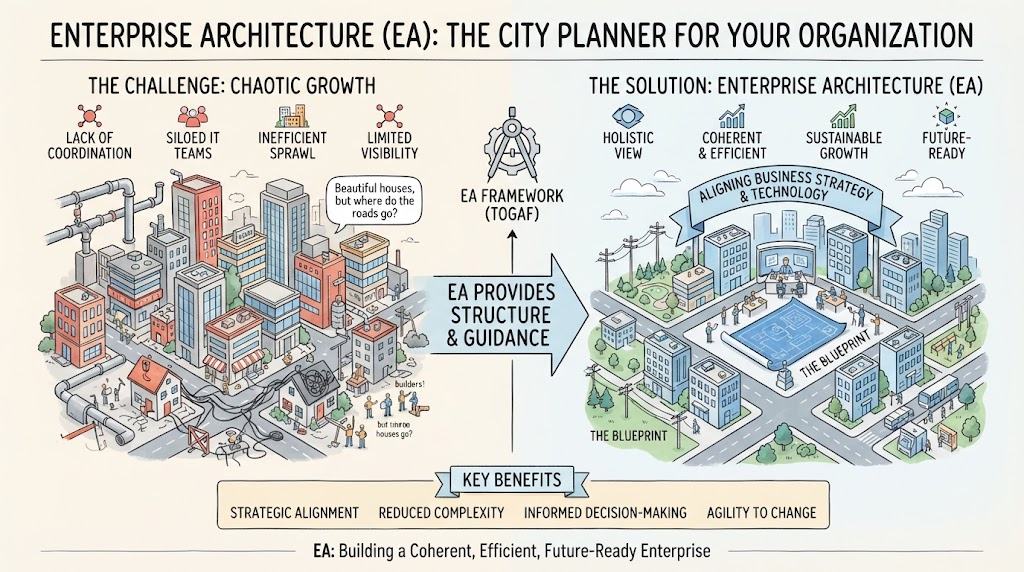 Enterprise Architecture as City Planning: A Visual Guide to TOGAF & Strategic Alignment
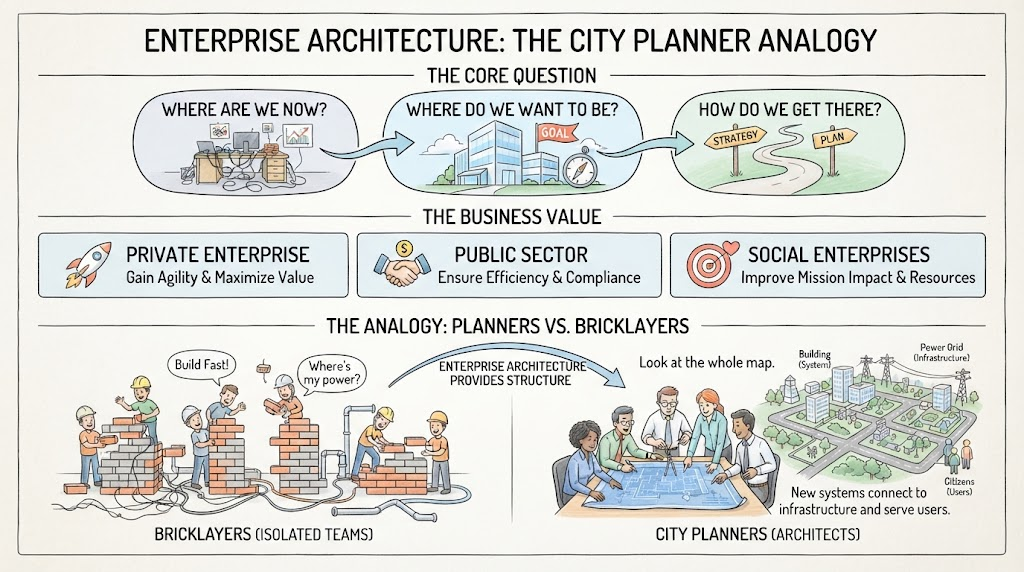 Mastering Enterprise Architecture: The City Planner Analogy and Strategic Roadmapping
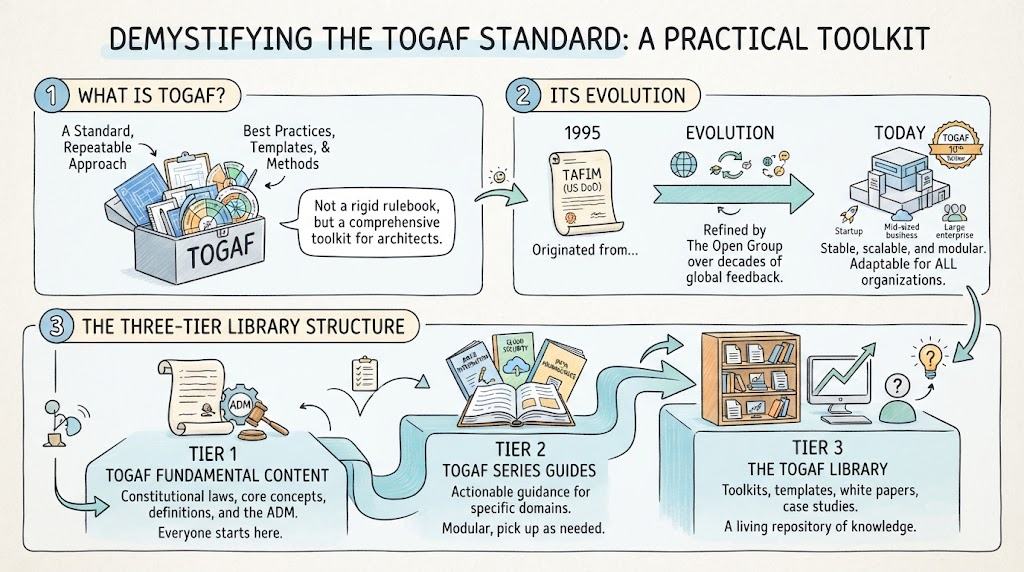 Demystifying the TOGAF Standard: A Practical Toolkit for Modern Enterprise Architecture
 Mastering Modern Agility: A Tutorial on Minimum Viable Architecture and the Digital Emergence Journey