


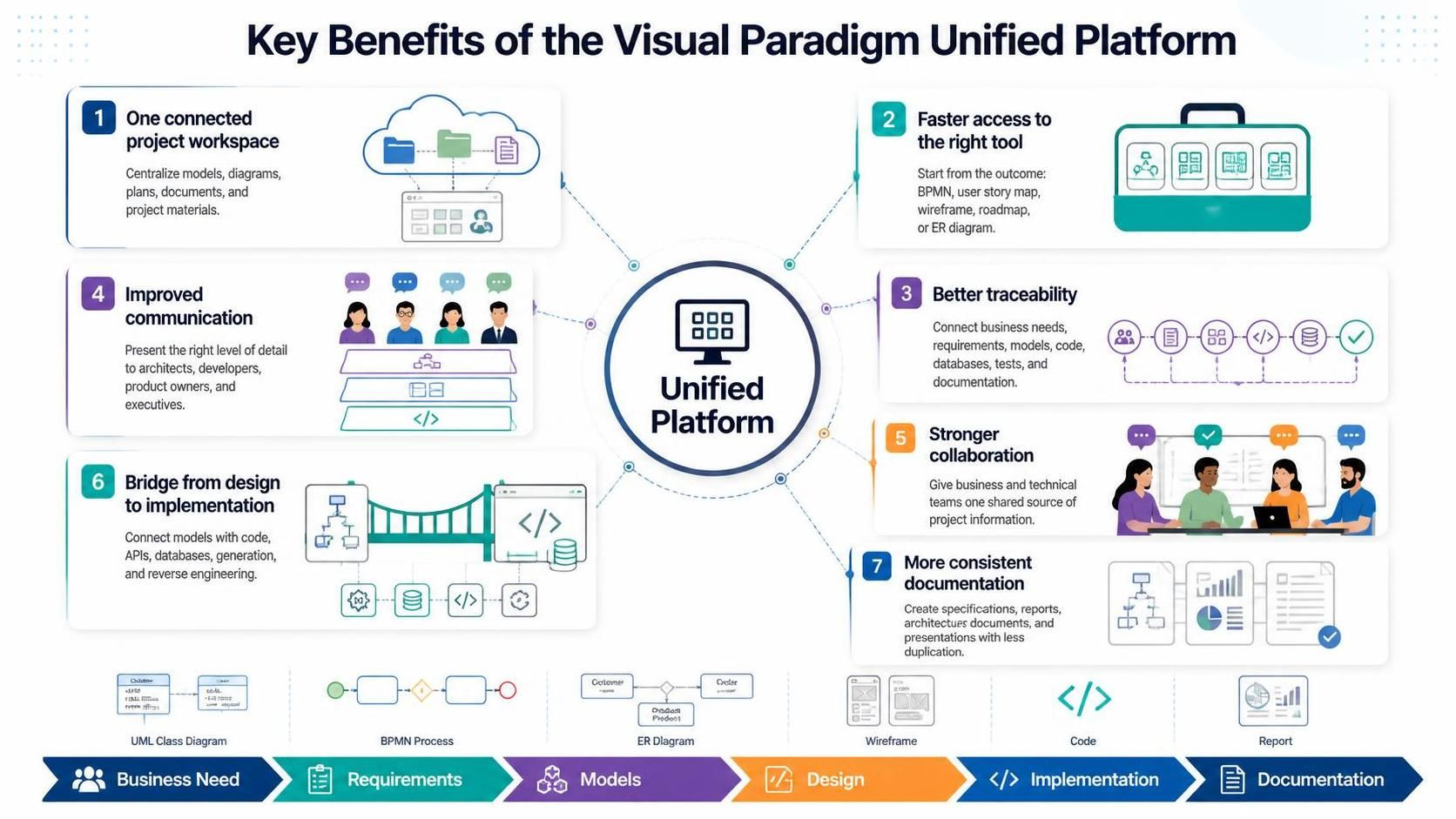
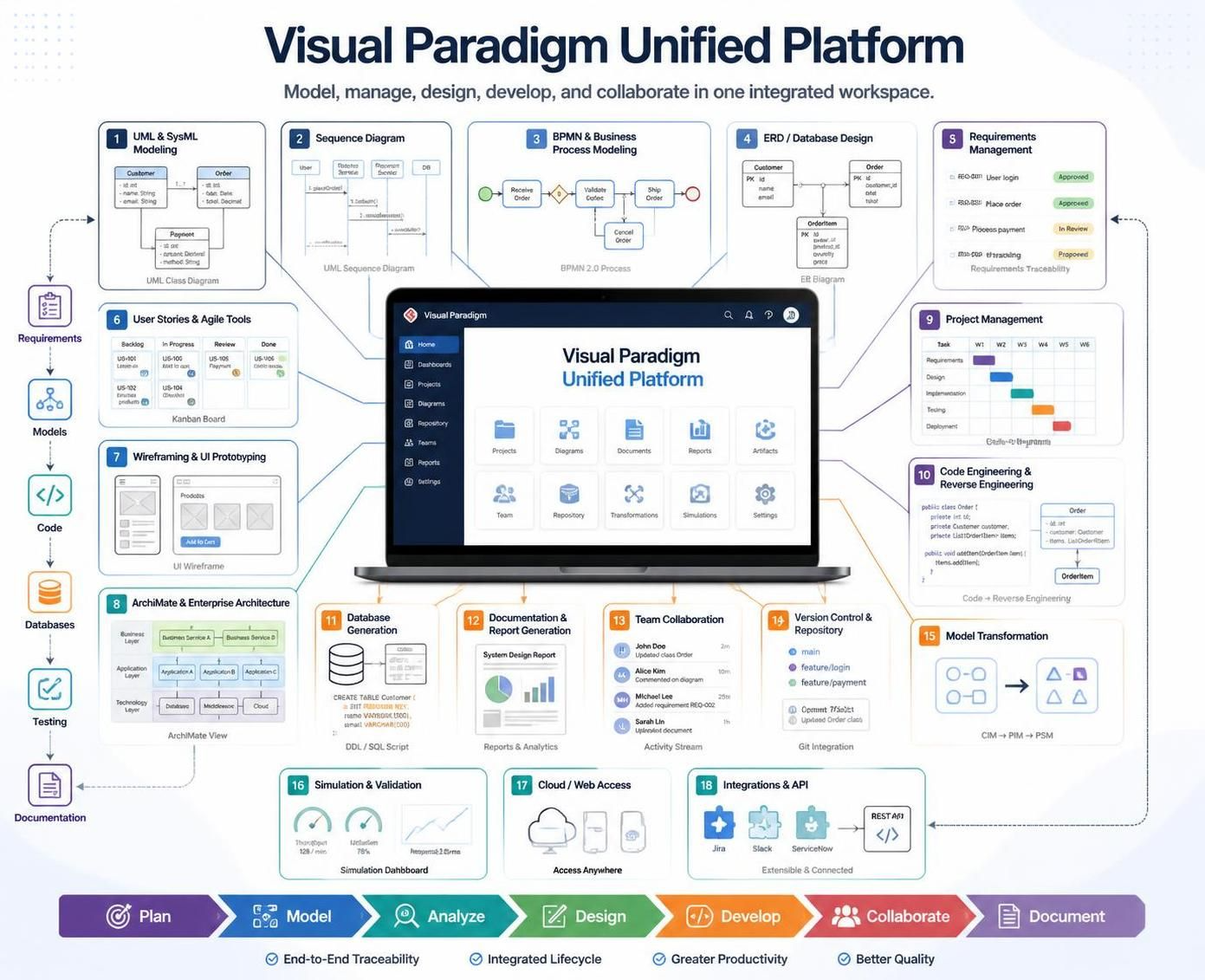
In modern software engineering and enterprise architecture, the “silo effect”—where requirements, design, implementation, and documentation exist in disconnected tools—is a major bottleneck. Visual Paradigm addresses this through its Unified Platform, a centralized ecosystem designed to bridge the gap between conceptual business needs and technical implementation.
This tutorial explores the architecture of the Unified Platform, the core modeling concepts it supports, and the strategic benefits of integrating these workflows into a single environment.
1. The Core Architecture: One Connected Project Workspace
The foundation of the Visual Paradigm ecosystem is the Unified Project Workspace. Unlike traditional tools where a diagram might be saved as a standalone image or a separate file, the Unified Platform treats the entire project as a connected entity.
Centralized Asset Management
Instead of searching across disconnected applications, teams organize diagrams, documents, and related project materials in a centralized, drive-like environment. This ensures that:
- Traceability is maintained: You can see the lineage of a design decision from the initial business need to the final code artifact.
- Collaboration is streamlined: Stakeholders, architects, and developers work around shared project information rather than maintaining separate versions of the truth.
2. Modeling Concepts and Methodologies
The platform supports a wide array of methodologies, allowing users to start from the outcome they want to create (e.g., a BPMN diagram, user story map, or ER diagram) rather than forcing a specific tool first.
A. Business Process Modeling (BPMN)
For business process improvement, the platform allows teams to map current processes in BPMN, identify problems, and design future-state processes. This is critical for operational change analysis.
B. Systems and Software Modeling (UML/SysML)
Developers and architects use UML for deep analysis. The platform supports:
- Structural Models: Class diagrams, Object diagrams, and Component diagrams to define static relationships.
- Behavioral Models: Sequence diagrams, Activity diagrams, and State machine diagrams to describe dynamic interactions.
- Architectural Models: SysML models for complex system engineering.
C. Database and API Design
Understanding the data layer is vital. The platform enables the creation of ER diagrams, database structures, and REST API designs. It reduces the gap between logical design (the model) and physical design (the actual database schema).
3. The Workflow: From Idea to Implementation
The most powerful aspect of the Unified Platform is the Hybrid Workflow. It combines deep modeling in the desktop environment with browser-based access, online tools, planning, documentation, and collaboration. A typical project moves through the platform using the following sequence:
- Capture the Idea: Record the business problem, stakeholder goals, user needs, or product opportunity.
- Define Requirements: Refine informal ideas into requirements, use cases, user stories, acceptance criteria, and measurable outcomes.
- Model the Processes: Use BPMN, activity diagrams, customer journey maps, or process maps to describe how work should happen.
- Design the Solution: Create wireframes, domain models, class diagrams, sequence diagrams, component diagrams, deployment diagrams, or SysML models.
- Design Data and APIs: Develop ER diagrams, database structures, REST API designs, and integration models.
- Plan Delivery: Organize work into a product backlog, roadmap, release plan, work breakdown structure, or project schedule.
- Implement the Solution: Use code engineering, database generation, reverse engineering, and technical documentation to support development.
- Review and Validate: Check models, analyze dependencies, simulate selected processes where appropriate, and review designs with stakeholders.
- Publish and Collaborate: Generate specifications, reports, presentations, and shareable project views for technical and nontechnical audiences.
4. Tooling: The Visual Paradigm Ecosystem
To support the capabilities described above, the Visual Paradigm ecosystem is built upon several core pillars that ensure consistency and connectivity across the lifecycle.
Pillar 1: Visual Paradigm Desktop (The Modeling Engine)
This is the core authoring environment. It provides the deep modeling capabilities required for complex UML, BPMN, and SysML creation. It allows for:
- Formal Modeling: Strict adherence to language specifications.
- Code Engineering: Generating code from models and reverse engineering code into models.
- Database Engineering: Generating SQL scripts from ER diagrams and reverse engineering database schemas.
Pillar 2: Visual Paradigm Cloud (The Collaboration Hub)
The cloud component transforms the platform into a collaborative workspace. It allows teams to:
- Access project materials from a browser-based environment.
- Manage online tools for planning and documentation.
- Share project views with non-technical stakeholders who may not have the desktop application installed.
Pillar 3: The Bridge from Design to Implementation
The platform acts as a bridge between conceptual models and technical implementation. It connects:
- Code Engineering: Connecting UML class diagrams to Java, C#, Python, etc.
- API Design: Connecting logical API models to RESTful implementations.
- Database Structures: Connecting ER models to physical database engines.
Conclusion
By centralizing the project workspace, providing faster access to the right tools, and ensuring better traceability, the Visual Paradigm Unified Platform empowers teams to reduce the separation between desktop models, online diagrams, planning artifacts, and project documentation. Whether you are a business analyst mapping processes or a developer implementing complex APIs, the platform provides a consistent ecosystem for theory and practice.
Related posts:
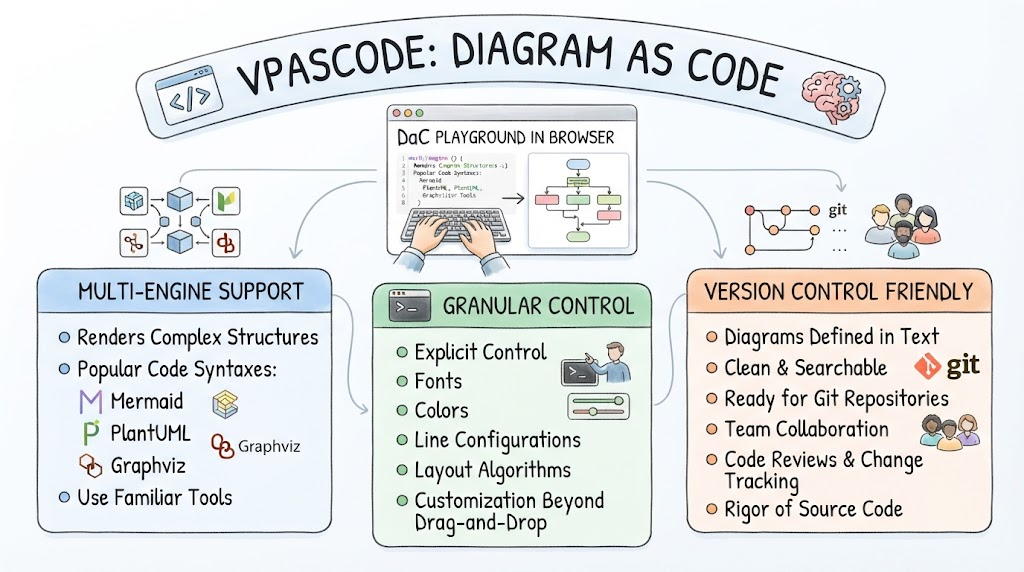 Mastering Diagram as Code: An Architectural Guide to VPasCode
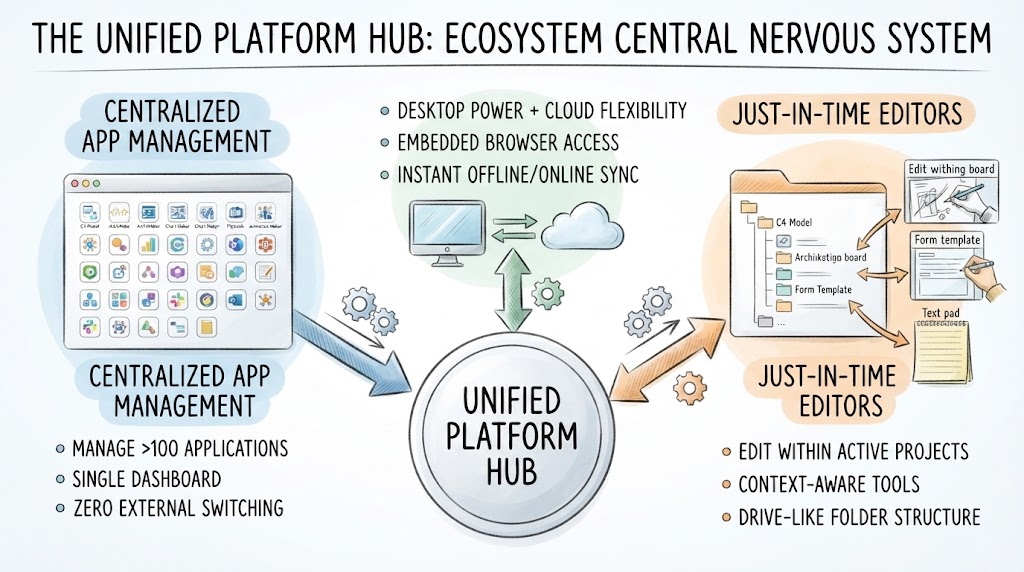 Mastering the Unified Platform Hub: A Guide to Ecosystem Architecture and Workflow Integration
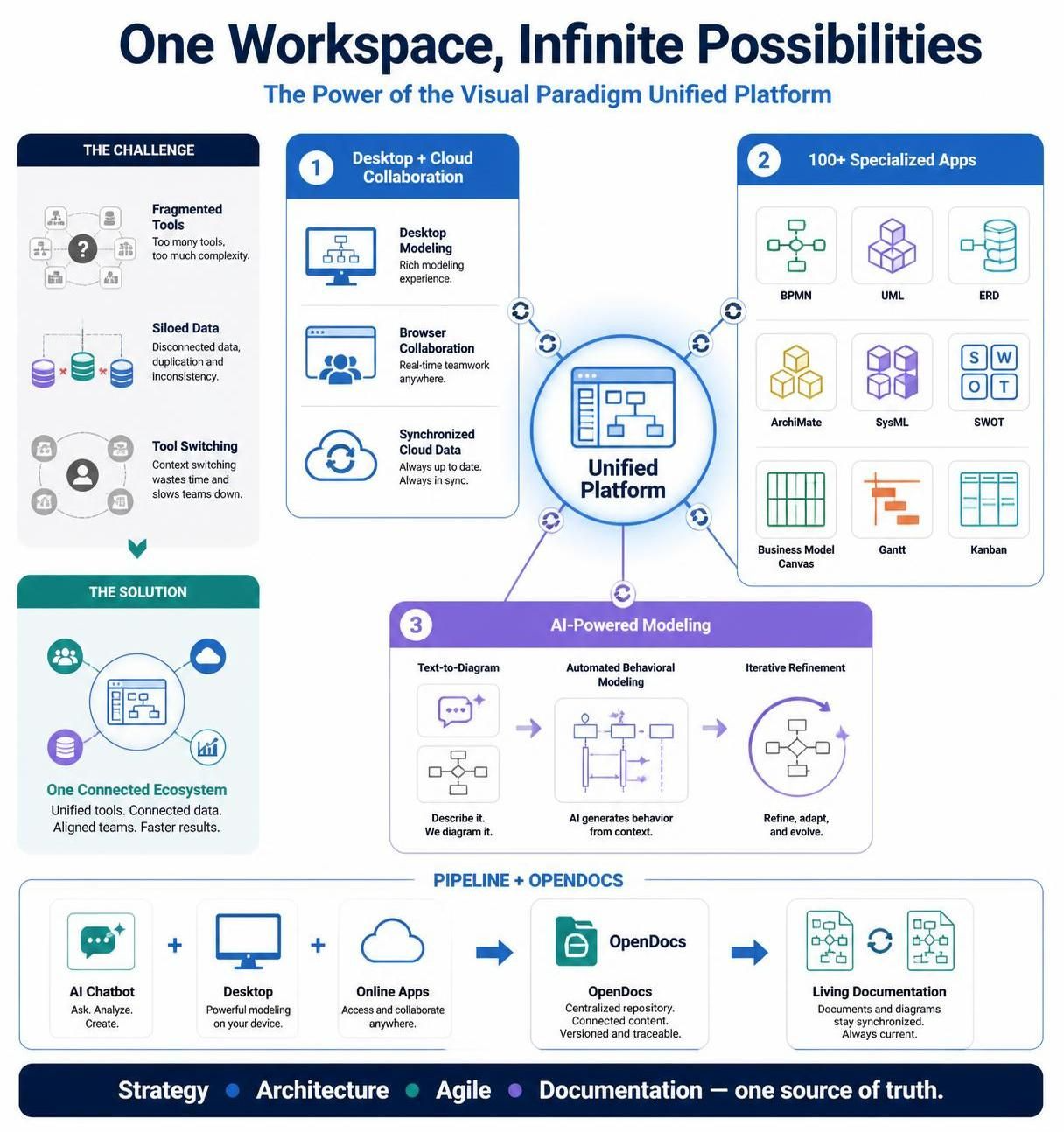 Mastering the Visual Paradigm Unified Platform: From VPasCode to Living Documentation
 Mastering the VP Unified Platform: From Business Requirements to Code