In the rapidly evolving world of software architecture, the tools we use to visualize our systems are just as critical as the code we write. For decades, architects have relied on traditional drag-and-drop graphical user interfaces (GUIs) to create UML diagrams. While these tools were once the standard, they have increasingly become bottlenecks in modern development cycles. This tutorial explores the paradigm shift toward Diagrams as Code, a methodology that aligns architecture documentation directly with software version control and automation.
By leveraging a modern stack comprising PlantUML, Visual Paradigm, and VPasCode AI, teams can transform static, outdated diagrams into living, version-controlled assets.
The Traditional Bottleneck: Why Drag-and-Drop is Failing
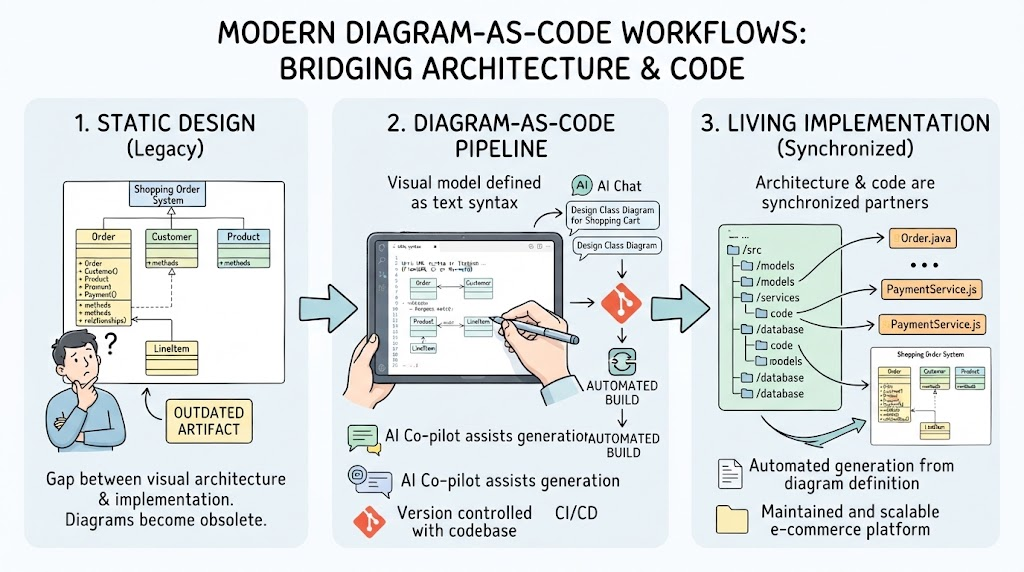
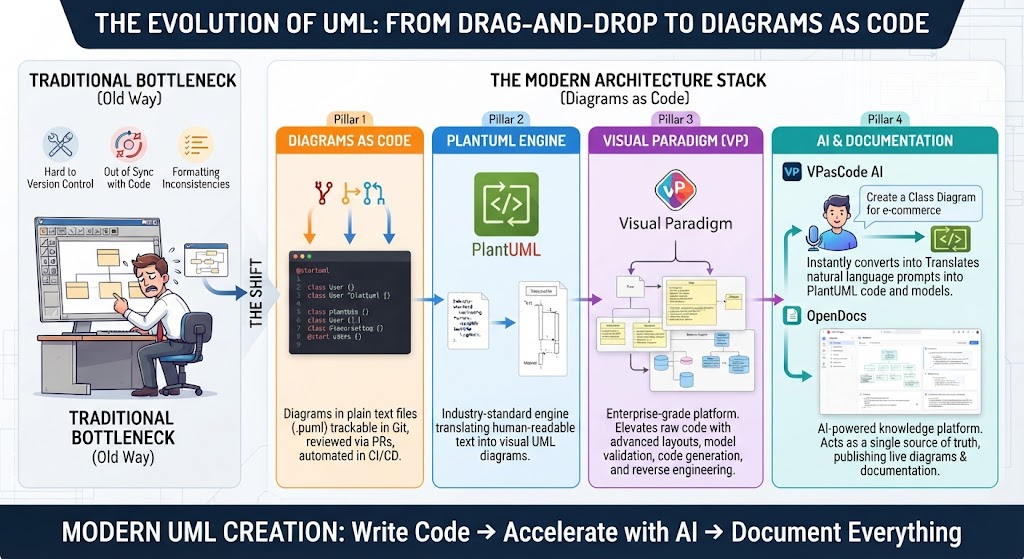
Before diving into the solution, it is essential to understand the problems inherent in legacy diagramming tools. As illustrated in the “Traditional Bottleneck” section of the modern stack, relying on binary files and GUI editors introduces three critical issues:
- Hard to Version Control: Binary diagram files do not diff well in Git. You cannot easily see what changed between versions, making collaborative editing a nightmare.
- Out of Sync with Code: When developers refactor code, they rarely update the diagrams. This leads to “documentation drift,” where the architecture diagram no longer matches reality.
- Formatting Inconsistencies: Manual layout adjustments are fragile. A simple change in one part of the diagram can cause the entire layout to collapse or look unprofessional.
The Solution: The Modern Architecture Stack
The modern approach treats diagrams as software artifacts. By defining diagrams in plain text, we can apply the same rigorous engineering practices to our documentation that we apply to our codebase. This stack is built upon four core pillars.
Pillar 1: Diagrams as Code Methodology
The foundation of this workflow is the .puml file. Instead of saving a proprietary binary file, the diagram is defined in a simple, human-readable text format. This allows the diagram to be:
- Tracked in Git repositories alongside source code.
- Reviewed via Pull Requests (PRs).
- Automated within CI/CD pipelines.
Pillar 2: The PlantUML Engine
At the heart of the text-to-diagram revolution is PlantUML. This open-source engine takes the plain text definitions and renders them into visual UML diagrams. It acts as the foundational engine for the workflow, translating simple syntax into complex structural blueprints.
Pillar 3: Visual Paradigm (VP)
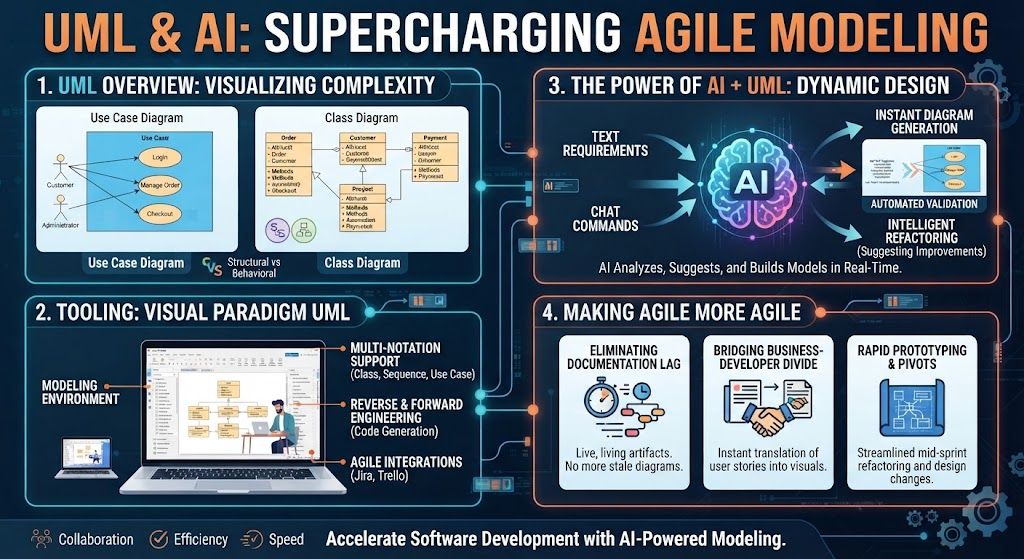
While raw text is powerful, enterprise-grade architecture requires more than just rendering. Visual Paradigm serves as the professional modeling platform that elevates raw PlantUML code. It adds:
- Advanced Layout Engines: Ensuring diagrams look professional and readable automatically.
- Model Validation: Checking for structural errors in the architecture.
- Code Generation & Reverse Engineering: Turning diagrams into code and vice versa.
Pillar 4: AI & Documentation (VPasCode AI & OpenDocs)
The final pillar bridges the gap between human intent and technical execution:
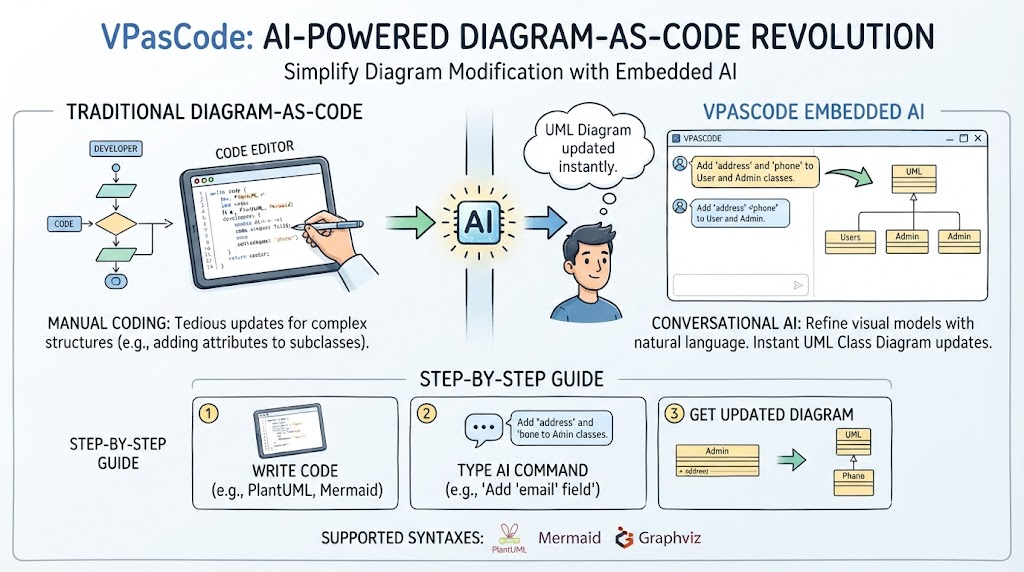
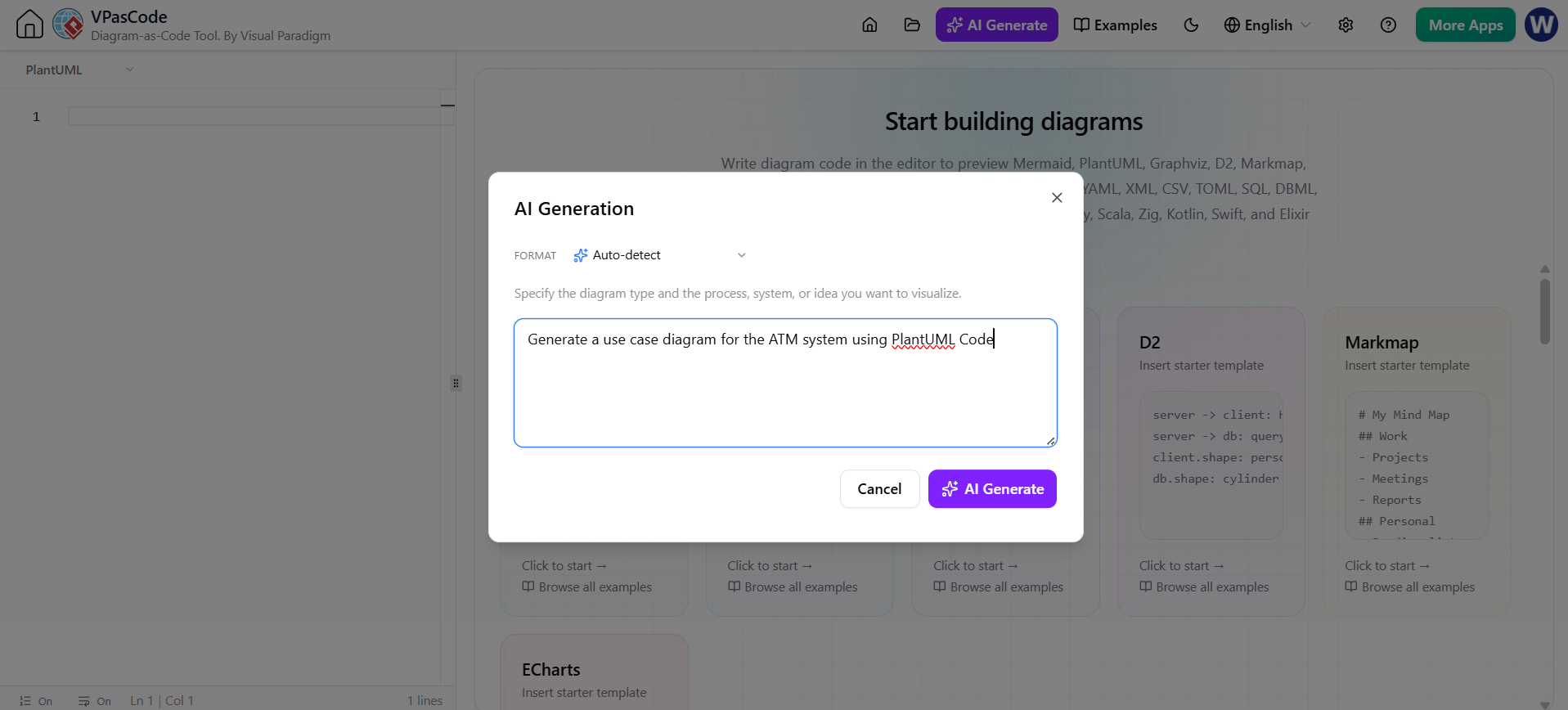
- VPasCode AI: A generative AI assistant that translates natural language prompts directly into PlantUML code, removing the need to memorize complex syntax.
- OpenDocs: An AI-powered knowledge platform that acts as the single source of truth. It embeds live diagrams, code, and AI-generated explanations into a unified, shareable workspace.
The Complete Lifecycle: From Ideation to Documentation
The power of this stack lies in the seamless workflow it creates. Here is how a modern architecture team moves from a vague idea to a published, living document.
Step 1: Ideation & AI Acceleration
Instead of manually dragging shapes onto a canvas, the architect starts with Natural Language. Using VPasCode AI, the user simply prompts the system (e.g., “Create a class diagram for an e-commerce system”). The AI instantly translates this intent into technical PlantUML code.
Step 2: Version-Controlled Code (.puml)
The output is clean, human-readable PlantUML text. This file is saved directly into the project repository. Because it is text, it is tracked via Git, allowing teams to review changes, revert mistakes, and maintain a history of architectural evolution.
Step 3: Enterprise Modeling & Validation
Visual Paradigm imports the raw code. It renders the diagram through advanced layout engines and performs model validation. This step ensures that the diagram is not just a pretty picture, but a valid, structured model ready for production.

Step 4: Publishing with OpenDocs
Finally, the architecture is published to OpenDocs. This keeps the team aligned with live-rendering diagrams and centralized knowledge management. The documentation is no longer a static PDF; it is a dynamic part of the development ecosystem.
Key Takeaway
Moving from drag-and-drop GUIs to a Diagrams as Code stack solves the persistent issue of outdated documentation. By aligning architecture directly with code versioning workflows and leveraging AI acceleration, teams can ensure that their architectural blueprints are always accurate, accessible, and actionable.