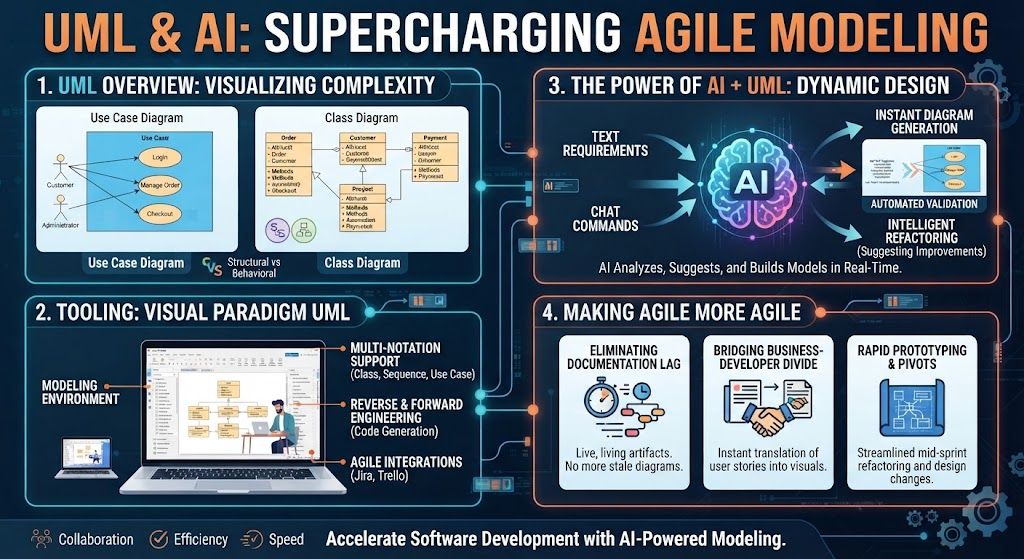
In the rapidly evolving landscape of software development, the ability to visualize complex systems is paramount. Unified Modeling Language (UML) has long been the gold standard for architects and developers to map out the “blueprints” of a system. However, traditional modeling has often clashed with the speed of Agile methodologies, creating a bottleneck between design and implementation. Enter the synergy of Artificial Intelligence and UML—a transformation that turns static documentation into a dynamic, living design accelerator.
This tutorial explores how AI-augmented modeling tools like Visual Paradigm are reshaping the software architecture workflow, bridging the gap between business requirements and technical execution.
1. UML Overview: Visualizing Complexity
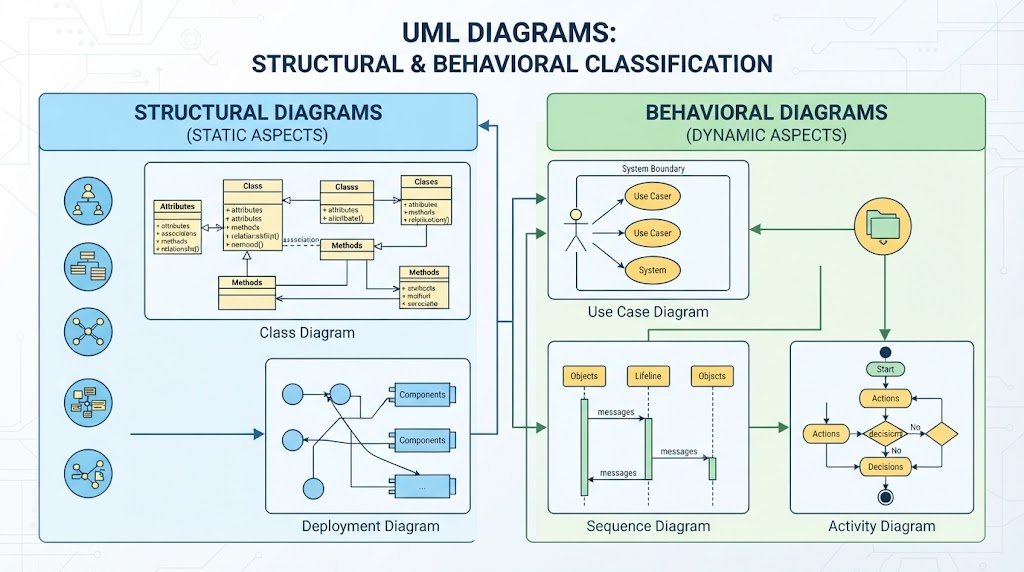
Before diving into AI, we must understand the foundation: UML. It is a standardized modeling language designed to provide a visual way to specify, construct, and document software-intensive systems. UML diagrams are generally split into two primary categories:
- Structural Diagrams (Static Aspects): These illustrate what things exist in the system.
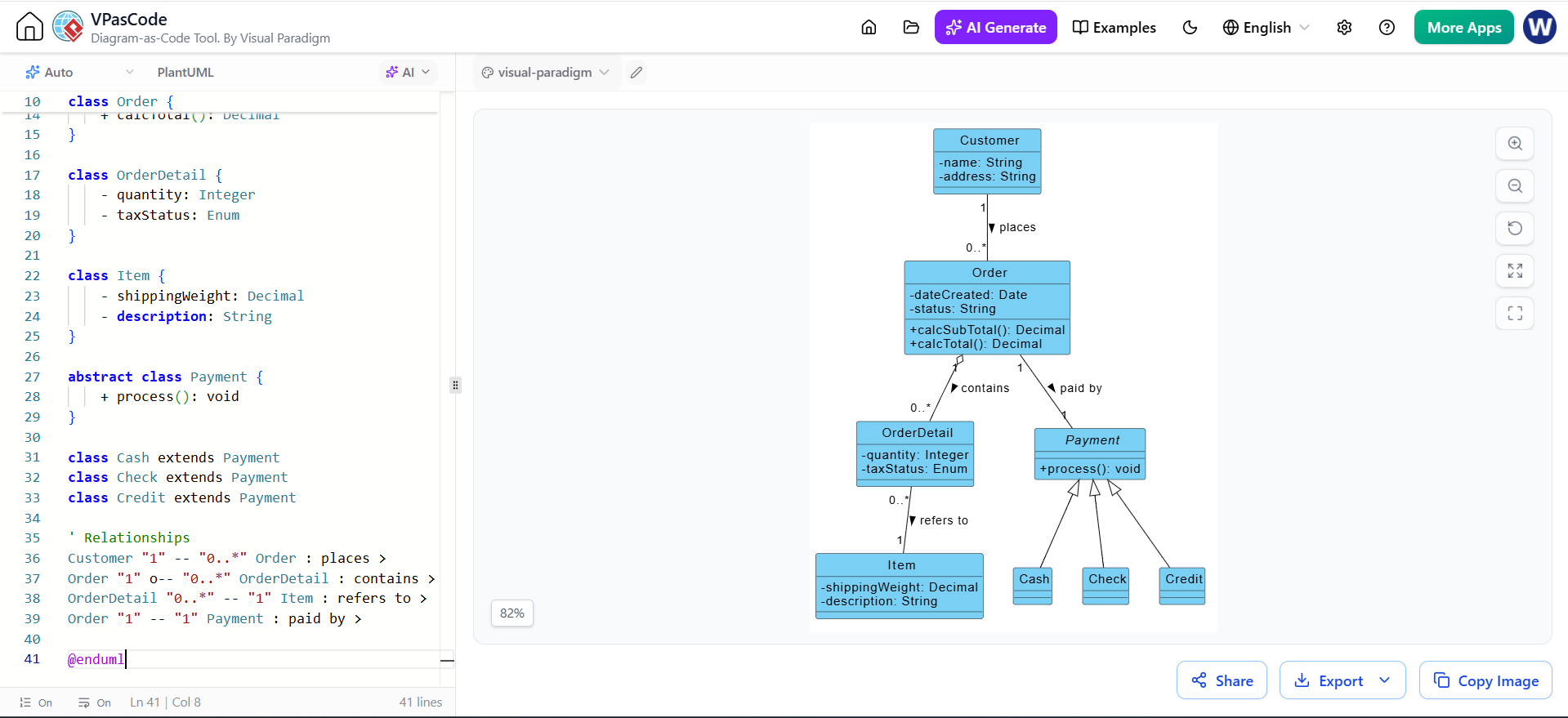
- Class Diagram: Maps classes, attributes, operations, and relationships (e.g., inheritance or associations).
- Deployment Diagram: Maps the physical hardware nodes and software artifacts.
- Behavioral Diagrams (Dynamic Aspects): These illustrate how things change or interact over time.
- Use Case Diagram: Captures system functionality from an actor’s (user’s) perspective.
- Sequence Diagram: Shows message exchanges between objects in a time-ordered sequence.
- Activity Diagram: Represents business or operational workflows step-by-step.
Practical Example: The E-Commerce Checkout
To visualize these concepts, consider an E-Commerce Checkout scenario:
- Use Case: A Customer interacts with a Checkout system.
- Class Structure: A ShoppingCart aggregates multiple Product items. Upon checkout, it generates an Order linked to a Payment object.
- Sequence Flow: The Customer triggers
checkout(), the Order verifies inventory, and the Payment Gateway returns a confirmation status.
2. Tooling: The Role of Visual Paradigm UML
Creating these diagrams manually can be tedious. This is where robust tooling like Visual Paradigm comes into play. As an industry-standard enterprise modeling tool, it offers features that streamline the entire engineering lifecycle:
Multi-Notation Support
It seamlessly creates class, sequence, and use case diagrams, allowing teams to visualize different aspects of the system without switching contexts.
Code Engineering (Forward & Reverse)
One of the most powerful features is its ability to bridge the gap between design and code:
- Forward Engineering: Automatically generates code skeletons in
Java,C++, orC#directly from class models. - Reverse Engineering: Builds class diagrams from existing source code or databases, helping you document legacy systems.
Agile Integrations
Visual Paradigm offers tight ties to project management platforms like Jira and Trello, ensuring that your models stay synchronized with your actual development tasks.
3. The Power of AI + UML: Dynamic Design
Integrating Artificial Intelligence into a modeling suite shifts UML from a tedious documentation chore into a dynamic, fast-paced design accelerator. Here is how AI capabilities transform the workflow:
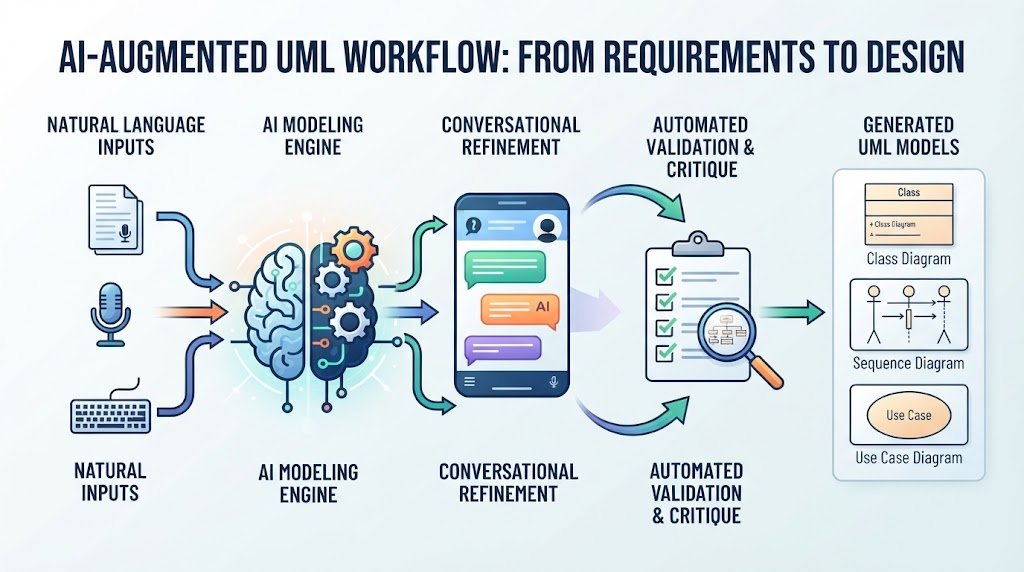
Textual Analysis (Requirement-to-Model)
Instead of starting with a blank canvas, you can paste a raw block of user text or business requirements. The AI automatically extracts core entities, attributes, actors, and relationships to instantly draft diagram drafts.
Conversational Refinement
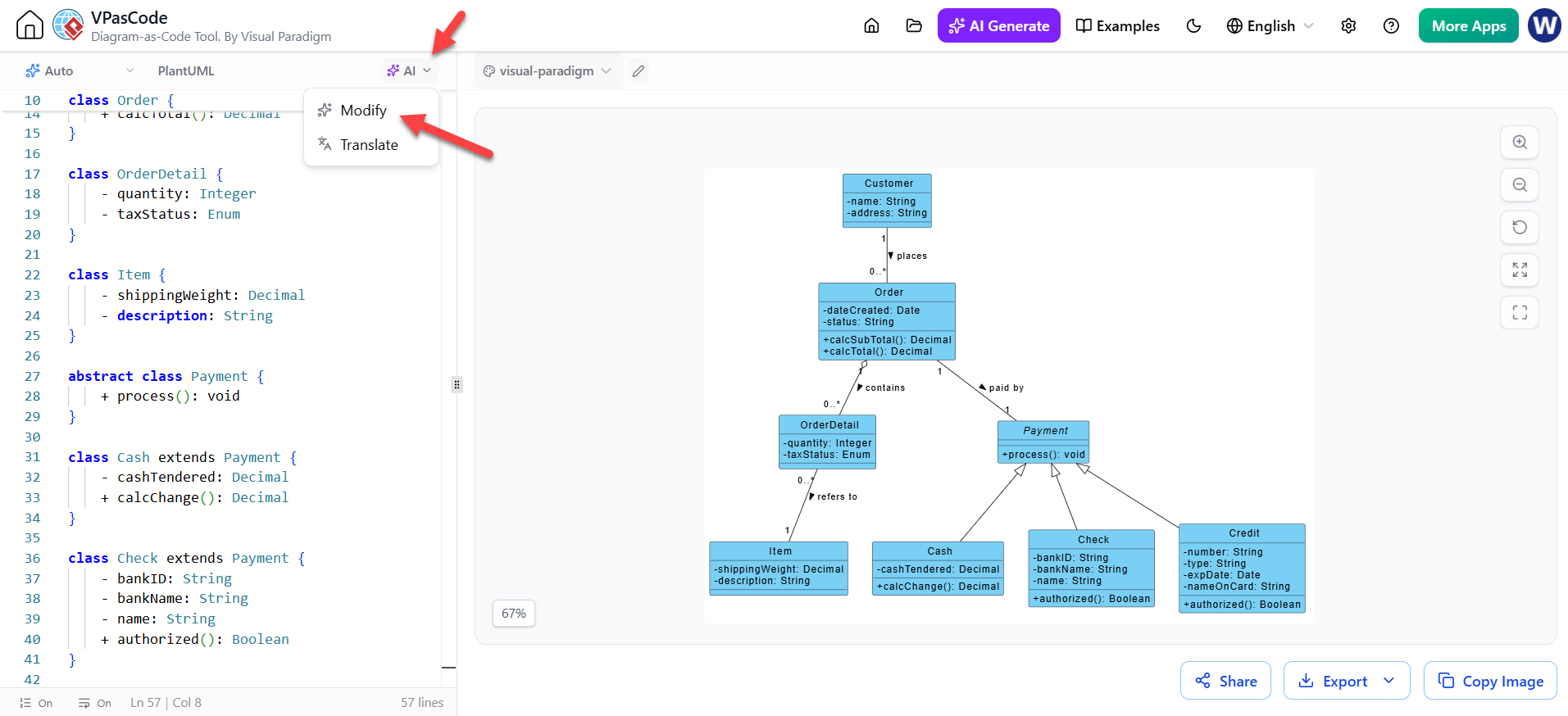
Manual drag-and-drop is no longer the only way to edit. You can instruct an AI chatbot with natural language commands. For example: “Add a discount voucher module to the class diagram and link it to the cart.” The model updates instantly.
Automated Validation & Architectural Critique
AI acts as a senior architect reviewing your work. It analyzes models for logical consistency, detects deadlocks in state machines, identifies missing exception flows, and suggests design patterns (e.g., recommending a Factory or Singleton pattern).
4. Making Agile More Agile
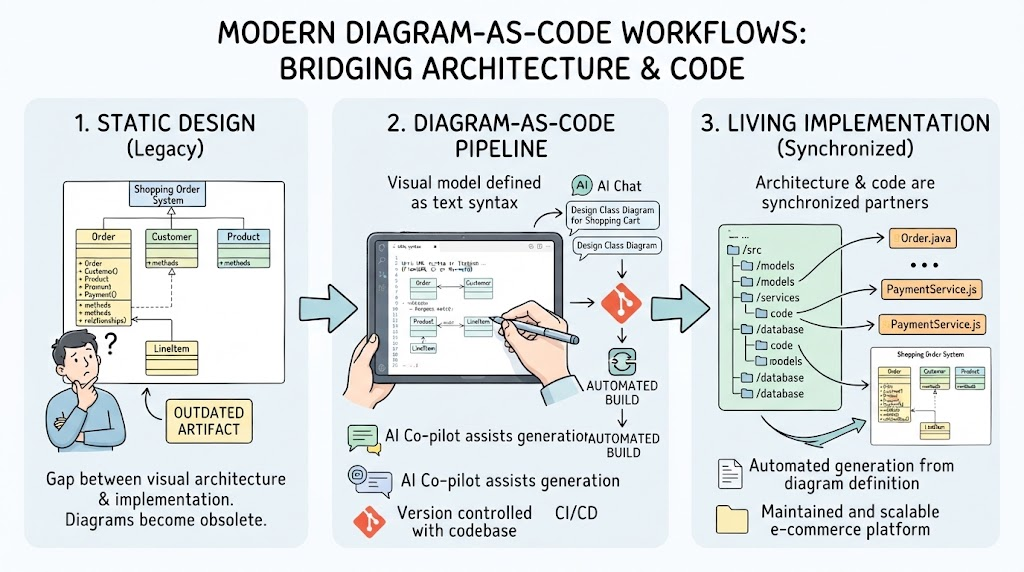
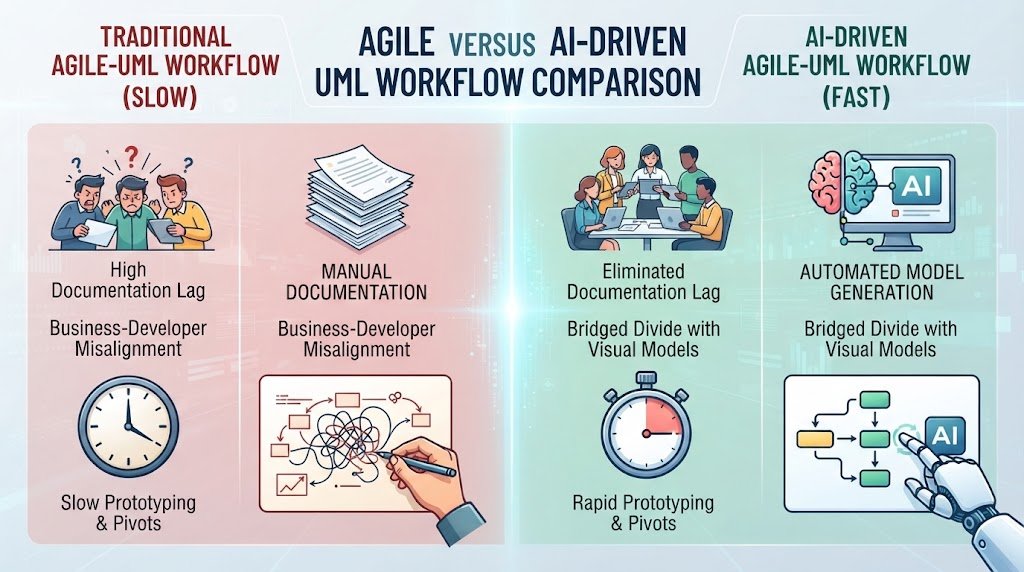
Historically, Agile and heavy UML workflows clashed. Teams viewed UML as “Big Design Up Front” (BDUF)—slow, rigid, and prone to becoming outdated the moment code changed. AI-augmented modeling rewrites this relationship.
1. Eliminating Documentation Lag
Old Way: Architects spent days drawing sequence diagrams, which went stale as soon as sprints shifted.
Agile + AI Way: Diagrams become disposable, living artifacts. During sprint planning, text-based user stories or meeting transcripts can be instantly fed into the AI to generate baseline visual models on the fly.
2. Bridging the Business-Developer Divide
Old Way: Product Owners wrote acceptance criteria in text, and developers interpreted them differently, leading to rework.
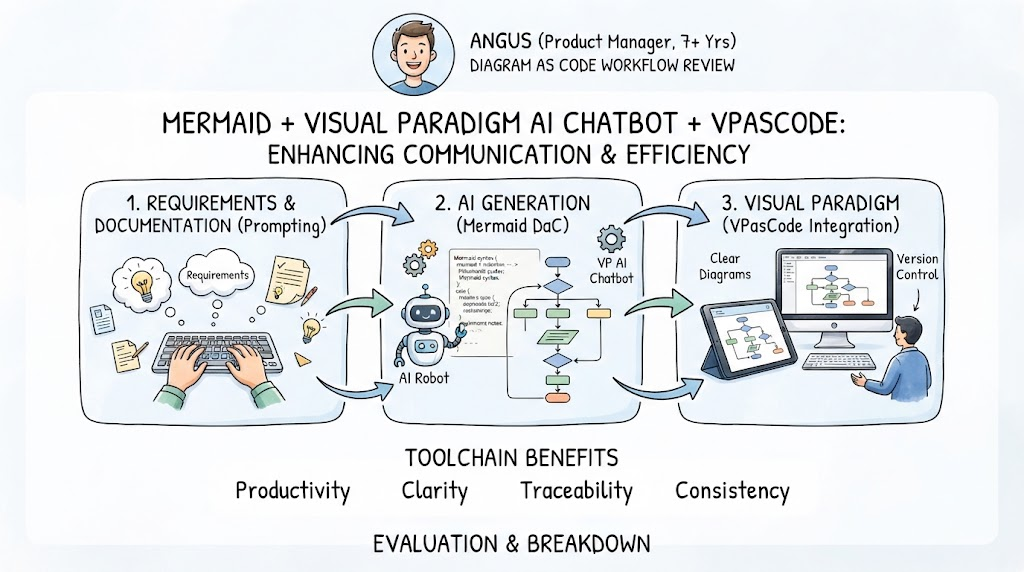
Agile + AI Way: Product Managers can sketch a concept or text description, and the AI turns it into a concrete Use Case or Activity diagram instantly, creating an unambiguous single source of truth before code is written.
3. Rapid Prototyping and Pivots
Old Way: Changing a core system architecture mid-project meant manually redrawing massive interconnected diagrams.
Agile + AI Way: Pivoting architecture mid-sprint is streamlined. You prompt the AI with the structural change, and it cascades updates across dependent sequence and class diagrams, maintaining design integrity without slowing down velocity.
Conclusion
By combining the structural rigor of UML with the speed of AI, teams can accelerate software development. The result is a workflow defined by Collaboration, Efficiency, and Speed, ensuring that your architectural diagrams remain a valuable asset rather than a bureaucratic hurdle.