Business Process Model and Notation (BPMN) is the industry standard for visualizing business processes. However, a diagram is only as good as its ability to communicate intent, logic, and structure. Whether you are a business analyst, a developer, or a stakeholder, understanding the nuances of BPMN modeling is crucial for ensuring that your diagrams are not just visually appealing, but technically valid and logically sound.
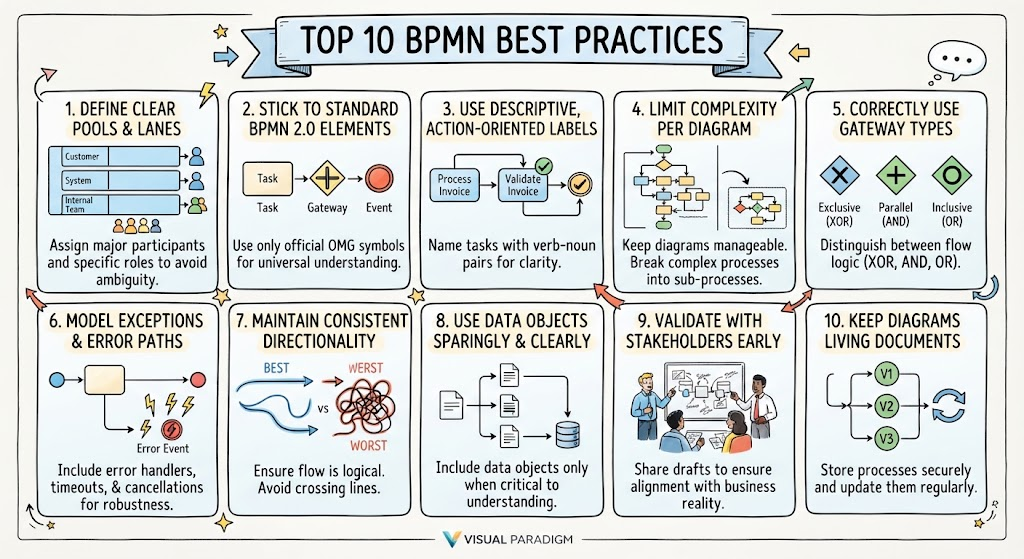
This tutorial breaks down the Top 10 BPMN Best Practices, transforming a checklist of rules into a cohesive strategy for building robust process models.
Part 1: Foundational Structure and Standards
The first step in creating a professional BPMN diagram is establishing a solid structural foundation. This ensures that the diagram is interoperable and that every participant knows their role.
1. Define Clear Pools and Lanes for Role Clarity
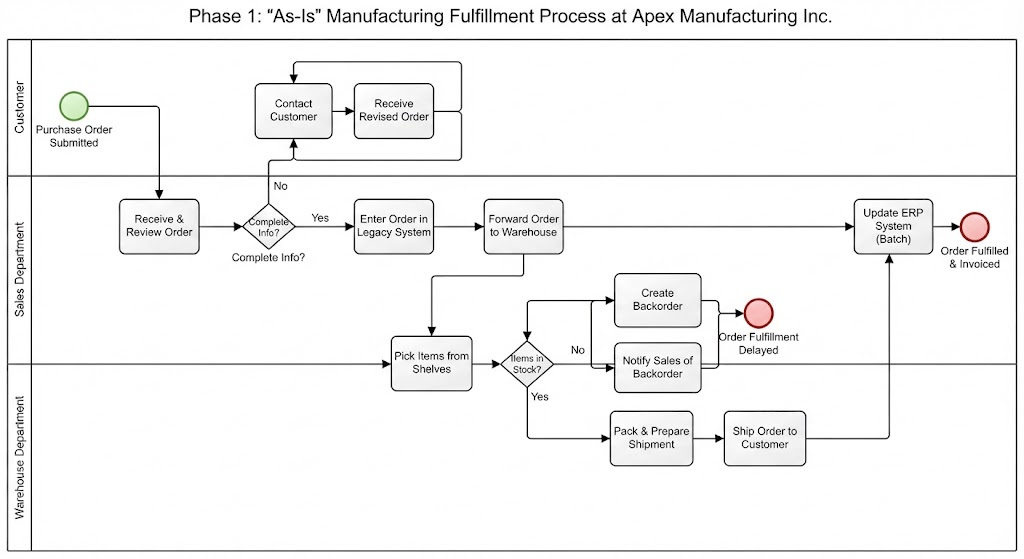
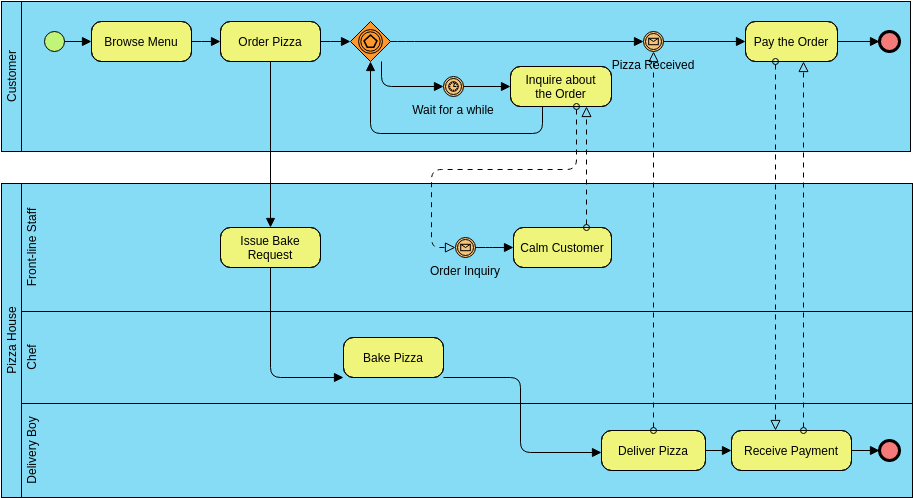
A common pitfall in process modeling is ambiguity regarding responsibility. To prevent this, you must strictly define Pools and Lanes.
- Pools: Use these to represent major participants, such as the “Customer,” “External System,” or “Internal Team.”
- Lanes: Use these to break down the pools further, representing specific roles (e.g., “Manager,” “Sales Rep”) or departments within those participants.
By clearly separating these containers, you eliminate the confusion of “who does what,” ensuring that the handoffs between participants are explicit.
2. Stick to Standard BPMN 2.0 Elements
One of the primary advantages of BPMN is its universality. However, this advantage is lost if you introduce custom shapes or non-standard symbols. To ensure your diagram can be understood by any BPMN engine or reader:
- Use only OMG-compliant elements (Tasks, Gateways, Events).
- Avoid “drawing” in a generic diagram tool; instead, use the specific BPMN shapes provided by your modeling software.
Adhering to standard metamodel rules ensures that your diagram is technically valid and can be executed by workflow engines without syntax errors.
7. Maintain Consistent Directionality
Visual flow is critical for cognitive load management. A well-modeled process should generally flow from left to right and top to bottom.
While complex processes may require loops, you should avoid crossing lines whenever possible. “Tangled” lines with arrows pointing in random directions create a visual mess that obscures the logic. Automated layout features can often help maintain this clean, readable structure.
Part 2: Clarity, Readability, and Complexity
Once the structure is set, the focus shifts to how the information is presented. The goal is to make the process understandable to both technical and non-technical stakeholders.
3. Use Descriptive, Action-Oriented Labels
Avoid vague nouns like “Invoice” or “Process.” Instead, label every task with a verb-noun pair.
- Bad: “Invoice”
- Good: “Validate Invoice”
This action-oriented approach clarifies exactly what happens at that step. It transforms the diagram from a map of objects into a map of actions.
4. Limit Complexity per Diagram
It is a common mistake to try to map an entire enterprise system onto a single sheet of paper. If a diagram contains more than 15-20 elements, it has likely become too complex for effective analysis.
The solution is decomposition. Break complex processes down into sub-processes. Use a high-level “Level 1” diagram to show the main flow, and then create detailed “Level 2” diagrams for specific sub-processes. This iterative approach keeps the model manageable and focused.
8. Use Data Objects Sparingly and Clearly
Data objects (the document icons) are useful, but over-cluttering a diagram with inputs and outputs can obscure the actual workflow. Only include data objects if they are critical to understanding the process flow. If a task requires data, the task label usually implies it; adding a document icon for every single step can make the diagram visually noisy.
Part 3: Logic, Robustness, and Lifecycle
The final tier of best practices ensures that your model is not just a theoretical exercise, but a robust representation of reality that can handle exceptions and evolve over time.
5. Correctly Use Gateway Types
Gateways control the flow of the process. Misusing them leads to logical errors in execution engines. You must distinguish clearly between:
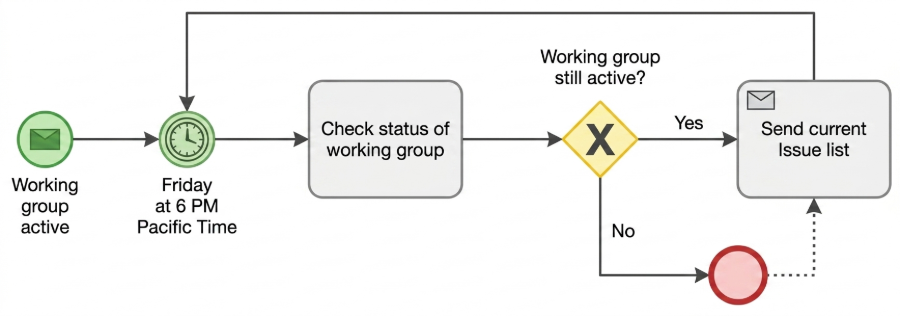
- Exclusive (XOR): Only one path is taken (e.g., If Yes, go A; if No, go B).
- Parallel (AND): All paths are taken simultaneously (e.g., Send email AND send SMS).
- Inclusive (OR): One or more paths can be taken based on conditions.
Ensure your gateways have the correct incoming and outgoing flows to maintain logical consistency.
6. Model Exceptions and Error Paths
Most beginners model the “Happy Path”—the scenario where everything goes right. However, a robust process must account for failure. Do not ignore:
- Timeouts: What happens if a response isn’t received in 24 hours?
- Errors: What happens if a system crashes?
- Cancellations: What happens if a user aborts the process?
Use boundary events and error paths to ensure your model represents a realistic, resilient business environment.
9. Validate with Stakeholders Early
A diagram is a contract between the business and IT. You must share draft models with both technical and business stakeholders early in the process. This ensures the logic matches reality before significant resources are committed to implementation.
10. Keep Diagrams as Living Documents
Processes change. Business rules evolve, and systems are updated. Therefore, your BPMN diagrams should not be static images stored in a folder. They should be version-controlled, editable models stored in a production workspace. This allows for seamless updates where you can regenerate affected parts of a diagram while maintaining historical integrity.
Conclusion
By following these 10 best practices, you move beyond simple diagramming to true business process architecture. You create models that are clear, logically sound, and capable of driving real-world automation and efficiency.