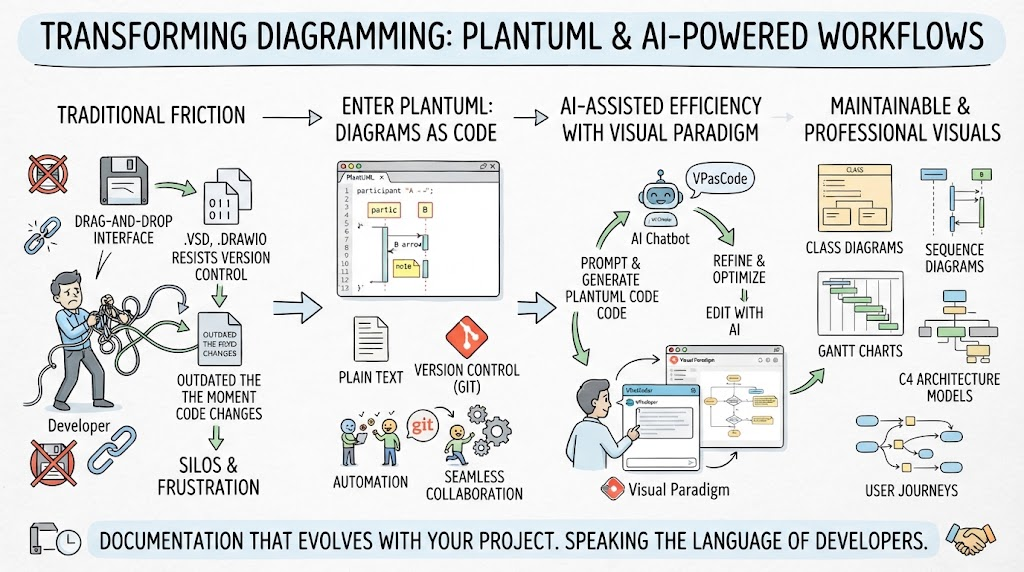
In the fast-paced world of software development, documentation is often the first casualty. We build complex systems, but our diagrams—often created in drag-and-drop tools like Visio or generic drawing apps—quickly become obsolete. They sit in silos, disconnected from the code they are meant to represent.
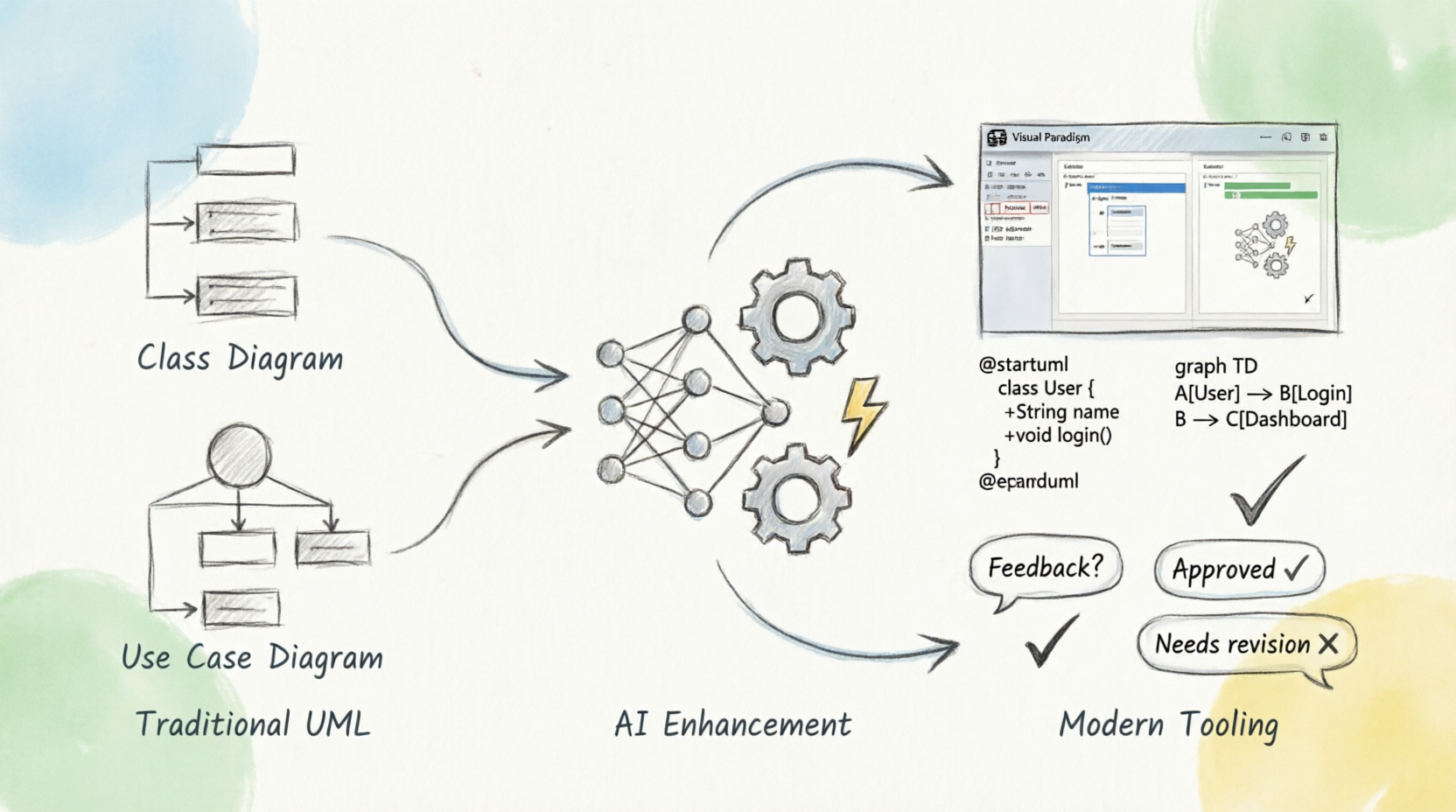
This tutorial explores a modern paradigm shift: treating diagrams as code. By combining PlantUML with the AI-powered capabilities of Visual Paradigm, we can create documentation that is version-controlled, automated, and intelligent.
The Problem: Why Traditional Diagramming Fails
For decades, the standard for system modeling has been “Drag-and-Drop.” While intuitive, this approach creates significant friction in an engineering environment.
The Binary Trap
Traditional tools export files in binary formats (like .vsd or .drawio). These files are opaque to version control systems like Git. When two developers try to edit a diagram, they cannot merge changes; they must overwrite each other’s work. This leads to a chaotic workflow where the diagram is a “single source of truth” that is rarely updated.
The “It Worked on My Machine” Syndrome
When code changes, the architecture changes. In a traditional workflow, a developer updates a class or adds an endpoint. The diagram remains static. Over time, the visual documentation diverges from reality, creating a “silos and frustration” scenario where developers don’t trust the diagrams because they know they are outdated.
The Solution: PlantUML and “Diagrams as Code”
PlantUML revolutionizes this process by allowing you to define your system architecture using plain text. Instead of moving boxes around with a mouse, you describe relationships in code.
Text-Based Modeling
Imagine writing a sequence diagram not by drawing arrows, but by typing a script. PlantUML parses this text and renders a professional-looking diagram instantly. This approach offers several distinct advantages:
- Version Control Friendly: Since the diagram is a text file, you can commit it to Git. You can see exactly what changed in the architecture between commits.
- Automation: You can script the generation of diagrams. If your code repository changes, your diagram pipeline can automatically regenerate the visuals.
- Seamless Collaboration: Developers can review architectural changes just like they review code pull requests.
Supercharging with Visual Paradigm AI
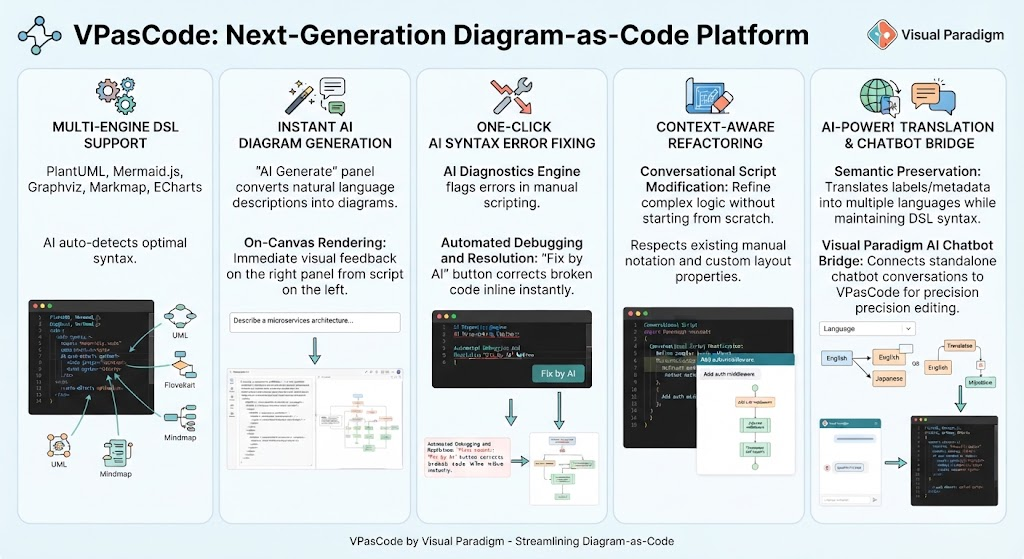
While PlantUML is powerful, writing the syntax from scratch can be tedious. This is where the synergy between PlantUML and Visual Paradigm shines, specifically through their AI Chatbot and VPasCode features.
Introducing VPasCode
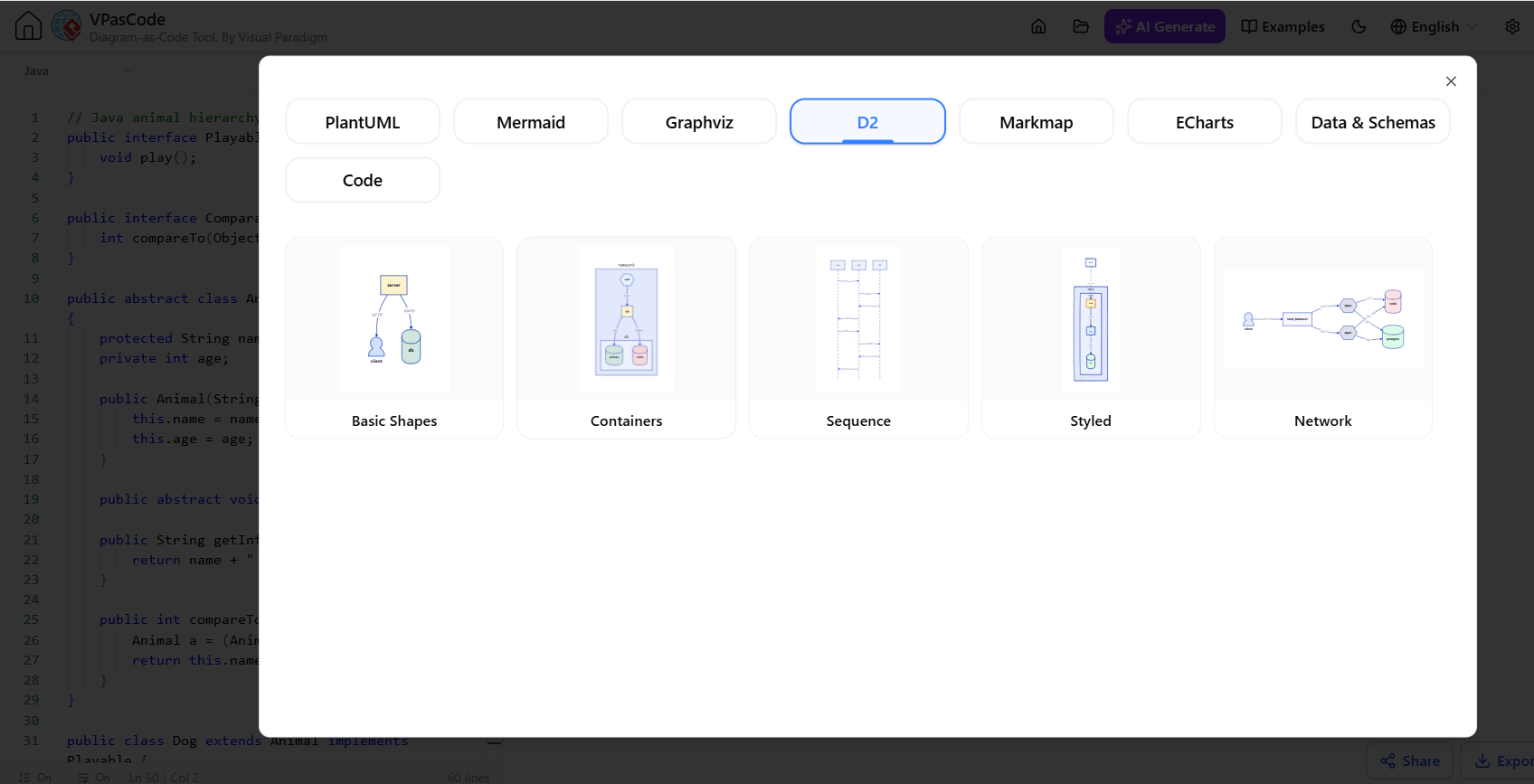
VPasCode (Visual Paradigm as Code) acts as a bridge between natural language and technical diagram syntax. It allows you to prompt an AI to generate the necessary PlantUML code for you.
From Idea to Diagram in Seconds
Instead of memorizing PlantUML syntax, you can simply describe your system in natural language. The AI Chatbot handles the heavy lifting:
- Prompt: “Create a C4 model for a microservice architecture with an API Gateway and a Database.”
- Generation: The AI generates the PlantUML code block.
- Refine: You can ask the AI to “Refine and optimize the code” or change the layout.
- Render: Visual Paradigm renders the final, professional-quality visual.
Building a Robust Architecture: From C4 to Sequence Diagrams
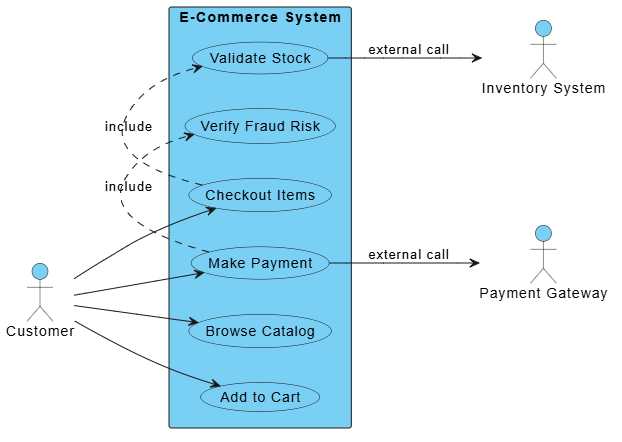
The true power of this workflow lies in the variety of diagrams you can maintain effortlessly. Here is how you can apply this to different modeling needs:
The C4 Model
The Context, Containers, Components, and Code (C4) model is a standard for software architecture. With VPasCode, you can generate high-level context diagrams to explain your system to stakeholders, then drill down into container diagrams to show how microservices interact.
Sequence and Class Diagrams
For detailed design work, PlantUML excels at:
- Sequence Diagrams: Visualizing the flow of messages between objects over time.
- Class Diagrams: Defining the static structure of your code, including relationships and inheritance.
Gantt Charts and User Journeys
It isn’t just for code! You can also generate Gantt charts for project management or map out user journeys. This ensures that the entire lifecycle of the project—from planning to execution—is documented in the same text-based language.
Conclusion: Documentation That Evolves
The goal of modern software engineering is to reduce friction. By moving away from static, binary drawings and embracing PlantUML combined with Visual Paradigm’s AI, you transform documentation from a tedious chore into an efficient workflow.
Ultimately, this approach ensures your documentation lives in your repository, changes with your code, and speaks the language of developers. Say goodbye to outdated Visio files and hello to diagrams that are as maintainable as the software they describe.