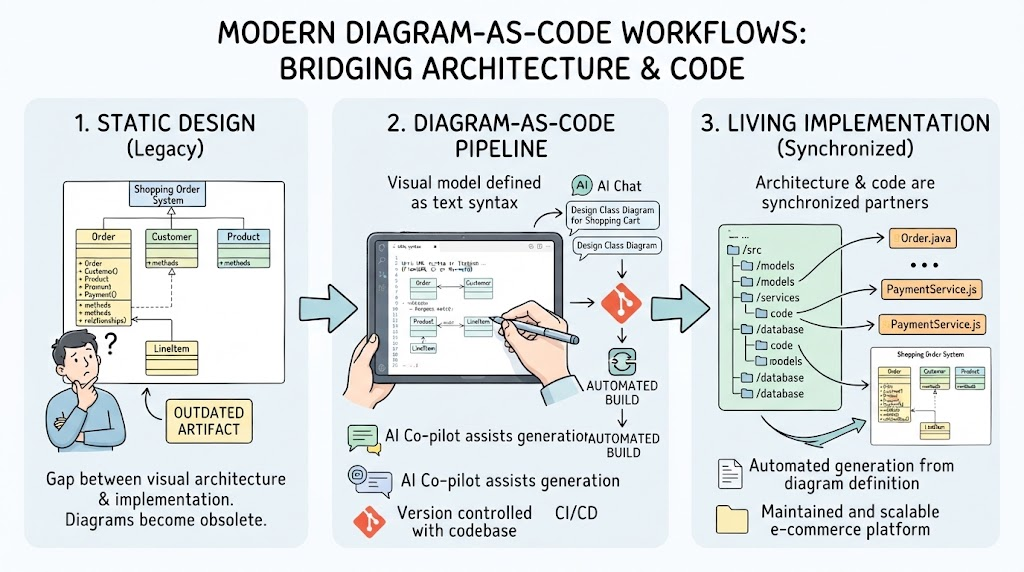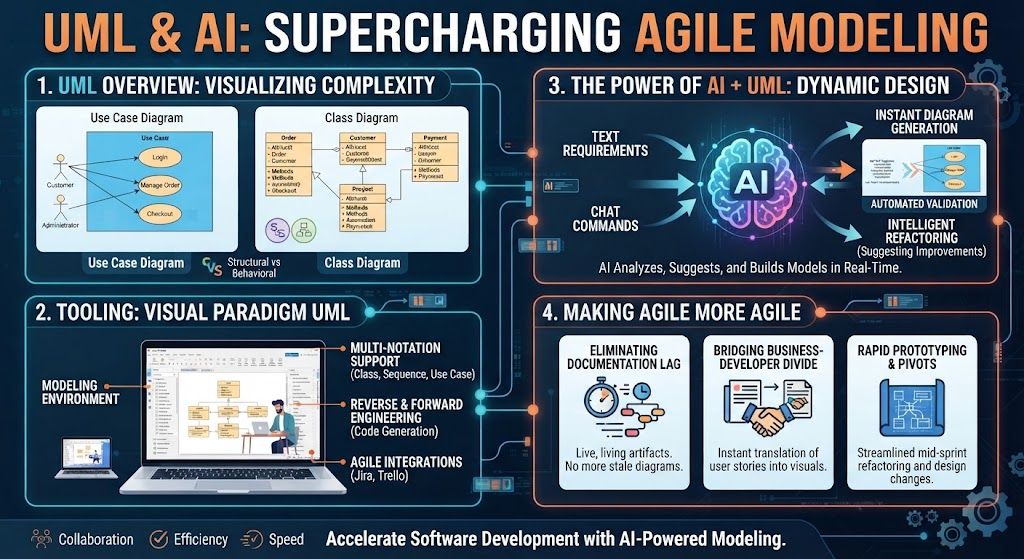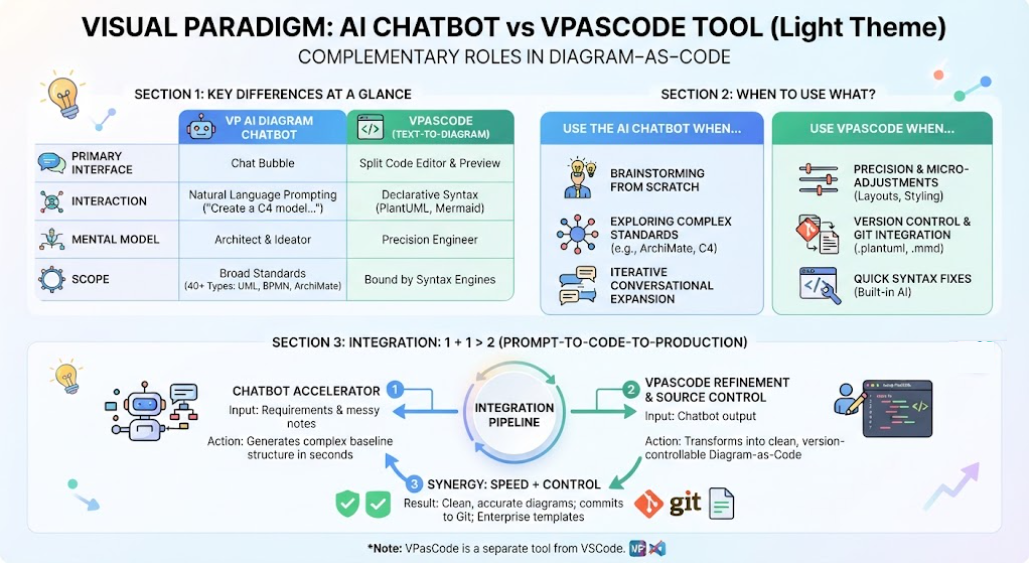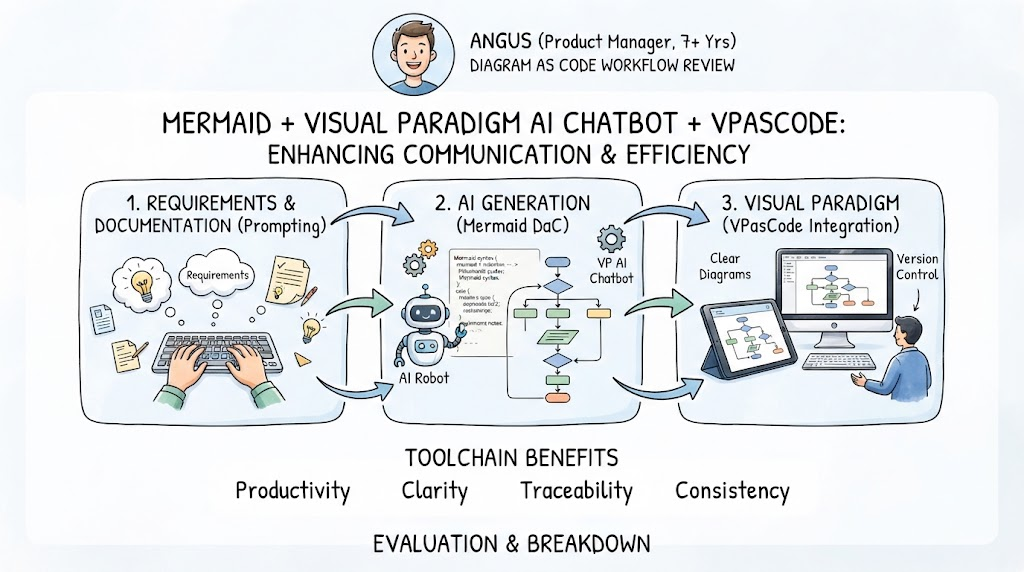
In the modern landscape of software engineering and system architecture, the ability to communicate complex logic quickly and accurately is paramount. This tutorial explores a powerful workflow known as Diagram as Code (DaC), specifically utilizing the synergy between Mermaid.js, the Visual Paradigm AI Chatbot, and VPasCode. By treating diagrams as text files, developers and product managers can automate visualization, reduce manual drawing errors, and maintain strict version control.
Based on the evaluation by Angus, a Product Manager with over 7 years of experience, we will break down this three-step process: from initial requirements to AI-assisted generation, and finally to professional diagramming.
1. The Foundation: Requirements & Documentation
The workflow begins at the source: the human requirement. Instead of immediately opening a drawing tool, the process starts with text-based definition. This phase is critical for establishing the “Single Source of Truth.”
- The Input: The user defines the logic, flow, or architecture using natural language or structured text.
- The Prompting Strategy: Rather than drawing boxes and arrows, the engineer writes a description of the system. For example: “A user logs in, checks their balance, and if the balance is low, they top up.”
- The Goal: To isolate the logic from the visual representation, ensuring the underlying business rules are sound before any visual effort is expended.
2. The Engine: AI Generation (Mermaid DaC)
This is where the “Magic” happens. The raw text from the previous step is fed into the Visual Paradigm AI Chatbot. This AI agent acts as a translator, converting unstructured or semi-structured requirements into executable code.
Understanding Mermaid Syntax
The AI generates Mermaid syntax. Mermaid is a JavaScript-based diagramming and charting tool that renders text definitions to create diagrams. It is the backbone of the “Diagram as Code” philosophy.
Example of AI Output:
 graph TD
 A[User Login] --> B{Check Balance}
 B -- Low Balance --> C[Top Up]
 B -- Sufficient --> D[View Dashboard]
Why this matters: The AI ensures that the logic is translated correctly into a standardized syntax. It removes the friction of learning complex drawing tools or dealing with alignment issues found in manual vector graphics software.
3. The Visualization: Visual Paradigm Integration (VPasCode)
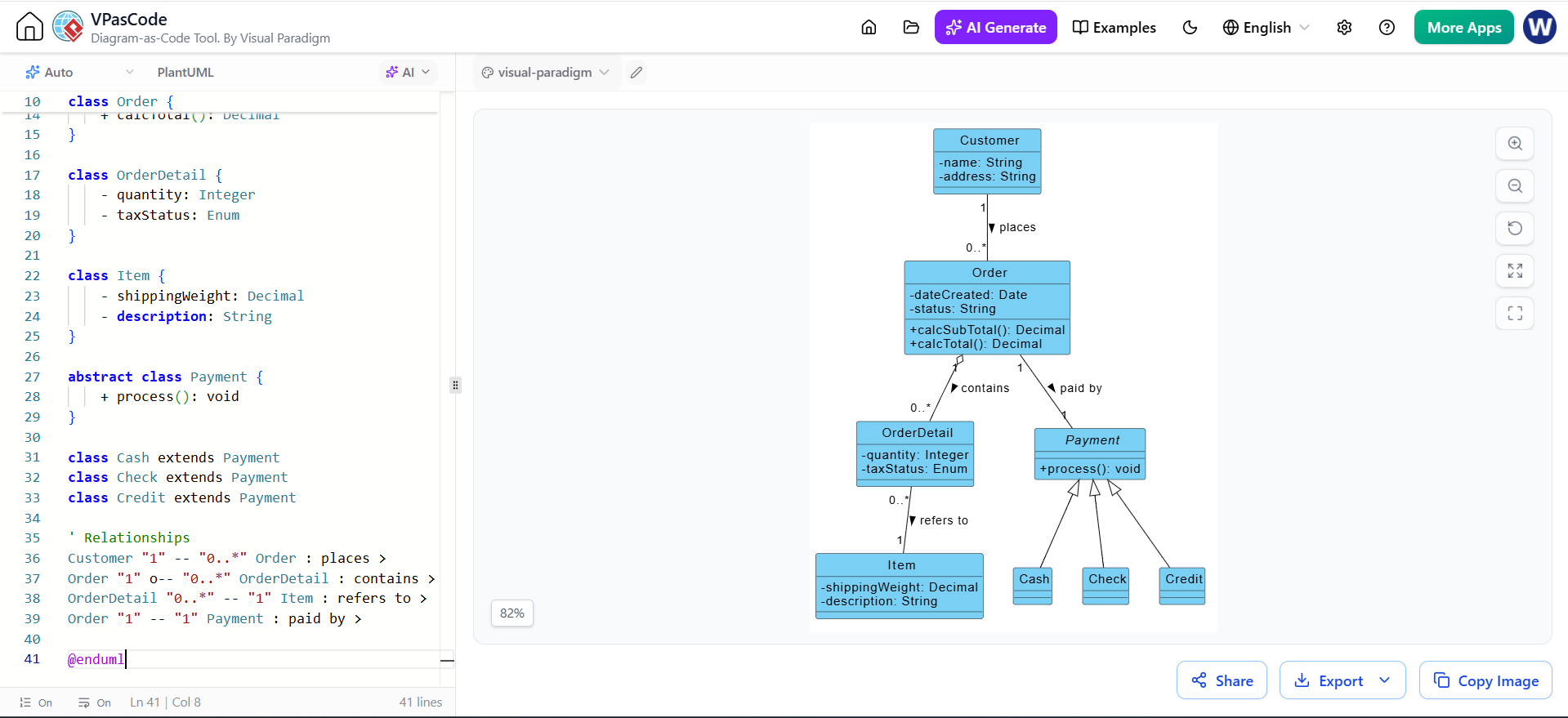
Once the Mermaid code is generated, it is imported into the Visual Paradigm environment via the VPasCode feature. This step bridges the gap between “code” and “professional engineering diagram.”
Key Features of the Integration
- Clear Diagrams: The raw code is instantly rendered into a polished, professional-grade diagram that adheres to industry standards (like UML or BPMN).
- Version Control: Because the source is text (code), it can be stored in Git or other version control systems. You can track changes to the diagram logic just like you would track changes to source code.
- Two-Way Synchronization: Changes made to the code can update the diagram, and conversely, some advanced setups allow visual edits to reflect back in the code.
4. The Value Proposition: Why Use This Workflow?
The image highlights four core benefits that this toolchain delivers to teams:
Productivity
By automating the translation from text to diagram, teams save hours of manual drawing and alignment. The AI handles the syntax, allowing the engineer to focus on the logic.
Clarity
Standardized rendering ensures that diagrams are consistent. There are no jagged lines or misaligned boxes. The visual output is clean and easy for stakeholders to understand.
Traceability
Since the diagram is derived from requirements text, there is a direct link between the business requirement and the technical model. If a requirement changes, the diagram can be regenerated to reflect it immediately.
Consistency
Using a standardized code format (Mermaid) ensures that diagrams created by different team members look and function the same way, regardless of who created them.
Conclusion
Adopting the Mermaid + Visual Paradigm AI + VPasCode workflow represents a shift towards modern, efficient engineering practices. It moves the industry away from static, hard-to-maintain images toward dynamic, version-controlled, and AI-assisted documentation.