


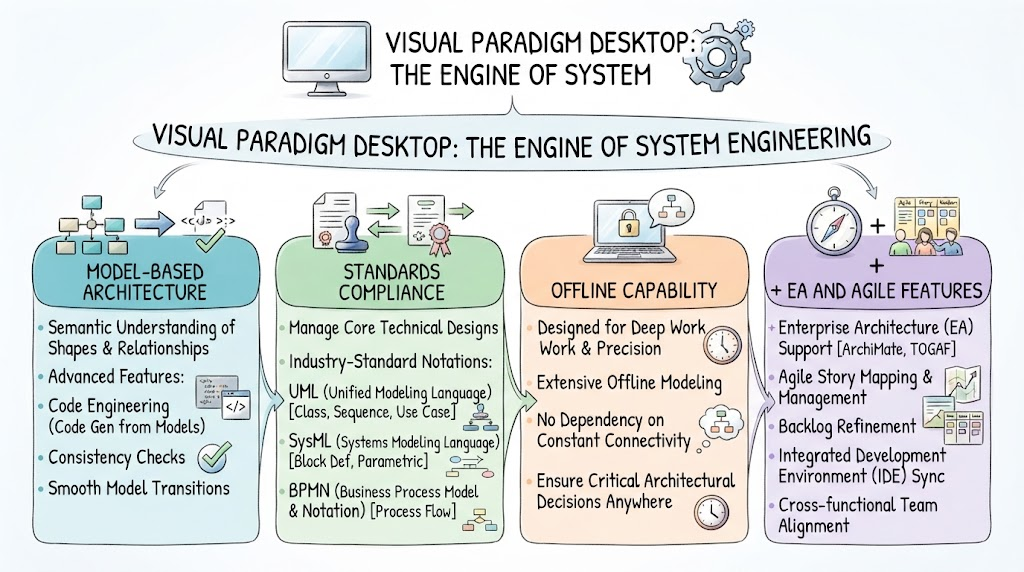
In the complex world of software development and system design, tools often fall into two categories: simple drawing utilities and rigorous engineering platforms. Visual Paradigm Desktop positions itself firmly in the latter category, serving as the “Engine of System Engineering.” This tutorial explores the core pillars that make Visual Paradigm Desktop a powerhouse for enterprise architects and senior engineers, moving beyond simple diagramming to true model-based development.
1. Model-Based Architecture: The Semantic Core
The most significant differentiator of Visual Paradigm Desktop is its approach to modeling. Unlike basic drawing tools where shapes are merely graphical objects, the Desktop version utilizes a Model-Based Architecture. This means the software understands the properties of the shapes and the relationships between them semantically.
This semantic understanding unlocks powerful engineering capabilities:
- Code Engineering: You can generate actual code directly from your models, bridging the gap between design and implementation.
- Consistency Checks: The system automatically validates your diagrams to ensure logical errors are caught early.
- Smooth Model Transitions: Because the data is structured, you can easily move models between different phases of the development lifecycle without losing fidelity.
2. Standards Compliance: Speaking the Language of Engineering
For a tool to be effective in professional environments, it must speak the universal languages of system design. Visual Paradigm Desktop manages core technical designs using industry-standard notations, ensuring that your models are readable and usable by any stakeholder.
The platform provides robust support for three critical standards:
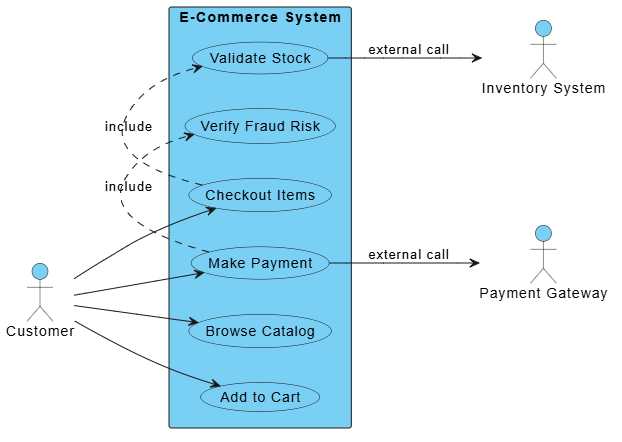
- UML (Unified Modeling Language): Essential for software engineering, covering use cases, class diagrams, and sequence diagrams.
- SysML (Systems Modeling Language): Crucial for systems engineering, allowing for block definition diagrams and parametric diagrams to model complex physical systems.
- BPMN (Business Process Model and Notation): Used for mapping out business processes and workflow automation.
3. Offline Capability: The Freedom of Deep Work
In an era of constant cloud connectivity, the ability to work offline is often overlooked. However, for deep architectural work, constant internet dependency can be a hindrance. Visual Paradigm Desktop is designed for deep work.
This offline capability ensures that:
- Critical architectural decisions can be made without latency or connectivity issues.
- Security-conscious environments can operate safely without external data leaks.
- Focus remains uninterrupted, allowing engineers to maintain a “flow state” while modeling complex systems.
4. Enterprise Architecture & Agile Features
Finally, the Desktop version acts as a bridge between high-level enterprise strategy and day-to-day agile execution. It integrates features that support the entire organizational structure.
Key features in this category include:
- Enterprise Architecture (EA) Support: Native support for
ArchiMateandTOGAFframeworks allows architects to map IT infrastructure against business strategy. - Agile Story Mapping: Teams can refine backlogs and manage user stories directly within the modeling environment.
- IDE Sync: Integrated Development Environment synchronization ensures that the code you write matches the design you modeled.
By combining semantic modeling, strict standards compliance, offline reliability, and enterprise-grade features, Visual Paradigm Desktop truly earns its title as the engine driving modern system engineering.
Related posts:
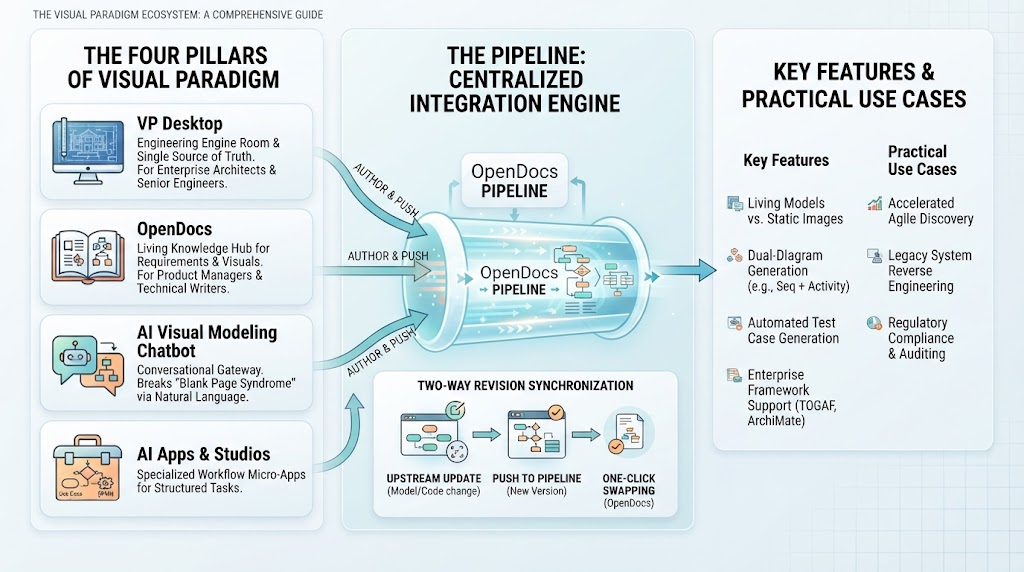 Mastering the Visual Paradigm Ecosystem: From Concept to Code with The Pipeline
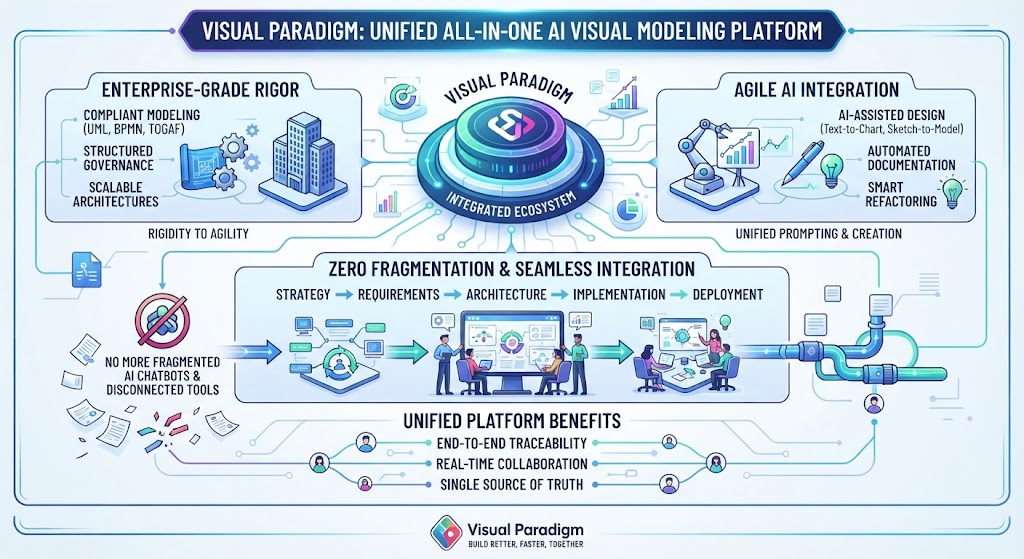 Mastering Unified Modeling: The Architecture of Enterprise Agility with Visual Paradigm
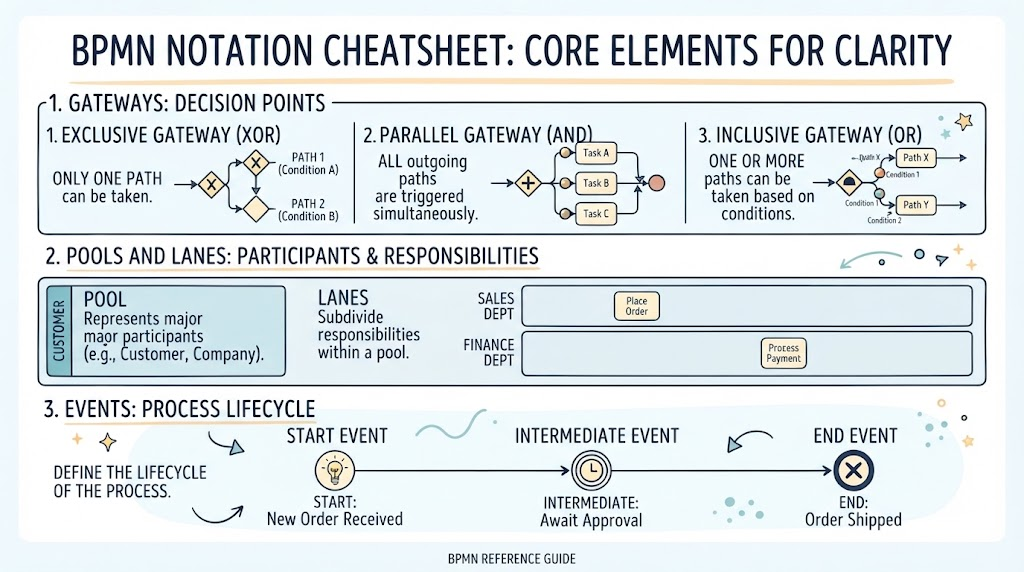 Mastering BPMN: A Visual Guide to Core Notation for Process Clarity
 Mastering System Architecture: Refining Use Case Diagrams with VPasCode and Embedded AI